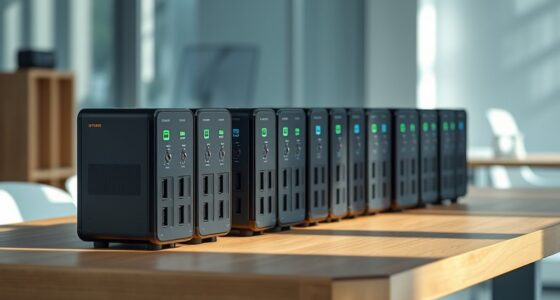

Premium NAS storage solutions split into two camps in 2026: Synology’s polished, software-first ecosystem and UGREEN’s hardware-heavy, value-driven challengers. The Synology DS1825+ stands out as my best overall pick thanks to its 8-bay expandability and best-in-class DSM software, while the UGREEN NASync DXP6800 Pro delivers more raw hardware per dollar and the Synology DS1525+ bundle with 40TB of IronWolf drives removes the guesswork of drive matching. The core tradeoff you’ll face is refined software and long-term support versus faster processors and more memory at the same price. Diskless-versus-bundled configurations add another decision layer, since drive selection affects performance as much as the NAS itself. Keep reading for the full breakdown of all 14 models and which one fits your setup.

Get business pricing on tools and workshop supplies
- Business-only prices and quantity discounts
- Tax-exempt purchasing
- Multiple users, one account, clear invoices
Complete the kit



Key Takeaways
- Synology dominates the premium tier through software: DSM, Snapshot Replication, and active surveillance ecosystem support justify its higher prices over spec-sheet rivals, even where UGREEN wins on raw hardware.
- UGREEN‘s DXP6800 Pro and DXP4800 Pro consistently offer faster CPUs, more RAM, and 10GbE options at prices where Synology ships slower hardware — the pick depends on whether you tinker or want turnkey simplicity.
- Bundled configurations (the DS1525+ 40TB and DS925+ 48TB IronWolf bundles) only make sense if you were buying those drives anyway; diskless models win on flexibility and upfront cost control.
- The 2-bay models (DS223j and DS225+) are entry points into premium software, not premium performance — fine for backups and light media, limiting for Plex transcoding or multi-user workloads.
- 8-bay options (Synology DS1825+, QNAP TS-855X) are the only picks here with genuine room to grow; every 4-bay buyer should honestly size their next three years of storage before committing.
| UGREEN NAS DXP4800 GT 4-Bay Network Attached Storage |  | Best for Fast Multi-User Workloads | Processor: AMD Ryzen Embedded R2514, 4 cores, 8 threads, up to 3.70GHz | Memory: 8GB DDR4, expandable to 64GB; installed memory is non-ECC | Drive bays: 4 SATA bays; up to 2 also support U.2 NVMe SSDs | VIEW ON AMAZON | See Our Full Breakdown |
| Synology DS1525+ 5-Bay NAS with 5x 8TB Seagate IronWolf HDDs (40TB Total) |  | Best Ready-to-Use Capacity Bundle | Model: Synology DS1525+ | Processor: AMD Ryzen V1500B | Memory: 8GB RAM | VIEW ON AMAZON | See Our Full Breakdown |
| Synology DS1525+ 5-Bay Diskless NAS |  | Best for Scalable Media Workflows | Model: Synology DS1525+ | Form factor: 5-bay diskless NAS | Networking: Built-in 2.5GbE; 10GbE ready | VIEW ON AMAZON | See Our Full Breakdown |
| UGREEN NASync DXP4800 Pro 4-Bay Network Attached Storage |  | Best for Virtualization and Local AI | Processor: Intel Core i3-1315U, 6 cores, 8 threads, up to 4.5GHz | Memory: 8GB DDR5, expandable to 96GB | Storage bays: 4 HDD bays and 2 M.2 SSD slots | VIEW ON AMAZON | See Our Full Breakdown |
| Synology 2-Bay DiskStation DS223j (Diskless) |  | Best for Straightforward Home Backups | Model: Synology DS223j | Drive bays: 2 | Storage configuration: Diskless | VIEW ON AMAZON | See Our Full Breakdown |
| QNAP TS-855X-8G-US 8-Bay NAS |  | Best for Expandable Business Networking | Bays: 8 | Processor: Intel Atom C5125, 8-core, 2.8GHz | Memory: 8GB DDR4 U-DIMM; expandable to 128GB with ECC support | VIEW ON AMAZON | See Our Full Breakdown |
| Yxk Zero1 Pro 4-Bay NAS (Diskless) |  | Best for Hands-On Homelab Builders | Processor: Intel N100 | Memory: 8GB DDR4 | Drive bays: 4 × SATA 3.0 | VIEW ON AMAZON | See Our Full Breakdown |
| Synology DS1825+ 8-Bay Diskless NAS |  | Best for Shared Video Production | Drive bays: 8 | Configuration: Diskless | Expandable capacity: 160TB to 360TB | VIEW ON AMAZON | See Our Full Breakdown |
| UGREEN NASync DXP6800 Pro 6-Bay NAS File Server |  | Best for Compute-Heavy Team Workloads | Drive bays: 6 × SATA | NVMe slots: 2 × M.2 | Maximum capacity: Up to 208TB with compatible drives in RAID 0 | VIEW ON AMAZON | See Our Full Breakdown |
| Synology DS425+ Private Cloud Media Server – Stream, Back Up & Share Files (4-Bay Diskless NAS) |  | Best for Small Office File Sharing | Drive bays: 4 | Configuration: Diskless | Stated transfer speed: 278 MB/s | VIEW ON AMAZON | See Our Full Breakdown |
| Synology DS925+ 4-Bay NAS Bundle with 4 × 12TB Seagate IronWolf HDDs |  | Best Turnkey Business Bundle | Processor: AMD Ryzen V1500B quad-core | Memory: 4 GB DDR4 ECC, expandable up to 32 GB | Drive bays: 4 hot-swappable 2.5-inch/3.5-inch bays | VIEW ON AMAZON | See Our Full Breakdown |
| Synology DiskStation DS925+ 4-Bay NAS (Diskless) |  | Best for Drive Flexibility | Drive bays: 4 | Expansion: Up to 9 drives with expansion unit | Network: Dual 2.5GbE | VIEW ON AMAZON | See Our Full Breakdown |
| UGREEN DXP4800 Plus 4-Bay NAS |  | Best Speed-per-Dollar Performer | Drive bays: 4 (2.5-inch and 3.5-inch) | Maximum capacity: 144 TB | Processor: Intel 5-core CPU | VIEW ON AMAZON | See Our Full Breakdown |
| Synology DS225+ 2-Bay Diskless NAS Media Server |  | Best Compact Media Hub | Drive bays: 2 (diskless) | Processor: Intel CPU | Transfer speed: Up to 282 MB/s | VIEW ON AMAZON | See Our Full Breakdown |
| premium nas storage solution | Drive bays | Processor | Warranty | Memory |
|---|---|---|---|---|
| UGREEN NAS DXP4800 GT 4-Bay Ne | 4 SATA bays; up to 2 also support U.2 NVMe SSDs | AMD Ryzen Embedded R2514, 4 cores, 8 threads, up to 3.70GHz | — | 8GB DDR4, expandable to 64GB; installed memory is non-ECC |
| Synology DS1525+ 5-Bay NAS wit | 5 | AMD Ryzen V1500B | — | 8GB RAM |
| Synology DS1525+ 5-Bay Diskles | — | — | 3 years | — |
| UGREEN NASync DXP4800 Pro 4-Ba | — | Intel Core i3-1315U, 6 cores, 8 threads, up to 4.5GHz | — | 8GB DDR5, expandable to 96GB |
| Synology 2-Bay DiskStation DS2 | 2 | — | 2 years | — |
| QNAP TS-855X-8G-US 8-Bay NAS | — | Intel Atom C5125, 8-core, 2.8GHz | — | 8GB DDR4 U-DIMM; expandable to 128GB with ECC support |
| Yxk Zero1 Pro 4-Bay NAS | 4 × SATA 3.0 | Intel N100 | — | 8GB DDR4 |
| Synology DS1825+ 8-Bay Diskles | 8 | — | 3 years | — |
| UGREEN NASync DXP6800 Pro 6-Ba | 6 × SATA | 12th-generation Intel Core i5, 10 cores and 12 threads | — | — |
| Synology DS425+ Private Cloud | 4 | — | 3 years | — |
| Synology DS925+ 4-Bay NAS Bund | 4 hot-swappable 2.5-inch/3.5-inch bays | AMD Ryzen V1500B quad-core | 3 years | 4 GB DDR4 ECC, expandable up to 32 GB |
| Synology DiskStation DS925+ 4- | 4 | — | 3 years | — |
| UGREEN DXP4800 Plus 4-Bay NAS | 4 (2.5-inch and 3.5-inch) | Intel 5-core CPU | 2 years | 8GB DDR5 RAM |
| Synology DS225+ 2-Bay Diskless | 2 (diskless) | Intel CPU | 3 years | — |
More Details on Our Top Picks
UGREEN NAS DXP4800 GT 4-Bay Network Attached Storage
The DXP4800 GT stands out for buyers who need fast shared storage and room to run services on the NAS itself. Its dual 10GbE ports can support demanding transfers across compatible equipment, while the Ryzen processor, expandable memory, and mix of SATA, U.2, and M.2 storage give it more configuration flexibility than the Synology DS223j. Docker and virtual machine support also suit a home lab or small team consolidating several jobs on one device. That flexibility comes with setup work: drives are not included, ECC memory requires an upgrade, and Plex needs manual Docker setup. I’d choose it for network speed and experimentation, but buyers who want a ready-populated bundle or a simpler start should look at the Synology DS1525+ 40TB bundle.
Pros:- Dual 10GbE ports support high-bandwidth transfers and multi-user access
- Expandable DDR4 memory and mixed SATA, U.2, and M.2 support allow flexible builds
- Docker and virtual machine support enable self-hosted services
- SD and USB backup options add convenient paths for local imports
Cons:- Hard drives are not included
- ECC memory requires a compatible memory upgrade
- Plex requires manual setup through Docker
Best for: Small creative teams or home-lab users with 10GbE networking who want fast shared storage and self-hosted apps.
Not ideal for: Buyers seeking a ready-to-use, drive-populated NAS or a low-maintenance media setup, since drives and some app configuration are separate.
- Processor:AMD Ryzen Embedded R2514, 4 cores, 8 threads, up to 3.70GHz
- Memory:8GB DDR4, expandable to 64GB; installed memory is non-ECC
- Drive bays:4 SATA bays; up to 2 also support U.2 NVMe SSDs
- M.2 storage:2 M.2 SSD slots
- Maximum capacity:Up to 144TB total, including up to 16TB via two M.2 SSDs
- Network:2x 10GbE; up to 20Gbps aggregate with compatible Link Aggregation equipment
- Operating system:UGOS Pro
- Drive inclusion:Drives not included
Our verdict“Choose the DXP4800 GT if fast 10GbE access and self-hosted services matter more than a simple, preconfigured setup.”
Synology DS1525+ 5-Bay NAS with 5x 8TB Seagate IronWolf HDDs (40TB Total)
This DS1525+ bundle makes the strongest case for buyers who want substantial capacity without sourcing five drives separately. The included five 8TB IronWolf HDDs provide 40TB raw capacity, and Synology’s DSM software brings file sharing, backup, media tools, and virtualization into a familiar platform. Compared with the diskless DS1525+, this package shortens the parts list and gets a storage pool underway sooner; the diskless model leaves drive selection and initial spend more flexible. Its dual 2.5GbE ports suit many home and office networks, though 10GbE requires an add-on card. Expansion to 300TB also depends on the separately sold DX525 unit. I’d rank this ahead for buyers prioritizing included capacity, while the UGREEN DXP4800 Pro is a better fit for those prioritizing built-in 10GbE.
Pros:- Includes five 8TB Seagate IronWolf drives for 40TB raw capacity
- DSM combines file sharing, backup, media management, and virtualization tools
- Dual 2.5GbE ports provide faster networking than a single gigabit connection
- Supports expansion up to 300TB with a DX525 unit
Cons:- 10GbE requires a separate add-on card
- DX525 expansion unit is sold separately
- Included drives limit flexibility for buyers who already have a preferred drive setup
Best for: Small offices and households that want a five-drive NAS bundle with ample starting capacity and DSM backup tools.
Not ideal for: Buyers who already own drives, want to choose specific disk models, or need built-in 10GbE networking.
- Model:Synology DS1525+
- Processor:AMD Ryzen V1500B
- Memory:8GB RAM
- Drive bays:5
- Included drives:5x 8TB Seagate IronWolf HDDs
- Total raw capacity:40TB
- Network:2x 2.5GbE
- Maximum expandable capacity:300TB with DX525 expansion unit
Our verdict“Pick this bundle if you want a five-bay Synology system with drives included and can work within its 2.5GbE networking.”
Synology DS1525+ 5-Bay Diskless NAS
The DS1525+ diskless is a considered pick for media teams who want five bays, a mature management platform, and a path to larger storage pools. Its built-in 2.5GbE networking covers everyday shared access, while optional 10GbE and SSD caching can better suit footage workflows when the rest of the network and storage are configured for them. Compared with the included-drive DS1525+ 40TB bundle, this version lets buyers select their own disks and build capacity over time, but it takes more planning before it is ready for use. Synology DSM adds backup, sharing, surveillance, and asset organization tools. The tradeoff is that high-speed editing claims depend on the full setup, and reaching the listed 300TB scale requires expansion units. I’d favor it over the smaller DS223j when bay count and growth matter more than compact simplicity.
Pros:- Five bays provide more room for storage growth than the two-bay DS223j
- Built-in 2.5GbE with optional 10GbE upgrade support
- DSM provides tools for sharing, backup, surveillance, and asset organization
- SSD caching support can aid configured media workflows
Cons:- Diskless design requires separate drive purchases
- 10GbE connectivity requires an upgrade
- 300TB capacity depends on separately acquired expansion units
Best for: Video teams and media managers who want a five-bay DSM platform and prefer to select their own drives.
Not ideal for: Buyers wanting storage included, built-in 10GbE, or a compact NAS for basic backups.
- Model:Synology DS1525+
- Form factor:5-bay diskless NAS
- Networking:Built-in 2.5GbE; 10GbE ready
- Maximum storage capacity:300TB with expansion units
- Operating system:DiskStation Manager (DSM)
- Drive inclusion:Diskless
- Warranty:3 years
Our verdict“Choose the diskless DS1525+ if you want a scalable five-bay Synology system and are prepared to supply and configure the drives.”
UGREEN NASync DXP4800 Pro 4-Bay Network Attached Storage
The DXP4800 Pro is the lineup’s more compute-focused four-bay pick. Its Intel Core i3-1315U and memory expansion up to 96GB give virtualization and Docker workloads more headroom than the Ryzen-based DXP4800 GT’s listed 64GB ceiling, while 13th-generation integrated graphics add another option for media tasks. A mix of 10GbE and 2.5GbE makes it easier to connect one fast workstation alongside ordinary network clients. Buyers should weigh that capability against the DS1525+: Synology offers five bays and DSM, while this UGREEN model offers a stronger listed processor and built-in 10GbE in a four-bay chassis. It is diskless, and its advanced features reward technical setup. I’d pick it for a home lab or local processing workload, not simple file storage.
Pros:- Intel Core i3-1315U is suited to virtualization and Docker workloads
- Expandable DDR5 memory supports larger workloads
- Built-in 10GbE plus 2.5GbE serves mixed-speed networks
- Dual M.2 slots complement the four HDD bays
Cons:- Drives are not included
- Advanced virtualization and Docker features require technical setup
- Four bays offer less internal drive capacity than the five-bay DS1525+
Best for: IT professionals and technically confident home-lab users running virtual machines, Docker services, or local AI photo workflows.
Not ideal for: Households seeking a simple backup appliance or buyers who want drives, 10GbE across all ports, or five-bay expansion.
- Processor:Intel Core i3-1315U, 6 cores, 8 threads, up to 4.5GHz
- Memory:8GB DDR5, expandable to 96GB
- Storage bays:4 HDD bays and 2 M.2 SSD slots
- Maximum capacity:Up to 144TB
- Network ports:1x 10GbE and 1x 2.5GbE
- Graphics:13th Gen Intel UHD Graphics
- Operating system:UGOS Pro
- RAID support:RAID 0, 1, 5, 10
Our verdict“Choose the DXP4800 Pro for a four-bay NAS with built-in 10GbE and compute headroom for self-hosted workloads.”
Synology 2-Bay DiskStation DS223j (Diskless)
The DS223j is the simplest fit in this group for a home that needs shared files, device backups, and a private cloud without a large multi-bay chassis. Synology’s DSM software brings together file syncing, Mac and PC backups, mobile access, and IP camera support. That approachable focus sets it apart from the UGREEN DXP4800 GT and DXP4800 Pro, whose faster networking and self-hosted workloads suit more demanding users but call for more configuration. Two bays keep the unit compact and energy efficient, yet they also limit expansion and leave less room for larger storage pools than the five-bay DS1525+. The diskless setup means buyers must add drives, and entry-level hardware may struggle when many users or heavy services share the device. I’d choose it for household backups, not a media production hub.
Pros:- Compact, quiet, and energy-efficient design suits home or small office use
- DSM supports private cloud access, syncing, and backups
- IP camera support adds a home surveillance option
- Two-bay design offers a simple starting point for personal network storage
Cons:- Diskless configuration requires separate drive purchases
- Two bays restrict capacity and future expansion
- Entry-level hardware is less suited to heavy multi-user workloads
Best for: Households or solo users who want a compact Synology device for file syncing, computer backups, and a small camera setup.
Not ideal for: Creative teams, multi-user offices, or home-lab users who need high throughput, several services, or room to grow beyond two drives.
- Model:Synology DS223j
- Drive bays:2
- Storage configuration:Diskless
- Operating system:Synology DiskStation Manager (DSM)
- Use features:File sharing, syncing, device backups, and IP camera support
- Warranty:2 years
Our verdict“Pick the DS223j for compact, everyday household backups when two bays and modest workloads are enough.”
QNAP TS-855X-8G-US 8-Bay NAS
The TS-855X-8G-US suits teams that need room to grow into faster networking and larger workloads. Its built-in 10GbE and dual 2.5GbE ports give it a stronger out-of-the-box network setup than the Synology DS1825+, which requires optional cards for 10GbE or 25GbE. Two NVMe slots and dual PCIe slots also leave several paths for adding storage acceleration or connectivity. The standout long-term option is memory expansion up to 128GB with ECC support, which gives demanding services more headroom than the 8GB installed. That flexibility comes with setup complexity: advanced features may take technical knowledge, and the higher-end hardware is more than a home file server typically needs. I’d shortlist it for IT-led small businesses planning to expand.
Pros:- Built-in 10GbE plus two 2.5GbE ports
- Memory expandable to 128GB with ECC support
- Two NVMe slots for cache or SSD storage pools
- Two PCIe Gen 3 x4 slots for further expansion
Cons:- Costs more than consumer-grade NAS units
- Advanced configuration can require technical expertise
- Drives are not included
Best for: Small business IT teams that need built-in 10GbE, ECC memory expansion, and room for future network cards
Not ideal for: Home users seeking a simple shared drive or media library who would not use the expansion options
- Bays:8
- Processor:Intel Atom C5125, 8-core, 2.8GHz
- Memory:8GB DDR4 U-DIMM; expandable to 128GB with ECC support
- Network:1 × 10GbE, 2 × 2.5GbE
- NVMe slots:2 × M.2 PCIe Gen 3 x4
- Expansion:2 × PCIe Gen 3 x4 slots
- Cloud backup:Google Workspace and Microsoft 365
Our verdict“Choose the TS-855X-8G-US if your business needs fast networking now and memory and PCIe room to grow.”
Yxk Zero1 Pro 4-Bay NAS (Diskless)
The Yxk Zero1 Pro is the most open-ended pick here for a buyer who wants a NAS to double as a homelab. Its Docker support and compatibility with TrueNAS, Unraid, and OMV offer more operating-system choice than the appliance-focused Synology DS425+. The Intel N100, 8GB of RAM, four SATA bays, and two M.2 NVMe slots give a builder a flexible starting point, while dual 2.5GbE ports suit multi-gig home networks. Its stated 144TB maximum is based on RAID 0, so it describes capacity rather than protected usable storage. You also supply the drives and handle manual setup for third-party systems. The aluminum enclosure and dual fans add practical cooling, but this is a better fit for tinkerers than buyers who want a guided, low-maintenance setup.
Pros:- Supports Docker and several third-party NAS operating systems
- Four SATA bays plus two M.2 NVMe slots
- Dual 2.5GbE ports and 4K HDMI output
- Aluminum alloy enclosure with dual-fan cooling
Cons:- Diskless unit requires separate drive purchases
- Third-party operating systems require manual installation and setup
- The stated 144TB maximum uses RAID 0 and does not provide drive redundancy
Best for: Homelab builders who want Docker, a choice of NAS operating systems, and room for SATA and NVMe storage
Not ideal for: People who want a simple, supported appliance setup or do not want to install and configure their own drives and software
- Processor:Intel N100
- Memory:8GB DDR4
- Drive bays:4 × SATA 3.0
- NVMe slots:2 × M.2
- Maximum capacity:Up to 144TB in RAID 0
- Network:2 × 2.5GbE
- Video output:4K HDMI
- Software support:Docker, TrueNAS, Unraid, and OMV
Our verdict“Pick the Zero1 Pro if you want an adaptable homelab platform and are comfortable managing the setup yourself.”
Synology DS1825+ 8-Bay Diskless NAS
For a production group that needs a shared workspace across many editors, the DS1825+ is the capacity-focused choice. Its stated support for 50+ concurrent video editing users and speeds up to 2,239 MB/s target heavier shared workflows than the four-bay Synology DS425+, which is described for smaller teams and media use. Expansion from 160TB to 360TB gives projects and archives space to grow, while clustering, automated failover, and backup address continuity as well as capacity. The tradeoff is that this headroom requires a larger investment in the surrounding setup: the NAS is diskless, and 10GbE or 25GbE networking requires optional cards. Buyers should match drives and network infrastructure to their workload rather than treat the headline editing figures as guaranteed in every configuration.
Pros:- Eight bays with stated expansion from 160TB to 360TB
- Designed for more than 50 concurrent video editing users
- Supports optional 10GbE or 25GbE networking
- Includes high-availability clustering, failover, and backup features
Cons:- Diskless configuration requires drives to be purchased separately
- Faster networking requires optional upgrade cards
- Its capacity and concurrency headroom may exceed smaller teams’ needs
Best for: Video production teams that need shared storage for many editors and a path to expand capacity
Not ideal for: Individuals and small teams with modest file-sharing needs who do not need clustering or large-scale expansion
- Drive bays:8
- Configuration:Diskless
- Expandable capacity:160TB to 360TB
- Concurrent editing:Supports 50+ users
- Stated editing speed:Up to 2,239 MB/s
- Networking upgrades:Optional 10GbE or 25GbE cards
- Data protection:High-availability clustering, automated failover, and backup
- Warranty:3 years
Our verdict“Choose the DS1825+ for a production team that needs expandable shared storage and can equip it with suitable drives and networking.”
UGREEN NASync DXP6800 Pro 6-Bay NAS File Server
The UGREEN NASync DXP6800 Pro favors processing power and fast wired connections over the eight-bay scale of the QNAP TS-855X-8G-US and Synology DS1825+. Its 12th-generation Intel Core i5, support for Docker and virtual machines, and dual 10GbE ports make it a strong fit for teams running services alongside file storage. Six SATA bays and two M.2 NVMe slots offer substantial capacity and SSD options, with several RAID layouts available for different storage priorities. Link aggregation can use both network ports, though actual transfer rates still depend on the network, drives, and files. This is a diskless system, and Wi-Fi is unsupported, so buyers need a wired network and separate drives. Compared with the QNAP, it has fewer SATA bays but a listed desktop-class processor and two 10GbE ports.
Pros:- 12th-generation 10-core, 12-thread Intel Core i5
- Two 10GbE ports with link aggregation support
- Six SATA bays and two M.2 NVMe slots
- Supports Docker, virtual machines, encryption, and multiple RAID levels
Cons:- Drives are sold separately
- Does not support Wi-Fi
- Transfer speeds depend on the network, drives, and workload
Best for: Small teams and technical users running virtual machines or Docker alongside fast, wired shared storage
Not ideal for: Wireless-first households or users who need an included drive set and do not plan to use the compute features
- Drive bays:6 × SATA
- NVMe slots:2 × M.2
- Maximum capacity:Up to 208TB with compatible drives in RAID 0
- Processor:12th-generation Intel Core i5, 10 cores and 12 threads
- Network:2 × 10GbE; link aggregation up to 20Gbps
- RAID modes:JBOD, Basic, RAID 0, 1, 5, 6, and 10
- Applications:Docker and virtual machines
- Wi-Fi:Not supported
Our verdict“Pick the DXP6800 Pro if you need a wired six-bay NAS that can also host virtual machines and Docker workloads.”
Synology DS425+ Private Cloud Media Server – Stream, Back Up & Share Files (4-Bay Diskless NAS)
The Synology DS425+ is the more practical fit for a small office that wants shared documents, media, backup, and access controls in one four-bay system. The listing cites 278 MB/s speeds and support for 10+ concurrent users, which suits collaborative work without reaching for the eight-bay DS1825+ and its production-scale expansion and failover features. Granular permissions and audit logs help teams manage who can access company and client files; snapshots and automated backups add recovery options. It also supports surveillance for up to 30 IP cameras, a useful extra for an office or small business. The tradeoffs are a diskless setup and a four-bay ceiling compared with the QNAP TS-855X-8G-US. The listing provides no processor, memory, or network-port details, so I’d compare those directly before selecting it for demanding workloads.
Pros:- Supports access controls and audit logs for shared company files
- Combines RAID, automated backups, and snapshot technology
- Supports up to 30 IP cameras
- Listing states 278 MB/s speeds and concurrent access for 10+ users
Cons:- Diskless configuration requires separate drive purchases
- Four bays offer less expansion room than the DS1825+ or QNAP TS-855X-8G-US
- Listing does not specify processor, memory, or network-port configuration
Best for: Small offices that need shared files, media access, managed permissions, backup, and optional camera recording
Not ideal for: Video production teams needing stated high-concurrency editing capacity or buyers who want drives included
- Drive bays:4
- Configuration:Diskless
- Stated transfer speed:278 MB/s
- Concurrent access:10+ users
- File management:Granular access controls and audit logs
- Data protection:RAID, automated backups, and snapshots
- Surveillance support:Up to 30 IP cameras
- Warranty:3 years
Our verdict“Choose the DS425+ for a small office that values shared-file controls and backup in a compact four-bay system.”
Synology DS925+ 4-Bay NAS Bundle with 4 × 12TB Seagate IronWolf HDDs
This bundle removes the biggest friction point in premium NAS ownership: sourcing drives. With four 12TB IronWolf drives included, a small business can be up and running the same day it arrives, and the Ryzen V1500B quad-core CPU paired with ECC memory means the data integrity features actually hold up under sustained multi-user workloads. Compared with the diskless DS925+ elsewhere in this roundup, this version costs more upfront but eliminates compatibility guesswork entirely. The expandable memory (up to 32 GB) and dual 2.5 GbE ports position it well above the two-bay DS225+ for team environments. The tradeoff is honest but real: growing past four bays means buying a Synology expansion unit, which adds meaningful cost later, and buyers who already own compatible drives are paying twice for storage.
Pros:- Four 12TB IronWolf drives included for out-of-box deployment
- ECC memory with expansion headroom to 32 GB for data integrity
- Dual 2.5 GbE ports for link aggregation or failover
- Scalable to nine drives with an expansion unit
Cons:- Exceeding four bays requires a separately purchased expansion unit
- Overkill for purely personal media and backup use
Best for: Small and medium businesses that want a fully populated, business-grade NAS deployed immediately without drive research
Not ideal for: Buyers who already own NAS-grade drives, or home users who don’t need ECC memory and business-oriented redundancy
- Processor:AMD Ryzen V1500B quad-core
- Memory:4 GB DDR4 ECC, expandable up to 32 GB
- Drive bays:4 hot-swappable 2.5-inch/3.5-inch bays
- Included drives:4 × 12TB Seagate IronWolf HDDs
- Network:2 × 2.5 GbE LAN ports
- M.2 slots:2 NVMe slots
- Expansion:Up to 9 drives with expansion unit
- Warranty:3 years
Our verdict“If your business needs a proven, drive-included NAS running today rather than next week, this bundle justifies its premium over the diskless alternative.”
Synology DiskStation DS925+ 4-Bay NAS (Diskless)
Same chassis, same Ryzen V1500B platform as the bundled version above — but here you keep control over storage. That matters for two kinds of buyers: those who already own drives, and those who want larger or specific capacities than the bundled 12TB configuration offers. The Dual 2.5GbE ports deliver real-world throughput around 522 MB/s read and 565 MB/s write, which comfortably handles multi-client file serving and offsite backup jobs. Compared with the UGREEN DXP4800 Plus, the DS925+ trades raw 10GbE speed for the markedly more polished DiskStation Manager ecosystem — backup, sync, and surveillance tools that behave consistently. The tradeoff is a strict one: Synology’s drive compatibility list narrows your options, and skipping the bundle means a second purchase and a second setup session before the box does anything useful.
Pros:- Expandable to nine drives with an expansion unit
- Dual 2.5GbE ports support fast transfers and link redundancy
- Two M.2 NVMe slots for SSD caching
- Mature DSM software for backup, sync, and surveillance
Cons:- Diskless — drives must be sourced separately
- Only drives on Synology’s compatibility list are officially supported
Best for: Experienced users and IT buyers who already own compatible drives or want to choose their own capacities
Not ideal for: First-time NAS owners who want a working system on day one — the diskless design adds research and setup steps
- Drive bays:4
- Expansion:Up to 9 drives with expansion unit
- Network:Dual 2.5GbE
- M.2 slots:2 NVMe
- Sequential read:Up to 522 MB/s
- Sequential write:Up to 565 MB/s
- Included drives:None
- Warranty:3 years
Our verdict“This is the DS925+ for people who know exactly which drives they want — everyone else should look at the bundled version first.”
UGREEN DXP4800 Plus 4-Bay NAS
Where the Synology options above lean on software polish, the DXP4800 Plus wins on raw hardware for the money. A 10GbE port, 8GB of DDR5 RAM, and an included 128GB SSD for the OS give it a spec sheet that undercuts pricier rivals — the diskless DS925+ tops out at 2.5GbE, and bridging that gap would cost Synology buyers an add-in card. For anyone moving large video projects or photo libraries between workstations, that bandwidth difference is felt daily. It also runs Docker containers and virtual machines, and its AI photo organization handles faces, scenes, and locations. The compromises sit in maturity and convenience: UGREEN’s OS is younger and less battle-tested than Synology’s DSM, there’s no Wi-Fi fallback, and as with the DS925+, drives arrive separately. Real throughput also depends heavily on your drives and network gear actually supporting 10GbE.
Pros:- 10GbE plus 2.5GbE networking for very fast transfers
- 8GB DDR5 RAM and included 128GB SSD
- Docker and virtual machine support for advanced workloads
- AI photo organization by face, scene, object, and location
Cons:- Drives sold separately
- Real-world speeds depend on drives, network, and workload
- No Wi-Fi support — wired Ethernet only
Best for: Prosumers and creative professionals who need 10GbE transfer speeds and container/VM support without paying enterprise prices
Not ideal for: Buyers who prioritize long-proven software and drive compatibility — Synology’s ecosystem is the safer bet there
- Drive bays:4 (2.5-inch and 3.5-inch)
- Maximum capacity:144 TB
- Processor:Intel 5-core CPU
- Memory:8GB DDR5 RAM
- Networking:1 × 10GbE, 1 × 2.5GbE
- Included storage:128GB SSD
- Max transfer rate:1250 MB/s
- Warranty:2 years
Our verdict“If 10GbE speed and hardware headroom matter more to you than software maturity, this undercuts the Synology picks on sheer capability.”
Synology DS225+ 2-Bay Diskless NAS Media Server
Not everyone needs four bays. The DS225+ distills the Synology experience into a two-bay format built around a clear mission: a private 4K media library with remote access and solid backup habits. It streams movies, shows, and music to your devices, supports RAID redundancy and snapshots for data protection, and — surprisingly for this size — handles surveillance for up to 30 IP cameras. Compared with the four-bay DS925+, you sacrifice expansion and multi-user throughput (282 MB/s versus 522 MB/s read), but you also reclaim desk space, power draw, and budget. Against the entry-level DS223j, the DS225+ brings a stronger Intel CPU and snapshot support for more responsive media serving. The obvious limit is two drives: mirrored, you get half your raw capacity, and there’s no expansion path beyond that.
Pros:- Streams 4K media to multiple devices
- Remote file access from anywhere
- RAID redundancy plus snapshot-based protection
- Supports up to 30 IP cameras for surveillance
Cons:- Diskless — drives not included
- Two-bay limit with no expansion option
Best for: Households and individuals building a personal 4K streaming and backup library with RAID protection in a compact footprint
Not ideal for: Users with large or growing archives — two bays capped in a mirror means half the raw capacity and no expansion path
- Drive bays:2 (diskless)
- Processor:Intel CPU
- Transfer speed:Up to 282 MB/s
- Media streaming:4K movies, shows, photos, and music
- Surveillance support:Up to 30 IP cameras
- Warranty:3 years
Our verdict“The DS225+ is the right size for a household media and backup hub — just buy your drives and accept the two-bay ceiling.”

How We Picked
I ranked these 14 units on four factors that actually separate premium NAS buyers from casual ones: processing power for multi-user and transcoding workloads, drive-bay scalability, software maturity and update longevity, and total cost of ownership including realistic drive configurations. Where a model ships diskless, I evaluated it against the price of populating it with comparable IronWolf-class drives, because a cheap enclosure filled with mismatched drives is a false economy.
The ranking logic favors balance over single strengths. The Synology DS1825+ takes the top spot because it scores well across all four criteria without a weak point, while the UGREEN units rank high on hardware but lose ground on software polish and track record. Bundled models are ranked on whether the bundle genuinely saves money versus the diskless equivalent. Entry-level 2-bay units sit lower not because they’re bad products, but because they don’t deliver what the word premium implies — though they earn a place for buyers prioritizing ecosystem over horsepower.
Factors to Consider When Choosing Premium Nas Storage Solutions
Before zeroing in on a specific model, it helps to understand the decisions that shape a premium NAS purchase — several of which are easy to get wrong the first time around.Software Ecosystem vs. Raw Hardware
The single biggest divide in this category isn’t bay count — it’s philosophy. Synology’s DSM is the most mature NAS operating system available, with polished apps for photos, surveillance, backups, and hybrid cloud that just work, plus years of consistent updates. UGREEN and QNAP offer more aggressive hardware at comparable prices, but you’ll spend more time configuring and maintaining them. A common mistake is buying on spec sheets alone: a faster CPU you never fully utilize matters less than a backup system your family actually uses. If you’re the type who enjoys tinkering, the hardware-first route pays off. If you want appliances that quietly protect your data, pay the software premium.
How Many Bays You Actually Need
Bays determine your ceiling, not just your capacity. With RAID 5, a 4-bay unit of 12TB drives gives you roughly 36TB usable — until a drive fails and you need capacity to rebuild. My advice: buy one more bay than your current storage math suggests, because upgrading enclosures later means buying a whole new NAS and migrating everything. The 8-bay units in this lineup exist precisely for this reason, and their cost-per-bay is actually better once you factor in avoiding a future migration. Also note that mixing drive sizes wastes capacity in most RAID configurations, so plan for matched drives within an array. Buyers who underestimate this end up replacing a 4-bay unit within two years.
Diskless vs. Bundled Drives
Bundles look convenient, but they only make financial sense under specific conditions. If the bundle includes NAS-class drives like IronWolf at or below street price, and you planned to buy those exact drives, the bundle wins on convenience. If you wanted different capacities, quieter drives, or SSD caching, the bundle locks you in. A frequent mistake is assuming any drive works: desktop drives in a NAS often lack vibration tolerance and rotational sensors, leading to premature failure in multi-bay arrays. Diskless buyers should also budget for the fact that drives often represent 40–60% of the total system cost — the enclosure is only half the investment.
Networking and Expansion Ports
Most buyer remorse in this category comes from networking, not storage. A NAS with only 1GbE tops out around 110 MB/s — fine for backups, painful for 4K video editing or heavy multi-user access. 10GbE or 2.5GbE ports are what make a NAS feel premium in daily use, and several UGREEN models include 10GbE where same-priced Synology units don’t. Also check for PCIe expansion slots, which let you add faster networking or NVMe caching later rather than replacing the unit. M.2 NVMe slots deserve attention too: they enable SSD caching that dramatically speeds up small-file access, but they shouldn’t be confused with primary storage bays.
Transcoding and Media Workload Reality
If your NAS will serve Plex or Jellyfin, the CPU matters more than the drive count. Hardware transcoding support determines whether remote streaming of your library is smooth or a slideshow — and this is where the UGREEN units with stronger Intel processors genuinely outperform some Synology models. Synology’s own video app handles their ecosystem well, but third-party media servers lean on raw CPU capability. Match the processor to your streaming habits, not your storage needs. A household streaming one local stream needs far less than someone sharing transcoded 4K remotes to family. Buying transcoding headroom you’ll never use is one of the most common ways people overspend here.
Power Consumption, Noise, and Placement
A NAS runs 24/7, so its idle power draw compounds into real money over years — an 8-bay unit with spinning drives can draw five to ten times what a 2-bay unit does. Noise is the sleeper issue: multi-bay arrays with vibration-prone drives are audible in quiet rooms, and many buyers discover this only after placing the unit in a bedroom or office. Plan your placement before you buy, and consider NAS-class drives specifically because their firmware and vibration sensors reduce both noise and failure rates. Also verify your UPS compatibility — premium NAS units benefit enormously from clean shutdowns during outages, and Synology and QNAP both support automatic UPS-triggered shutdowns.
Frequently Asked Questions
Is UGREEN a legitimate alternative to Synology for a premium NAS?
Yes, with clear caveats. UGREEN’s DXP6800 Pro and DXP4800 Pro beat similarly priced Synology units on raw specs — faster CPUs, more RAM out of the box, and 10GbE networking that Synology reserves for higher tiers. Where UGREEN lags is software maturity: its OS is newer, its app ecosystem is thinner, and its long-term update track record is simply shorter than Synology’s decades-long record. This option makes the most sense for tech-comfortable buyers who want hardware horsepower and don’t rely on polished first-party apps. If your household needs dead-simple photo backups or surveillance, Synology remains the safer choice.
Should I buy a NAS bundled with drives or purchase drives separately?
Buy the bundle only if it contains the exact drives you’d have bought anyway. The DS1525+ with 5×8TB IronWolf drives and the DS925+ with 4×12TB drives make sense for buyers who want a one-purchase setup with matched, NAS-rated drives and no compatibility research. Buying separately wins when you want different capacities, quieter drives, or to spread the cost over time. One caution for separate buyers: always choose NAS-class drives with vibration sensors rather than repurposing desktop drives, since multi-bay arrays punish drives not built for constant operation. The enclosure is the smaller half of your investment either way.
Is an 8-bay NAS overkill for a home user?
For most homes today, yes — but overkill now can be the right call for the next five years. An 8-bay unit like the DS1825+ or TS-855X costs more upfront, yet it lets you start with four drives and expand without migrating to a new enclosure later, which is the most expensive and stressful upgrade path in NAS ownership. Media collectors, photographers, and anyone with growing 4K libraries routinely outgrow 4-bay units. The honest question is your data growth rate: if you’re adding under 2TB per year, a 4-bay model with roomy drives will serve you well. If you’re adding that much per month, start with the bigger enclosure.
Can a 2-bay NAS like the DS225+ or DS223j work as my only backup solution?
A 2-bay NAS can be part of your backup strategy, but it shouldn’t be the whole thing. RAID protects against drive failure, not against fire, theft, ransomware, or accidental deletion — all of which a mirrored pair suffers equally. The DS225+ and DS223j work well as on-site backup targets, media servers for small libraries, or first NASes for learning the Synology ecosystem. Follow the 3-2-1 rule: your data in three places, on two media types, with one copy off-site — cloud sync or an external drive rotated off-location fills the gap. Skimping on the off-site copy is the most common and costly mistake NAS owners make.
Do I need NVMe SSD slots in a premium NAS?
Depends on your workload, and it’s easy to overvalue them. NVMe slots in these units are typically for caching, not primary storage, and caching speeds up repeated access to frequently used files — databases, photo libraries you browse constantly, virtual machines. If your NAS mostly handles backups, media streaming, and file storage, SSD caching produces little noticeable improvement, and that money is better spent on larger drives. Where caching genuinely helps is multi-user environments, heavy photo management, or running applications directly on the NAS. Several UGREEN models include NVMe slots standard, which is real added value only if your usage pattern can exploit them.
Conclusion
Mapping these 14 models to buyer types: the Synology DS1825+ is my best overall pick for anyone who wants a premium NAS with no compromises and room to grow for a decade. For best value, the UGREEN NASync DXP4800 Pro and DXP4800 Plus deliver hardware that embarrasses same-priced rivals, ideal for tinkerers and self-hosters. The best premium buy is the UGREEN DXP6800 Pro if raw performance matters more than software polish, or the Synology DS1525+ 40TB bundle if you want maximum plug-and-play capacity. Beginners should start with the Synology DS223j or DS425+ — DSM’s simplicity shortens the learning curve more than any spec sheet can. For specific needs: the QNAP TS-855X for expansion-focused power users, the DS925+ 48TB bundle for content creators who need capacity immediately, the DS225+ for a media-focused compact unit, and the Yxk Zero1 Pro for budget-conscious buyers willing to bet on a newer brand. Whichever you choose, match the software ecosystem to your patience level and the bay count to your next three years, not your current gigabytes.