You can use a speed square for much more than quick marking by employing its features for precise measurements, verifying squareness, and setting accurate angles. Clamp it firmly for straight lines, check corners for perfect 90 degrees, and use the built-in protractor to mark specific angles. It’s also great for repetitive measurements, saving time and ensuring consistency. If you’re ready to explore all its functions, you’ll discover how to maximize your precision and efficiency.

Get business pricing on tools and workshop supplies
- Business-only prices and quantity discounts
- Tax-exempt purchasing
- Multiple users, one account, clear invoices
Key Takeaways
- Use the speed square to verify squareness of walls, joints, and edges for accurate project alignment.
- Set and mark specific angles with the built-in protractor for precise cuts and fittings.
- Measure and mark repetitive lengths efficiently to ensure consistency across multiple components.
- Use the square as a guide for drawing perfectly perpendicular or angled lines on workpieces.
- Combine measurement and marking functions to streamline layout tasks and reduce the need for additional tools.
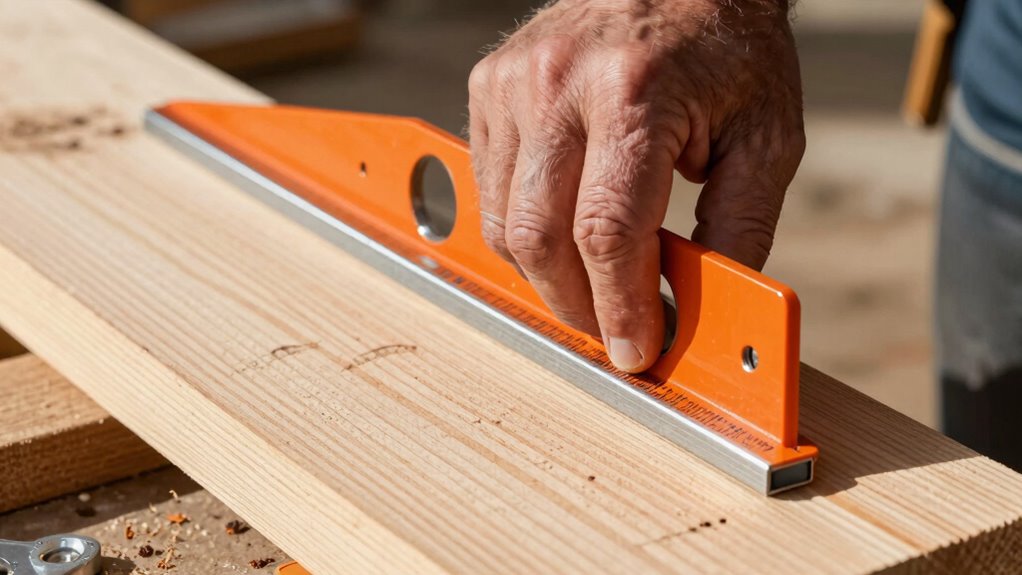
A speed square isn’t just for quick marking—it’s a versatile tool that can streamline many aspects of your woodworking and construction projects. While most people use it primarily for measuring and marking cut lines, it’s capable of much more. When you understand how to utilize its features beyond simple marking, you’ll notice improvements in measuring accuracy and layout consistency across your projects.
One of the key ways to extend the use of your speed square is by employing it as a guide for drawing straight, precise lines. Instead of relying solely on a pencil and ruler, you can clamp the square to your workpiece or hold it firmly against the edge. This guarantees that your lines are perfectly perpendicular or at a specific angle, which is essential for maintaining measurement accuracy. Whether you’re laying out rafters, cutting angles, or marking for joints, this method helps reduce errors caused by freehand lines, promoting more consistent and professional results.
Use your speed square as a guide for straight, accurate lines to improve precision and reduce errors in your projects.
In addition, the speed square is excellent for checking squareness in your work. When framing walls or installing shelves, confirming that your corners are 90 degrees is critical for structural integrity and aesthetic appeal. Simply place the square in the corner and verify the fit. If it doesn’t sit flush, you know where adjustments are needed. This quick check saves time and ensures layout consistency, preventing compounding mistakes later in the project.
You can also use the speed square to set consistent angles, especially for cuts that require specific bevels. With its built-in protractor, you can mark angles accurately without guesswork. Just rotate the square to the desired degree, lock it in place if needed, and trace your cut line. This capability helps ensure every piece fits together precisely, reducing waste and rework.
Another useful feature is the adjustable notches and markings that allow you to measure repetitive lengths or angles efficiently. For example, if you’re installing multiple rafters or trusses, you can mark the same length quickly without repeatedly measuring from scratch. This not only speeds up your workflow but also enhances layout consistency across your entire project.
Furthermore, understanding the measurement features of your speed square can help you perform quick and precise measurements without additional tools, streamlining your workflow even further.
As an affiliate, we earn on qualifying purchases.
Frequently Asked Questions
Can a Speed Square Be Used for Measuring Angles Other Than 90 Degrees?
Yes, a speed square can be used for angle measurement beyond 90 degrees. You can set it to measure and mark various angles, making it useful for complex cuts or framing. To do this, align the pivot point with your starting point and rotate the square to the desired angle. This enhances your marking techniques, allowing precise angle measurements and versatile use in different woodworking or construction projects.
What Materials Are Best for Marking With a Speed Square?
For marking with a speed square, chalk and pencil are your best options. Chalk is great for temporary, visible marks on rough surfaces like lumber or concrete, making it easy to wipe or wash away. Pencil marking offers precision, especially on smooth surfaces such as drywall or plywood, and stays clear for detailed measurements. Choose chalk for quick, temporary marks, and pencils when accuracy and permanence are more important.
How Do I Maintain the Accuracy of My Speed Square Over Time?
You might be surprised how easily your speed square can lose its precision. To keep it accurate, regularly check its calibration tips, ensuring the angles still line up perfectly. Store it carefully—preferably in a dry, secure place—to prevent warping or damage. Always handle with care, and before each project, verify its markings. These simple steps will maintain your tool’s accuracy, giving you confidence in every cut.
Can a Speed Square Be Used for Plumbing or Woodworking Projects?
Yes, a speed square can be used for plumbing and woodworking projects. Its material durability guarantees it withstands tough environments, while its precise markings help you achieve accurate cuts and measurements. You can use it to check perpendicular angles, mark straight lines, or even measure angles in plumbing pipes. Its versatility makes it a handy tool beyond quick marking, ensuring your projects stay precise and efficient.
Are There Digital or Electronic Alternatives to Traditional Speed Squares?
Sure, digital tools and electronic alternatives exist, but don’t assume they’re better than your trusty speed square. You might find digital levels and laser guides handy, yet nothing beats the simplicity and reliability of traditional tools. Electronic alternatives can be appealing, but often, they add complexity and cost. Sometimes, sticking with your classic speed square keeps projects straightforward, accurate, and less prone to tech failures.
digital angle finder with protractor
As an affiliate, we earn on qualifying purchases.
As an affiliate, we earn on qualifying purchases.
Conclusion
Now that you know how to expand your use of a Speed Square beyond simple marking, you’ll work more efficiently and accurately on your projects. Did you know that DIYers who utilize multi-purpose tools like the Speed Square save an average of 30% of their project time? By mastering these techniques, you’ll not only save time but also improve your craftsmanship. So go ahead—explore all the ways your Speed Square can make your woodworking and construction tasks easier and more precise.
framing square for wall squareness
As an affiliate, we earn on qualifying purchases.
As an affiliate, we earn on qualifying purchases.
repetitive measurement marking tool
As an affiliate, we earn on qualifying purchases.
As an affiliate, we earn on qualifying purchases.
Columbus Day / Indigenous Peoples' Day Picks
long weekend sales
As an affiliate, we earn on qualifying purchases.