If your DEWALT 20V MAX battery isn’t charging properly, it can halt your work and cause frustration. Understanding the common causes and following safe troubleshooting steps can save you time and extend your tool’s lifespan. This guide provides practical solutions to get your battery charging again efficiently.

Get business pricing on tools and workshop supplies
- Business-only prices and quantity discounts
- Tax-exempt purchasing
- Multiple users, one account, clear invoices
Key Takeaways
| Battery Age | Older batteries may lose capacity and fail to charge. |
| Charger Compatibility | Using an incompatible or damaged charger can prevent charging. |
| Connection Issues | Loose or dirty contacts hinder proper charging. |
| Power Source | Faulty outlets or power strips can cause charging failures. |
| Battery Condition | Damaged or overheated batteries often won’t charge. |
Check the Power Source
- Ensure the outlet is working by plugging in another device or using a voltage tester.
- Try plugging the charger directly into a different, known working outlet to rule out power issues.
Inspect the Charger and Connections
- Verify the charger is compatible with your DEWALT 20V MAX battery (model DCB205-2 or similar).
- Check for any visible damage or debris on the charger port and battery contacts.
- Clean contacts gently with a dry cloth or a soft brush if dirty.
Examine the Battery
- Remove the battery from the charger and inspect for any physical damage, swelling, or corrosion.
- If the battery is hot, allow it to cool for 15-30 minutes before trying again.
- Try charging a different, known-good battery to determine if the issue is with the battery or charger.
Test with a Different Charger
If possible, use a different compatible DEWALT charger to see if your battery charges. If it does, the original charger may be faulty and needs replacement or repair.
Reset and Replace if Needed
- Unplug the charger and remove the battery. Wait for a few minutes before reconnecting.
- If the battery still won’t charge after following all steps, consider replacing the battery or charger.
The Products in This Guide

DEWALT 20V MAX Cordless Drill Driver Set
- ✔ Length: 7.6 inches
- ✔ Weight: Compact and lightweight
- ✔ Warranty: 3 years

DEWALT Drill Bit Set
- ✔ Size Range: from small to large
- ✔ Tip Design: Split point
- ✔ Coating: Rust-resistant
DEWALT 20V MAX Cordless Drill Driver Set
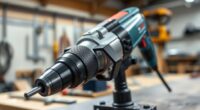
The DEWALT 20V MAX Cordless Drill Driver Set is a versatile and durable tool, equipped with a brushless motor and a 2.0 Ah battery that provides ample run time. If your battery isn’t charging, following the troubleshooting steps can help restore its performance.
Pros:
- Brushless motor delivers more run time
- Compact and lightweight design
- LED work light for visibility
- Includes a 2.0 Ah battery and charger
- Ergonomic grip for comfort
Cons:
- Battery charging issues may require replacement
- Charger or battery damage can hinder charging
- Limited to DEWALT 20V MAX system
Best for: General-purpose drilling, fastening, and tight space projects
Not ideal for: Heavy-duty industrial applications requiring larger batteries
Bottom line: A reliable, compact drill perfect for a variety of tasks, with troubleshooting to resolve charging issues.
DEWALT Drill Bit Set
The DEWALT Drill Bit Set features durable high-speed steel bits with a 135-degree split point, ideal for various materials including plastic, wood, and metal. It complements your drill and enhances its versatility.
Pros:
- Durable high-speed steel
- Split point reduces walking
- Includes 14 sizes
- Corrosion-resistant coating
Cons:
- Only compatible with drills that accommodate standard shanks
- Bits may wear out with heavy use
Best for: DIY projects, woodworking, metalworking
Not ideal for: Heavy industrial metal drilling
Bottom line: A versatile and durable drill bit set for various materials and projects.
Frequently Asked Questions
How do I know if my battery is faulty?
If the battery doesn’t charge after following troubleshooting steps, shows physical damage, or won’t hold a charge, it may be faulty and need replacement.
Can I use any charger with my DEWALT battery?
Only chargers compatible with your specific DEWALT battery model (such as DCB205-2) should be used to avoid damage and ensure proper charging.
What should I do if my charger is not working?
Test the charger with a different compatible battery or try using a different charger. If it still doesn’t work, replace the charger.
How long should it take to charge a battery?
Typically, a DEWALT 20V MAX battery takes about 30-60 minutes to fully charge, depending on the charger and battery’s current state.
Get Your DEWALT Power Tools Running Again
Battery charging issues can often be resolved with simple checks and maintenance. Always ensure your charger and battery are in good condition, clean contacts regularly, and use compatible accessories. With these troubleshooting steps, you can extend your tool’s lifespan and keep your projects moving smoothly.
Affiliate disclosure: As an Amazon Associate we earn from qualifying purchases. Prices and availability are accurate as of the time of publishing.
Halloween Picks
halloween
As an affiliate, we earn on qualifying purchases.