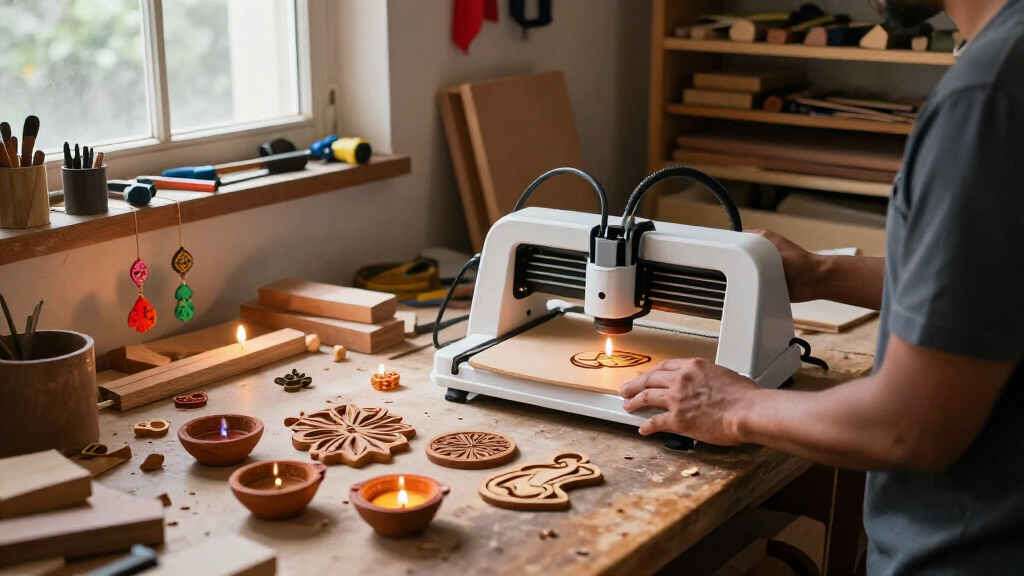
For Diwali decorations, the right laser engraver depends less on headline power than on what you plan to make: small personalized diyas and tags, batches of ornaments, or larger festive panels. I put the Woxcker L2 MAX first for its enclosed 300 × 300 mm workspace and broad control options, while the Artilume T1-P is my compact pick for smaller projects and easier storage. The Woxcker JL7 gives you the largest work area, but its open desktop design and limited cutting details make it a more specialized choice.

Get business pricing on tools and workshop supplies
- Business-only prices and quantity discounts
- Tax-exempt purchasing
- Multiple users, one account, clear invoices
All three are 10W-or-below machines, so I would treat them as tools for engraving and carefully specified light cutting—not as universal cutters for thick or unknown materials. The main tradeoffs are workspace versus footprint, enclosure and safety features, and how much control you want through apps, desktop software, or offline jobs. I’ve ranked them for festive crafting needs rather than raw specifications alone.
Complete the kit



Key Takeaways
- Woxcker L2 MAX is the strongest all-around fit for batches of decorations: its 300 × 300 mm enclosed workspace balances usable area with a more contained operating setup.
- Artilume T1-P is the easiest match for compact craft spaces, with a foldable frame, included case, and mobile app control; its 200 × 150 mm work area limits project size.
- Woxcker JL7 offers the largest work area at 400 × 400 mm, useful for big panels and layouts, but it is open-frame and its cutting claims lack detailed performance information.
- For any pick, check that the specific wood, leather, coated surface, or other material is laser-compatible; the listed wattage does not guarantee clean cutting through thicker stock.
- The L2 MAX has the broadest stated safety and connection options, while the T1-P and JL7 suit buyers who prioritize portability or a large work surface over a fully enclosed machine.
| Woxcker L2 MAX 10W Enclosed Laser Engraver, 300 × 300 mm |  | Best Overall for Diwali Craft Batches | Laser power: 10 W | Work area: 300 × 300 mm | Maximum speed: 20,000 mm/min | VIEW LATEST PRICE | See Our Full Breakdown |
| Artilume T1-P Foldable 7W Laser Engraver |  | Best Compact Pick for Small Craft Spaces | Laser power: 7 W (7000 mW) | Engraving precision: Up to 0.01 mm | Maximum speed: 10,000 mm/min | VIEW LATEST PRICE | See Our Full Breakdown |
| Woxcker JL7 10W Laser Engraver and Cutter, 400 × 400 mm |  | Best for Large Festive Panels and Layouts | Laser output: 10 W (10000 mW) | Working area: 400 × 400 mm | Accuracy: 0.01 mm | VIEW LATEST PRICE | See Our Full Breakdown |
| laser engravers for Diwali decoration | Maximum speed | Software | Connectivity | Safety features |
|---|---|---|---|---|
| Woxcker L2 MAX 10W Enclosed La | 20,000 mm/min | LightBurn, LaserGRBL, CutLabX | Wi-Fi, USB, app, TF card | Lid-open auto-stop, flame detection, emergency stop, safety lock, 15° tilt stop |
| Artilume T1-P Foldable 7W Lase | 10,000 mm/min | LightBurn, LaserGRBL | Wi-Fi; mobile app control | Emergency stop button, tilt warning protection |
| Woxcker JL7 10W Laser Engraver | 333 mm/s | LaserGRBL, LightBurn, CutLabX | USB and TF card; offline TF card jobs | Module cover, safety glasses, tip-over shutoff, limit switches |
More Details on Our Top Picks
Woxcker L2 MAX 10W Enclosed Laser Engraver, 300 × 300 mm
The Woxcker L2 MAX takes the top spot because its combination of workspace, enclosure, and control methods fits the widest range of festive projects in this lineup. Its 300 × 300 mm area is large enough to lay out several small tags, ornaments, or coasters at once, without taking up the 400 × 400 mm working span of the JL7. That can make repeated designs easier to arrange, while still leaving room for a medium decorative panel.
Its 360° enclosed design and listed lid-open auto-stop, flame detection, emergency stop, safety lock, and tilt stop give it a more contained operating setup than the T1-P or open-frame JL7. That distinction matters in a shared craft room, though an enclosure is not a substitute for proper ventilation or attentive supervision. The machine supports LightBurn, LaserGRBL, and CutLabX, with Wi-Fi, USB, app, and TF card controls. Compared with the T1-P’s portable app-led setup, this gives buyers more ways to organize jobs and choose a workflow.
The compromise is that the L2 MAX is a larger, heavier desktop machine at 9.1 kg, and key accessories such as Air Assist and a Rotary Roller are optional. It also is not a universal material cutter: its stated compatibility covers suitable wood, coated metal, glass, leather, and stone, but the actual result depends on the material and settings. I would pick it over the JL7 for a mixed household craft setup where enclosure and control flexibility matter; I would skip it if portability or the broadest possible work area is the main goal.
Pros:- 300 × 300 mm work area gives room for several small festive pieces or a medium panel.
- Fully enclosed design with multiple listed safety features.
- Wi-Fi, USB, app, and TF card control support varied workflows.
- Compatible with LightBurn, LaserGRBL, and CutLabX.
Cons:- Air Assist and Rotary Roller are optional accessories.
- At 9.1 kg, it is less portable than the foldable T1-P.
- Material compatibility does not mean it can cut every material or thickness.
Best for: Diwali crafters who want a roomy, enclosed desktop machine for engraving batches of small decorations and occasional medium-sized designs.
Not ideal for: Buyers who need a foldable machine, want a 400 × 400 mm working area, or expect the included setup to have Air Assist or a rotary attachment.
- Laser power:10 W
- Work area:300 × 300 mm
- Maximum speed:20,000 mm/min
- Focus:0.01 mm square
- Enclosure:360° fully enclosed
- Software:LightBurn, LaserGRBL, CutLabX
- Connectivity:Wi-Fi, USB, app, TF card
- Safety features:Lid-open auto-stop, flame detection, emergency stop, safety lock, 15° tilt stop
- Weight:9.1 kg
Our verdict“I recommend the L2 MAX for most Diwali craft buyers who want a practical balance of workspace, enclosure, and flexible controls.”
Artilume T1-P Foldable 7W Laser Engraver
If your Diwali projects are mostly small name tags, gift labels, diya accents, or ornaments, the Artilume T1-P is the most convenient machine to store between crafting sessions. It arrives pre-assembled and folds down for storage, and the included protective case also works as a height-extension base. At 2.64 pounds, it is much easier to move than either Woxcker desktop machine. That portability is its main distinction—not a larger cutting envelope or an enclosed workspace.
The 200 × 150 mm work area is the clear limit. A single small decoration or a tightly planned group of pieces is a sensible fit, but larger festive panels and roomy batch layouts are better suited to the L2 MAX or JL7. Its 7W laser is also below the two 10W Woxcker options, and the description frames cutting as light cutting on compatible materials. I would not choose it based on an expectation of cutting thick stock or handling a broad mix of material thicknesses.
On the workflow side, the T1-P supports Wi-Fi and mobile app control as well as LightBurn and LaserGRBL, so it can work for both app-first beginners and users who prefer desktop software. It also lists an emergency stop and tilt warning protection, although it lacks the L2 MAX’s full enclosure and broader set of stated safety features. For a maker who needs to tuck a machine away after producing a handful of personalized decorations, it makes more sense than the JL7’s large frame. For a family work area where containment is a priority, I would lean toward the enclosed L2 MAX instead.
Pros:- Foldable, pre-assembled design is convenient for limited workspaces.
- Protective case doubles as a height-extension base.
- Wi-Fi app control plus LightBurn and LaserGRBL support.
- Emergency stop and tilt warning protection are listed.
Cons:- The 200 × 150 mm work area limits design size and batch layout.
- 7W output is a less compelling fit for cutting than the two 10W options.
- Not described as a fully enclosed machine.
Best for: Beginners and hobby crafters with limited storage who plan mostly small engraved Diwali decorations and value a foldable, pre-assembled machine.
Not ideal for: Anyone planning large panels, frequent multi-piece batches, substantial cutting, or work that calls for a fully enclosed machine.
- Laser power:7 W (7000 mW)
- Engraving precision:Up to 0.01 mm
- Maximum speed:10,000 mm/min
- Work area:200 × 150 mm
- Connectivity:Wi-Fi; mobile app control
- Software:LightBurn, LaserGRBL
- Design:Foldable and pre-assembled
- Safety features:Emergency stop button, tilt warning protection
- Weight:2.64 pounds
Our verdict“I would choose the T1-P for small decorations and easy storage, but not for large-format work or buyers who want the most contained setup.”
Woxcker JL7 10W Laser Engraver and Cutter, 400 × 400 mm
The Woxcker JL7 is the large-format choice in this group. Its 400 × 400 mm working area exceeds the L2 MAX by 100 mm on each side and is twice the T1-P’s dimensions in each direction. That extra room is useful for laying out larger decorative panels or arranging many small pieces in a single job. If your Diwali plans include designs that would need to be split across multiple passes on the other machines, the JL7 is the one to examine first.
It offers 10W output, a stated accuracy of 0.01 mm, a 0.08 × 0.08 mm focused spot size, and a maximum speed of 333 mm/s. It also supports USB and TF card workflows, including offline jobs from a TF card, and works with LaserGRBL, LightBurn, and CutLabX. That offline option can be useful when you want to prepare jobs on a computer and run them without keeping a USB connection in place. Compared with the L2 MAX, though, the JL7 does not list Wi-Fi or app control, and its supplied description does not present a full enclosure.
The large work area comes with tradeoffs: the machine measures 23.62 × 23.62 × 7.87 inches, so it needs a dedicated surface, and its safety provisions—a module cover, glasses, tip-over shutoff, and limit switches—are different from the L2 MAX’s enclosed design and lid-open stop. The listed version is also without Air Assist. Although the product is described as an engraver and cutter, the supplied details do not give independent cutting performance or clear material-thickness limits. I would choose it for large engraving layouts, not on the assumption that it will cut thicker craft stock better than the L2 MAX.
Pros:- Largest work area in this roundup at 400 × 400 mm.
- TF card supports offline jobs, alongside USB connectivity.
- Compatible with LightBurn, LaserGRBL, and CutLabX.
- Tip-over shutoff and limit switches are listed.
Cons:- Open desktop format is less contained than the L2 MAX.
- Listed version does not include Air Assist.
- Cutting performance details and material limits are not specified.
Best for: Makers who prioritize a broad 400 × 400 mm engraving area for large Diwali panels or many smaller designs arranged together.
Not ideal for: Buyers who need an enclosed machine, app or Wi-Fi controls, a compact footprint, or well-defined cutting performance for specific materials.
- Laser output:10 W (10000 mW)
- Working area:400 × 400 mm
- Accuracy:0.01 mm
- Focused spot size:0.08 × 0.08 mm
- Maximum speed:333 mm/s
- Software:LaserGRBL, LightBurn, CutLabX
- Connectivity:USB and TF card; offline TF card jobs
- Safety features:Module cover, safety glasses, tip-over shutoff, limit switches
- Dimensions:23.62 × 23.62 × 7.87 inches
Our verdict“I’d pick the JL7 when generous engraving area matters more than enclosure, portability, or detailed cutting guidance.”
How We Picked
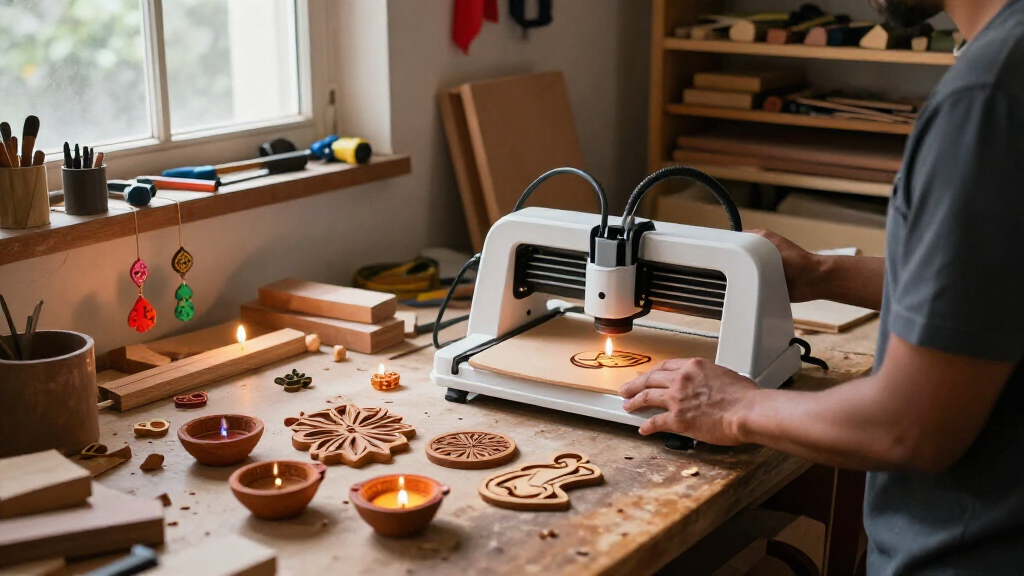
I ranked these machines around the jobs people commonly want to do for Diwali: personalize small gifts, make repeatable sets of ornaments or gift tags, and engrave larger decorative elements. A useful festive craft machine needs enough working area for the intended design, practical control options, and a realistic fit for the materials and workspace. I gave more weight to those day-to-day considerations than to a single maximum speed or precision figure.
Workspace and setup shaped the ranking. The L2 MAX’s 300 × 300 mm area is a practical middle ground for multiple small pieces or a moderately sized panel. The T1-P’s 200 × 150 mm area suits compact decorations but calls for more careful layout planning. The JL7 offers the most room at 400 × 400 mm, though its larger footprint and open setup are less convenient for a household craft corner.
I also compared enclosure and safety provisions, because festive crafting can involve frequent short jobs and materials that produce smoke or residue. The L2 MAX lists a full enclosure, lid-open auto-stop, flame detection, emergency stop, safety lock, and tilt stop. The T1-P lists an emergency stop and tilt warning. The JL7 includes a module cover, safety glasses, tip-over shutoff, and limit switches, but it is not described as a fully enclosed machine. These features do not replace supervision, suitable ventilation, or following the manufacturer’s safety instructions.
Finally, I considered software and workflow flexibility, portability, and how clearly the product information describes cutting. The T1-P and L2 MAX list Wi-Fi or app-based options alongside desktop software, while the JL7 supports USB and TF card jobs, including offline operation. I did not treat precision and speed claims as proof of finished craft quality, and I did not assume a machine can cut every listed material or thickness. This is a comparison of the supplied specifications and stated capabilities, not a claim of hands-on testing.
| laser engravers for Diwali decoration | Software | Connectivity | Safety features |
|---|---|---|---|
| Woxcker L2 MAX 10W Enclosed La | LightBurn, LaserGRBL, CutLabX | Wi-Fi, USB, app, TF card | Lid-open auto-stop, flame detection, emergency stop, safety lock, 15° tilt stop |
| Artilume T1-P Foldable 7W Lase | LightBurn, LaserGRBL | Wi-Fi; mobile app control | Emergency stop button, tilt warning protection |
| Woxcker JL7 10W Laser Engraver | LaserGRBL, LightBurn, CutLabX | USB and TF card; offline TF card jobs | Module cover, safety glasses, tip-over shutoff, limit switches |
Factors to Consider When Choosing Laser Engravers For Diwali Decorations
Before I choose a laser engraver for Diwali decorations, I match the machine to the size, material, and volume of the projects I expect to make. A larger workspace can speed up batch layouts, but it does not automatically mean better detail or reliable cutting. I would plan around the finished object and its material first, then compare enclosure, workflow, and storage.
Start with the decoration size and number of pieces
For small ornaments, name tags, or personalized gift pieces, a 200 × 150 mm bed may be sufficient if each job is planned carefully. That is where the Artilume T1-P makes sense: its compact work area matches small projects, and its foldable body is easier to store. If you want to arrange several pieces at once or engrave a medium panel, the L2 MAX’s 300 × 300 mm bed gives you more layout freedom. For the largest panels or broad batches, the JL7’s 400 × 400 mm area is the clear standout, provided you have a sturdy place to keep it.
Measure the usable area of your intended material and account for margins before deciding. The product’s work area is not the same as the finished size of a decoration, and fixtures or alignment methods can reduce practical room. A bigger bed can reduce the need to reposition pieces, but it also takes more room on your work surface.
Choose materials with care; wattage is not a cutting guarantee
The product details name a range of compatible materials, but suitability depends on the exact material, coating, thickness, and machine settings. The L2 MAX lists compatible wood, coated metal, glass, leather, and stone; the T1-P describes engraving and light cutting on compatible craft materials; the JL7 is called an engraver and cutter without detailed cutting-performance information. I would treat these as engraving options first and verify the manufacturer’s material guidance before planning a cut.
Do not assume that 10W output will cut every wood sheet or that a laser can safely process every kind of leather, plastic, or coated item. Some materials can produce harmful fumes or damage equipment. Check the material’s composition and the machine’s instructions, and use suitable ventilation. If a project depends on cutting a particular thickness, look for clear manufacturer guidance for that exact material instead of relying on a general power figure.
Compare enclosure and safety features with your workspace
The L2 MAX is the only fully enclosed option described here, with a lid-open auto-stop, flame detection, emergency stop, safety lock, and tilt stop. That makes it the strongest fit of the three for buyers who want a more contained desktop setup. The T1-P lists an emergency stop and tilt warning, while the JL7 lists a module cover, supplied safety glasses, tip-over shutoff, and limit switches. These are meaningful differences, but they do not remove the need to supervise the machine and follow its safety instructions.
Also plan for smoke, dust, noise, and clearance around the machine. An enclosure may help contain operating debris and noise, but it does not replace appropriate extraction or ventilation. For an open-frame design such as the JL7, think carefully about where the machine will run and how the work area will be kept clear of people, pets, and flammable objects.
Match software and connectivity to how you like to work
Both Woxcker models list LightBurn, LaserGRBL, and CutLabX. The T1-P supports LightBurn and LaserGRBL, along with Wi-Fi and mobile app control. The L2 MAX gives the widest range of listed connection methods—Wi-Fi, USB, app, and TF card—which may suit a home craft setup where different workflows are useful. The JL7 focuses on USB and TF card jobs and specifically supports offline work from a TF card.
Before buying, check that your preferred software and device are compatible with the engraver and that you are comfortable preparing designs in that workflow. App control can be convenient for simple jobs, while desktop software may offer more options for positioning and repeat layouts. Offline operation can reduce dependence on a connected computer, but it does not make design preparation unnecessary.
Account for storage, accessories, and setup
The T1-P’s foldable design and included case give it a clear advantage if the engraver must be put away after each use. By contrast, the L2 MAX weighs 9.1 kg, and the JL7’s 23.62-inch square footprint calls for a more permanent work surface. Measure the actual room available, including space for material loading and ventilation, rather than comparing machine dimensions alone.
Check what is included before planning a workflow. Air Assist and a Rotary Roller are optional on the L2 MAX, and the listed JL7 version is without Air Assist. Accessories can affect what jobs are convenient, so I would choose based on the machine as supplied unless I have confirmed that the needed add-ons are available and compatible.
Treat precision and speed claims as starting points
The machines list precision or accuracy figures and maximum speeds, but those numbers do not guarantee the finished look of a Diwali design. Material, focus, file preparation, settings, and the shape of the artwork all affect the result. The L2 MAX lists a maximum speed of 20,000 mm/min, the JL7 lists 333 mm/s, and the T1-P lists 10,000 mm/min; these figures use different units and should not be compared without conversion and context.
For fine lettering or repeated motifs, consider the stated spot or precision information alongside the material and expected design size. I would allow time for material-specific setup and a small test on a safe, compatible offcut before making a finished decoration. That is a better basis for a reliable batch than choosing by a headline speed alone.
Frequently Asked Questions
Which of these engravers is the best fit for making several Diwali decorations in one layout?
I would start with the Woxcker L2 MAX for a mix of small decorations and medium designs because its 300 × 300 mm bed offers noticeably more layout room than the T1-P while staying smaller than the JL7. If every project is small and storage is the main concern, the T1-P may be enough. If the planned pieces need the largest possible layout, the JL7 has the broadest work area, but requires more dedicated space.
Can these machines cut wooden diya decorations or ornament blanks?
The T1-P is described as handling light cutting on compatible materials, while the JL7 is described as an engraver and cutter and the L2 MAX lists a 10W laser. Those descriptions do not establish a safe or reliable cut depth for a particular wood or thickness. I would check the manufacturer’s material guidance for the exact stock, verify that it is appropriate for laser use, and test settings on a compatible offcut rather than assuming that any of these machines can cut a chosen blank.
Which model is easiest to store between festive craft sessions?
The Artilume T1-P is the clear storage choice because its frame folds and it includes a protective case. It is also much lighter than the L2 MAX. The JL7 is designed around a 400 × 400 mm working area and a wide desktop footprint, so it is better suited to a dedicated station than a machine that must be put away after each use.
Does the L2 MAX enclosure mean I can use it without ventilation or supervision?
No. The L2 MAX is described as fully enclosed and lists several safety features, but an enclosure does not replace suitable ventilation, safe material selection, or supervision. Laser engraving can create smoke and residue, and some materials are unsuitable because of the fumes they produce. I would follow the product instructions, keep the work area clear, and stay attentive while a job runs.
Should I choose the JL7 over the L2 MAX because its working area is larger?
Choose the JL7 if your designs genuinely need its 400 × 400 mm workspace and you have room for a larger open desktop machine. Pick the L2 MAX if a 300 × 300 mm area is enough and you place more value on an enclosed design, Wi-Fi and app options, or its listed lid-open and flame-detection features. The JL7’s larger bed is an advantage for layout, not proof of stronger cutting performance.
Conclusion
For most buyers making a range of Diwali decorations, I recommend the Woxcker L2 MAX: its 300 × 300 mm area, enclosed format, and several connection options make it the most balanced choice here. Choose the Artilume T1-P if you mainly engrave small pieces, have little storage space, and value a foldable machine with app control. Pick the Woxcker JL7 if large panels or expansive batch layouts matter more than enclosure or compactness. In every case, verify material suitability and cutting limits before committing to a project, and plan for ventilation and safe operation.