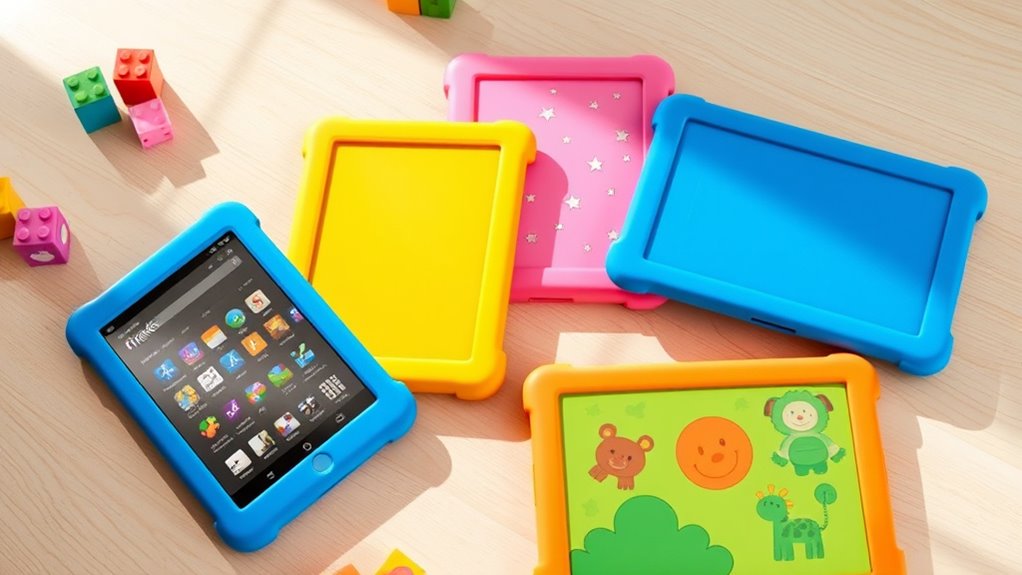

If you’re looking for the best Fire HD tablets for kids that are safe and fun, I can help. The top options include models like the Fire HD 10 Kids Pro, Fire HD 10 Kids, and Fire HD 8 Kids, all designed with durable cases, vibrant screens, and parental controls. These tablets offer engaging content, long battery life, and expandability. Keep exploring to find out which one suits your child best and how they can provide a worry-free experience.
Key Takeaways
- Fire HD tablets for kids feature durable, kid-proof cases with handles and kickstands for safe, portable use.
- Parental controls enable remote management of screen time, content filters, and app permissions.
- Devices offer vibrant displays (8” and 10.1”) with long-lasting batteries up to 13 hours for engaging entertainment.
- Content is curated through Amazon Kids+ with safe, educational, and age-appropriate options.
- Expandable storage up to 1TB and protective screen features ensure durability and ample media space.
Amazon Fire HD 10 Kids Pro Tablet

If you’re looking for a tablet that’s perfect for older kids aged 6-12, the Amazon Fire HD 10 Kids Pro stands out as a top choice. It features a bright 10.1″ HD screen, a slim, durable case, and 32 GB of storage. Designed for more advanced users, it offers a long battery life of 13 hours and robust hardware for smooth performance. Plus, it’s packed with parental controls, including Amazon’s Kids Parent Dashboard, to manage screen time and monitor content. With a 2-year worry-free guarantee and a year of Amazon Kids+ subscription, it’s built for safe, engaging, and educational fun.
Best For: parents seeking a durable, high-performance tablet for children aged 6-12 that offers extensive parental controls and educational content.
Pros:
- Robust hardware with a large, bright 10.1″ HD display and long battery life of 13 hours.
- Comprehensive parental controls via the Amazon Kids Parent Dashboard for managing screen time and content.
- Comes with a 2-year worry-free guarantee and a 1-year subscription to Amazon Kids+ with access to educational and entertainment content.
Cons:
- Subscription renewal after the first year costs $5.99 plus tax monthly.
- Limited storage of 32 GB, which may require additional cloud or storage options.
- Designed primarily for older kids, so may not be suitable for very young children or those needing simpler interfaces.
Amazon Fire HD 10 Kids Tablet (Newest Model) 32GB
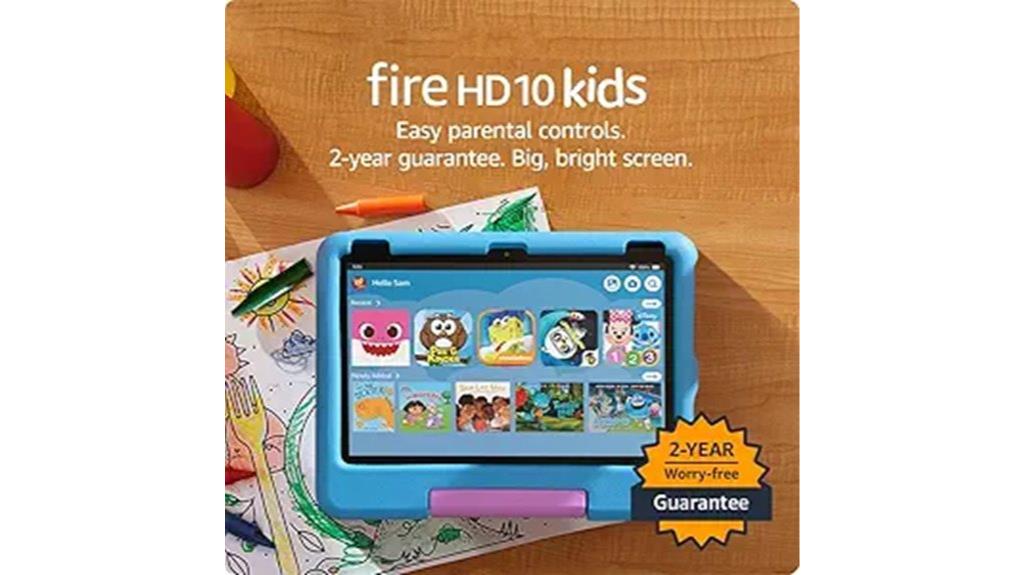
The Amazon Fire HD 10 Kids Tablet (Newest Model) with 32GB is an excellent choice for parents seeking a durable, feature-rich device for children aged 3 to 7. Its 10.1-inch 1080p Full HD display offers vibrant visuals, while the 3 GB RAM provides 25% faster performance than earlier models. With 32 GB of storage, expandable up to 1 TB, it holds plenty of apps, books, and videos. The 13-hour battery life makes it perfect for travel. Included is a kid-proof case and a 2-year worry-free guarantee. Plus, a 1-year Amazon Kids+ subscription *accesses* thousands of safe, age-appropriate titles and activities.
Best For: parents seeking a durable, feature-rich tablet for children aged 3 to 7 that combines educational content, safety controls, and long battery life.
Pros:
- Vibrant 10.1-inch 1080p Full HD display provides engaging visuals
- Robust parental controls and content filters ensure a safe digital environment
- Includes a kid-proof case and 2-year worry-free guarantee for durability
Cons:
- Subscription cost of $5.99/month after the first year adds ongoing expense
- Storage is expandable up to 1 TB, but the device comes with only 32 GB built-in
- Not a standalone toy; requires parental setup and management
Amazon Fire HD 10 Kids Pro Tablet (Newest Model)
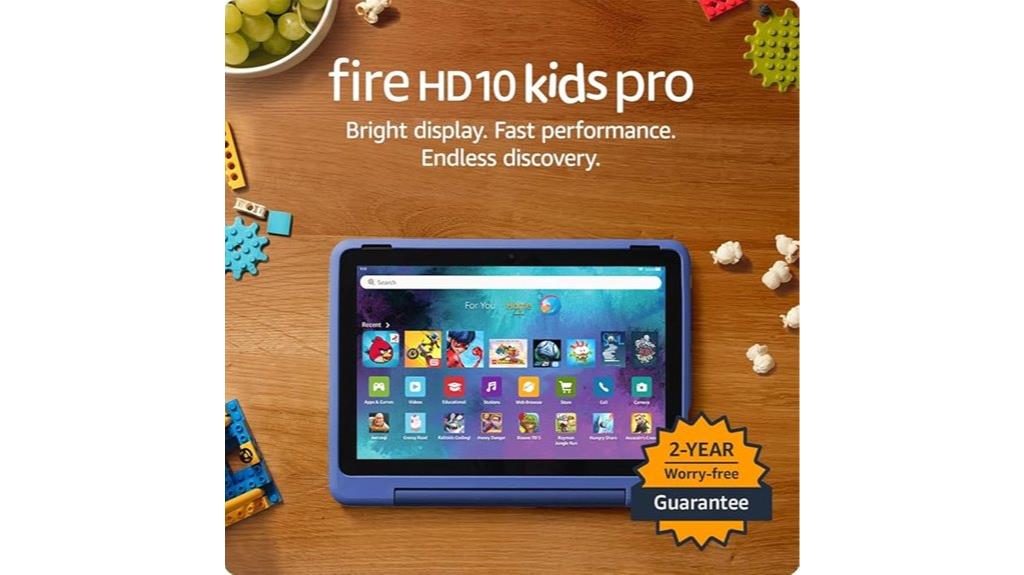
Designed for kids ages 6 to 12, the Amazon Fire HD 10 Kids Pro Tablet stands out with its large 10.1″ HD display and powerful performance, making it ideal for streaming, gaming, and educational activities. It offers ample storage, a long-lasting 13-hour battery, and a slim, durable kid-proof case with a stand and handle. The device includes a 1-year Amazon Kids+ subscription with access to ad-free, age-appropriate content like videos, books, and STEM activities. Parental controls are robust, allowing remote management of screen time and content. With a 2-year worry-free guarantee, this tablet combines fun, safety, and reliability for your child.
Best For: parents seeking a durable, feature-rich tablet for children aged 6 to 12 that combines entertainment, educational content, and robust parental controls.
Pros:
- Large 10.1″ HD display ideal for streaming, reading, and interactive activities
- Comes with a 1-year Amazon Kids+ subscription offering extensive, ad-free, age-appropriate content
- Durable kid-proof case with stand/handle and a 2-year worry-free guarantee for added protection and peace of mind
Cons:
- Subscription renews monthly at $5.99 plus tax after the first year, which may add up over time
- Some advanced features or apps may require additional purchases or subscriptions
- The device is designed specifically for ages 6-12, so it may not be suitable for younger children outside this age range
Amazon Fire HD 8 Kids Tablet (Newest Model)

For parents seeking a durable and feature-rich tablet for young children, the Amazon Fire HD 8 Kids Tablet (2024 model) stands out as an excellent choice. It features a bright 8-inch HD screen, 3GB of RAM—50% more than earlier models—and 32GB of storage, expandable up to 1TB. The tablet boasts up to 13 hours of battery life and comes with a sturdy Kid-Proof Case with a stand and handle. Parental controls make it easy to monitor activity and set limits, while a 1-year Amazon Kids+ subscription offers access to thousands of kid-friendly books, videos, and games. It’s a safe, engaging device designed for children aged 3-7.
Best For: parents seeking a durable, feature-rich tablet with extensive parental controls and engaging content for children aged 3-7.
Pros:
- Bright 8-inch HD display with responsive performance and long battery life.
- Includes a sturdy Kid-Proof Case with stand and handle for added durability and convenience.
- Comes with a 1-year Amazon Kids+ subscription, offering a wide range of educational and entertainment content.
Cons:
- Storage is expandable up to 1TB, but requires an additional purchase of a microSD card.
- Subscription renewal costs $5.99/month after the first year, which may add up over time.
- As a full-featured device, it may require parental supervision to ensure appropriate use and prevent overuse.
Amazon Fire HD 10 Kids Pro Tablet (Newest Model)

If you’re searching for a durable, kid-friendly tablet that combines powerful performance with robust safety features, the Amazon Fire HD 10 Kids Pro (Newest Model) is an excellent choice. It boasts a bright 10.1″ 1080p HD display with aluminosilicate glass for durability, perfect for active kids. The tablet includes a protective case with stand/handle, a 2-year worry-free guarantee, and a long-lasting 13-hour battery. With 32 GB of storage (expandable up to 1 TB), an octa-core processor, and 3 GB RAM, it handles streaming, gaming, and learning seamlessly. Parental controls and ad-free, age-appropriate content make it both safe and engaging for children aged 6-12.
Best For: parents seeking a durable, high-performance tablet with comprehensive safety and educational features for children aged 6-12.
Pros:
- Robust parental controls and Kid-Proof Case ensure safety and durability for active kids
- Bright 10.1″ 1080p HD display with aluminosilicate glass offers clear visuals and durability
- Long 13-hour battery life supports extended use for streaming, gaming, and learning
Cons:
- Expandable storage up to 1 TB requires purchasing a microSD card separately
- Subscription to Amazon Kids+ renews monthly after the first year, which could incur ongoing costs
- The device may be heavier or bulkier compared to non-child-specific tablets, potentially less portable for some children
Amazon Fire HD 10 Kids Tablet (Newest Model)

The Amazon Fire HD 10 Kids Tablet (Newest Model) stands out as an excellent choice for parents seeking a durable, high-performance device for children aged 3 to 7. Its 10.1″ 1080p Full HD bright screen makes visuals clear and engaging, while 32 GB of storage (expandable up to 1 TB) offers plenty of space for apps, books, and videos. With 3 GB RAM and a 13-hour battery life, it delivers smooth performance on the go. The included kid-proof case and robust parental controls guarantee safety and durability. Plus, a 1-year Amazon Kids+ subscription grants access to a wide array of ad-free, trusted content, making it a versatile, safe choice.
Best For: parents seeking a durable, high-performance tablet with extensive content and safety features for children aged 3 to 7.
Pros:
- Large 10.1″ Full HD display offers clear, engaging visuals for kids.
- Robust parental controls and kid-proof case ensure safety and durability.
- Includes a 1-year Amazon Kids+ subscription with access to trusted, ad-free content.
Cons:
- Storage is expandable but requires separate purchase of additional memory.
- Subscription renewal costs $5.99 monthly, which may add up over time.
- Designed for children 3-7, may not suit older kids’ more advanced needs.
Amazon Fire HD 8 Kids Pro Tablet (Newest Model)

The Amazon Fire HD 8 Kids Pro Tablet (Newest Model) stands out as an excellent choice for children aged 6 to 12 who need a durable, feature-rich device for learning and entertainment. It boasts an 8″ HD touchscreen with vibrant IPS display, and a lightweight design, making it easy for kids to handle. Powered by a hexa-core processor with up to 4GB RAM and expandable storage up to 1TB, it offers smooth performance and ample space for apps and media. Parental controls, web filters, and a kid-proof case guarantee safety, while the 1-year Amazon Kids+ subscription provides access to a wide range of educational and fun content.
Best For: parents seeking a durable, feature-rich tablet for children aged 6 to 12 to support learning, entertainment, and safe internet use.
Pros:
- Kid-friendly design with a protective case and easy-to-use parental controls.
- Bright 8″ HD touchscreen with vibrant IPS display and expandable storage up to 1TB.
- Long battery life of up to 13 hours and included 1-year Amazon Kids+ subscription.
Cons:
- May require additional purchases for faster charging adapters or accessories.
- Content and device use are governed by Amazon’s Conditions of Use, which may limit flexibility.
- Some features, like voice and video calls, depend on Wi-Fi and approved contacts, which might require setup.
Amazon Fire HD 10 Kids Tablet (Newest Model)
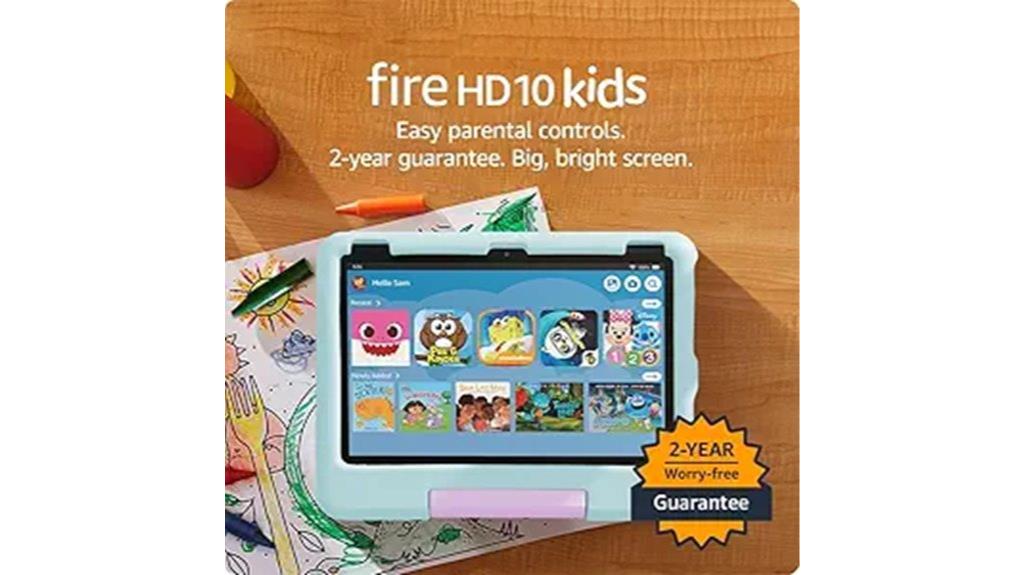
Designed specifically for children aged 3 to 7, the Amazon Fire HD 10 Kids Tablet (Newest Model) delivers a stunning 10.1″ 1080p Full HD display that keeps kids engaged with vibrant images and clear visuals. Its durable aluminosilicate glass and kid-proof case guarantee it can withstand rough handling. Powered by an octa-core processor and 3 GB of RAM, it offers smooth performance for apps, videos, and games. With 32 GB of storage plus microSD support up to 1 TB, there’s plenty of space for content. The device includes a one-year Amazon Kids+ subscription, parental controls, and safety features like a worry-free guarantee, making it a reliable and fun option for young children.
Best For: parents seeking a durable, age-appropriate tablet with extensive parental controls for children aged 3 to 7.
Pros:
- Vibrant 10.1″ 1080p Full HD display keeps kids engaged with clear visuals
- Includes a one-year Amazon Kids+ subscription with a wide range of content
- Durable aluminosilicate glass and kid-proof case enhance safety and longevity
Cons:
- Limited to children aged 3-7, not suitable for older kids or teenagers
- Requires subscription renewal after one year for continued access to Amazon Kids+ content
- The device’s size and weight may be less portable compared to smaller tablets
Supershieldz Screen Protector for Fire HD 8 Kids Tablets (3 Pack)
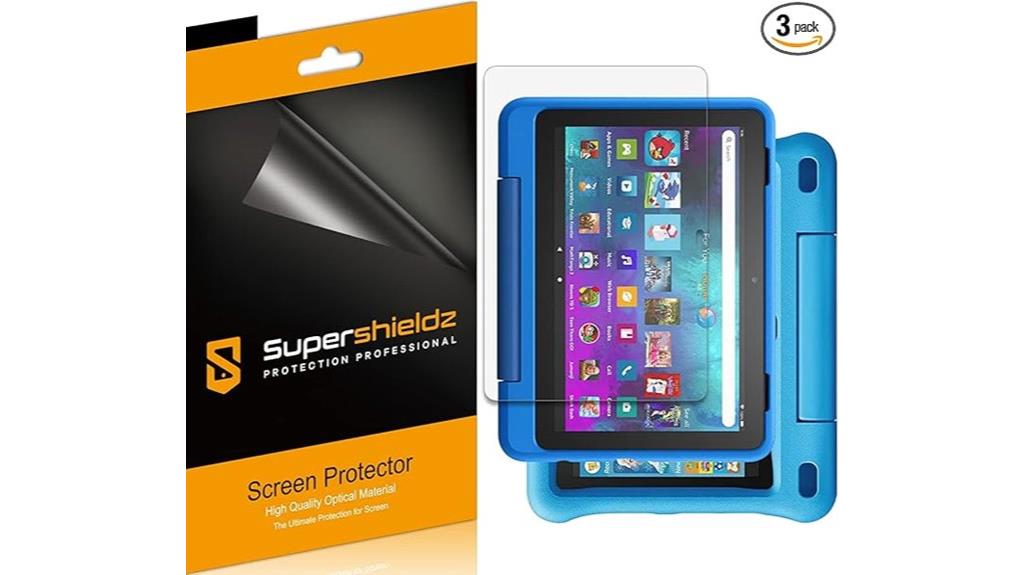
If you’re looking to keep your child’s Fire HD 8 Kids tablet safe from scratches and dust, the Supershieldz Screen Protector 3-Pack is an excellent choice. Made from high-quality Japanese PET film, these protectors are designed specifically for all-new Fire HD 8 Kids and Kids Pro models. They offer easy installation and residue-free removal, while maintaining high-definition clarity and touch sensitivity. With three protectors included, you get durable, cost-effective coverage for daily use. They fit perfectly, safeguarding the display without compromising performance or natural feel. Rated 4.5 stars from thousands of reviews, these protectors are a reliable way to extend your tablet’s lifespan.
Best For: parents and guardians seeking durable, high-quality screen protection to keep their child’s Fire HD 8 Kids or Kids Pro tablet safe from scratches, dust, and everyday damage.
Pros:
- Made from high-quality Japanese PET film for durability and clarity
- Easy to install and remove without residue, ensuring hassle-free application
- Maintains high-definition display and responsive touch sensitivity for natural interactions
Cons:
- Price may vary and could be higher compared to generic protectors
- Only compatible with 8-inch Fire HD 8 Kids and Kids Pro models, limiting versatility
- As a 3-pack, some users might find they do not need multiple protectors or prefer single-pack options
Amazon Fire 7 Kids Tablet (16 GB, Blue)
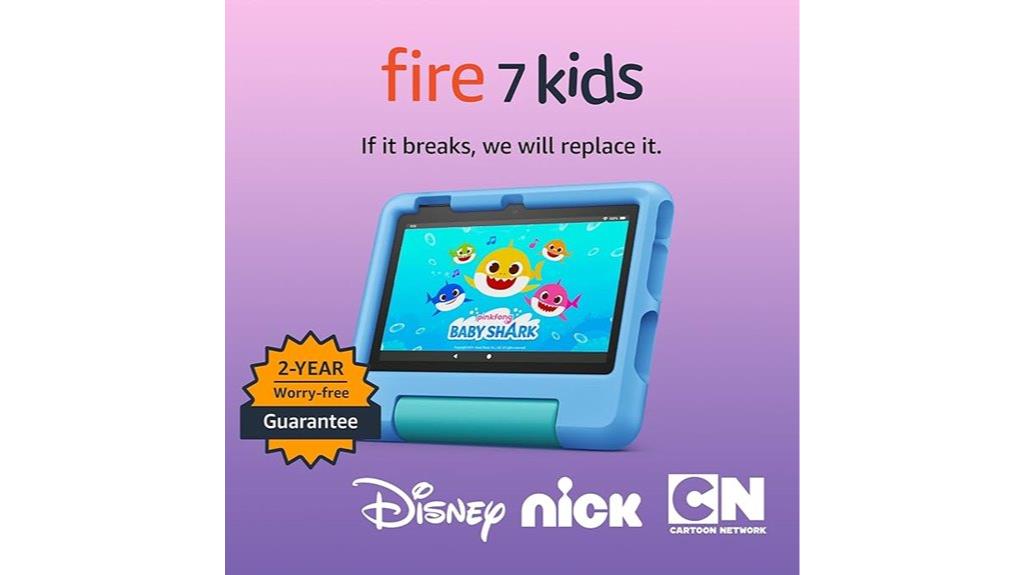
For parents seeking a durable, budget-friendly tablet for young children, the Amazon Fire 7 Kids Tablet (16 GB, Blue) stands out as a top choice. It’s designed for kids aged 3-7, featuring a sturdy Kid-Proof Case with a built-in stand and a lightweight profile. The 7″ touchscreen offers crisp visuals, and the device is powered by a fast Quad-Core processor with 2 GB RAM. It comes with 16 GB of storage, expandable up to 1TB, plus a 10-hour battery life. Included parental controls and a year of Amazon Kids+ ensure a safe, engaging experience, making it perfect for both learning and entertainment.
Best For: parents looking for a durable, affordable, and feature-rich tablet for children aged 3-7 to support both learning and entertainment.
Pros:
- Kid-Proof Case with built-in stand provides durability and hands-free media viewing
- Includes a 1-year subscription to Amazon Kids+ with a wide range of educational and entertainment content
- Parental controls allow easy filtering, time limits, and access management for a safe digital experience
Cons:
- No 4G connectivity; relies solely on Wi-Fi for internet access
- Storage is limited to 16 GB, which may require frequent management or microSD expansion
- 10-hour battery life, which may be shorter for very active or extended usage needs
Fire HD 10 & HD 10 Plus Kids Tablet Case with Screen Protector
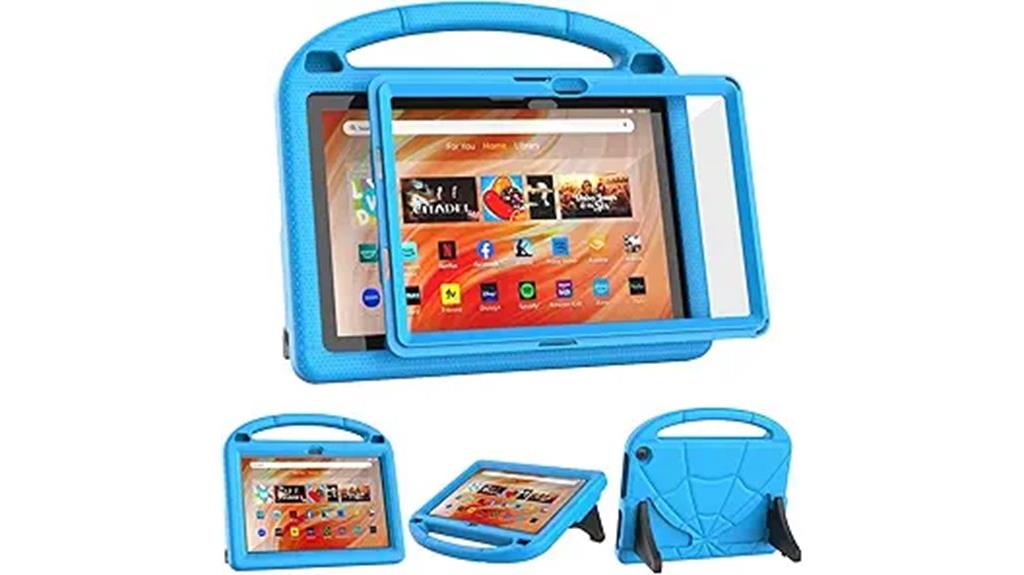
The Fire HD 10 & HD 10 Plus Kids Tablet Case with Screen Protector stands out as an essential accessory for parents who want reliable protection combined with kid-friendly features. Designed specifically for the latest models, it offers full-body protection with shock-absorbing EVA material that’s lightweight and durable. The case includes a built-in screen protector to guard against dirt and scratches while still allowing full access to ports and functions. It features a secure handle for easy carrying and a foldable kickstand with adjustable angles for hands-free viewing and typing. Overall, it’s a practical, sturdy solution that keeps tablets safe and easy for kids to use.
Best For: Parents seeking a durable, kid-friendly tablet case with full protection and convenient features for their Fire HD 10 or HD 10 Plus tablets.
Pros:
- Fully covers back and edges with shock-absorbing EVA for enhanced drop protection
- Features a secure handle and adjustable kickstand for easy carrying and hands-free viewing
- Allows full access to all ports, buttons, and camera without removing the case
Cons:
- Designed exclusively for specific Fire HD 10 models; not compatible with older or other tablets
- Slightly bulkier due to full-body protection, which might affect portability for some users
- The built-in screen protector may require careful cleaning to avoid bubbles or smudges
3 Pack) Supershieldz Fire HD 10 Kids Screen Protectors
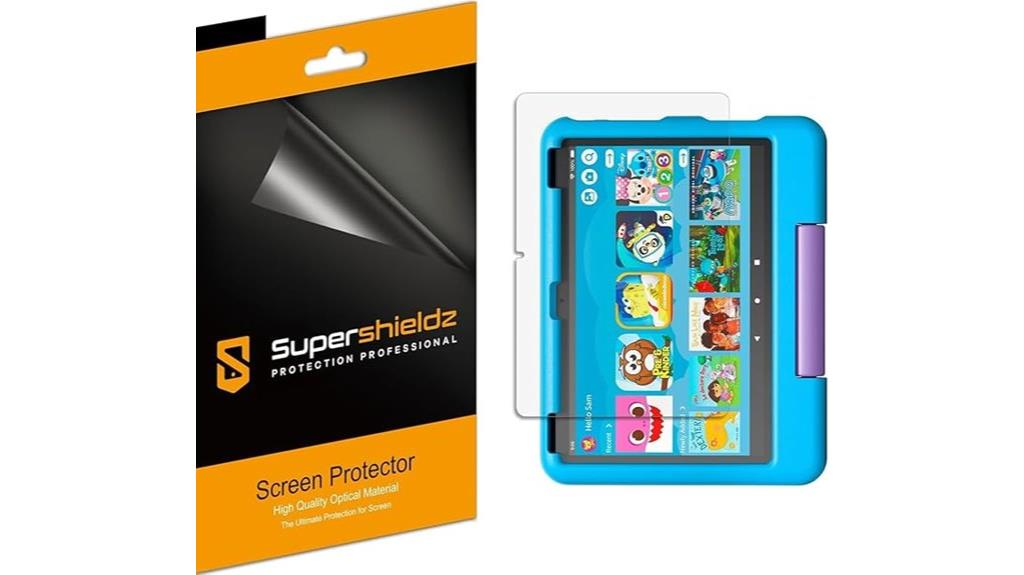
Supershieldz Fire HD 10 Kids Screen Protectors are an excellent choice for parents wanting to keep their child’s device safe from daily wear and tear. This 3-pack is specifically designed for the All-New Fire HD 10 Kids and Kids Pro tablets, fitting 10.1-inch screens of 11th and 13th generation models. Made from anti-glare matte film, they reduce fingerprints and glare while protecting against scratches, dust, and scrapes. The protectors preserve touch sensitivity, ensuring a natural feel and precise touchscreen response. With multiple protectors included, you can easily replace or have spares, making them a practical addition to your child’s tablet accessories.
Best For: parents seeking durable, easy-to-apply screen protection for their child’s Fire HD 10 Kids or Kids Pro tablets to ensure long-lasting device clarity and touchscreen responsiveness.
Pros:
- Specifically designed for All-New Fire HD 10 Kids and Kids Pro models, ensuring a perfect fit.
- Made from anti-glare matte film that reduces fingerprints and glare for clearer viewing.
- Maintains touchscreen sensitivity for a natural, responsive feel during use.
Cons:
- Only compatible with 10.1-inch screens of 11th and 13th generation Fire HD 10 Kids tablets.
- May require careful application to avoid bubbles or misalignment.
- Does not include installation tools or instructions, which might be needed for first-time users.
Fire HD 10 & Fire HD 10 Plus Tablet Case for Kids
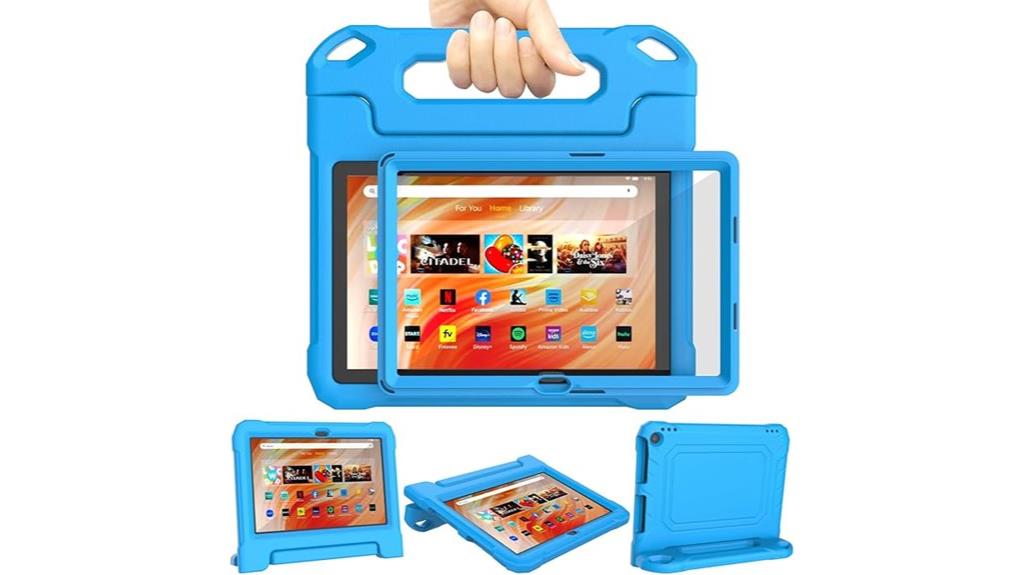
If you’re looking for a reliable way to protect your child’s Fire HD tablet, the Fire HD 10 & Fire HD 10 Plus Tablet Case for Kids is an excellent choice. It’s designed specifically for Amazon’s 10-inch tablets, ensuring a perfect fit and easy access to all ports and buttons. The case features a built-in high-definition screen protector that guards against scratches without sacrificing touch sensitivity. Made from lightweight, shockproof EVA material, it provides sturdy protection against drops and bumps. Plus, the dual-angle foldable handle stand offers versatile viewing options, and the handle is comfortable for kids to carry, making it both practical and fun.
Best For: parents and guardians seeking a durable, kid-friendly protective case for their Amazon Fire HD 10 or Fire HD 10 Plus tablets that offers safety, convenience, and accessibility.
Pros:
- Custom fit designed specifically for Amazon Fire HD 10 and Fire HD 10 Plus tablets, ensuring precise access to all ports and buttons
- Built-in high-definition screen protector that shields against scratches while maintaining touch responsiveness
- Made from lightweight, shockproof EVA material for enhanced durability and drop protection
Cons:
- Not compatible with iPad, Lenovo, Samsung 10-inch tablets, or other 10-inch models
- May add bulk to the tablet, potentially affecting slimness and portability
- Limited color or style options depending on the seller or retailer
DICEKOO Fire HD 10 & Fire HD 10 Plus Kids Tablet Case

For parents seeking a reliable and kid-friendly protective case, the DICEKOO Fire HD 10 & Fire HD 10 Plus Kids Tablet Case stands out as an excellent choice. It’s compatible with all the latest Fire HD 10 models and features precise cutouts for easy access to ports, buttons, and cameras. Made from shock-absorbing EVA material, it offers excellent protection against drops, dust, and scratches. The lightweight design includes a built-in foldable kickstand for versatile viewing angles and a handle that’s perfect for small hands. Overall, it’s durable, functional, and ideal for active kids at home, school, or outdoors.
Best For: parents and children seeking a durable, lightweight, and kid-friendly protective case for the Fire HD 10 or Fire HD 10 Plus tablets suitable for home, school, or outdoor use.
Pros:
- Made from high-quality shock-absorbing EVA material that effectively protects against bumps, drops, dust, and scratches
- Features a built-in foldable kickstand for multiple viewing angles and a handle designed for small hands, enhancing portability and ease of use
- Precise cutouts provide full access to all ports, buttons, cameras, and speakers, ensuring a seamless user experience
Cons:
- The pink color option may not appeal to all users seeking different color choices
- The lightweight design, while portable, may offer less bulk protection compared to more rugged cases
- Restocking fees may apply if the product is damaged due to misuse, which could be a concern for some buyers
Amazon Fire HD 8 Tablet (Newest Model)

The Amazon Fire HD 8 Tablet (Newest Model) stands out as an excellent choice for parents seeking a versatile and durable device for their kids. It features an 8” HD display perfect for streaming, gaming, and reading, along with responsive performance and all-day battery life. With 3GB of RAM and 32GB of storage, expandable up to 1TB, it can handle multiple apps and media. Its thin, lightweight, and durable design makes it ideal for little hands. Plus, it includes a rear camera for photos and smart tools for email, browsing, and video calls. Overall, it’s a well-rounded tablet that combines entertainment, connectivity, and practicality.
Best For: parents looking for a durable, versatile tablet for kids to enjoy entertainment, learning, and communication.
Pros:
- 8” HD display ideal for streaming, gaming, and reading
- 3GB RAM and expandable storage up to 1TB for multitasking and media storage
- Lightweight, durable design suitable for small hands and on-the-go use
Cons:
- Google Play Store not supported, limiting app choices to Amazon’s Appstore
- Some apps may require subscriptions or additional purchases
- Lacks a front-facing camera for selfies or video calls
Factors to Consider When Choosing Fire HD Tablets for Kids
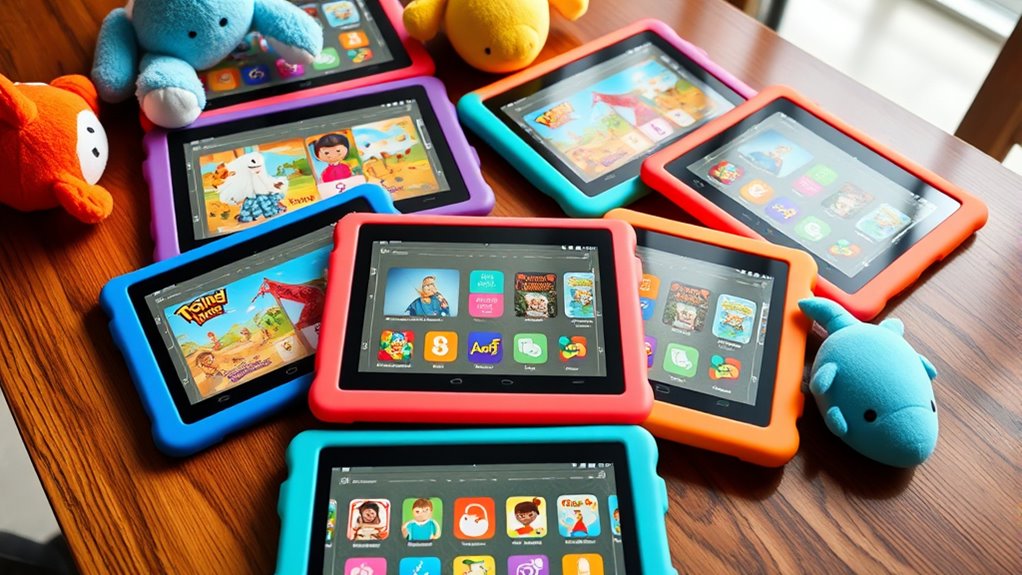
When choosing a Fire HD tablet for a kid, I consider features that match their age and interests. Safety, durability, and parental controls are also essential to guarantee a worry-free experience. Finally, I look at content options, battery life, and storage to make sure the tablet meets their daily needs.
Age-Appropriate Features
Choosing the right Fire HD tablet for your child means considering age-appropriate features that support their safety and learning. These features include content filters and parental controls that match your child’s developmental stage. For younger kids, tablets often have simplified interfaces, smaller screens, and pre-installed educational content to make learning engaging and manageable. As children grow older, tablets typically offer more advanced features like multitasking, larger storage options, and access to broader app libraries, encouraging independence. Adjustable safety settings help tailor the digital environment to suit their age and maturity. By selecting a device with age-specific features, you ensure your child enjoys a safe, enriching, and age-appropriate digital experience that evolves with their needs.
Durability and Safety
Selecting a durable and safe Fire HD tablet for your child means paying close attention to its design and protective features. Look for tablets with reinforced, shockproof cases or bumpers that can withstand drops and bumps. Choose models with rounded edges and durable screens made from tempered or reinforced glass to prevent cracks. Safety features like content filtering, privacy safeguards, and parental controls are essential to create a secure online environment. Additionally, it’s wise to contemplate devices that offer a two-year worry-free guarantee or replacement policy, so you’re covered for accidental damage or hardware issues. These features ensure the tablet can handle everyday use while keeping your child safe and protected. Prioritizing durability and safety helps you select a device that’s both resilient and secure for your little one.
Parental Control Options
Parental control options are crucial features to take into account because they help guarantee your child’s safety and appropriate device usage. Most Fire HD tablets for kids come with built-in controls that let me remotely set screen time limits and manage what my child can access. These controls include content filters that block age-inappropriate websites and apps, which is essential for safe browsing. Many models also offer adjustable settings that evolve with my child’s age, ensuring content remains suitable. I can approve or restrict app downloads and in-app purchases, preventing unwanted spending. Additionally, user-friendly dashboards or apps allow me to monitor activity, review usage history, and modify restrictions easily from my device. These features give me peace of mind while my child explores their tablet responsibly.
Content Selection and Access
When considering a Fire HD tablet for my child, I focus on the variety and appropriateness of the available content. I want a wide selection of books, videos, games, and educational apps that suit my child’s age and interests. It’s important that the device provides easy access to trusted sources like Disney, PBS Kids, or Nat Geo, ensuring safe and engaging content. I also verify that parental controls allow me to filter and approve content, so my child isn’t exposed to anything unsuitable. Subscription services like Amazon Kids+ are a big plus, offering a broad, safe library of family-friendly material. Finally, I look for tablets that let me customize content restrictions based on my child’s developmental stage, giving me peace of mind while they explore their digital world.
Battery and Storage
A key factor in choosing a Fire HD tablet for kids is guaranteeing it has enough battery life and storage to keep them entertained and learning throughout the day. Look for models offering at least 13 hours of battery life, so your child can read, game, or stream without constant recharging. Consider tablets with expandable storage up to 1TB via microSD card, giving plenty of space for apps, books, and media. Internal storage options like 32GB or 64GB are common, but assess if that’s enough for your child’s needs. Quick charging capabilities—ideally under 4 hours—are also a big plus, reducing downtime and keeping the device ready for use. Prioritizing long-lasting batteries and ample storage ensures seamless access to educational and entertainment content all day.
Budget and Value
Choosing a Fire HD tablet for kids involves more than just picking a device with the right features; you need to contemplate the overall cost and the value it offers. I recommend considering the total expenses, including accessories, subscription plans, and warranty options, to guarantee it fits your budget. Evaluating the device’s durability, parental controls, and educational content helps determine its true value relative to price. Look for bundle deals that include protective cases, screen protectors, or extended warranties to get more for your money. Comparing different models’ features and performance helps identify which offers the best balance of affordability and functionality. Also, keep in mind long-term costs like subscriptions and replacement parts to assess the overall value over time.
Frequently Asked Questions
How Durable Are These Tablets Against Drops and Rough Handling?
These tablets are quite durable, especially when paired with a sturdy kid-proof case. I’ve found that they can withstand drops and rough handling pretty well, thanks to their reinforced design. Of course, no device is completely indestructible, but with proper protection, these tablets hold up to everyday kid adventures. I recommend always using a case to maximize their lifespan and keep them safe during active play.
Can Parents Limit Screen Time Effectively on These Tablets?
Yes, parents can definitely limit screen time effectively on these tablets. I set up parental controls to schedule usage and restrict certain apps or content. It’s simple to customize daily limits and monitor activity through the device’s settings. This way, I guarantee my kids enjoy their screen time in moderation while still having fun and staying safe. It’s a practical way to manage their device use responsibly.
Are There Any Additional Accessories Recommended for Safety?
Absolutely, I swear by a sturdy child-proof case—it’s like armor for the tablet, protecting against even the most adventurous spills and drops. A screen protector is a must too, shielding that precious display from scratches and cracks. I also recommend a stylus for precise control, and a portable charger to keep the fun going all day long. These accessories make sure your kid’s tablet stays safe, durable, and ready for anything!
How Easy Is It to Set up Parental Controls on These Models?
Setting up parental controls on these Fire HD tablets is straightforward and quick. I just follow the step-by-step instructions in the settings menu, which guides me through creating profiles, setting time limits, and filtering content. The process is user-friendly, even if you’re not tech-savvy. I appreciate how easily I can customize controls to guarantee my kids have a safe, fun experience without constant supervision.
Do These Tablets Support Educational Content Beyond Amazon’s Ecosystem?
These tablets are like open books, supporting a wide range of educational content beyond Amazon’s ecosystem. I’ve found that you can easily download apps from the Google Play Store or sideload educational programs, giving kids access to a treasure trove of learning. This flexibility makes them a versatile choice, helping children explore different subjects and develop skills beyond just Amazon’s offerings.
Conclusion
Choosing the perfect Fire HD tablet for your little one is like finding the right key to unlock endless adventures. With so many safe and fun options, you’ll feel confident guiding them toward a device that sparks curiosity without worry. Remember, the right tablet gently opens doors to learning and play, making every digital moment a delightful journey. Here’s to discovering the perfect match that nurtures their growth and keeps their world vibrant.