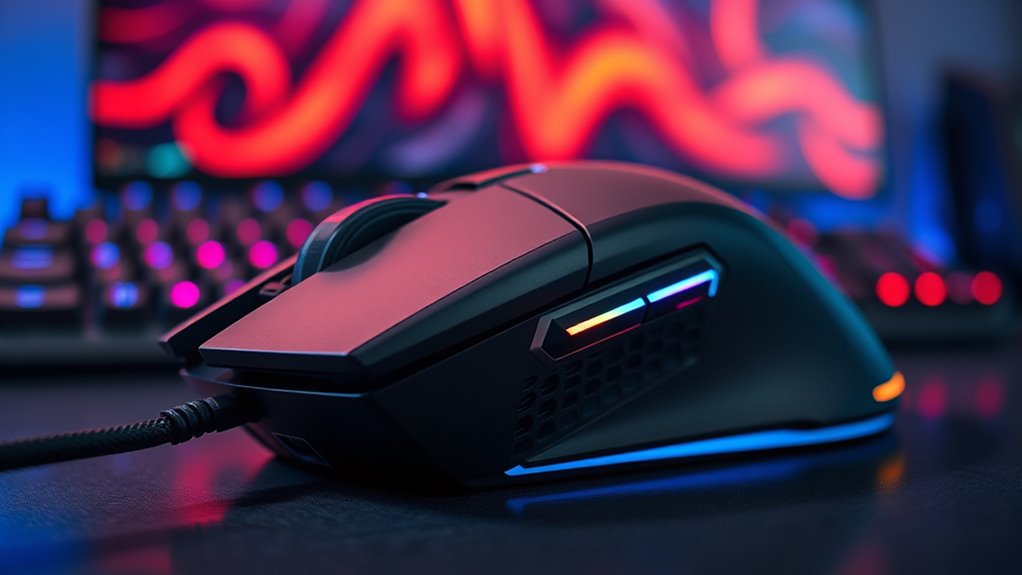

If you’re after the best gaming mice with customizable buttons for precision in 2025, I recommend options like the Redragon M908 Impact, Razer Basilisk V3, Logitech G502 HERO, and the wireless Redragon model with 12 side buttons and high DPI. These mice offer extensive programmable controls, top sensors, and comfortable designs for long gaming sessions. Keep exploring because I’ll share more details on each choice and what makes them stand out.
Key Takeaways
- High-button-count mice like the Redragon M908 Impact and Wireless offer extensive programmable controls for customized gameplay.
- Advanced sensors such as the Focus Plus 26K DPI and HERO 25K ensure precise, responsive tracking for competitive gaming.
- Ergonomic designs with textured grips and customizable weights enhance comfort during extended gaming sessions.
- Wired and wireless options provide flexibility, with wireless models delivering long battery life and high responsiveness.
- Additional features like RGB lighting, macro profiles, and dual-mode scroll wheels enhance personalization and in-game performance.
Redragon M908 Impact RGB Gaming Mouse with 12 Buttons

If you’re serious about MMO gaming or need a mouse with plenty of customizable controls, the Redragon M908 Impact RGB Gaming Mouse is an excellent choice. It features 12 side buttons and six main buttons, perfect for assigning macros and quick commands. The ergonomic design guarantees comfort during long gaming sessions, and the RGB lighting with 16.8 million color options adds a personal touch. Equipped with a high-precision Pixart sensor up to 12400 DPI, it offers smooth, accurate tracking. Plus, the adjustable weights let you customize the feel, making it versatile for both gaming and work. Overall, it’s a powerful, customizable tool for serious gamers.
Best For: serious MMO gamers and users who require extensive customizable controls for gaming or productivity tasks.
Pros:
- Highly customizable with 18 programmable buttons, including 12 MMO side buttons.
- Adjustable DPI up to 12400 with five levels for precise tracking.
- Ergonomic design with customizable RGB lighting and weight tuning for comfort and personalization.
Cons:
- Discontinued by the manufacturer, potentially affecting availability and support.
- Heavier than standard mice at 6.2 ounces, which may affect comfort for some users.
- Complex setup and customization options may be overwhelming for casual users.
Razer Basilisk V3 Gaming Mouse

The Razer Basilisk V3 Gaming Mouse stands out as an excellent choice for gamers who want maximum customization and quick access to commands. Its iconic ergonomic design, complete with a thumb rest, supports comfortable, prolonged play. With 11 programmable buttons, you can assign macros or secondary functions like push-to-talk and ping for rapid response. The dual-mode HyperScroll wheel offers both free-spinning and tactile modes for precision. Its Focus Plus 26K DPI sensor delivers pixel-perfect tracking, while Razer’s Chroma RGB lighting creates dynamic effects across over 16.8 million colors. Overall, it’s a reliable, highly customizable mouse built for serious gaming performance.
Best For: gamers seeking a highly customizable, ergonomic mouse with precise tracking and dynamic RGB lighting for competitive and immersive gaming experiences.
Pros:
- Supports extensive customization with 11 programmable buttons and dynamic RGB lighting zones
- Features a Focus Plus 26K DPI sensor for pixel-perfect accuracy and responsiveness
- Ergonomic design with thumb rest ensures comfort during long gaming sessions
Cons:
- Corded design may limit movement compared to wireless alternatives
- Slightly heavier weight at 3.56 ounces might affect some users’ preferences
- Premium features and customization options may have a steep learning curve for new users
Redragon M612 Predator RGB Gaming Mouse with 8000 DPI

Gamers who crave precise control and personalized setups will find the Redragon M612 Predator RGB Gaming Mouse with 8000 DPI an excellent choice. It features five switchable DPI levels from 500 to 4000, with software support for up to 8000 DPI, ensuring accuracy for any game. The 11 programmable buttons, including a rapid fire and macro options, let you customize keybinds for maximum efficiency. Its ergonomic design, with a frosted coating and rubber-textured side, offers comfort during long sessions. Plus, the dynamic RGB lighting enhances the gaming atmosphere. Durable and well-designed, this mouse balances performance and comfort perfectly for serious gamers.
Best For: gamers seeking high precision, customizable controls, and comfortable long-duration use in their gaming mouse.
Pros:
- Multiple DPI levels with software support up to 8000 for precise control
- Fully programmable 11 buttons, including macro and rapid fire options for tailored gameplay
- Ergonomic design with frosted coating and textured grip for comfort during extended sessions
Cons:
- May require software installation for full DPI customization, which could be inconvenient for some users
- The high DPI capability might be unnecessary for casual gamers, leading to potential overkill
- Limited description of wireless or cable management features, possibly restricting mobility or setup flexibility
Logitech G502 HERO Gaming Mouse with RGB and Adjustable Weights

For those seeking a high-performance gaming mouse with extensive customization options, the Logitech G502 HERO stands out. It features a HERO 25K sensor with 25,600 DPI, offering precise 1:1 tracking and over 400 IPS for fast, accurate movements. The ergonomic design is complemented by customizable RGB lighting and Lightsync technology, enhancing your setup’s aesthetics. With five removable weights, you can fine-tune the balance to your preference. Eleven programmable buttons and onboard profiles give you quick access to commands. Durable and comfortable, this wired mouse is perfect for serious gamers aiming for precision, speed, and personalization.
Best For: gamers seeking a highly customizable, high-precision wired gaming mouse with adjustable weights and RGB lighting for an enhanced gaming experience.
Pros:
- Excellent 25,600 DPI HERO sensor with precise 1:1 tracking and high speed performance
- Customizable RGB lighting with Lightsync technology for aesthetic personalization
- Adjustable weight system and programmable buttons for tailored comfort and functionality
Cons:
- Wired connection may limit flexibility and mobility during gameplay
- Slightly heavier weight at 4.3 ounces could be less ideal for users preferring ultra-light mice
- Price point may be higher compared to basic gaming mice with fewer features
Redragon Wireless Gaming Mouse with 16,000 DPI and 12 Side Buttons
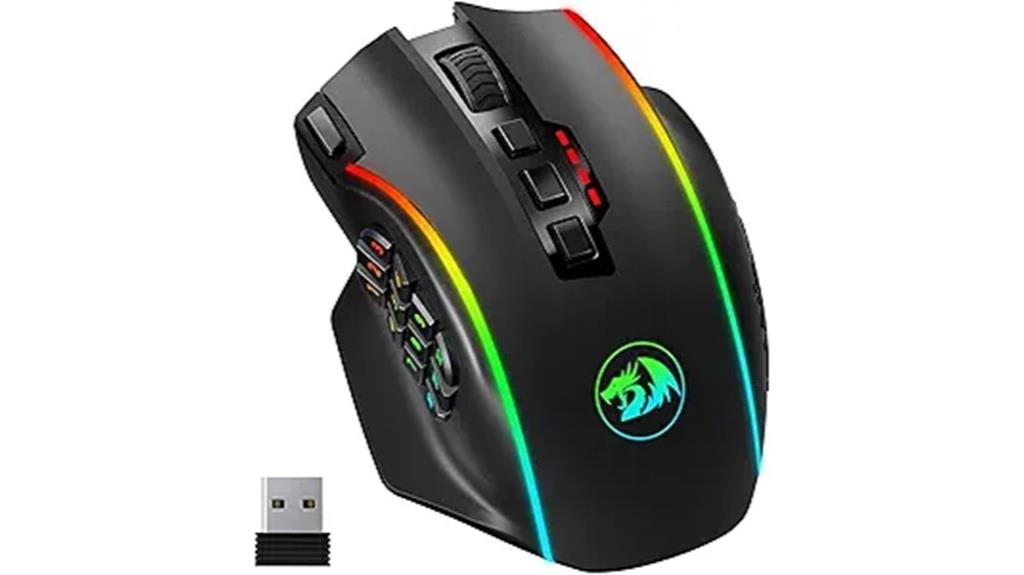
If you’re looking to elevate your gaming experience with a highly customizable mouse, the Redragon Wireless Gaming Mouse stands out with its 16,000 DPI sensitivity and 12 side buttons. It offers adjustable DPI from 100 to 16,000 and a polling rate up to 1000Hz, giving you precision and responsiveness. With 16 macro-programmable buttons, including 12 on the side, you can tailor commands to fit your playstyle. The wireless design means no cables restricting your movements, and the rechargeable battery provides over 70 hours of use. Its ergonomic shape and customizable RGB lighting make it both comfortable and stylish for long gaming sessions.
Best For: gamers seeking a highly customizable, wireless gaming mouse with high DPI sensitivity and multiple programmable buttons for competitive play.
Pros:
- High 16,000 DPI sensitivity with adjustable settings for precision.
- 16 macro-programmable buttons, including 12 side buttons, for tailored gameplay.
- Wireless design with over 70 hours of battery life and RGB lighting customization.
Cons:
- Slightly heavier weight at 10.2 ounces may affect some users’ comfort.
- Requires software download for lighting and macro customization, which may be an extra step.
- The high number of buttons might be overwhelming for casual users or those preferring simpler mice.
Acer Wired Gaming Mouse with RGB and Programmable Buttons

The Acer Wired Gaming Mouse with RGB and Programmable Buttons stands out as an ideal choice for players who demand precision and customization. With up to 12,800 DPI adjustable via software, I can switch instantly among four presets—perfect for sniping at 1200 DPI or fast flicks at 12,800 DPI. Its eight reassignable buttons let me tailor macros and commands for any game or task. The vibrant RGB lighting offers 12 modes, which I can cycle or sync to music. Designed for comfort, it glides smoothly and responds swiftly, making it a versatile option for gaming and productivity alike.
Best For: gamers and productivity users seeking a customizable, high-precision wired mouse with vibrant lighting effects.
Pros:
- Adjustable DPI up to 12,800 for precise control across various scenarios
- Eight programmable buttons for macros and personalized commands
- Multiple RGB lighting modes that can sync with music or be customized
Cons:
- Wired connection may limit mobility compared to wireless mice
- Slightly heavier weight at 6.7 ounces for some users seeking ultra-light options
- Requires software installation for full customization, which may be an extra step for some users
Corsair Scimitar RGB Elite Gaming Mouse with 18,000 DPI and Programmable Buttons
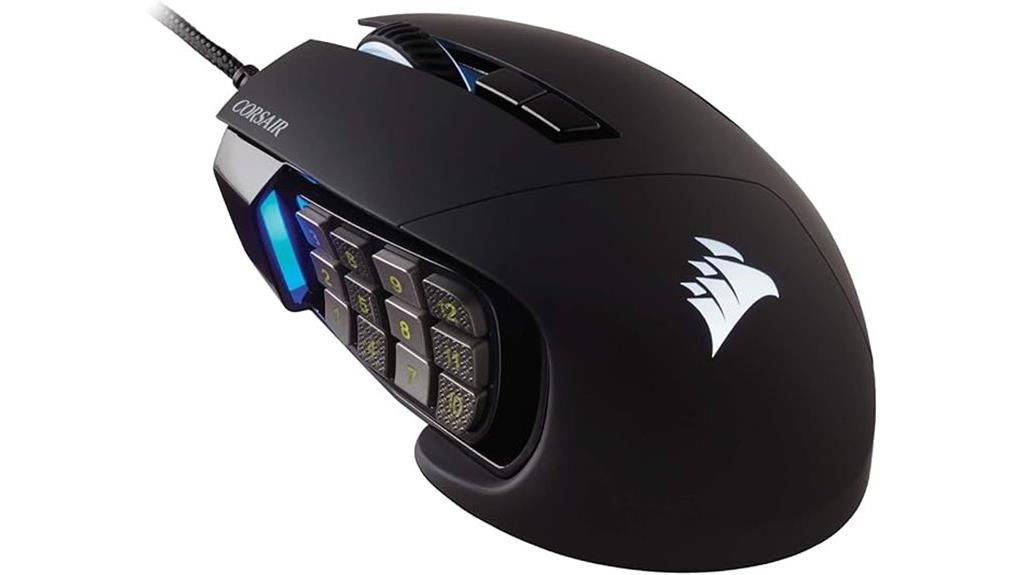
Gamers who thrive on complex commands and macros will find the Corsair Scimitar RGB Elite an exceptional choice, thanks to its 17 fully programmable buttons. The patented Key Slider Control System lets me reposition 12 side buttons for a personalized grip, making it comfortable for long sessions. Its native 18,000 DPI optical sensor provides precise tracking, adjustable in one-step increments. Built with durable Omron switches rated for 50 million clicks, it’s designed to withstand intense gaming. The contoured shape fits comfortably in my hand, with a finger rest for extra support. Compatibility with PC, Mac, and consoles, plus customizable lighting via iCUE, rounds out its impressive features.
Best For: gamers who require high precision, extensive customization, and comfort for long gaming sessions across PC, Mac, and console platforms.
Pros:
- 17 fully programmable buttons with a customizable Key Slider Control System for personalized grip.
- 18,000 DPI optical sensor with precise, adjustable tracking in 1-step increments.
- Durable construction with 50 million click-rated Omron switches and ergonomic design for extended use.
Cons:
- May have a learning curve for users new to programmable macros and customization.
- Larger size might not be suitable for gamers with smaller hands or those preferring a minimalist mouse.
- The extensive features and customization options could be overwhelming for casual gamers.
UtechSmart Venus Pro RGB Wireless MMO Gaming Mouse
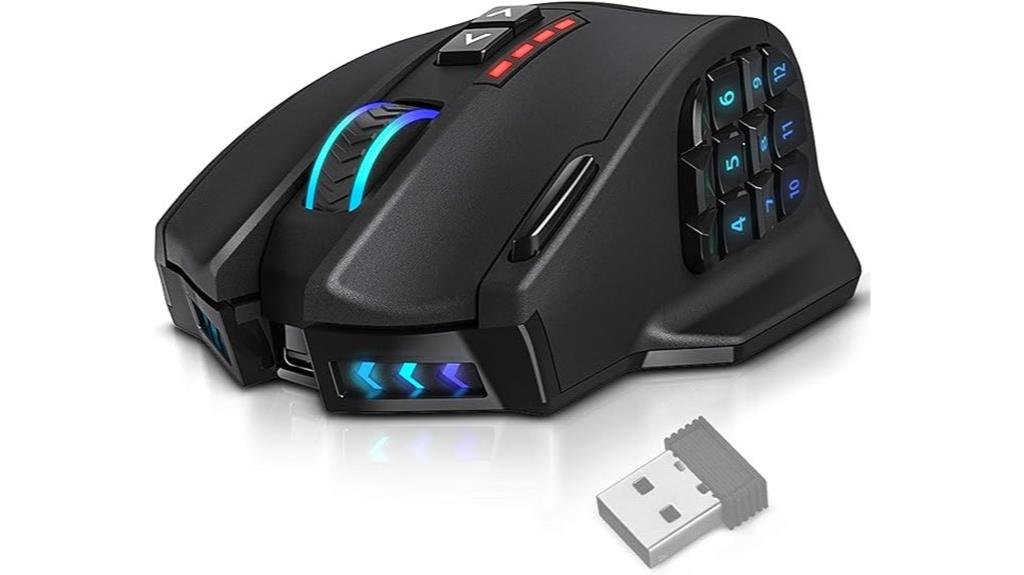
Designed for serious MMO players, the UtechSmart Venus Pro RGB Wireless MMO Gaming Mouse stands out with its 16 fully programmable buttons, including 12 thumb grip buttons that can be customized for complex macros. Its 16,000 DPI optical sensor guarantees precise tracking, while the ergonomic design and sweat-resistant coating offer comfort during long gaming sessions. The mouse supports both wireless and wired modes, with a stable 2.4 GHz connection and a 10-meter range. With customizable DPI stages and button functions via UtechSmart software, it delivers tailored performance. Its large rechargeable battery provides over 70 hours of gameplay, making it a versatile, high-performance choice for dedicated gamers.
Best For: serious MMO gamers seeking a highly customizable, comfortable, and high-precision wireless gaming mouse for extended play sessions.
Pros:
- Fully programmable buttons, including 12 thumb grip keys for complex macros and action customization
- High-precision 16,000 DPI optical sensor with adjustable DPI stages for tailored tracking performance
- Long-lasting rechargeable battery supporting over 70 hours of gameplay with wireless stability and dual wired/wireless modes
Cons:
- Slightly heavier due to large rechargeable battery, which may affect handling for some users
- Premium features and customization options may require software setup and learning curve
- Higher price point compared to basic gaming mice, which might not suit casual gamers
Logitech G203 Wired Gaming Mouse with RGB and Programmable Buttons

If you’re looking for a reliable gaming mouse that offers precise control and extensive customization, the Logitech G203 Wired Gaming Mouse stands out. It features an 8,000 DPI optical sensor with zero filtering and smoothing, giving you enhanced accuracy. You can easily adjust sensitivity settings via Logitech G HUB software and cycle through five DPI levels with a dedicated button. The mouse’s LIGHTSYNC RGB lighting is customizable and reacts to gameplay, music, or screen colors for an immersive experience. With six programmable buttons, durable mechanical switches, on-board memory, and a 6.89 ft USB cable, it’s built for responsive, tailored gaming.
Best For: gamers seeking a highly customizable, precise wired mouse with vibrant RGB lighting and durable switches for competitive gameplay.
Pros:
- High-precision 8,000 DPI optical sensor for accurate control
- Customizable LIGHTSYNC RGB lighting that reacts to gameplay and music
- Six programmable buttons with durable mechanical switches and on-board memory
Cons:
- Wired connection may limit movement compared to wireless options
- Limited to PC and Mac, not compatible with consoles
- May require software updates or configuration through Logitech G HUB for full customization
Logitech G305 LIGHTSPEED Wireless Gaming Mouse

The Logitech G305 LIGHTSPEED Wireless Gaming Mouse stands out for its six programmable buttons, which are perfect for players who want to customize commands and shortcuts on the fly. Its lightweight design, weighing only 99 grams, makes it highly maneuverable for intense gaming sessions. The built-in storage for the USB receiver adds portability, ideal for gaming on the go. Powered by the HERO 12K sensor, it offers exceptional accuracy with up to 12,000 DPI and 400 IPS speed. The ultra-fast 1ms wireless report rate ensures lag-free responsiveness, matching wired mice performance. With 250 hours of battery life, it’s a reliable choice for extended gameplay.
Best For: gamers seeking a lightweight, highly responsive wireless mouse with customizable buttons and long battery life for competitive play.
Pros:
- Lightweight design at only 99 grams enhances maneuverability during intense gaming sessions
- High-precision HERO 12K sensor with up to 12,000 DPI for accurate tracking
- Long-lasting battery life of up to 250 hours with power-efficient performance
Cons:
- Only six programmable buttons may be limited for some advanced users
- Requires one AA battery, which may need replacing after extended use
- Compatibility is primarily with PC and Mac, limiting use with other gaming consoles
TMKB Falcon M1SE Gaming Mouse with RGB and 12800 DPI

For gamers who demand precise control and extensive customization, the TMKB Falcon M1SE Gaming Mouse with RGB and 12800 DPI stands out as an ideal choice. Its lightweight, 75g honeycomb design offers effortless handling, while the ergonomic shape ensures comfort during long sessions. The high-speed optical sensor provides adjustable DPI from 200 to 12,800, delivering quick, accurate responses. With six programmable buttons and four configuration layers, I can remap functions and create macros effortlessly. The vibrant RGB lighting reacts dynamically to game sounds or music, and the driver software allows fine-tuning of button functions and lighting effects. It’s a versatile, high-performance mouse perfect for both gaming and professional work.
Best For: gamers and professionals seeking a lightweight, highly customizable mouse with precise control and dynamic RGB lighting.
Pros:
- Lightweight design at only 75g for effortless handling during extended use
- High-speed optical sensor with adjustable DPI up to 12,800 for accurate, responsive movements
- Extensive customization options including programmable buttons, macro recording, and RGB effects via driver software
Cons:
- Honeycomb shell may not be suitable for users preferring a fully enclosed grip
- Requires software installation for full customization, which may be an extra step for some users
- The maximum DPI of 12,800 might be excessive for users with basic needs, potentially leading to unnecessary complexity
Razer Basilisk V3 X Wireless Gaming Mouse

Designed for gamers who demand both precision and customization, the Razer Basilisk V3 X Wireless Gaming Mouse offers nine programmable buttons that let me tailor complex commands and macros easily. Its ergonomic shape supports various grip styles, enhancing comfort during long sessions. The mouse features Razer Chroma RGB with 16.8 million colors and dynamic effects, adding immersive lighting. Powered by Razer Mechanical Switches Gen-2 with a 60 million click lifespan, it ensures consistent performance. With the 5G Optical Sensor, pixel-perfect tracking, and dual wireless modes—Hyperspeed and Bluetooth—I enjoy seamless, low-latency gameplay. Plus, its impressive battery life keeps me gaming for hours without interruption.
Best For: gamers who seek a highly customizable, ergonomic wireless mouse with precise tracking and long battery life for competitive gameplay.
Pros:
- Customizable 9 programmable buttons for complex commands and macros
- Exceptional battery life up to 285 hours on Hyperspeed Wireless and 535 hours on Bluetooth
- Dynamic Razer Chroma RGB lighting enhances immersion and aesthetic appeal
Cons:
- Weighs approximately 0.317 ounces, which may be too light for some users favoring a more substantial feel
- Limited to one AA battery included, which may require replacement over time
- May lack advanced features found in higher-end gaming mice, such as adjustable DPI stages or additional buttons
EVGA X15 MMO Gaming Mouse, 16,000 DPI, Wired, Black

Gamers who demand precision and extensive control will find the EVGA X15 MMO Gaming Mouse to be an ideal choice, especially with its 16,000 DPI sensor and 20 programmable buttons. Its wired connection ensures reliable, lag-free performance, while the ergonomic design keeps comfort in mind during long gaming sessions. The mouse features a high-speed USB 2.0 connection and a 32-bit Arm Cortex-M33 microprocessor supporting an 8K Hz report rate, delivering lightning-fast responses. Customizable RGB lighting, five onboard profiles, and the physical E-Shift system allow quick switching and tailored controls. Overall, it’s a versatile, durable mouse built for serious MMO gamers.
Best For: gamers seeking a highly customizable, ergonomic MMO gaming mouse with precise control and rapid response.
Pros:
- High 16,000 DPI sensor with customizable DPI settings for precision.
- 20 programmable buttons and 5 onboard profiles for extensive control options.
- Ergonomic design with customizable RGB lighting and physical E-Shift system for quick access to multi-layer controls.
Cons:
- Wired connection may limit mobility compared to wireless alternatives.
- Larger size might not suit users with smaller hands for prolonged comfort.
- Advanced features and software could have a learning curve for new users.
ENHANCE Theorem 2 MMO Gaming Mouse with Programmable Buttons

If you want a gaming mouse that offers maximum customization for complex MMO gameplay, the ENHANCE Theorem 2 MMO Gaming Mouse is an excellent choice. It features 13 programmable side buttons, allowing you to link keyboard keys, macros, or shortcuts for quick access. You can create multiple profiles with Theorem Software, switching seamlessly with the profile selector. The mouse includes a dedicated quick fire button for instant commands, customizable DPI up to 4000 with LED indicators, and adjustable DPI intervals. Its ergonomic design ensures comfort during long sessions, and the wired connection guarantees a stable, latency-free experience. Plus, removable weights let you tailor the feel and glide.
Best For: gamers who need extensive customization, rapid command execution, and ergonomic comfort for complex MMO gameplay.
Pros:
- 13 programmable side buttons for versatile key mapping and macros
- Multiple customizable profiles with easy switching via software and profile selector
- Ergonomic design combined with adjustable weights for personalized comfort and feel
Cons:
- Wired connection may limit mobility compared to wireless alternatives
- Setup and customization may require time to optimize profiles and macros
- Higher DPI settings might be unnecessary for casual gamers, representing an investment for advanced users
TMKB Falcon M1SE Gaming Mouse with 12800DPI Optical Sensor

The TMKB Falcon M1SE Gaming Mouse stands out for its high-performance 12800 DPI optical sensor, making it ideal for gamers who demand precise control and quick responsiveness. Its ultralight honeycomb design and ergonomic medium size ensure comfort during long sessions, while weighing just 75 grams for effortless maneuvering. The matte white finish, lightweight materials, and silky smooth mouse feet provide a premium feel. With six programmable buttons, macro capabilities, and customizable RGB lighting reacting to sound and music, this mouse offers extensive personalization. Its wired connection guarantees stability, complemented by user-friendly software for seamless button remapping and settings adjustment, perfect for both gaming and office tasks.
Best For: gamers and professionals seeking a lightweight, highly customizable mouse with precise control and vibrant RGB lighting.
Pros:
- Ultra-lightweight design at only 75g, ideal for extended use and quick maneuvering
- High DPI range up to 12800 for accurate and responsive cursor control
- Extensive customization options including programmable buttons, macro recording, and reactive RGB lighting
Cons:
- Wired connection may limit cable management options and mobility for some users
- Advanced software features might have a learning curve for new users
- Medium-sized ergonomic design may not suit users with very small or very large hands
Factors to Consider When Choosing Gaming Mice With Customizable Buttons

When choosing a gaming mouse with customizable buttons, I look at the number and placement of those buttons to make certain they fit my gameplay style. I also consider sensor precision and DPI settings for accuracy, along with software options that make customization easy. Finally, comfort, build quality, and durability are key to making sure the mouse supports long gaming sessions without issues.
Choosing a gaming mouse with the right number of programmable buttons and ideal placement is crucial for maximizing performance. The number of buttons can vary from six to over twenty, affecting how versatile the mouse is across different genres. A higher quantity allows for complex macro setups but requires larger or textured buttons for easy identification. Proper placement is key; buttons should be ergonomic and intuitive, enabling quick access without disrupting natural hand positioning. Well-positioned programmable buttons can improve reaction times by reducing finger movement away from primary controls. Additionally, the ability to assign functions across different profiles makes switching between games or tasks seamless. Ultimately, a balanced combination of button quantity and thoughtful placement enhances both efficiency and comfort during intense gaming sessions.
Sensor Precision & DPI
Opting for a gaming mouse with precise sensor performance is essential for accurate targeting and smooth movement. Higher DPI settings give you more control over cursor precision, which is crucial for pinpoint accuracy in fast-paced games. Sensor accuracy and responsiveness directly impact how reliably the mouse tracks your movements, especially at high DPI levels. A sensor with zero smoothing, filtering, or acceleration ensures consistent, true-to-movement tracking—crucial for competitive play. Adjustable DPI stages let you switch sensitivity quickly, adapting to different in-game scenarios or tasks. The quality of the sensor ultimately determines the maximum DPI and overall tracking performance, influencing how effectively your customizable buttons perform during rapid actions. In short, choosing a mouse with a top-tier sensor and DPI options is key for precision gaming.
Software Customization Options
Software customization options considerably enhance a gaming mouse’s versatility by allowing me to remap buttons, create macros, and assign complex commands tailored to my playstyle or workflow. Advanced software often supports multiple profiles, letting me switch quickly between configurations for different games or tasks. Features like DPI adjustment, lighting control, and profile management give me full control over my mouse’s behavior, guaranteeing it adapts to my needs. The ability to save and recall profiles keeps settings consistent across gaming sessions and devices, saving time and hassle. Compatibility is key—making sure the mouse works with popular programs like Razer Synapse, Logitech G Hub, or proprietary apps ensures I can customize seamlessly. These options make my gaming experience more efficient and personalized.
Ergonomic Comfort Design
An ergonomic design is essential when selecting a gaming mouse with customizable buttons, as it directly impacts comfort during long gaming sessions. A shape that supports natural hand positioning helps reduce fatigue and strain, making extended play more comfortable. Proper placement of programmable buttons allows quick access without disrupting your grip, boosting efficiency. Textured grips and soft-touch coatings enhance tactile comfort and prevent slipping during intense moments. Adjustable weight systems let you customize the mouse’s feel to match your ergonomic preferences, ensuring it fits your hand perfectly. A well-designed ergonomic mouse minimizes strain on your wrist and fingers, promoting healthier gaming habits and reducing the risk of repetitive strain injuries. Prioritizing comfort in design helps maintain focus and precision, especially during prolonged gaming marathons.
Build Quality & Durability
When choosing a gaming mouse with customizable buttons, build quality and durability are essential factors that can determine how well the mouse performs over time. I look for mice with high-quality switches rated for at least 20 million clicks, ensuring they won’t wear out quickly. The shell material matters too—reinforced ABS or metal components add strength and stability, making the mouse withstand heavy use. A reinforced cable with gold-plated USB ports helps prevent wear and maintains reliable data transfer. High-end models often have reinforced side buttons made of metal or tough plastic, which resist breakage during intense gaming. Precise assembly and rigorous quality checks are also crucial, as they reduce creaking, loose parts, and structural weaknesses, guaranteeing longevity and consistent performance.
Lighting & Aesthetic Features
Lighting and aesthetic features play a significant role in personalizing your gaming mouse, especially if it has customizable buttons. With options like RGB zones and dynamic effects, you can match your mouse’s appearance to your gaming setup or mood. Many mice support millions of color combinations, allowing for endless customization and visual flair. You can even synchronize lighting with in-game events or music, creating a more immersive experience. If needed, you can disable lighting to save power or reduce distractions during intense moments. Aesthetic lighting customization isn’t just about looks; it’s a way to express your style and make your setup uniquely yours. Ultimately, well-chosen lighting features enhance both the visual appeal and the overall gaming atmosphere.
Battery & Wired Options
Choosing between wired and wireless gaming mice with customizable buttons depends on your priorities for performance and convenience. Wired mice provide zero latency and don’t need batteries, making them ideal for competitive play where every millisecond counts. Wireless options, however, offer the freedom of movement and usually last between 70 to over 300 hours on a single charge, depending on features like RGB lighting. Many wireless mice include dual-mode connectivity, allowing quick switches between wireless and wired modes for uninterrupted gameplay. To maximize battery life, you can disable RGB lighting or enable power-saving modes. Some models support fast charging, so you can quickly replenish power during breaks. Ultimately, your choice hinges on whether you value absolute performance or prefer the flexibility of wireless operation.
Price & Brand Reputation
Opting for a gaming mouse with customizable buttons often means considering the brand’s reputation and price point, as these factors can substantially impact your experience. Reputable brands with established histories usually deliver better quality, durability, and reliable support, which is essential for long-term use. Higher-priced models often feature advanced customization options, superior build quality, and robust software for button remapping. Well-known brands also tend to offer extensive warranties and customer service, giving you peace of mind. Evaluating brand reputation through customer reviews, industry awards, and expert evaluations helps guarantee you’re choosing a dependable product. Ultimately, investing in a trusted brand reduces the risk of software bugs, hardware failures, and compatibility issues, making your gaming setup more reliable and satisfying.
Frequently Asked Questions
How Do Customizable Buttons Improve Gameplay Strategies?
Customizable buttons boost my gameplay by letting me assign specific commands and shortcuts, making actions quicker and more intuitive. I can access abilities, weapons, or macros instantly without breaking focus or maneuvering menus. This flexibility helps me react faster, strategize better, and maintain smoother control during intense moments. Overall, it gives me a competitive edge by streamlining my responses and allowing me to execute complex moves effortlessly.
Are Customizable Gaming Mice Compatible Across Different Gaming Platforms?
Absolutely, customizable gaming mice are compatible across various gaming platforms, but it depends. I’ve found that many high-end mice work seamlessly with PCs, Xbox, and PlayStation, thanks to universal drivers or plug-and-play functionality. However, some mice might have platform-specific features, so I always double-check before buying. Compatibility is key, so I recommend researching each mouse’s specifications to confirm your preferred device plays nicely with your gaming setup.
What Maintenance Is Required for Mice With Programmable Buttons?
I regularly clean my mouse to keep the programmable buttons functioning smoothly. I use a soft, slightly damp cloth to wipe down the surface and gently clean around the buttons with a cotton swab. I also make sure to check for dust or debris that could interfere with button responsiveness. Occasionally, I update the firmware and reset the settings to guarantee everything stays optimized for precise gameplay.
Can Software Updates Affect Button Remapping Functions?
Yes, software updates can affect button remapping functions. When I update my gaming mouse’s software, I’ve noticed that some custom settings might reset or require reconfiguration. Sometimes, updates introduce new features or fix bugs, but they can also temporarily disrupt personalized mappings. That’s why I always back up my settings before updating and check the latest version’s notes to guarantee my remaps stay intact and work smoothly.
How Do Customizable Buttons Impact Battery Life in Wireless Mice?
Customizable buttons can slightly impact battery life in wireless mice because each extra function uses power, especially if you frequently remap or activate them. However, the difference is usually minimal with modern batteries and efficient power management. I’ve found that as long as I optimize settings and turn off unused features, I can enjoy customizable buttons without noticeably draining my mouse’s battery during extended gaming sessions.
Conclusion
No matter which gaming mouse you pick, remember that comfort and customization make all the difference. I get it—choosing the right one can feel overwhelming, but focusing on your gaming style and grip will guide you. Don’t stress over having the “perfect” mouse; the best choice is the one that feels right and enhances your gameplay. Jump in confidently, and you’ll enjoy precision and control in every session.