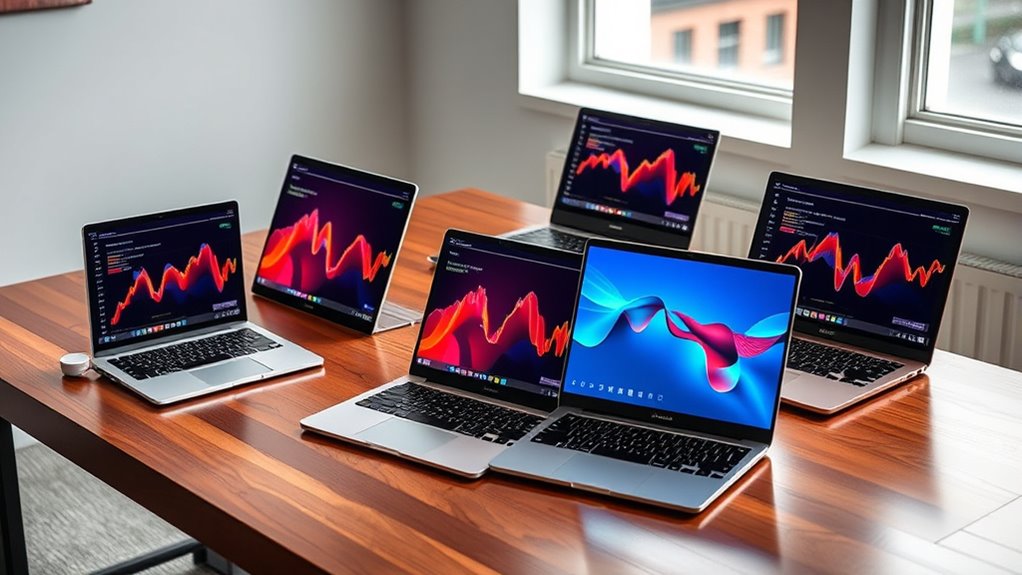

Finding the right laptop in 2026 means balancing performance, portability, and price. The Apple 2026 MacBook Air 13-inch stands out as the best overall choice with its powerful M5 chip and sleek design, ideal for most users. For budget-conscious buyers, the Amzboy 15.6” Windows 11 Laptop offers surprisingly solid performance at a low price, though it sacrifices speed and build quality. Meanwhile, the Dell 16 Laptop DC16251 is a strong pick for professionals needing robust multitasking capabilities. Each of these options highlights the tradeoffs between power, price, and usability that define this category. Continue reading for the full breakdown and how to choose the best laptop for your needs.

Get business pricing on tools and workshop supplies
- Business-only prices and quantity discounts
- Tax-exempt purchasing
- Multiple users, one account, clear invoices
Complete the kit


Key Takeaways
- High-end models like the MacBook Air 13-inch deliver excellent performance and build quality, but come at a premium price.
- Budget options such as the Amzboy provide basic functionality, yet often lack durability and speed for demanding tasks.
- Laptops with larger screens (17+ inches) are better suited for productivity, but sacrifice portability.
- Processor choice, especially between Intel and AMD, significantly impacts multitasking and gaming performance.
- Additional features like touchscreen, AI integration, and cloud storage can influence overall value depending on user needs.


| laptop | Processor | Display | Storage | RAM |
|---|---|---|---|---|
| Apple 2026 MacBook Air 13-inch | M5 chip | 13.6-inch Liquid Retina | 512GB SSD | — |
| HP OmniBook 3 16-inch Laptop P | AMD Ryzen 3 | 16-inch 2K IPS Touchscreen | 256 GB PCIe NVMe SSD | 8 GB LPDDR5 |
| HP New Everyday Slim Laptop | Intel N150 | 14-inch HD (1366×768) | 128GB SSD | 4GB DDR5 |
| Amzboy 15.6” Windows 11 Laptop | N4020 | 15.6-inch 1920×1080 FHD | 128GB eMMC | 4GB |
| HP Everyday Slim Laptop 2026 E | Latest AMD | — | 128GB SSD | — |
| HP 17 inch Business Laptop Com | AMD Ryzen 5 | 17.3 inch FHD anti-glare | 512GB SSD | 16GB |
| Apple 2026 MacBook Neo 13-inch | A18 Pro chip | 13-inch Liquid Retina | 256GB SSD | — |
| HP Laptop 2026 Student Busines | Intel N150 (4 cores, up to 3.6GHz) | 14-inch HD (1366 x 768) anti-glare | 128GB UFS | 4GB LPDDR5-4800 |
| Lenovo 15.6" Essential Everyda | Intel N150 quad-core | 15.6-inch Full HD anti-glare | 128GB SSD | — |
| Dell 16 Laptop DC16251 | Intel Core i7-150U | 16-inch FHD+ with 16:10 aspect ratio | — | 16GB |
| KAIGERR 2026 Laptop | Intel Core i5-12600H | 15.6-inch Full HD (1920×1080) | 512GB SSD (supports up to 4TB) | 24GB DDR5 4800MHz |
| HP OmniBook 3 17.3 inch Laptop | AMD Ryzen 3 30 | 17.3 inch FHD IPS | 512 GB PCIe NVMe SSD | 8 GB LPDDR5 |
| Dell 15.6" FHD Laptop with Int | Intel Core i3 | 15.6-inch FHD | 512 GB SSD | 8 GB |
| 15.6-inch AI Laptop with Offic | Celeron J4105 | 15.6 inch FHD IPS | 256GB SSD | 12GB DDR4 |
| 15.6-inch AI Laptop with Offic | Celeron J4105 | 15.6 inch FHD IPS | 128GB SSD | 6GB DDR4 |
More Details on Our Top Picks
Apple 2026 MacBook Air 13-inch Laptop with M5 Chip, 16GB RAM, 512GB SSD, Liquid Retina Display, Sky Blue
This MacBook Air stands out for its combination of a powerful M5 chip with advanced AI features and a stunning Liquid Retina display that offers rich colors, making it ideal for creative professionals and students alike. Compared with the HP OmniBook 3, it provides significantly better performance and display quality, though at a substantially higher price. Its long battery life of up to 18 hours surpasses many competitors, including the HP Everyday Slim, which offers similar portability but less power. The limited external display support and absence of a dedicated GPU mean it’s less suited for intensive creative work or gaming.
Pros:- Powerful M5 chip with AI capabilities
- Rich, vibrant Liquid Retina display
- Impressive battery life up to 18 hours
- Lightweight and highly portable
Cons:- Premium price may be prohibitive for some
- Limited to two external displays
- No dedicated GPU for high-end graphics tasks
Best for: Creative professionals and students who need a lightweight, high-performance machine with excellent display quality.
Not ideal for: Budget-conscious buyers or users needing high-end gaming or multiple external displays, as it lacks dedicated GPU and has a premium price.
- Display:13.6-inch Liquid Retina
- Processor:M5 chip
- Memory:16GB Unified Memory
- Storage:512GB SSD
- Camera:12MP Center Stage
- Battery Life:Up to 18 hours
- Ports:Two Thunderbolt 4, MagSafe, headphone jack
- Wireless:Wi-Fi 7, Bluetooth 6
- Weight:2.71 pounds
Our verdict“This MacBook Air is best suited for users who prioritize performance, display quality, and portability over cost.”
HP OmniBook 3 16-inch Laptop PC, 2K Touchscreen, AMD Ryzen 3, 8GB RAM, 256GB SSD, Windows 11 Home
This HP OmniBook 3 offers a vivid 16-inch 2K touchscreen that makes media consumption and casual editing enjoyable, especially compared to the smaller HP New Everyday Slim with its lower-res display. Its AMD Ryzen 3 processor ensures responsive performance for everyday tasks like browsing, streaming, and light multitasking, but it’s not designed for demanding workloads or gaming. The eco-friendly build with recycled materials and a long battery life of over 14 hours make it an attractive choice for environmentally conscious users. However, the lack of a dedicated GPU and limited RAM may hinder performance in more intensive applications or multitasking scenarios.
Pros:- Large 16-inch 2K touchscreen with vivid visuals
- Long battery life with fast charging
- Eco-friendly build with recycled materials
- Responsive AMD Ryzen 3 processor
Cons:- Limited to casual or basic tasks
- No dedicated GPU for high-end graphics
- Higher price for eco-friendly features
Best for: Students and casual users who want a large, vibrant screen for everyday activities and value eco-friendly design.
Not ideal for: Power users or gamers seeking high-end graphics or demanding multitasking, due to its modest processor and integrated graphics.
- Display:16-inch 2K IPS Touchscreen
- Processor:AMD Ryzen 3
- RAM:8 GB LPDDR5
- Storage:256 GB PCIe NVMe SSD
- Graphics:AMD Radeon 610M
- Battery Life:Up to 14 hours 15 minutes
Our verdict“Ideal for users seeking a sizable, high-quality display for daily tasks without intensive performance needs.”
HP New Everyday Slim Laptop, 2026 Edition, Intel N150 Processor, 4GB DDR5 RAM, 128GB SSD, Windows 11
This 14-inch HP model provides reliable performance for basic tasks like browsing, document editing, and streaming, especially when compared with larger or more powerful options like the Dell 16 with i7 processors. Its Intel N150 processor and 4GB RAM keep things simple, but may limit multitasking or handling multiple browser tabs. The compact size and up to 11.5 hours of battery life make it ideal for students and mobile users, though its low-resolution display and limited local storage could be drawbacks for media-heavy or storage-intensive users. Its affordability and portability are balanced by these performance constraints.
Pros:- Lightweight and portable design
- Long battery life for all-day use
- Fast DDR5 memory improves responsiveness
- Includes 1TB cloud storage for backups
Cons:- Low-resolution display (1366×768)
- Limited local storage with 128GB SSD
- Basic screen quality with limited sRGB coverage
Best for: Students or on-the-go users who need a lightweight, affordable laptop for light tasks.
Not ideal for: Power users or multimedia creators needing high-resolution screens or more RAM for multitasking and editing tasks.
- Processor:Intel N150
- RAM:4GB DDR5
- Storage:128GB SSD
- Display:14-inch HD (1366×768)
- Brightness:250 nits
- Battery Life:up to 11.5 hours
Our verdict“Perfect for budget-conscious users prioritizing portability and basic functionality over high performance.”
Amzboy 15.6” Windows 11 Laptop, N4020 CPU, 4GB RAM, 128GB eMMC
This lightweight 15.6-inch laptop is designed for users who need a simple, portable device, with its full HD anti-glare display making it suitable for work or school on the move. Its N4020 CPU and 4GB RAM support basic productivity, but won’t handle heavy multitasking or demanding applications well, especially compared to models with higher specs like the HP OmniBook 3. The support for expandable storage up to 1TB offers some flexibility, but the fanless design could limit sustained performance under load. It’s a good choice for casual use but not for intensive tasks or future-proofing.
Pros:- Lightweight and easy to carry
- Full HD anti-glare display
- Supports expandable storage up to 1TB
- Pre-installed Windows 11
Cons:- Limited 4GB RAM affects multitasking
- Only 128GB internal storage
- Fanless design might reduce performance during heavy use
Best for: Students or travelers needing a lightweight, affordable device for basic tasks and media consumption.
Not ideal for: Power users or those requiring significant multitasking or storage for large files, as its 128GB eMMC and limited RAM can be restrictive.
- Display:15.6-inch 1920×1080 FHD
- Processor:N4020
- RAM:4GB
- Storage:128GB eMMC
- Ports:Dual Type-C, USB 3.2
- Charging:45W Type-C PD fast charging
Our verdict“Suitable for users needing an affordable, portable device for light tasks and media use.”
HP Everyday Slim Laptop 2026 Edition with AMD Processor, 128GB SSD, Windows 11
This slim HP model with the latest AMD processor offers a good balance of portability and functionality, especially for daily tasks like browsing, office work, and light multitasking. Its Windows 11 with Copilot AI enhances productivity, making it appealing for users who want smart features integrated into their workflow. The DDR5 memory ensures fast data processing, and its long battery life supports long work sessions. However, the 128GB storage limits large file storage, and without detailed benchmarks, performance under heavy multitasking remains uncertain. It makes sense for those prioritizing AI-driven productivity on a thin, portable device.
Pros:- Fast data processing with DDR5 memory
- Preloaded with Windows 11 and AI Copilot
- Slim, portable design
- Long battery life for daily use
Cons:- Limited storage capacity at 128GB
- No specific battery duration mentioned
- Lacks high-performance benchmarks for demanding tasks
Best for: Everyday users who want AI-enhanced productivity features and a portable machine for routine tasks.
Not ideal for: Power users or media creators needing extensive storage or high-performance hardware, due to limited storage and unspecified benchmarks.
- Processor:Latest AMD
- Storage:128GB SSD
- Memory:DDR5
- Operating System:Windows 11
- Features:Fast Charge, Long Battery Life, Thin & Portable
Our verdict“Ideal for everyday users seeking a lightweight, AI-enabled laptop for routine productivity and browsing.”
HP 17 inch Business Laptop Computer, 2026 Edition, AMD Ryzen 5, 16GB RAM, 512GB SSD, FHD Display, Windows 11 with Office 365
This HP 17.3-inch model stands out for its large, vivid display, making it a strong choice for multitasking and media consumption. Compared with the more portable MacBook Neo, it offers a bigger screen but at the expense of weight and portability. Its AMD Ryzen 5 processor paired with 16GB RAM ensures smooth performance for demanding work, but the absence of a dedicated graphics card limits gaming or graphic-intensive tasks. The inclusion of Windows 11 and Office 365 streamlines setup for work environments. Its long battery life and fast charging make it suitable for on-the-go use, though its size and potential higher price might deter those seeking a lightweight device. This pick makes the most sense for professionals who prioritize a large display and robust performance over portability.
Pros:- Large, vivid 17.3-inch FHD anti-glare display ideal for multitasking and entertainment
- Powerful AMD Ryzen 5 processor with 16GB RAM for smooth multitasking
- Preloaded with Windows 11 and Office 365 for seamless productivity
- Long battery life with fast charging capabilities
Cons:- Lacks a dedicated graphics card, limiting gaming and graphics work
- Size makes it less portable and potentially bulky to carry around
Best for: Business users and remote workers needing a large screen for multitasking and productivity on the go
Not ideal for: Travelers seeking a lightweight, ultra-portable laptop or users with limited desk space
- Display:17.3 inch FHD anti-glare
- Processor:AMD Ryzen 5
- RAM:16GB
- Storage:512GB SSD
- Camera:720p Wide Vision
- Battery:Long battery life with HP Fast Charge
Our verdict“This model is best suited for professionals who need a spacious display and strong performance without the need for mobility.”
Apple 2026 MacBook Neo 13-inch Laptop with A18 Pro Chip – Blush
This MacBook Neo with its sleek aluminum design and vibrant Liquid Retina display is ideal for users who prioritize portability and battery life. Compared with the HP 17-inch, it sacrifices screen size for weight and ease of carrying, making it perfect for students and mobile professionals. Its A18 Pro chip delivers impressive AI capabilities and smooth performance, though the 8GB RAM and 256GB storage might fall short for power users with demanding needs. The long battery life of up to 16 hours makes it a reliable companion during long days, but the premium price can be a barrier for budget-conscious buyers. This model makes the most sense for those invested in the Apple ecosystem or needing a lightweight device for everyday tasks and creative work.
Pros:- Lightweight and durable aluminum design
- Long-lasting battery life of up to 16 hours
- Vivid Liquid Retina display with 1 billion colors
- Strong AI capabilities and seamless Apple ecosystem integration
Cons:- Limited storage capacity for heavy data users
- High premium price for the specifications offered
- No dedicated GPU or gaming performance for graphics-intensive tasks
Best for: Students and professionals seeking a lightweight, stylish laptop with excellent battery life and ecosystem synergy
Not ideal for: Power users requiring extensive storage or high-end gaming performance
- Display:13-inch Liquid Retina
- Processor:A18 Pro chip
- Memory:8GB Unified Memory
- Storage:256GB SSD
- Camera:1080p FaceTime HD
- Battery Life:Up to 16 hours
Our verdict“This MacBook Neo suits users prioritizing portability, battery life, and Apple ecosystem benefits over raw storage and gaming capabilities.”
HP Laptop 2026 Student Business with Copilot AI, Office 365, 128GB UFS, Intel CPU
This HP model offers a straightforward solution for students and light users, with a compact 14-inch anti-glare display and reliable Intel N150 processor. Compared with the Lenovo Essential, it is more portable but has a lower-resolution display, which may be less comfortable during extended use. Its 4GB RAM and 128GB storage are sufficient for basic tasks like browsing, document editing, and streaming, especially with Copilot AI assisting productivity. The long battery life of up to 11 hours adds convenience for all-day use. However, the basic specs limit its suitability for demanding applications or heavy multitasking. This laptop makes the most sense for budget-conscious students or professionals who need a dependable device for everyday tasks without excessive performance demands.
Pros:- Lightweight and highly portable at just over 3 pounds
- Long battery life suitable for all-day use
- Fast connectivity options including Wi-Fi 6 and Bluetooth 5.4
- Reliable performance for basic tasks
Cons:- Low-resolution display (1366 x 768) may cause eye strain
- Limited storage capacity for larger files and applications
- Basic specifications may not handle demanding software
Best for: Students and casual users needing a portable, affordable device for everyday productivity
Not ideal for: Power users or creative professionals requiring more storage or processing power
- Processor:Intel N150 (4 cores, up to 3.6GHz)
- RAM:4GB LPDDR5-4800
- Storage:128GB UFS
- Display:14-inch HD (1366 x 768) anti-glare
- Connectivity:Wi-Fi 6, Bluetooth 5.4
- Battery Life:Up to 11 hours
Our verdict“This model offers a budget-friendly, portable option ideal for students and light users who prioritize mobility over high-end specs.”
Lenovo 15.6″ Essential Everyday Laptop, 2026 Edition, 8GB DDR5, 128GB SSD
This Lenovo 15.6-inch model offers a balanced combination of size, performance, and durability, making it suitable for work, study, and casual use. Compared with the Dell 16-inch, it has a slightly smaller display but maintains a responsive performance thanks to its Intel N150 quad-core processor and 8GB DDR5 RAM. The Full HD anti-glare screen with TÜV Rheinland Low Blue Light certification makes it a comfortable device for long hours. Its comprehensive connectivity options, including Wi-Fi 6 and multiple ports, add to its versatility. The 128GB SSD limits storage for heavy media or large projects, which is a tradeoff for its portability and affordability. This makes it a solid choice for users needing a reliable, durable everyday laptop with decent screen quality.
Pros:- Responsive performance with quad-core Intel N150 and 8GB DDR5
- Full HD anti-glare display with Low Blue Light certification
- Durable build tested to military standards
- Good connectivity including Wi-Fi 6 and multiple ports
Cons:- Limited storage capacity at 128GB SSD
- Slightly smaller display than some competitors, like the Dell 16
- No dedicated graphics card for gaming or heavy creative tasks
Best for: Students and professionals seeking a durable, everyday laptop with a sizable display
Not ideal for: Users requiring extensive storage or high-performance gaming and creative work
- Processor:Intel N150 quad-core
- Memory:8GB DDR5
- Storage:128GB SSD
- Display:15.6-inch Full HD anti-glare
- Weight:3.42 pounds
- Connectivity:Wi-Fi 6, Bluetooth 5.2, multiple ports
Our verdict“This Lenovo model is ideal for everyday users who need a reliable, durable device with a good display size and minimal storage needs.”
Dell 16 Laptop DC16251, FHD+, Intel Core i7-150U, 16GB RAM, Windows 11 Home
This Dell 16-inch laptop is designed for users who need a larger, immersive display combined with powerful processing. The FHD+ screen with a 16:10 aspect ratio offers more vertical space, ideal for multitasking and detailed work. Its Intel Core i7-150U and 16GB RAM ensure robust performance for demanding productivity tasks, outperforming budget options like the HP 14-inch with an Intel N150. The inclusion of features like ComfortView Plus helps reduce eye strain during long sessions. While its battery life isn’t specified, its high-end specs make it suitable for professionals and power users. However, the higher price and potentially limited battery endurance could be drawbacks for budget-conscious or mobile users. This laptop caters to those who need a large display and serious processing power for work or entertainment.
Pros:- Large 16-inch FHD+ display with 16:10 aspect ratio for immersive viewing
- Powerful Intel Core i7 processor and 16GB RAM for demanding tasks
- Eye-friendly features like ComfortView Plus
- Includes onsite support for added convenience
Cons:- Unspecified battery life may limit portability
- Higher price point may be prohibitive for some users
Best for: Power users and professionals needing a large, high-performance laptop for multitasking and content creation
Not ideal for: Travelers or those seeking ultra-lightweight, all-day portable devices
- Display:16-inch FHD+ with 16:10 aspect ratio
- Processor:Intel Core i7-150U
- RAM:16GB
- Operating System:Windows 11 Home
- Camera:FHD with wide dynamic range
- Thermal Technology:Adaptive thermals
Our verdict“This Dell 16-inch model is best suited for professionals who need a large, powerful machine for multitasking and detailed work.”
KAIGERR 2026 Laptop, 24GB DDR5, 512GB SSD, Intel Core i5
This model stands out for combining a potent Intel Core i5 processor with 24GB DDR5 RAM, making it a solid choice for multitasking and light gaming. Its lightweight design at 1.65kg and 15.6-inch Full HD display make it ideal for remote workers who need mobility without sacrificing performance. Compared with larger, less portable options like the HP OmniBook 3, the KAIGERR offers a more balanced mix of power and portability, though it lacks dedicated graphics for high-end gaming. The absence of touchscreen functionality or detailed battery life info presents some tradeoffs for users seeking all-day unplugged use or a flexible interface. Tradeoffs include limited graphics performance and unspecified battery endurance, which could impact heavy gaming or all-day work without charging. Overall, this is a well-rounded choice for those who prioritize portability and performance in a slim package.
Pros:- Powerful Intel Core i5 processor with high-speed DDR5 RAM
- Lightweight and portable at just 1.65kg
- Fast storage with 512GB SSD and expandability up to 4TB
- Vivid Full HD display reduces eye strain
Cons:- Limited dedicated graphics for gaming or heavy creative work
- Battery life details are not specified, raising questions about real-world endurance
Best for: Remote professionals or students needing a portable yet powerful machine for multitasking and light gaming.
Not ideal for: Gamers or content creators requiring dedicated graphics and extended battery life during intensive tasks.
- Processor:Intel Core i5-12600H
- RAM:24GB DDR5 4800MHz
- Storage:512GB SSD (supports up to 4TB)
- Display:15.6-inch Full HD (1920×1080)
- Graphics:Integrated Intel Graphics
- Weight:1.65kg
Our verdict“An excellent choice for users who need a portable, high-performance laptop without the need for dedicated gaming graphics.”
HP OmniBook 3 17.3 inch Laptop PC with FHD Display, AMD Ryzen 3, 8GB RAM, 512GB SSD, Windows 11 Home
This large-screen option excels with its expansive 17.3-inch FHD IPS display, perfect for streaming or multitasking across multiple windows. Its up to 14-hour battery life makes it suitable for all-day use away from outlets, a significant advantage over the smaller Dell 15.6″ model, which may struggle to match endurance. Built around an AMD Ryzen 3 30 processor, it offers decent responsiveness for everyday tasks but isn’t tailored for demanding creative or gaming workloads—lacking a dedicated GPU. Its weight and size, however, could be a drawback for users needing portability, unlike the more compact KAIGERR. The design emphasizes productivity and viewing comfort, yet the processor’s limited power might frustrate users with heavier multitasking or creative needs. The tradeoff involves balancing a large display and long battery life against portability and high-performance tasks.
Pros:- Massive 17.3-inch FHD IPS display with wide viewing angles
- Exceptional battery life up to 14 hours
- Responsive SSD storage and sufficient RAM for multitasking
- Enhanced audio and video quality for calls and streaming
Cons:- Heavy and bulky for frequent travelers
- Processor may be underpowered for demanding tasks or gaming
Best for: Students or professionals who prioritize a large viewing area and all-day battery life for browsing, streaming, and light productivity.
Not ideal for: Travelers or mobile workers needing a lightweight, compact device for quick on-the-go use or intensive tasks like gaming.
- Display:17.3 inch FHD IPS
- Processor:AMD Ryzen 3 30
- RAM:8 GB LPDDR5
- Storage:512 GB PCIe NVMe SSD
- Battery Life:Up to 14 hours
- Weight:Approximately 4.5kg
Our verdict“Ideal for users who want a large-screen experience with all-day battery life and are less concerned about portability.”
Dell 15.6″ FHD Laptop with Intel Core i3, 8GB RAM, Windows 11 Home
This Dell offers a balanced package for everyday tasks, with a 15.6-inch Full HD display and an Intel Core i3 processor that handles basic productivity and browsing comfortably. Compared to the HP OmniBook 3, it’s more portable at just 4.2 pounds and features an ergonomic keyboard, but it’s limited by its lower processor power, which could slow down multitasking or heavier workloads. Its SSD storage ensures snappy file access, yet the 512GB capacity might be tight for users with large media libraries. The absence of biometric security features and a basic design means it’s best suited for users who prioritize affordability and portability over advanced security or high-end specs. This model is ideal for students or casual users who want reliable performance without premium features.
Pros:- Lightweight and easily portable at 4.2 pounds
- Full HD display with blue light reduction
- Fast SSD storage for quick access
- Ergonomic keyboard for comfortable typing
Cons:- Limited processing power for intensive multitasking
- Lacks biometric security features
Best for: Students or casual users seeking a lightweight, affordable device for web, office work, and media consumption.
Not ideal for: Power users or creative professionals requiring high processing power or security features.
- Processor:Intel Core i3
- RAM:8 GB
- Storage:512 GB SSD
- Display:15.6-inch FHD
- Weight:4.2 pounds
- Operating System:Windows 11 Home
Our verdict“A practical choice for budget-minded users focused on portability and everyday computing tasks.”
15.6-inch AI Laptop with Office 365, 12GB RAM, 256GB SSD, Windows 11
This laptop emphasizes productivity with its 12GB RAM and AI-powered tools, making it well-suited for students and professionals who rely on Office 365 and AI assistance. Its compact 15.6-inch Full HD display and responsive SSD provide a smooth experience, comparable to the HP OmniBook 3, but with added AI features that can boost efficiency. The Celeron J4105 processor limits its capacity for demanding tasks, similar to the entry-level options in this roundup, but the expanded RAM and AI tools compensate for light to moderate workloads. Its design is straightforward, lacking premium touches but offering versatility with expandable storage. The main tradeoff involves the processor’s limited power, which makes it less suitable for heavy multitasking or creative work, but it excels at productivity and AI-enhanced workflows.
Pros:- High-resolution 15.6-inch Full HD IPS display
- Generous 12GB RAM supports multitasking
- Includes Office 365 and AI productivity tools
- Expandable storage up to 2TB
Cons:- Processor may be too weak for intensive tasks
- Limited 256GB SSD storage may fill quickly with large files
Best for: Students or professionals who want AI-enhanced productivity tools and Office 365 pre-installed for daily tasks.
Not ideal for: Power users or creative professionals needing high-end performance for demanding applications.
- Display:15.6 inch FHD IPS
- Processor:Celeron J4105
- RAM:12GB DDR4
- Storage:256GB SSD
- Connectivity:Wi-Fi 5, Bluetooth 4.2
- Weight:Approximately 3.2 lbs
Our verdict“A solid option for productivity-focused users who benefit from AI tools and Office 365 integration.”
15.6-inch AI Laptop with Office 365, 6GB RAM, 128GB SSD, Windows 11
This model offers a compact, affordable package with a 15.6-inch FHD IPS display and basic Celeron J4105 processor, suitable for light tasks like browsing, document editing, and media streaming. Its 6GB RAM limits multitasking, similar to the Dell 15.6″ but with a smaller storage capacity at 128GB, which might quickly fill for users with larger files. The inclusion of Office 365 and AI tools adds value for students or casual users, but the processor’s modest power makes it less appropriate for demanding applications. Its lightweight build at around 3.2 pounds makes it easy to carry, but the overall design is functional rather than premium. The main tradeoff involves limited processing and storage capacity, which places it firmly in the budget and basic-use category.
Pros:- High-resolution 15.6-inch FHD IPS display
- Includes Office 365 and AI productivity features
- Lightweight at approximately 3.2 lbs
- Expandable storage up to 2TB
Cons:- Limited processing power for multitasking or demanding apps
- Small SSD at 128GB may require frequent management
Best for: Students or casual users needing a lightweight, affordable device for basic tasks and AI productivity tools.
Not ideal for: Users with heavy multitasking needs or large media libraries that require more processing power and storage.
- Display:15.6 inch FHD IPS
- Processor:Celeron J4105
- RAM:6GB DDR4
- Storage:128GB SSD
- Connectivity:Wi-Fi 5, Bluetooth 4.2
- Weight:Approximately 3.2 lbs
Our verdict“Suitable for basic computing needs and portability, but not for intensive workloads or large data storage.”

How We Picked
The selection process focused on balancing performance, build quality, price, and usability across diverse user profiles. We evaluated each laptop’s processor speed, RAM, storage options, display quality, and battery life, prioritizing models that offered a clear advantage in at least one key area. Durability, design, and feature set also played crucial roles, especially for different user types like students, professionals, or casual users. Laptops were ranked based on how well they meet everyday demands, their value relative to cost, and their versatility for various tasks. This approach ensures that each recommendation provides meaningful benefits aligned with typical user priorities.Factors to Consider When Choosing Laptops
Choosing the right laptop involves more than just comparing specs; understanding your primary needs and potential tradeoffs can save you money and frustration. Consider how much processing power you need for tasks like work, gaming, or creative work. Portability is another key factor—larger screens and higher battery capacity often mean more weight. Additionally, evaluate the operating system and ecosystem compatibility, especially if you already own other devices. Don’t overlook features like screen quality, keyboard comfort, and connectivity options, which all influence daily usability. Lastly, weigh your budget against these factors to find a device that offers the best overall value for your specific needs.Performance and Processor Choice
The processor is the brain of your laptop, directly affecting speed and multitasking ability. Intel chips, especially the i5 and i7 series, are reliable choices for most users, offering a good balance of power and efficiency. AMD Ryzen processors tend to excel in multitasking and gaming, often at a lower price point. For casual use or students, lower-tier chips like Intel N150 or equivalent can suffice, but they limit multitasking and demanding applications. Investing in a faster processor makes sense if you work with large files, creative software, or require smooth multitasking. However, higher-performance processors typically come with increased costs and shorter battery life, making tradeoffs for portability and budget.
Display Quality and Size
The display influences your overall experience, especially if you spend long hours on your device. Higher resolution screens, such as 2K or 4K, provide sharper images, ideal for creative work or media consumption. Screen size impacts portability: larger displays (17+ inches) boost productivity but add weight, while 13-15 inch screens offer a better balance for most users. Touchscreen capability adds convenience but can reduce battery life and increase cost. Consider anti-glare coatings and color accuracy if you do creative work. A good display should complement your needs—whether for detailed design work or casual browsing—and be paired with a comfortable keyboard and responsive touchpad.
Build Quality and Durability
Durability varies widely among laptops, often correlating with price. Premium models like the MacBook Air use high-quality aluminum, making them both lightweight and sturdy. Budget options tend to use plastic, which may feel less durable and be prone to wear over time. If you travel frequently or need a laptop for outdoor use, prioritize build quality to withstand bumps and knocks. Additionally, consider factors like keyboard resilience and screen hinge robustness. Investing in a well-built device can prevent costly repairs and frustration down the line, especially if you plan to carry it daily or for extended periods.
Battery Life and Portability
Battery life determines how far you can go without recharging, a critical factor for commuters, students, and remote workers. Devices with larger batteries and energy-efficient components tend to last longer—sometimes over 10 hours—while ultraportables often sacrifice some longevity for weight savings. Consider your typical usage: if you need a laptop for travel or remote work, prioritize models with at least 8-10 hours of battery life. Keep in mind that screen size and resolution also influence power consumption—larger, high-res displays drain batteries faster. Balancing portability and battery life involves assessing how often and where you’ll be using your device most.
Additional Features and Ecosystem Compatibility
Features like touchscreen, AI assistance, stylus support, and cloud storage can enhance productivity and user experience. For example, AI-powered features like Copilot in some models can streamline tasks, but often come at an extra cost. Compatibility with existing devices or ecosystems—such as Apple or Windows—can also influence your choice, making integration smoother and more intuitive. Connectivity options, including USB-C, Thunderbolt, and SD card slots, matter depending on your peripherals. Finally, consider whether extras like a backlit keyboard, fingerprint scanner, or webcam quality are necessary for your daily tasks, as they can significantly improve usability.
Frequently Asked Questions
How much should I spend on a laptop for everyday use?
For everyday tasks like browsing, email, and streaming, a budget of around $500 to $800 generally provides sufficient performance and reliability. These laptops typically feature mid-range processors, 8GB RAM, and decent screens. Spending less might mean sacrificing build quality or speed, leading to frustration over time. Conversely, investing $1,000 or more can provide longer-lasting devices with better displays, faster processors, and improved durability, which is worth considering if you plan to use the laptop extensively or for more demanding work. Always match your budget to your actual needs to avoid overspending on unnecessary features.
Is it better to choose a Windows or MacBook laptop?
Choosing between Windows and MacBook depends largely on your existing ecosystem and personal preferences. MacBooks are known for their build quality, longevity, and seamless integration with other Apple devices, making them ideal for users already invested in the Apple ecosystem. Windows laptops, on the other hand, offer a wider range of options across different price points, hardware configurations, and customization. They also support a broader array of software, especially in gaming and enterprise environments. Consider your workflow, compatibility needs, and budget when making this choice, as each platform offers distinct advantages.
How important is battery life when choosing a laptop?
Battery life is a key factor if you frequently work on the go or outside Wi-Fi access. A longer-lasting battery allows for extended periods of use without needing to recharge, which enhances mobility and reduces reliance on power outlets. Devices with higher capacity batteries or more energy-efficient hardware typically last 8-12 hours, suitable for a full workday. Be aware that real-world battery life can vary based on screen brightness, task intensity, and background processes. Prioritizing battery life often means sacrificing some performance or weight, so assess your typical usage environment to find the right balance.
Should I prioritize a touchscreen or traditional keyboard?
Touchscreens add versatility, especially for creative tasks, note-taking, or interactive use, but they tend to increase cost and reduce battery life. Traditional keyboards usually offer a better typing experience and are more durable over time, making them preferable for extensive typing or work that requires precision. If you prefer a convertible or 2-in-1 device, a touchscreen is essential, but for most users focused on productivity, a standard keyboard with a good display suffices. Consider how you plan to use your laptop—if touch input is a frequent requirement, investing in a touchscreen model makes sense; otherwise, a traditional design provides better value.
Conclusion
For most users seeking a reliable all-rounder, the Apple 2026 MacBook Air 13-inch remains the best overall choice, combining performance, portability, and build quality. Budget shoppers who want a basic device might find the Amzboy 15.6” Windows 11 Laptop to be a solid entry point, but they should be aware of its limitations. Professionals requiring power and multitasking capabilities should consider the Dell 16 Laptop DC16251 or the HP 17 inch Business Laptop. Beginners or students will benefit from models with straightforward features and good battery life, such as the HP New Everyday Slim Laptop, 2026 Edition. Ultimately, your choice hinges on your specific needs, priorities, and budget—use this guide to find the best fit in 2026.