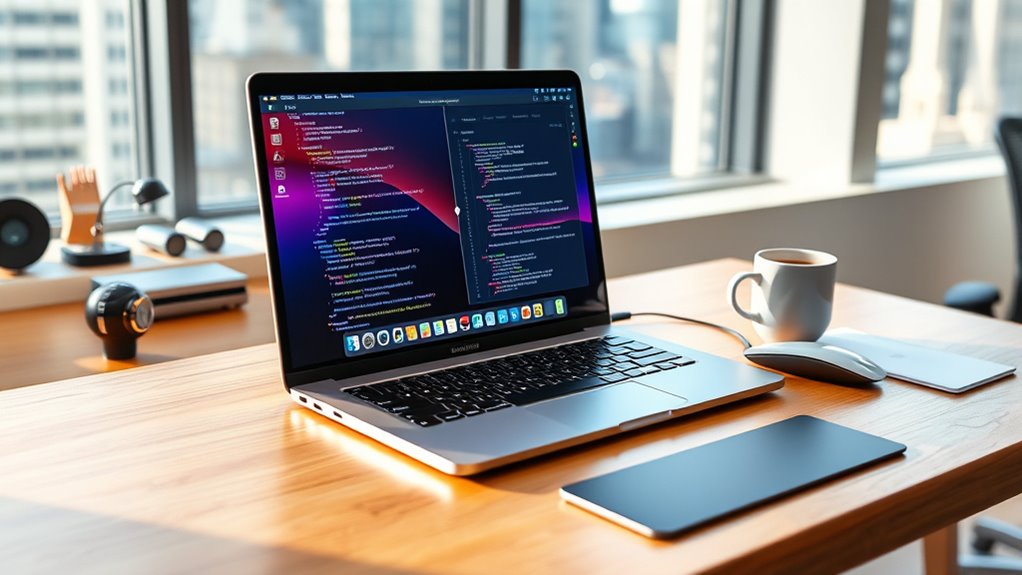

Choosing a MacBook Pro for data science and AI means balancing memory, GPU capacity, portability, and how much work you plan to run locally. My lead pick is the 14-inch M5 Max with 128GB unified memory: it offers the most headroom here for large datasets and demanding on-device AI. For a more practical everyday workstation, the 2025 M5 with 24GB memory and 1TB storage is the better-balanced choice, while the 2021 M1 Pro remains a capable option for notebooks and moderate workloads.

Get tools and workshop supplies delivered free — and shop member deals
- Fast, free delivery on millions of items
- Access to Prime Big Deal Days deals on October 6–7
- Prime Video, Amazon Music and more included
The tradeoff is clear: newer chips and more unified memory can expand the models and datasets you can handle without relying on remote compute, but they cost portability flexibility and power efficiency when workloads grow. The older 2017 Intel model is the entry-level outlier, suitable for learning and lightweight coding rather than current local AI workloads. I rank these by their usefulness for real data-science tasks, not by generation alone.
Complete the kit



Key Takeaways
- The 14-inch M5 Max is the strongest local-workstation pick because its 128GB unified memory can accommodate much larger datasets and AI models than the 24GB M5 or 16GB M1 Pro.
- The 2025 M5 is the best balanced choice for Python, notebooks, data exploration, and smaller on-device AI projects, with 24GB memory and a 1TB SSD.
- The 2021 M1 Pro can still serve students and analysts running conventional development tools, but 16GB memory limits growth into memory-heavy ML workflows.
- The 2017 Intel MacBook Pro is best treated as a low-cost learning or general-use machine; its dual-core CPU, integrated graphics, and 256GB SSD are poor fits for local AI training.
- For large model training or work requiring CUDA, none of these Macs is a direct replacement for a compatible NVIDIA workstation or cloud GPU; choose a Mac for development, inference, and Apple-silicon workflows.
| Apple MacBook Pro with M5 Max 18-core CPU 40-core GPU 14.2-inch Display 128GB Memory 2TB SSD Space Black |  | Best Overall for Heavy Local AI and Large Datasets | Processor: Apple M5 Max, 18-core CPU | GPU: 40-core GPU | Memory: 128GB unified memory | VIEW ON AMAZON | See Our Full Breakdown |
| Apple 2025 MacBook Pro 14-inch Laptop with M5 Chip, 10-Core CPU/GPU, 24GB RAM, 1TB SSD, Silver |  | Best Balanced MacBook Pro for Most Data-Science Work | Processor: Apple M5 chip, 10-core CPU | GPU: 10-core GPU | Memory: 24GB unified memory | VIEW ON AMAZON | See Our Full Breakdown |
| 2021 Apple MacBook Pro 14-inch with M1 Pro Chip, 16GB RAM, 1TB SSD – Space Gray |  | Best for Learning and Established, Moderate Workflows | Processor: Apple M1 Pro, 10-core CPU | GPU: 16-core GPU | Memory: 16GB | VIEW ON AMAZON | See Our Full Breakdown |
| Apple MacBook Pro 13-inch (2017, Non-Touch Bar) – Intel Core i5 2.3GHz, 16GB RAM, 256GB SSD – Silver (Renewed) |  | Best for Basic Learning on a Tight Hardware Budget | Processor: Dual-core Intel Core i5, 2.3GHz | Memory: 16GB DDR3 SDRAM | Storage: 256GB SSD | VIEW ON AMAZON | See Our Full Breakdown |
| macbook pro for data science and ai | Processor | Memory | Storage | Display |
|---|---|---|---|---|
| Apple MacBook Pro with M5 Max | Apple M5 Max, 18-core CPU | 128GB unified memory | 2TB SSD | 14.2-inch Liquid Retina XDR, up to 1600 nits peak brightness |
| Apple 2025 MacBook Pro 14-inch | Apple M5 chip, 10-core CPU | 24GB unified memory | 1TB SSD | 14.2-inch Liquid Retina XDR, up to 1600 nits peak brightness |
| 2021 Apple MacBook Pro 14-inch | Apple M1 Pro, 10-core CPU | 16GB | 1TB SSD | 14-inch Liquid Retina XDR |
| Apple MacBook Pro 13-inch | Dual-core Intel Core i5, 2.3GHz | 16GB DDR3 SDRAM | 256GB SSD | 13.3-inch Retina, 2560 × 1600 |
More Details on Our Top Picks
Apple MacBook Pro with M5 Max 18-core CPU 40-core GPU 14.2-inch Display 128GB Memory 2TB SSD Space Black
This is the strongest choice in the lineup for data scientists who want to keep more of a workload on the laptop. The M5 Max 18-core CPU, 40-core GPU, and 128GB unified memory give it far more room for parallel computation, GPU-accelerated tasks supported by macOS software, and large local models than the M5’s 24GB or the M1 Pro’s 16GB. That memory difference can determine whether a project runs locally or has to be reduced, split, or sent to a remote machine.
The 2TB SSD also helps when several datasets, environments, and model files live on the same system. Thunderbolt 5, HDMI, and an SDXC slot make attaching fast storage and peripherals straightforward, while Wi-Fi 7 suits a fast networked development setup. Its 14.2-inch display keeps the system more portable than a larger workstation, although anyone who spends all day comparing code, charts, and notebooks may prefer a larger external monitor.
Compared with the regular M5, this model is a specialist with substantially more compute and memory headroom, not the sensible default for every analyst. It is still a Mac, so the GPU does not provide CUDA compatibility, and software support should shape the buying decision. I would choose it for local inference, large data preparation, and Apple-silicon-friendly ML work; I would skip it if most training will happen in the cloud or on NVIDIA hardware.
Pros:- 128GB unified memory offers the greatest dataset and model headroom in this group.
- M5 Max 40-core GPU is the strongest graphics configuration among these four options.
- 2TB SSD provides more working space for datasets, model files, and development environments.
- Thunderbolt 5, HDMI, SDXC, and Wi-Fi 7 support a capable workstation setup.
Cons:- Its high-end compute is unnecessary for many notebook, analytics, and introductory ML projects.
- The 14.2-inch screen may feel cramped for simultaneous code, plots, and documentation.
- Apple GPU capability does not replace CUDA support for CUDA-dependent workflows.
Best for: Data scientists and AI developers who need substantial unified memory for local models, large datasets, and demanding Apple-silicon-supported workloads.
Not ideal for: Buyers whose work is mostly browser-based, cloud-run, or dependent on CUDA, and anyone who prefers a larger built-in display over portability.
- Processor:Apple M5 Max, 18-core CPU
- GPU:40-core GPU
- Memory:128GB unified memory
- Storage:2TB SSD
- Display:14.2-inch Liquid Retina XDR, up to 1600 nits peak brightness
- Ports:Three Thunderbolt 5, MagSafe 3, SDXC, HDMI, headphone jack
- Wireless:Wi-Fi 7 and Bluetooth 6
- Camera and audio:12MP Center Stage camera; six speakers with Spatial Audio and Dolby Atmos
Our verdict“I rank the M5 Max first for buyers who genuinely need 128GB of local memory and the strongest Apple-silicon compute in this comparison.”
Apple 2025 MacBook Pro 14-inch Laptop with M5 Chip, 10-Core CPU/GPU, 24GB RAM, 1TB SSD, Silver
For many buyers, the standard 2025 M5 MacBook Pro is the more sensible starting point than the M5 Max. Its 10-core CPU and GPU, 24GB unified memory, and 1TB SSD cover a useful range of Python development, notebooks, data visualization, and modest local inference without stepping up to the M5 Max’s much larger memory allocation. The extra storage over the older M1 Pro also leaves more room for project data and development tools.
That 24GB configuration is a meaningful middle ground, but it is still far below the M5 Max’s 128GB. If a project regularly loads large models or keeps big datasets in memory, the M5 Max has a clear advantage; for day-to-day analysis, the M5 is easier to justify. The XDR display is bright and detailed, and the ports—including HDMI and SDXC—reduce the need to carry adapters for common connections.
This is my pick for someone who wants a current MacBook Pro for mixed work rather than a specialized local-AI box. Its 10-core GPU is not a CUDA GPU, and 24GB can become a ceiling as projects scale. The supplied details also state support for only two external displays, a constraint for multi-monitor desk setups. Choose it for a portable development machine and supported on-device AI; choose the Max if local model size is the defining requirement.
Pros:- 24GB unified memory is a stronger starting point than the M1 Pro’s 16GB or the Intel model’s 16GB.
- 1TB SSD gives practical room for datasets, tools, and project files.
- M5 chip includes dedicated Neural Accelerators for supported on-device AI tasks.
- HDMI, SDXC, and three Thunderbolt 4 ports provide useful workstation connectivity.
Cons:- Memory and GPU capacity are far below the M5 Max configuration for heavy local workloads.
- Limited to two external displays according to the supplied product details.
- Apple GPU software support does not suit CUDA-dependent development.
Best for: Students, analysts, and developers who want a current, portable Mac for Python, data exploration, visualization, and moderate local AI work.
Not ideal for: Users who need very large local models, high-memory training workloads, or a setup with more than two external displays.
- Processor:Apple M5 chip, 10-core CPU
- GPU:10-core GPU
- Memory:24GB unified memory
- Storage:1TB SSD
- Display:14.2-inch Liquid Retina XDR, up to 1600 nits peak brightness
- Ports:Three Thunderbolt 4, MagSafe 3, SDXC, HDMI, headphone jack
- Camera:12MP Center Stage
- Audio:Six speakers with Spatial Audio and three studio-quality microphones
Our verdict“I recommend the 2025 M5 as the best balance of current performance, useful memory, storage, and portability for most Mac-based data-science work.”
2021 Apple MacBook Pro 14-inch with M1 Pro Chip, 16GB RAM, 1TB SSD – Space Gray
The 2021 M1 Pro remains a viable Mac for people whose data work centers on coding, querying, notebooks, and smaller analytical projects. Its 10-core CPU and 16-core GPU were designed for professional workloads, and the 14-inch Liquid Retina XDR display and 1TB SSD make the supplied configuration more practical than the 2017 Intel option. It can be a capable development machine when the projects fit its memory limits and the required libraries work well on Apple silicon.
Its main drawback beside the 2025 M5 is 16GB of memory rather than 24GB. That gap matters when multiple tools, large dataframes, containers, or local models compete for RAM. The M5 Max sits in another category entirely with 128GB, so I would not confuse this older model with a machine built for large local AI workloads. The M1 Pro still has a better fit than the Intel Mac for sustained professional use, but it provides less headroom for future projects.
This is the pick for a learner or analyst who values a capable Mac platform and does not need the newest AI features or expansive local-model capacity. Its listed battery life reaches up to 17 hours, but real runtime depends on workload and configuration. Since the description does not list current port details, I would verify the exact unit configuration before buying. Skip it if your work already strains 16GB or depends on CUDA.
Pros:- 10-core M1 Pro CPU and 16-core GPU remain more capable for professional workflows than the 2017 dual-core Intel model.
- 1TB SSD offers substantially more project space than the 2017 model’s 256GB drive.
- 14-inch Liquid Retina XDR display supports detailed work with code and visualizations.
- Listed battery life is up to 17 hours, subject to workload and configuration.
Cons:- 16GB RAM is the lowest unified-memory configuration among the Apple-silicon choices here.
- Older generation offers less AI headroom than either M5 model.
- Not suitable as a CUDA-based local training machine.
Best for: Learners and working analysts who need a 14-inch Mac for coding, notebooks, and moderate datasets, but do not plan to run large models locally.
Not ideal for: AI practitioners needing large model capacity, heavy memory-intensive workflows, or guaranteed compatibility with CUDA-specific tools.
- Processor:Apple M1 Pro, 10-core CPU
- GPU:16-core GPU
- Memory:16GB
- Storage:1TB SSD
- Display:14-inch Liquid Retina XDR
- Battery:Up to 17 hours, as listed
- Camera:1080p FaceTime HD
- Audio:Six-speaker system with force-cancelling woofers
Our verdict“I would choose the M1 Pro for established, moderate Mac workflows, but not for projects that are already pushing against 16GB of memory.”
Apple MacBook Pro 13-inch (2017, Non-Touch Bar) – Intel Core i5 2.3GHz, 16GB RAM, 256GB SSD – Silver (Renewed)
This renewed 2017 MacBook Pro is the least capable option here for data science, but it has a narrow use case: introductory programming, lightweight notebooks, and general study when the project data stays small. Its dual-core Intel Core i5 and 16GB RAM can handle basic multitasking, while the 13.3-inch Retina display keeps the machine compact. The 256GB SSD is fast for everyday access, though its limited capacity can fill quickly with datasets, environments, and cached files.
Compared with the M1 Pro, the Intel model gives up a substantial amount of CPU and GPU capability while keeping the same listed RAM capacity. Compared with either M5, it also lacks the newer Apple-silicon architecture and dedicated Neural Accelerators described for the current M5. Its integrated Intel Iris Plus Graphics 640 is not a practical foundation for modern local AI workloads. For serious model work, even the 2021 M1 Pro is a much better fit.
The renewed condition adds another purchase variable: the unit may show signs of previous use, and its present battery condition should be checked with the seller. Two Thunderbolt 3 ports may require adapters or a dock for common peripherals, and 256GB storage can mean reliance on external drives. I would treat it as a learning laptop, not a long-term AI workstation, and compare it carefully against a newer Apple-silicon Mac before choosing.
Pros:- 16GB RAM supports basic multitasking and introductory coding tasks.
- 13.3-inch Retina display keeps the system compact for study and travel.
- 256GB SSD is more responsive for everyday file access than a mechanical drive.
- Two Thunderbolt 3 ports support USB-C accessories and external storage.
Cons:- Dual-core Intel CPU and integrated graphics are the weakest compute platform in this group.
- 256GB storage leaves limited space for datasets, tools, and local model files.
- Renewed condition may include signs of prior use, with battery condition worth verifying.
Best for: A student or beginner learning Python and basic data analysis with small datasets, who values a compact Mac and accepts an older renewed system.
Not ideal for: Anyone training or running modern AI models locally, working with large datasets, or seeking a machine with substantial storage and graphics headroom.
- Processor:Dual-core Intel Core i5, 2.3GHz
- Memory:16GB DDR3 SDRAM
- Storage:256GB SSD
- Display:13.3-inch Retina, 2560 × 1600
- Graphics:Intel Iris Plus Graphics 640
- Ports:Two Thunderbolt 3 USB-C ports
- Weight:3 pounds
- Condition:Renewed
Our verdict“I would consider this only for basic learning and small projects; the M1 Pro is a far stronger choice for sustained data-science work.”
How We Picked
I ranked these four models by how well their stated configurations map to data-science and AI workloads: CPU capacity for preprocessing and parallel tasks, GPU capability for supported machine-learning frameworks, unified memory for datasets and local models, and SSD capacity for environments and project files. I also weighed practical factors that change a laptop’s usefulness as a working machine, including display size, ports, portability, and the age of the platform.
The ranking reflects the configurations supplied, not hands-on testing or a claim that one Mac can replace every development workstation. Apple-silicon Macs can suit Python development, data analysis, supported ML frameworks, and local inference, but the available software stack matters. Many AI training workflows are built around CUDA, which these models do not provide. I therefore reward headroom and versatility while making the limitations explicit.
I also separated “best overall” from “best for most people.” The M5 Max leads on capacity, but it is more machine than many learners need. The M5 is my balanced pick, the M1 Pro offers a lower-demand route into professional work, and the 2017 Intel model sits last because its hardware is dated for modern local AI. Storage, memory, and upgrade limitations matter especially on a laptop: buyers should choose a configuration that can support their planned projects rather than assume they can add memory later.
| macbook pro for data science and ai | Processor | Ports | Audio |
|---|---|---|---|
| Apple MacBook Pro with M5 Max | Apple M5 Max, 18-core CPU | Three Thunderbolt 5, MagSafe 3, SDXC, HDMI, headphone jack | — |
| Apple 2025 MacBook Pro 14-inch | Apple M5 chip, 10-core CPU | Three Thunderbolt 4, MagSafe 3, SDXC, HDMI, headphone jack | Six speakers with Spatial Audio and three studio-quality microphones |
| 2021 Apple MacBook Pro 14-inch | Apple M1 Pro, 10-core CPU | — | Six-speaker system with force-cancelling woofers |
| Apple MacBook Pro 13-inch | Dual-core Intel Core i5, 2.3GHz | Two Thunderbolt 3 USB-C ports | — |
Factors to Consider When Choosing Macbook Pro For Data Science And Ai
I would choose a MacBook Pro by matching the machine to the work that must happen locally, then checking software compatibility. A powerful Mac can be an excellent development laptop without being the right device for every model-training workflow.Start with memory and model size
Unified memory affects what fits in active work, including the operating system, development tools, datasets, and local models. In this lineup, the M5 Max’s 128GB provides vastly more capacity than the M5’s 24GB and the two older models’ 16GB. If you regularly load large datasets or run local inference, memory is a stronger reason to choose the Max than a small CPU-generation difference. For notebooks and conventional analytics, 24GB may be a more balanced configuration.
Do not assume an external SSD solves a memory limit. It can add room for stored files, but it does not give the system the same working memory for active datasets or models. Since memory is part of the configuration, I would decide based on likely projects over the useful life of the laptop, not only on today’s course or prototype.
Check the AI software stack before buying
MacBook Pro models can support Python development, data cleaning, visualization, and some machine-learning workflows, but library and framework compatibility varies. Apple-silicon GPU acceleration is not the same as NVIDIA CUDA. If a job, class, or research environment specifically requires CUDA, these Macs are not direct replacements for a CUDA-capable workstation. A Mac may still serve as a development client while training runs on a cloud GPU or remote Linux machine.
For local AI, confirm that the framework and model tools you rely on support the particular Apple-silicon path you intend to use. The M5 Max gives the most hardware room here, but a bigger GPU does not remove software constraints. The M5 is a more grounded pick when your work includes coding and inference alongside general analysis.
Match storage to datasets and environments
The supplied models range from 256GB to 2TB of SSD storage. Data-science tools, virtual environments, cached packages, datasets, and model files can accumulate quickly. The 2017 model’s 256GB capacity is the tightest fit and may push you toward external storage early. The M1 Pro and M5 each list 1TB, while the M5 Max lists 2TB for a larger local working set.
External drives can help archive data or move projects, but active workloads may benefit from keeping frequently used files on fast local storage. Think about whether you need a laptop that carries several projects offline or mostly connects to cloud storage and remote compute. Storage capacity should follow that work pattern.
Consider screen size, ports, and desk setup
Every model here has a portable screen, but the 14-inch machines offer more room than the 13-inch 2017 model for a notebook beside charts or documentation. At a desk, external monitors can improve a data-science workflow; the 2025 M5 is listed as supporting up to two external displays. The M5 Max includes Thunderbolt 5, while the 2025 M5 lists Thunderbolt 4 and the 2017 model has two Thunderbolt 3 ports.
HDMI and SDXC on the newer models simplify connecting displays and reading cards. The 2017 system may call for a dock or adapters. If your setup depends on several monitors or specialized accessories, confirm supported displays and port requirements for the exact configuration before purchase.
Treat older and renewed hardware differently
The M1 Pro is an older Apple-silicon option, while the 2017 Intel model is both older and renewed. Their lower memory configurations narrow the projects they suit, and the renewed unit adds uncertainty about wear and battery condition. I would check the seller’s condition terms, return policy, battery information, and support status before choosing it. A compact, familiar laptop can still be useful for basic coding, but it should not be mistaken for a modern local-AI workstation.
For a machine you plan to keep through changing coursework or projects, the 2025 M5’s 24GB configuration is a more flexible baseline. The M5 Max makes sense when large local workloads justify its extra capacity; otherwise, its compute may sit unused.
Frequently Asked Questions
Which MacBook Pro in this comparison is best for data science and AI?
The 14-inch M5 Max with 128GB unified memory is the strongest option for demanding local workloads because it combines the largest memory capacity with the most powerful GPU listed. For many analysts and developers, the 2025 M5 with 24GB is a better-balanced choice. The right pick depends on whether large models and datasets must run on the laptop or can use remote compute.
Is 24GB of unified memory enough for data science?
For many Python notebooks, data exploration, visualization, and moderate machine-learning tasks, 24GB can be a practical amount. It is less suitable when very large dataframes, several demanding tools, or sizable local models need memory at the same time. The M5 Max’s 128GB is designed for much greater headroom, while the 16GB M1 Pro and Intel model impose tighter limits.
Can these MacBook Pro models train AI models locally?
They can support some local machine-learning and inference workflows, depending on the software and model, but they are not interchangeable with NVIDIA CUDA workstations. The M5 Max has the most local capacity in this group, yet framework compatibility still matters. For large training runs or CUDA-required projects, I would plan on a compatible remote GPU or workstation.
Is the 2021 M1 Pro still a reasonable choice for data science?
It can be reasonable for coding, notebooks, and moderate datasets, especially if the workload fits within its 16GB memory and the needed tools support Apple silicon. Its 1TB SSD and 14-inch XDR display are useful advantages over the 2017 Intel model. The 2025 M5 offers more memory and newer AI capabilities, so the M1 Pro is less appealing for buyers expecting their local workloads to grow.
Should I buy the renewed 2017 MacBook Pro for AI work?
I would not choose the 2017 Intel model for serious local AI work. Its dual-core processor, integrated graphics, and 256GB SSD limit its usefulness for contemporary datasets and models. It can serve for introductory coding or basic analysis with small files, but the M1 Pro is a much more capable option for sustained data-science work, and either M5 model offers greater current-generation headroom.
Conclusion
For heavy local AI, large datasets, or model experimentation, I recommend the 14-inch M5 Max because its 128GB unified memory and 40-core GPU give it the broadest capability in this group. For the typical data-science student, analyst, or developer, the 2025 M5 is the balanced choice: 24GB memory and 1TB storage serve a wide range of coding and analysis without the Max’s scale. Pick the M1 Pro if your established workflow is moderate and 16GB is enough. Choose the 2017 renewed Intel model only for basic learning and small projects, after checking its condition. If CUDA training is central to your work, I would pair a Mac with remote compute or choose a CUDA-capable system instead.
Halloween Picks
halloween
As an affiliate, we earn on qualifying purchases.