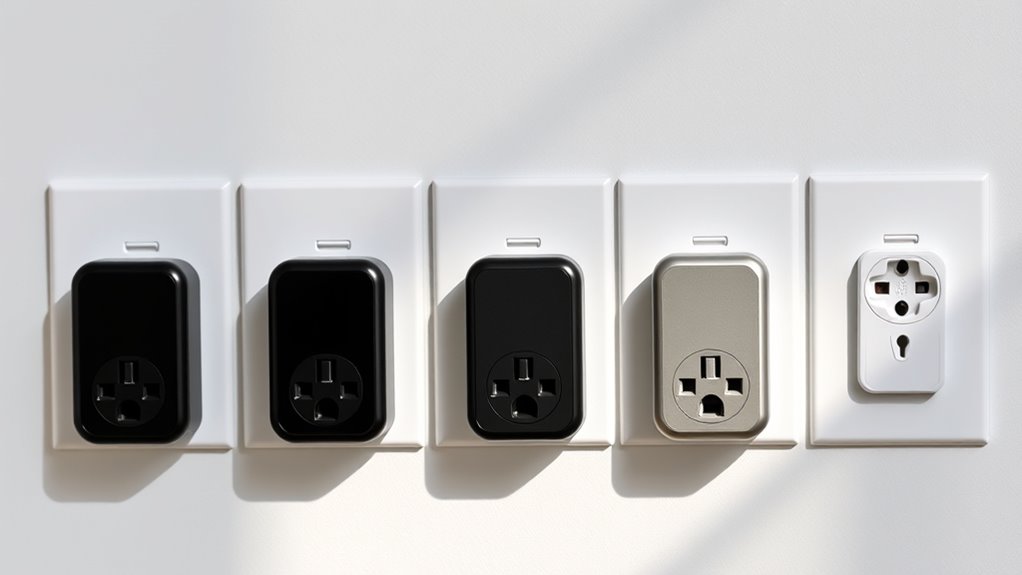

Powerline adapters with passthrough outlets carry a network connection over your home’s electrical wiring while leaving a socket available for another device. My best overall pick is the TP-Link AV2000 with passthrough and two Gigabit ports, which pairs a high speed class with wired connections for more than one device. The TP-Link AV1000 Wi-Fi 6 kit stands out if you need wireless coverage too, while the TRENDnet 1300 AV2 is a wired focused alternative. The main tradeoffs are advertised powerline speed versus real home wiring conditions, Wi-Fi versus Ethernet, and how many sockets or ports each unit occupies. Read on for the full breakdown, buying advice, and picks by household need.

Get business pricing on tools and workshop supplies
- Business-only prices and quantity discounts
- Tax-exempt purchasing
- Multiple users, one account, clear invoices
Complete the kit



Key Takeaways
- The TP-Link AV2000 with two Gigabit ports is the strongest fit for buyers who want passthrough plus multiple wired connections from one adapter.
- Wi-Fi models serve a different purpose: the TP-Link AV1000 Wi-Fi 6 kit and TP-Link TL-WPA7617 add wireless access, while most picks focus on Ethernet.
- Powerline speed labels are not a promise of room-to-room throughput. The AV2000 and AV1300 classes offer more headroom on paper, but wiring and outlet conditions shape actual results.
- Passthrough is a practical differentiator, not a speed feature. Models such as the NETGEAR PLP1200, Zyxel AV2000, and TP-Link AV1000 kits preserve an outlet for nearby equipment.
- Older AV500 and AV600 kits fit narrower needs. They may suit a basic connection, but buyers with demanding streaming or several wired devices should look to higher speed classes and port counts.
| TP-Link AV1000 Powerline Ethernet Adapter Kit with Passthrough Outlet |  | Best Overall for Wired Connections | Model: TL-PA7017P KIT | Powerline standard: HomePlug AV2 | Powerline speed: AV1000 | VIEW ON AMAZON | See Our Full Breakdown |
| TP-Link AV1000 Powerline Ethernet Adapter and AX1500 Wi-Fi 6 Extender Kit |  | Best for Adding Wi-Fi | Powerline standard: HomePlug AV2 | Powerline speed: AV1000 | Powerline range: Up to 980 feet | VIEW ON AMAZON | See Our Full Breakdown |
| ZyXEL PLA4225 Powerline AV 500 Mbps 4-Port Gigabit Switch Starter Kit |  | Best for Multiple Wired Devices | Kit contents: 1 PLA4225 4-port switch and 1 PLA4205 single-port adapter | Powerline data rate: Up to 500 Mbps | Ethernet ports: 4 gigabit ports on the PLA4225 | VIEW ON AMAZON | See Our Full Breakdown |
| TRENDnet Powerline 1300 AV2 Adapter with Built-In Outlet (TPL-423E) |  | Best for Mixed-Generation Powerline Networks | Model: TPL-423E | Technology: Powerline 1300 AV2 | Maximum range: 300 m (984 ft.) | VIEW ON AMAZON | See Our Full Breakdown |
| NETGEAR Powerline Wi-Fi 1000 Adapter with Extra Outlet, White (PLPW1000-100NAS) |  | Best for Outlet Noise Filtering | Model: PLPW1000-100NAS | Powerline speed: Up to 1000 Mbps | Typical coverage: Up to 5,832 sq. ft. (500 m²) | VIEW ON AMAZON | See Our Full Breakdown |
| TP-Link AV1000 Powerline Ethernet Adapter Kit with Gigabit Port and Passthrough Socket |  | Best Overall | Model: TL-PA7010P KIT | Kit contents: 2 powerline adapters | Powerline speed: Up to 1000 Mbps | VIEW ON AMAZON | See Our Full Breakdown |
| Tenda PH6 AV1000 Gigabit Powerline Ethernet Adapter Kit |  | Best for a Ready-to-Connect Setup | Model: PH6 | Kit contents: 2 adapters, 2 Cat5e Ethernet cables, quick installation guide | Data transfer rate: Up to 1000 Mbps | VIEW ON AMAZON | See Our Full Breakdown |
| TP-Link AV600 Powerline Ethernet Adapter Kit |  | Best Compact Pick | Powerline speed: AV600 | Maximum line length: 750 ft | Ethernet port speed: 100 Mbps | VIEW ON AMAZON | See Our Full Breakdown |
| NETGEAR PLP2000 Powerline Ethernet Adapter Kit, 2-Pack, 2000 Mbps |  | Best for Multiple Wired Devices | Model: PLP2000 | Pack size: 2 adapters | Maximum speed: Up to 2000 Mbps | VIEW ON AMAZON | See Our Full Breakdown |
| TP-Link TL-WPA7617 AV1000 Powerline Wi-Fi Extender, AC1200 Dual Band |  | Best for Adding Wi-Fi | Model: TL-WPA7617 | Powerline standard: HomePlug AV2 | Powerline speed: AV1000 | VIEW ON AMAZON | See Our Full Breakdown |
| NETGEAR PLP1200 Powerline Adapter Kit with Passthrough Outlet |  | Best for Simple Setup | Model: PLP1200-100PAS | Technology: HomePlug AV2 | Maximum stated speed: Up to 1200 Mbps | VIEW ON AMAZON | See Our Full Breakdown |
| TRENDnet Powerline 500 AV Nano Adapter Kit (TPL-406E2K) |  | Best Compact Pick | Model: TPL-406E2K | Adapters included: 2 TPL-406E adapters | Powerline speed class: 500 | VIEW ON AMAZON | See Our Full Breakdown |
| Zyxel AV2000 Powerline Ethernet Adapter Starter Kit with Pass-Through Outlet |  | Best for Multiple Wired Devices | Model: PLA5456KIT | Technology: HomePlug AV2 and MIMO | Maximum advertised speed: Up to 2000 Mbps | VIEW ON AMAZON | See Our Full Breakdown |
| TP-Link AV2000 Powerline Ethernet Adapter with Passthrough and 2 Gigabit Ports |  | Best for Broad Compatibility | Model: TL-PA9020P | Powerline standard: HomePlug AV2 | Ethernet ports: 2 Gigabit Ethernet ports | VIEW ON AMAZON | See Our Full Breakdown |
| powerline adapters with passthrough outlet | Model |
|---|---|
| TP-Link AV1000 Powerline Ether | TL-PA7017P KIT |
| TP-Link AV1000 Powerline Ether | — |
| ZyXEL PLA4225 Powerline AV 500 | — |
| TRENDnet Powerline 1300 AV2 Ad | TPL-423E |
| NETGEAR Powerline Wi-Fi 1000 A | PLPW1000-100NAS |
| TP-Link AV1000 Powerline Ether | TL-PA7010P KIT |
| Tenda PH6 AV1000 Gigabit Power | PH6 |
| TP-Link AV600 Powerline Ethern | — |
| NETGEAR PLP2000 Powerline Ethe | PLP2000 |
| TP-Link TL-WPA7617 AV1000 Powe | TL-WPA7617 |
| NETGEAR PLP1200 Powerline Adap | PLP1200-100PAS |
| TRENDnet Powerline 500 AV Nano | TPL-406E2K |
| Zyxel AV2000 Powerline Etherne | PLA5456KIT |
| TP-Link AV2000 Powerline Ether | TL-PA9020P |
More Details on Our Top Picks
TP-Link AV1000 Powerline Ethernet Adapter Kit with Passthrough Outlet
The TP-Link TL-PA7017P KIT is my best all-around fit when the priority is bringing a wired connection to a TV, console, or desktop while keeping the wall socket usable. Its AV1000 HomePlug AV2 link and gigabit Ethernet port make it a straightforward choice for one wired device at the far end. Compared with the ZyXEL PLA4225 Starter Kit, which offers four Ethernet ports on one adapter, this TP-Link kit is simpler for a single-device setup but less useful for a cluster of nearby wired gear. Setup is plug-and-play, and its power-saving mode can reduce consumption when idle. The limits are practical: it adds no Wi-Fi, both units need direct wall outlets on the same circuit, and wiring conditions or AFCI breakers can affect performance.
Pros:- Pass-through socket preserves the outlet used by the adapter
- Gigabit Ethernet port suits a single wired endpoint
- Plug-and-play pairing keeps setup simple
- Power-saving mode reduces consumption when inactive
Cons:- Does not provide Wi-Fi
- Both adapters need direct wall outlets on the same electrical circuit
- Home wiring and AFCI breakers can limit performance
Best for: Households that need a simple wired link for one TV, console, or desktop and want to keep the outlet available.
Not ideal for: Buyers who need Wi-Fi at the remote room or several Ethernet connections from one adapter.
- Model:TL-PA7017P KIT
- Powerline standard:HomePlug AV2
- Powerline speed:AV1000
- Ethernet port:Gigabit
- Included adapters:2
- Integrated power socket:Yes
- Wi-Fi:Not supported
- Power saving:Reduces power consumption by up to 85%
Our verdict“Choose this TP-Link kit for a straightforward wired extension with a usable pass-through socket; pick the ZyXEL if you need multiple wired ports at the destination.”
TP-Link AV1000 Powerline Ethernet Adapter and AX1500 Wi-Fi 6 Extender Kit
This TP-Link kit is the most flexible pick here for extending coverage beyond a single wired device: it carries the network over electrical wiring, then adds dual-band Wi-Fi 6 and a gigabit Ethernet port. That makes it a better match for a room with phones or laptops alongside a console than the wired-only TP-Link TL-PA7017P KIT. The listed Wi-Fi capacity—up to 1201 Mbps on 5 GHz and 300 Mbps on 2.4 GHz, with support for up to 64 devices—speaks to local wireless capability, while actual powerline performance still depends on the wiring. EasyMesh compatibility can help it join a compatible TP-Link network. The tradeoff is a more constrained setup: both adapters must go directly into wall outlets on the same circuit, and surge protectors are unsupported.
Pros:- Combines AV1000 powerline networking with dual-band Wi-Fi 6
- Gigabit Ethernet provides a wired connection at the remote adapter
- Supports up to 64 connected devices
- EasyMesh compatibility and Wi-Fi cloning can simplify network integration
Cons:- Adapters need direct wall outlets on the same electrical circuit
- Surge protectors are unsupported
- Real speeds vary with wiring quality, distance, and interference
Best for: Households extending both Wi-Fi and a wired connection to a room where several phones, laptops, and one Ethernet device need access.
Not ideal for: Buyers who only need one wired connection or cannot use direct wall outlets on the same electrical circuit.
- Powerline standard:HomePlug AV2
- Powerline speed:AV1000
- Powerline range:Up to 980 feet
- Wi-Fi standard:Wi-Fi 6
- 5 GHz Wi-Fi speed:Up to 1201 Mbps
- 2.4 GHz Wi-Fi speed:Up to 300 Mbps
- Maximum connected devices:64
- Mesh compatibility:EasyMesh-compatible routers and range extenders
Our verdict“Pick this kit when the destination needs both Wi-Fi and Ethernet; for a single wired endpoint, the TL-PA7017P KIT is the simpler fit.”
ZyXEL PLA4225 Powerline AV 500 Mbps 4-Port Gigabit Switch Starter Kit
The ZyXEL starter kit earns a distinct place for buyers who want to connect several wired devices at the far end without adding a separate switch. Its PLA4225 adapter has four gigabit Ethernet ports, so a TV, game console, and other nearby equipment can share the powerline link. That makes it more convenient for a small media setup than the single-port TP-Link TL-PA7017P KIT, though its stated powerline data rate is up to 500 Mbps rather than AV1000. QoS features are intended to support media streaming, and 128-bit AES encryption protects the powerline connection. The kit also includes a single-port PLA4205 adapter to establish the link. Its main compromise is the older, lower data-rate class, and actual throughput will depend on the home’s wiring.
Pros:- Four gigabit Ethernet ports on the PLA4225 support several nearby devices
- QoS features are designed to support media streaming
- 128-bit AES encryption protects powerline communications
- Power-saving mode reduces energy use when inactive
Cons:- Up to 500 Mbps stated data rate is below the AV1000 kits in this roundup
- No Wi-Fi or integrated pass-through outlet is listed
- The four-port adapter depends on the included PLA4205 to create the powerline link
Best for: People connecting multiple wired devices together in one room, such as a TV, console, and media player.
Not ideal for: Buyers seeking Wi-Fi, a pass-through power socket, or a newer AV1000-class powerline data rate.
- Kit contents:1 PLA4225 4-port switch and 1 PLA4205 single-port adapter
- Powerline data rate:Up to 500 Mbps
- Ethernet ports:4 gigabit ports on the PLA4225
- Standards:IEEE 1901; compatible with HomePlug AV
- Security:128-bit AES encryption
- Power saving:Reduces energy consumption by up to 80% when inactive
Our verdict“Choose the ZyXEL when several wired devices need ports in one room; choose the TP-Link TL-PA7017P KIT for a simpler single-device AV1000 link with pass-through power.”
TRENDnet Powerline 1300 AV2 Adapter with Built-In Outlet (TPL-423E)
The TRENDnet TPL-423E stands out for buyers extending an existing powerline setup: it lists compatibility with Powerline 1200, 600, 500, and 200 adapters. Its built-in outlet also keeps a socket available, while MIMO with Beamforming is designed to improve communication between adapters over electrical lines. Compared with the TP-Link TL-PA7017P KIT, the TRENDnet lists a higher AV2 class and broad compatibility, but the supplied product data describes this as an adapter rather than a complete two-adapter kit. Check that your setup already has a compatible partner unit before choosing it. A gigabit Ethernet port serves one wired device, and 128-bit AES provides link encryption. As with other powerline options, the claimed reach does not guarantee performance in every home’s wiring.
Pros:- Built-in outlet keeps a power socket available
- MIMO with Beamforming is designed to support adapter communication
- Compatible with several listed Powerline generations
- Includes 128-bit AES encryption and a three-year warranty
Cons:- Product data describes an adapter, not a complete two-adapter starter kit
- Only one gigabit Ethernet port is listed
- Range and performance depend on the home’s electrical wiring
Best for: Owners of a compatible existing powerline network who want another wired endpoint and a pass-through outlet.
Not ideal for: First-time buyers who need a complete adapter kit, Wi-Fi, or multiple Ethernet ports at the destination.
- Model:TPL-423E
- Technology:Powerline 1300 AV2
- Maximum range:300 m (984 ft.)
- Ethernet port:Gigabit
- Outlet:Built-in electrical outlet
- MIMO:Multiple Input Multiple Output with Beamforming
- Encryption:128-bit AES
- Cross compatibility:Powerline 1200, 600, 500, and 200 adapters
- Warranty:3 years
Our verdict“Choose the TPL-423E as an add-on for a compatible powerline network; first-time buyers should look to the complete TP-Link TL-PA7017P kit.”
NETGEAR Powerline Wi-Fi 1000 Adapter with Extra Outlet, White (PLPW1000-100NAS)
The NETGEAR PLPW1000 is a fit for buyers who want a noise-filtered pass-through outlet as part of a powerline extension. That outlet can help keep a connected device from introducing electrical noise into the adapter’s own pass-through path. Its stated powerline speed is up to 1000 Mbps, and plug-and-play setup keeps the basic installation approachable. Compared with the TP-Link AV1000 Wi-Fi 6 kit, this NETGEAR listing emphasizes the extra outlet and powerline connection rather than specifying Wi-Fi 6 bands, device capacity, or mesh support. The supplied specs do not detail an Ethernet port or adapter count, so buyers should confirm those fit their intended setup. Coverage is described as typical and may vary, and the software utility requires a supported Windows or Mac OS X system.
Pros:- Noise-filtered pass-through outlet preserves a socket
- Plug-and-play setup
- Automatically powers down when not in use
- Supports adding adapters to expand the network
Cons:- Coverage is presented as typical and can vary
- The software utility requires a supported Windows or Mac OS X system
- Provided specs do not state Ethernet port details or kit adapter count
Best for: Buyers prioritizing a noise-filtered outlet for a nearby device while extending a network through home wiring.
Not ideal for: People who need clearly specified Wi-Fi capabilities, a multi-adapter starter kit, or setup without a computer utility.
- Model:PLPW1000-100NAS
- Powerline speed:Up to 1000 Mbps
- Typical coverage:Up to 5,832 sq. ft. (500 m²)
- Outlet:Noise-filtered pass-through outlet
- Setup:Plug-and-play
- System requirements:Windows 8, 10, 7, Vista, XP, or Mac OS X for software utility
- Color:White
Our verdict“Consider this NETGEAR when outlet noise filtering is your main priority, but choose the TP-Link Wi-Fi 6 kit when you need explicitly specified wireless features.”
TP-Link AV1000 Powerline Ethernet Adapter Kit with Gigabit Port and Passthrough Socket
The TP-Link AV1000 is a balanced pick for a wired connection where keeping a wall outlet available matters. Its passthrough socket lets you connect another device at the adapter location, while a Gigabit port supports a wired link for a TV, console, or desktop. Compared with the TP-Link AV600, this kit has a Gigabit port rather than a 100 Mbps Ethernet limit, giving it more headroom for faster network equipment. Setup is straightforward: connect the two adapters and use the pairing button. The tradeoffs are a single Ethernet port on each adapter and performance that depends on the home’s wiring. I’d choose it for a simple wired extension, but the Tenda PH6 may suit buyers who want supplied Ethernet cables and a stated 16A passthrough rating.
Pros:- Passthrough socket preserves a place to power another device
- Gigabit Ethernet port avoids the 100 Mbps port limit of the TP-Link AV600
- Pairing button and plug-and-play setup keep installation simple
- Includes two adapters for a complete connection
Cons:- Each adapter has only one Ethernet port
- Actual performance depends on the home’s electrical wiring and network conditions
Best for: Households that want a straightforward wired connection in another room while keeping the adapter’s wall socket available.
Not ideal for: Buyers who need several wired devices at the remote location or want performance independent of their home’s electrical wiring.
- Model:TL-PA7010P KIT
- Kit contents:2 powerline adapters
- Powerline speed:Up to 1000 Mbps
- Ethernet:1 Gigabit port per adapter
- Standard:HomePlug AV2
- Passthrough socket:Yes
- Setup:Plug and play with pairing button
- Certification:CE
Our verdict“Choose this kit for a simple Gigabit wired extension that leaves a passthrough socket available.”
Tenda PH6 AV1000 Gigabit Powerline Ethernet Adapter Kit
The Tenda PH6 is a practical fit for buyers who want the basic wired extension kit to include its connecting cables. It comes with two Cat5e Ethernet cables, and passthrough sockets rated up to 16A help preserve outlet access at both adapter locations. Like the TP-Link AV1000, it uses HomePlug AV2 and lists speeds up to 1000 Mbps; the Tenda’s stated 16A rating makes its passthrough capacity a clearer part of the choice. Noise filtering may help limit interference from equipment plugged into the socket. The package’s tradeoff is that the supplied details don’t specify an Ethernet-port count per adapter, and actual results still depend on wiring and connected devices. I’d favor it over the TP-Link AV600 for a Gigabit connection, but choose the NETGEAR PLP2000 if two Ethernet ports are a priority.
Pros:- Includes two Cat5e Ethernet cables
- Passthrough sockets rated up to 16A
- Gigabit Ethernet and HomePlug AV2 support
- Noise filtering and automatic power saving
Cons:- Actual network performance varies with electrical wiring and connected equipment
- The supplied product data does not state the number of Ethernet ports on each adapter
Best for: Buyers setting up a pair of wired connections who want Ethernet cables and a stated passthrough rating included.
Not ideal for: People who need multiple Ethernet jacks at one adapter or require predictable speeds across varied wiring.
- Model:PH6
- Kit contents:2 adapters, 2 Cat5e Ethernet cables, quick installation guide
- Data transfer rate:Up to 1000 Mbps
- Technology:HomePlug AV2
- Ethernet:Gigabit
- Power passthrough:Up to 16A
- Dimensions:4.27 x 2.42 x 1.77 in
- Warranty:2 years
Our verdict“Pick the PH6 if included cables and a specified 16A passthrough rating matter to your setup.”
TP-Link AV600 Powerline Ethernet Adapter Kit
The TP-Link AV600 suits a modest wired connection where compact adapters and lower throughput needs matter more than Gigabit headroom. Its adapters measure 2 x 1.1 x 2.6 inches, and the kit includes two units and an Ethernet cable for a basic plug-and-play setup. That small form sets it apart from the passthrough-focused TP-Link AV1000 and Tenda PH6: the supplied data does not list a passthrough socket, so it offers no stated way to share the occupied wall outlet. Its 100 Mbps Ethernet port also sets a firm ceiling that the Gigabit models avoid, even before wiring conditions affect speeds. I’d consider it for a single low-bandwidth wired device, but skip it for fast broadband, several devices, or a location where preserving outlet access is central.
Pros:- Compact adapter dimensions
- Includes two adapters and an Ethernet cable
- Plug-and-play setup
- Idle power-saving mode is listed as reducing energy use by up to 85%
Cons:- 100 Mbps Ethernet port limits wired throughput
- No passthrough socket is listed, so the adapter occupies the wall outlet
- Requires direct outlets on the same circuit and may have compatibility issues with some AFCI breakers
Best for: People extending a basic wired connection to one low-bandwidth device who value compact adapters.
Not ideal for: Buyers seeking passthrough outlets, Gigabit Ethernet, Wi-Fi, or more headroom for faster network service.
- Powerline speed:AV600
- Maximum line length:750 ft
- Ethernet port speed:100 Mbps
- Dimensions:2 x 1.1 x 2.6 inches
- Included:Two powerline adapters, Ethernet cable
- Wi-Fi:No
- Power saving:Up to 85% energy reduction when idle
Our verdict“Choose the AV600 for a compact, basic wired link only if its 100 Mbps port and lack of stated passthrough fit your needs.”
NETGEAR PLP2000 Powerline Ethernet Adapter Kit, 2-Pack, 2000 Mbps
The NETGEAR PLP2000 is the strongest fit here when one remote location needs more than one wired connection: its adapters have two RJ-45 ports, while the TP-Link AV1000 lists one Gigabit port per adapter. A noise-filtered passthrough outlet keeps a power connection available at the adapter, and MIMO with Beamforming is intended to improve coverage over the electrical wiring. Its up-to-2000-Mbps powerline rating is higher than the AV1000 kits, though it describes powerline signaling rather than a guaranteed application speed. The tradeoffs are that it provides no Wi-Fi and is designed for US use. Compared with the TP-Link TL-WPA7617, it favors wired devices over wireless reach. I’d choose it for a small cluster of wired equipment, provided the region and wiring are a match.
Pros:- Two RJ-45 ports per adapter support multiple wired devices
- Noise-filtered passthrough power outlet
- HomePlug AV2 MIMO with Beamforming
- Plug-and-play setup without software installation
Cons:- Does not provide Wi-Fi
- Designed for use in the US only
- Real-world performance depends on electrical wiring and network conditions
Best for: US households that want to connect two wired devices at a remote outlet while keeping a passthrough socket available.
Not ideal for: Buyers outside the US or anyone who needs the remote adapter to create a Wi-Fi access point.
- Model:PLP2000
- Pack size:2 adapters
- Maximum speed:Up to 2000 Mbps
- Technology:HomePlug AV2, MIMO with Beamforming
- Standards:IEEE 1901, IEEE 802.3
- Ethernet ports:2 RJ-45 ports
- Wi-Fi:Not supported
- Region:US
Our verdict“Choose the PLP2000 for multiple wired devices and passthrough power in a US home.”
TP-Link TL-WPA7617 AV1000 Powerline Wi-Fi Extender, AC1200 Dual Band
The TP-Link TL-WPA7617 stands apart from the wired-only kits by adding dual-band Wi-Fi at the remote end of the powerline link. That makes it a better match than the NETGEAR PLP2000 for phones, tablets, and other wireless devices, while a Gigabit Ethernet port still serves a nearby wired device. Its passthrough socket also keeps a power outlet available, which aligns directly with this roundup. The Wi-Fi Clone button is intended to simplify setup with a compatible router. This flexibility comes with a requirement the standalone TP-Link AV1000 avoids: a second powerline adapter is needed to form the connection, and the adapters must be on the same electrical circuit and plugged into wall outlets. Speed can fall with distance, interference, and wiring quality, so I’d pick it for extending Wi-Fi where wiring cooperates.
Pros:- Adds dual-band Wi-Fi as well as a Gigabit Ethernet connection
- Passthrough socket leaves a place to connect another device
- Wi-Fi Clone button and simple pairing support easier setup
- Powerline link can carry connectivity to areas where a standalone Wi-Fi extender may struggle
Cons:- Requires at least two powerline adapters to establish a connection
- Adapters must connect through the same electrical circuit and directly to wall outlets
- Actual speeds vary with wiring quality, distance, interference, and network conditions
Best for: Households that need both a wireless access point and one wired connection in a room with weak Wi-Fi.
Not ideal for: Buyers who only need a wired link, lack a compatible second powerline adapter, or cannot use outlets on the same circuit.
- Model:TL-WPA7617
- Powerline standard:HomePlug AV2
- Powerline speed:AV1000
- Wi-Fi standard:Wi-Fi 5
- Wi-Fi speeds:5 GHz: 867 Mbps; 2.4 GHz: 300 Mbps
- Ethernet:1 Gigabit port
- Powerline range:Up to 750 ft through electrical wiring
- Power socket:Passthrough
- Dimensions:2.7 x 1.4 x 4.9 inches
Our verdict“Choose the TL-WPA7617 when you need passthrough power plus both Wi-Fi and Ethernet at the far end of a powerline link.”
NETGEAR PLP1200 Powerline Adapter Kit with Passthrough Outlet
The NETGEAR PLP1200 suits buyers who want a passthrough outlet and a straightforward wired link without extra setup steps. Its HomePlug AV2 technology, Gigabit Ethernet, and MIMO with Beamforming give it a stronger feature set than the compact TRENDnet TPL-406E2K, whose 500-class adapters are aimed at less demanding connections. The noise-filtered outlet also lets you keep using the socket where the adapter is installed.
The tradeoff is that the advertised 1200 Mbps is a maximum, not a promise of real-world throughput: distance, wiring quality, and electrical noise can all affect performance. Like the other wired kits here, it needs an Ethernet port on the source device and does not create Wi-Fi. This is a sensible middle ground for someone who values easy installation and a socket-preserving design over extra Ethernet ports.
Pros:- Noise-filtered passthrough outlet keeps a wall socket available
- Gigabit Ethernet supports wired devices
- MIMO with Beamforming is designed to improve coverage over electrical wiring
- Plug-and-play setup avoids a complicated installation
Cons:- Actual throughput depends on the home’s wiring and electrical conditions
- Requires an RJ-45 Ethernet connection and does not provide Wi-Fi
Best for: Households that want a plug-and-play wired connection and need to keep the adapter’s wall outlet available
Not ideal for: Buyers who need Wi-Fi from the remote adapter or multiple Ethernet connections at that location
- Model:PLP1200-100PAS
- Technology:HomePlug AV2
- Maximum stated speed:Up to 1200 Mbps
- Ethernet:Gigabit Ethernet
- Outlet:Noise-filtered passthrough outlet
- Coverage technology:MIMO with Beamforming
- Setup:Plug and play
- Power input:100–240 V, 50/60 Hz
Our verdict“Choose the PLP1200 if you want an easy-to-set-up AV2 link with a passthrough outlet and do not need Wi-Fi or extra Ethernet ports.”
TRENDnet Powerline 500 AV Nano Adapter Kit (TPL-406E2K)
If size and a basic wired connection matter more than a passthrough socket, the TRENDnet TPL-406E2K has a clear niche. Its two compact adapters plug directly into outlets and extend a network over existing wiring, while plug-and-play setup and a pre-encrypted signal keep installation simple. Compared with the NETGEAR PLP1200, this kit has a lower 500 speed class and no stated passthrough outlet, so it gives up headroom and outlet convenience for a simpler, smaller form.
Each adapter has one Ethernet port, making this a better fit for a single wired device at the far end than for a media area with several components. It can also join Powerline 600, 500, and 200 networks, which may help when adding to compatible equipment. Skip it if you need Wi-Fi or a spare socket at the adapter location; the Zyxel PLA5456KIT and TP-Link TL-PA9020P offer passthrough outlets and two Ethernet ports per adapter.
Pros:- Includes two adapters for a starter powerline connection
- Compact units plug directly into wall outlets
- Pre-encrypted signal and plug-and-play setup simplify installation
- Compatible with Powerline 600, 500, and 200 adapters
Cons:- 500 speed class offers less stated headroom than the AV2 kits in this group
- One Ethernet port per adapter limits wired connections at each location
- No passthrough outlet or direct Wi-Fi is specified
Best for: Buyers who need a compact two-adapter kit for one wired device and do not need a passthrough outlet
Not ideal for: Home entertainment setups needing multiple wired ports, Wi-Fi, or a socket preserved at the adapter location
- Model:TPL-406E2K
- Adapters included:2 TPL-406E adapters
- Powerline speed class:500
- Ethernet ports:1 per adapter
- Compatibility:Powerline 600, 500, and 200 adapters
- Setup:Plug and play; no CD required
- Signal security:Pre-encrypted signal
- Warranty:3 years
Our verdict“Pick the TPL-406E2K for a compact, simple wired link when outlet passthrough and multi-device connections are not priorities.”
Zyxel AV2000 Powerline Ethernet Adapter Starter Kit with Pass-Through Outlet
The Zyxel PLA5456KIT is the more convenient choice when the remote room has several wired devices. Each adapter provides two Gigabit Ethernet ports, so a TV and game console can connect without adding a separate switch, and its noise-filtered passthrough outlet leaves a socket free. That gives it a practical advantage over the NETGEAR PLP1200, which lists Gigabit Ethernet but not two ports per adapter.
Zyxel advertises speeds up to 2000 Mbps and includes HomePlug AV2 with MIMO, but that figure depends on wiring and household electrical conditions; it does not guarantee streaming or gaming performance. Plug-and-play setup, sync-button pairing, and 128-bit encryption help keep the basics accessible. Some app features require a Zyxel ONE Connect router, which makes the TP-Link TL-PA9020P a simpler alternative for buyers focused on its specified ports and passthrough rather than router-linked app functions.
Pros:- Two Gigabit Ethernet ports per adapter support multiple wired devices
- Noise-filtered passthrough outlet preserves a power socket
- HomePlug AV2 with MIMO is designed for powerline coverage
- Sync-button pairing and 128-bit encryption are included
Cons:- Actual speeds vary with wiring quality, distance, electrical noise, and network traffic
- Some app features require a Zyxel ONE Connect router
Best for: Households connecting two wired devices in a room while keeping a wall outlet available
Not ideal for: Buyers expecting guaranteed real-world throughput or who want all app features without a Zyxel ONE Connect router
- Model:PLA5456KIT
- Technology:HomePlug AV2 and MIMO
- Maximum advertised speed:Up to 2000 Mbps
- Ethernet ports:2 Gigabit Ethernet ports per adapter
- Power outlet:Pass-through outlet with noise filter
- Security:128-bit encryption
- Setup:Plug and play; sync-button pairing
- App feature requirement:Some features require a Zyxel ONE Connect router
Our verdict“Choose the PLA5456KIT when two wired devices and a passthrough outlet matter more than router-independent app features.”
TP-Link AV2000 Powerline Ethernet Adapter with Passthrough and 2 Gigabit Ports
The TP-Link TL-PA9020P pairs the outlet-preserving design this roundup focuses on with two Gigabit Ethernet ports and broad compatibility across several powerline speed classes. That makes it a flexible pick for adding wired connections to an existing setup; the Zyxel PLA5456KIT also has two ports and passthrough, while TP-Link lists compatibility from AV200 through AV2000. Its 2×2 MIMO with Beamforming is intended to improve use of the electrical wiring as a network path.
Installation has firm limits: at least two adapters must be on the same electrical circuit, and these units need to plug directly into an outlet rather than a surge protector. The stated range of up to 750 feet does not guarantee a particular speed or coverage in a home, since wiring and interference affect results. Choose the Zyxel instead if its sync-button pairing and 128-bit encryption are priorities; choose this TP-Link when compatibility and two ports are the deciding factors.
Pros:- Two Gigabit Ethernet ports connect multiple wired devices
- Integrated passthrough outlet includes noise filtering
- 2×2 MIMO with Beamforming is designed to improve powerline coverage
- Compatible with multiple AV powerline speed classes
Cons:- Does not work through surge protectors
- Requires at least two adapters on the same electrical circuit
- Actual speed varies with wiring quality, distance, and interference
Best for: Owners of compatible powerline adapters who want two wired ports and a passthrough outlet at the remote location
Not ideal for: Buyers who need to connect through a surge protector or cannot place adapters on the same electrical circuit
- Model:TL-PA9020P
- Powerline standard:HomePlug AV2
- Ethernet ports:2 Gigabit Ethernet ports
- Passthrough outlet:Integrated power socket with noise filtering
- Maximum stated range:Up to 750 ft
- Dimensions:5.2 × 2.8 × 1.7 inches
- Setup:Plug, pair, and play
- Compatibility:AV2000, AV1300, AV1200, AV1000, AV600, AV500, and AV200 adapters
- Requirements:At least two adapters on the same electrical circuit; plug directly into an outlet
Our verdict“Choose the TL-PA9020P for a compatible powerline setup that needs two wired ports and an outlet-preserving adapter, provided direct wall plugging works.”

How We Picked
I compared the 14 listed kits by how well they answer the specific need for networking without giving up a wall outlet. The ranking weighs the advertised powerline class, whether the kit includes passthrough, Ethernet port count, Wi-Fi capability, and the practical fit for common setups such as a TV area, home office, or wireless dead zone. I treated the speed number as a class label rather than a measured real-world result, since electrical wiring, circuit layout, and interference can affect performance.
Products rank higher when their feature mix solves more than one buyer problem without adding needless complexity: the TP-Link AV2000 with two Gigabit ports leads for wired flexibility, while Wi-Fi extender kits rank well for coverage needs. Lower speed classes and kits without a clearly stated passthrough outlet fall behind for this particular roundup, even if they may still suit basic networking. I also account for usability and tradeoffs, so a model is not rewarded for a headline speed alone.
Factors to Consider When Choosing Powerline Adapters With Passthrough Outlets
Before choosing a kit, decide what the outlet needs to support and which devices need a connection at the far end. These broader checks can prevent a mismatch between the adapter’s advertised capabilities and the way your rooms are wired.
Check the outlet layout before comparing speed classes
Passthrough outlets matter most where wall sockets are scarce or already serve a router, TV, or desk setup. Check whether the adapter body leaves enough room for neighboring plugs, since a retained socket can still be awkward if the unit blocks a second outlet. Some kits in this roundup explicitly include passthrough, while others emphasize Wi-Fi or extra Ethernet instead. Do not assume every adapter in a kit has the same socket layout; inspect the product’s stated features for each unit. If you rely on a surge protector, read the manufacturer guidance, because powerline adapters generally work best when plugged directly into a wall outlet. A compact unit may be easier to place, but a larger passthrough model can make better use of a single socket.
Treat the speed number as a comparison label
AV500, AV600, AV1000, AV1300, and AV2000 identify different powerline classes, not guaranteed internet speeds. Actual throughput depends on the condition and route of household wiring, how outlets are connected, and electrical noise from appliances. That makes a high class a source of headroom, not proof that a distant room will receive a particular speed. For a single basic device, an older or lower class could be adequate if expectations are modest. For large downloads, several active devices, or a fast internet plan, choosing a higher class may give more room to work with. If your connection is critical, compare the network result at the intended outlet rather than relying on the printed number alone.
Choose Ethernet or Wi-Fi based on the far room
Ethernet is usually the simpler fit for a fixed device such as a desktop, game console, or television, and several products here focus on wired links. A powerline Wi-Fi extender can serve phones and laptops in a room with weak wireless coverage, but it adds another wireless access point to configure. Check whether you need dual-band Wi-Fi or a newer Wi-Fi generation before paying for an extender feature. Also distinguish Wi-Fi coverage from powerline backhaul: the adapter still depends on the electrical path between rooms. A common mistake is to buy a Wi-Fi model when the actual need is a stable wired connection at one device. Choose the connection type that matches the equipment you will use at the destination.
Count ports for the whole destination setup
One Ethernet port may be enough for a single TV or computer, but a desk or media cabinet often contains several wired devices. A model with multiple Gigabit ports can reduce the need for a separate switch and extra cables. The ZyXEL PLA4225 stands out in this set for its four-port switch design, while the TP-Link AV2000 with two Gigabit ports offers a smaller multi-device option. Check the stated port speed and count rather than assuming all powerline adapters are equivalent. A separate switch can expand a one-port adapter, though it adds hardware and another power connection. Plan for devices you may add later, especially if the adapter will serve a shared entertainment area.
Match the kit to your wiring and expectations
Powerline networking sends data through electrical wiring, so rooms on separate circuits or distant parts of a home may perform differently. The adapter pair usually needs to be connected to outlets on the same electrical system, and setup instructions can affect whether the units pair securely. Avoid judging a kit solely by the largest advertised figure or by a result reported in another home. If possible, buy from a seller with a return window so you can confirm the link at the exact outlets you plan to use. Keep adapters away from electrical noise sources when the manual recommends it, and retest after moving them. Buyers who need consistent performance across complex wiring may need to compare mesh Wi-Fi or Ethernet cabling as alternatives.
Pay for features that solve a real constraint
A higher speed class, Wi-Fi extender, or additional Ethernet ports has value only when it addresses a limitation in your setup. Spend more for Wi-Fi when the distant room needs wireless coverage, or for multiple ports when several fixed devices will connect there. Passthrough is worth prioritizing when losing a wall socket would force a power strip into a crowded area. Conversely, a compact basic kit can be the sensible choice for one low-demand wired device. Check compatibility with existing powerline adapters if you hope to expand a network; different standards or product families may not pair as expected. Buying around your room layout and device count is usually more useful than selecting the highest class on the box.
Frequently Asked Questions
Will a passthrough powerline adapter keep my outlet fully usable?
It preserves a socket on the adapter, but the adapter’s size and shape can still affect nearby plugs. Check the product photos and dimensions against your outlet arrangement, especially if two wall sockets sit close together. Passthrough does not turn the adapter into a surge protector or guarantee that every high-draw appliance is suitable for the retained socket. Follow the maker’s electrical load guidance and avoid stacking bulky plugs where they can be strained. If outlet access is your main reason for buying, make the physical layout a deciding factor alongside networking features.
Can I expect an AV2000 kit to deliver faster internet than an AV1000 kit?
Not necessarily: the AV number is a theoretical powerline class, and neither label promises matching internet throughput. Wiring distance, circuit arrangement, interference, and the speed of your broadband connection all affect what you receive. The AV2000 class can provide more theoretical capacity, which may help when conditions support it, but it cannot fix a poor electrical path. Compare products by their ports and passthrough features too, since those remain useful regardless of measured speed. Test any kit at the outlets where you actually intend to use it.
Should I choose a Wi-Fi powerline extender or an Ethernet-only kit?
Choose Ethernet-only when the destination is a fixed device and a cable run from the adapter is practical. A Wi-Fi model makes more sense when phones, laptops, or several wireless devices need coverage in that room. The TP-Link Wi-Fi kits in this roundup add wireless access, while picks such as the TP-Link AV2000 with two Gigabit ports prioritize wired connections. Remember that both types rely on the same electrical backhaul, so Wi-Fi capability does not guarantee a stronger connection between rooms. Your device mix should decide the feature, not the presence of Wi-Fi on the box alone.
Will powerline adapters work in a different room or on another floor?
They can work across rooms and floors, but results depend on how the outlets connect through the home’s wiring. A short route on the same circuit may behave differently from outlets separated by circuits or electrical panels. There is no reliable way to infer performance from floor count alone. Pair the adapters according to the instructions, then check the link and speed at the intended location. If performance is weak, try another outlet before concluding that the whole home is unsuitable.
Can I add one of these kits to powerline adapters I already own?
Compatibility depends on the powerline standard and the specific adapters, so check both manufacturers’ documentation before mixing kits. Some adapters can join a shared powerline network, but mismatched standards or setup methods may limit performance or complicate pairing. Adding a different kit also will not raise the capacity of the weakest part of the electrical path. If you need extra coverage, matching your existing adapter family is often the clearest route. Reset and pair units securely as directed, especially if the network will carry private devices or work data.
Conclusion
For most buyers who want a passthrough socket and multiple wired connections, I recommend the TP-Link AV2000 with two Gigabit ports as the best overall choice. The TP-Link AV1000 passthrough kits are the value and beginner picks for straightforward single-device networking, while the Wi-Fi 6 AV1000 kit suits buyers who also need wireless access in the far room. For a premium wired setup, consider the Zyxel AV2000 or TRENDnet AV1300 based on their stated feature mix and your port needs. If your priority is several Ethernet devices, the ZyXEL PLA4225’s four-port design is a distinct fit; if you need Wi-Fi, favor one of the extender kits. Match the choice to your outlet layout and device count, then confirm the powerline link at home.