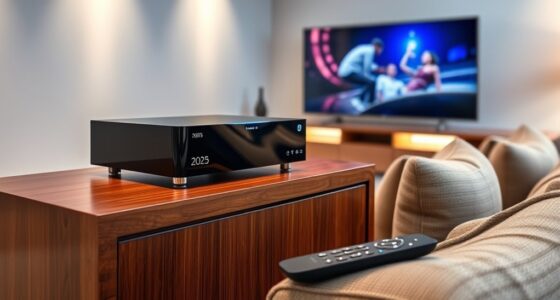
When selecting a premium smart home hub, I look for devices that offer robust compatibility, advanced automation features, and reliable build quality. The Amazon Echo Hub stands out as the best overall due to its seamless Alexa integration and user-friendly interface. The Aqara Smart Hub M200 is a solid choice for those prioritizing Zigbee and Matter support, enabling broader device compatibility. However, the main tradeoffs in this category include higher price tags and potential complexity in setup for more advanced models. Keep reading for a detailed breakdown of these top picks to help you find the perfect hub for your smart home needs.

Get business pricing on tools and workshop supplies
- Business-only prices and quantity discounts
- Tax-exempt purchasing
- Multiple users, one account, clear invoices
Complete the kit


Key Takeaways
- Compatibility across Zigbee, Z-Wave, and Matter is a key differentiator among top-tier hubs.
- Ease of use and setup remain critical, especially for smart home newcomers.
- Premium hubs often trade some affordability for advanced automation and integration features.
- Local control capabilities are a significant advantage for reliability and privacy.
- Most high-end hubs support voice assistants, but the quality of integration varies.
| Aqara Smart Hub M200, Matter Controller with Zigbee, Wi-Fi, IR |  | Best Overall Smart Home Hub for Versatility and Protocol Support | Protocols Supported: Zigbee, Thread, Wi-Fi 2.4/5 GHz | Device Capacity: 127 Zigbee + 127 Thread devices | Local Storage: 8GB encrypted | VIEW ON AMAZON | See Our Full Breakdown |
| SwitchBot AI Hub with OpenClaw Support, Local NVR Storage, Home Assistant, and Matter Bridge |  | Best for Advanced Automation with Camera Integration | Supports: OpenClaw, Home Assistant, Matter | Local Storage: 16GB MicroSD, expandable | Automation Speed: Fast local automations | VIEW ON AMAZON | See Our Full Breakdown |
| SwitchBot Hub 2 (2nd Gen) – WiFi Thermometer, Hygrometer, IR Remote Control, Smart Home Hub |  | Best for Multi-Protocol Home Monitoring and Simple Automation | Accuracy: ±1.8% RH / ±0.36°F | Connectivity: WiFi 2.4GHz | Supported Platforms: Alexa, Google, Apple, Matter | VIEW ON AMAZON | See Our Full Breakdown |
| Amazon Echo Hub (newest model), 8″ Smart Home Control Panel with Alexa+ |  | Best for Homeowners Wanting a Centralized Control Panel | Display Size: 8 inches | Compatibility: Alexa+, Ring, Zigbee, Matter, Sidewalk | Connectivity: WiFi, Bluetooth | VIEW ON AMAZON | See Our Full Breakdown |
| Aqara Smart Home Hub M3 with Matter Controller and IR |  | Best for Privacy-Conscious Users Needing Protocol Support and IR Control | Protocols Supported: Zigbee, Thread, Matter | Device Capacity: 127 Zigbee + 127 Thread devices | Connectivity: Wi-Fi 2.4/5 GHz, USB-C, PoE | VIEW ON AMAZON | See Our Full Breakdown |
| Echo Hub with Amazon Basics Smart Color Bulb |  | Best Budget Starter Kit for Alexa Users | Includes: Echo Hub, Smart Color Bulb | Setup Time: 2 minutes | Control: Voice, App | VIEW ON AMAZON | See Our Full Breakdown |
| Aeotec Smart Home Hub, Works as a SmartThings Hub, Z-Wave, Zigbee, Matter Gateway, Compatible with Alexa, Google Assistant, WiFi |  | Best Protocol Compatibility for a Versatile Smart Home | Connectivity: Wi-Fi, Ethernet | Protocols: Z-Wave, Zigbee, Matter | Compatibility: Alexa, Google Assistant, SmartThings | VIEW ON AMAZON | See Our Full Breakdown |
| Home Assistant Green – Smart Home Hub with Advanced Automation |  | Best for Power Users Seeking Local Control and Expandability | Processor: Quad-core | Storage: 32GB | RAM: 4GB | VIEW ON AMAZON | See Our Full Breakdown |
| Homey Pro mini | Smart Home Hub for Home Automation with Zigbee, Ethernet, Matter & Thread |  | Best for Users Wanting a No-Subscription, Protocol-Heavy Hub | Protocols Supported: Zigbee, Matter, Thread, Ethernet | Compatibility: Siri, Alexa, Google | Local Control: Yes | VIEW ON AMAZON | See Our Full Breakdown |
| Hubitat Elevation C-8 Pro Smart Home Hub, Local Control and Automations |  | Best for Advanced Customization and Reliability | Protocols Supported: Matter 1.5, Z-Wave 800 Series, Zigbee 3.0, Bluetooth | Automation Type: Local processing, complex routines | Update Policy: Free continuous updates | VIEW ON AMAZON | See Our Full Breakdown |
| SmartThings Hub 3rd Generation |  | Best Overall for Versatile Smart Home Integration | Model: GP-U999SJVLGDA | Compatibility: Alexa, Google Home | Protocols: Zigbee, Z-Wave, Cloud-to-Cloud | VIEW ON AMAZON | See Our Full Breakdown |
| premium smart home hub | Connectivity |
|---|---|
| Aqara Smart Hub M200 | Wi-Fi, USB-C, PoE |
| SwitchBot AI Hub with OpenClaw | Dual-band Wi-Fi |
| SwitchBot Hub 2 | WiFi 2.4GHz |
| Amazon Echo Hub | WiFi, Bluetooth |
| Aqara Smart Home Hub M3 with M | Wi-Fi 2.4/5 GHz, USB-C, PoE |
| Echo Hub with Amazon Basics Sm | — |
| Aeotec Smart Home Hub | Wi-Fi, Ethernet |
| Home Assistant Green | USB expandability for Z-Wave, Zigbee, Thread |
| Homey Pro mini | Smart Home Hu | — |
| Hubitat Elevation C-8 Pro Smar | — |
| SmartThings Hub 3rd Generation | — |
More Details on Our Top Picks
Aqara Smart Hub M200, Matter Controller with Zigbee, Wi-Fi, IR
The Aqara Smart Hub M200 stands out for its robust protocol support, including Zigbee, Thread, Wi-Fi, and IR, making it a powerhouse for integrating a wide array of devices. Compared with the SwitchBot Hub 2, it offers broader protocol compatibility and local automation, but it requires a bit more setup and may need additional accessories like a power adapter. Its inclusion of a smart IR blaster and PoE support enhances installation flexibility and device control. However, the extensive feature set can overwhelm newcomers, and some advanced functions depend on firmware updates. This pick is ideal for those seeking a highly adaptable hub with local automation, privacy, and device flexibility.
Pros:- Supports Zigbee, Thread, Wi-Fi, and IR for maximum device compatibility
- Enables local automation, reducing reliance on internet connectivity
- Includes PoE support and a USB-C port for flexible installation
- Smart IR blaster with feedback and learning capabilities
Cons:- Requires a power adapter, which is not included, adding to setup cost
- Placement needs to be 6-19 feet from the router for optimal performance
- Some advanced features depend on app updates or ecosystem compatibility
Best for: Tech-savvy homeowners with diverse device ecosystems who prioritize protocol compatibility and local control
Not ideal for: Casual users or those with simple setups who prefer plug-and-play solutions, as setup complexity and additional accessories may be daunting
- Protocols Supported:Zigbee, Thread, Wi-Fi 2.4/5 GHz
- Device Capacity:127 Zigbee + 127 Thread devices
- Local Storage:8GB encrypted
- IR Blaster:Yes, 360° with feedback and learning
- Connectivity:Wi-Fi, USB-C, PoE
- Supported Ecosystems:Aqara Home, third-party apps
Our verdict“Best suited for users who need a highly flexible, protocol-rich hub with strong local automation and privacy controls.”
SwitchBot AI Hub with OpenClaw Support, Local NVR Storage, Home Assistant, and Matter Bridge
This SwitchBot AI Hub is designed for users seeking deeper automation and camera integration, especially with OpenClaw support for device and camera control. Compared to the Aqara M200, it emphasizes local storage and faster automations, but it lacks IR control for appliances like TVs or AC units. Its built-in Home Assistant and Matter Bridge broaden compatibility, making it suitable for those wanting an open platform. The need for an AI+ subscription for AI features adds ongoing costs, and camera setup requires compatible devices. This hub makes sense for homeowners who prioritize local processing, event recording, and camera control in their automation system.
Pros:- Supports OpenClaw for camera and device integration
- Includes local storage with 16GB MicroSD (expandable to 1TB or 16TB external drive)
- Pre-installed with Home Assistant and Matter Bridge for broad device compatibility
- Enables faster local automations
Cons:- AI features require a subscription, adding ongoing costs
- Lacks IR control for appliances like TVs or air conditioners
- Setup can be complex for beginners and depends on compatible cameras
Best for: Power users with existing cameras and a desire for local storage and advanced automation
Not ideal for: Casual smart home users or those mainly interested in IR appliance control, since AI features and camera setup can be complex
- Supports:OpenClaw, Home Assistant, Matter
- Local Storage:16GB MicroSD, expandable
- Automation Speed:Fast local automations
- Connectivity:Dual-band Wi-Fi
- Supported Devices:Cameras, video doorbells, BLE devices
- Subscription:AI+ required for AI features
Our verdict“Ideal for tech-savvy users who want local storage, camera integration, and broad automation capabilities with a focus on privacy.”
SwitchBot Hub 2 (2nd Gen) – WiFi Thermometer, Hygrometer, IR Remote Control, Smart Home Hub
The SwitchBot Hub 2 (2nd Gen) excels in monitoring environmental conditions while offering IR remote control for appliances, making it a good fit for users wanting basic automation alongside sensors. Compared to the Aqara M200, it’s less versatile in device protocol support but offers high accuracy and simplicity, especially for temperature, humidity, and light monitoring. Its support for Alexa, Google, Apple, and Matter is a plus, but it relies on WiFi and can be limited to 2.4GHz networks, which might restrict performance in busy homes. This hub is well-suited for those prioritizing environmental monitoring and quick IR device control, but it isn’t designed for complex automation or multi-protocol device management.
Pros:- Highly accurate temperature, humidity, and light measurements
- Supports multiple ecosystems including Matter, Alexa, Google, and Apple
- Includes smart buttons for simple automation triggers
- Easy to set up for environmental monitoring
Cons:- Limited to 2.4GHz WiFi, which may impact connectivity stability
- Supports only 2 smart buttons, restricting automation complexity
- Lacks extensive device protocol support beyond WiFi and IR
Best for: Homeowners seeking accurate environmental sensors combined with basic IR remote control
Not ideal for: Advanced users needing extensive device integration or local automation, as its capabilities are more sensor-focused
- Accuracy:±1.8% RH / ±0.36°F
- Connectivity:WiFi 2.4GHz
- Supported Platforms:Alexa, Google, Apple, Matter
- Includes:2 smart buttons
- Light Sensor:Yes
Our verdict“Best suited for users who want reliable environmental sensors with basic IR control in a simple, integrated package.”
Amazon Echo Hub (newest model), 8″ Smart Home Control Panel with Alexa+
The Amazon Echo Hub offers a sizeable 8-inch display that consolidates smart home control, camera viewing, and routines into one interface. Compared with the Aqara M200 or SwitchBot Hub 2, it emphasizes visual management and user-friendly dashboards, making it a good choice for users who want a central physical interface. Its support for multiple protocols like Zigbee, Matter, and Sidewalk broadens device compatibility, but it lacks built-in cameras, relying on external ones for security. Additional purchase of wall mounts or stands is needed, and some features depend on subscriptions or compatible devices. This hub makes sense for those who prefer a visual, all-in-one control panel in a busy household environment.
Pros:- Large, customizable 8-inch display for control and monitoring
- Supports a wide range of protocols including Zigbee, Matter, and Sidewalk
- Privacy controls like mic off button
- Made with 27% recycled materials
Cons:- Requires separate purchase for wall mounts or stands
- Does not include a built-in camera; external cameras are needed for security
- Some features depend on compatible subscriptions or devices
Best for: Homeowners seeking a large, customizable control interface for managing multiple devices and routines
Not ideal for: Users desiring a security-focused hub with integrated cameras, as it lacks built-in video capabilities
- Display Size:8 inches
- Compatibility:Alexa+, Ring, Zigbee, Matter, Sidewalk
- Connectivity:WiFi, Bluetooth
- Materials:Recycled plastics
- Privacy:Mic off button
Our verdict“Best for users who want a visual, centralized control panel with broad protocol support and privacy features.”
Aqara Smart Home Hub M3 with Matter Controller and IR
The Aqara M3 Hub is tailored for privacy-focused users who need a reliable, multi-protocol hub with local automation. It supports Zigbee, Thread, and Matter, making it highly adaptable for diverse device ecosystems. Compared to the SwitchBot AI Hub, it emphasizes security with encrypted local storage and omits AI camera features, appealing to those wary of cloud dependencies. Its IR blaster, with feedback and learning, allows traditional device control. However, its placement is limited by Wi-Fi signal strength, and the power adapter isn’t included, adding to setup considerations. This hub fits well for users prioritizing privacy, protocol versatility, and local control over advanced AI features or camera integrations.
Pros:- Supports Zigbee, Thread, and Matter for broad device compatibility
- Encrypted local storage enhances privacy
- Includes a smart IR blaster with feedback and learning
- Flexible placement options with mounting hardware
Cons:- Power adapter not included, requiring an additional purchase
- Placement must be within 6-19 feet of router for optimal connectivity
- Some functionalities depend on ecosystem or app updates
Best for: Privacy-minded homeowners with diverse protocols who want local automation and IR control
Not ideal for: Users seeking AI-powered camera features or those who prefer plug-and-play simplicity, as setup can be more involved
- Protocols Supported:Zigbee, Thread, Matter
- Device Capacity:127 Zigbee + 127 Thread devices
- Connectivity:Wi-Fi 2.4/5 GHz, USB-C, PoE
- Storage:8GB encrypted local
- IR Blaster:Yes, feedback and learning
Our verdict“Ideal for users who prioritize privacy, protocol flexibility, and local automation over AI camera features.”
Echo Hub with Amazon Basics Smart Color Bulb
This bundle shines as an entry point for those already committed to the Alexa ecosystem, offering quick setup and immediate control over lighting with a simple voice command. Compared with more comprehensive hubs like the Home Assistant Green, it lacks advanced automation options and protocol support, but its ease of use and affordability make it appealing for beginners. The limited device compatibility means you may outgrow it as your smart home expands, and full functionality relies on the Alexa app. Still, for users seeking a straightforward, budget-friendly upgrade to voice-controlled lighting, this kit hits the mark.
Pros:- Easy 2-minute setup with included components
- Voice-controlled lighting and routines via Alexa
- Expandable for additional smart devices
- Remote control from anywhere
Cons:- Limited to compatible devices, restricting scalability
- Requires Alexa app for full functionality
Best for: Beginners or casual smart home users who want quick, simple lighting control via Alexa without complex setup.
Not ideal for: Power users or those with a diverse device ecosystem requiring multi-protocol support and advanced automation.
- Includes:Echo Hub, Smart Color Bulb
- Setup Time:2 minutes
- Control:Voice, App
- Features:Remote control, automation, routines
Our verdict“Ideal for newcomers seeking a simple, affordable way to add voice-controlled lighting to their smart home.”
Aeotec Smart Home Hub, Works as a SmartThings Hub, Z-Wave, Zigbee, Matter Gateway, Compatible with Alexa, Google Assistant, WiFi
Compared to the Homey Pro mini, the Aeotec Hub offers broader protocol support, including Z-Wave, Zigbee, and Matter, making it a flexible choice for integrating a wide array of devices. Its support for multiple voice assistants enhances convenience, but being primarily designed for North America means regional support and firmware updates could be limited outside these markets. Setup can be straightforward via Wi-Fi or Ethernet, but managing it requires a smartphone app, which may feel less seamless than all-in-one solutions. This hub suits those who want broad protocol compatibility and reliable automation, but may not be ideal for international users or those seeking a more integrated experience.
Pros:- Supports multiple protocols for broad device compatibility
- Easy setup with Wi-Fi or Ethernet
- Automations run locally for speed and reliability
- Works seamlessly with Alexa and Google Assistant
Cons:- Designed mainly for North American markets
- Requires a smartphone app for setup and management
Best for: Homeowners with diverse device ecosystems needing broad protocol support and reliable automation in North America.
Not ideal for: International users or those preferring a plug-and-play setup without managing multiple apps.
- Connectivity:Wi-Fi, Ethernet
- Protocols:Z-Wave, Zigbee, Matter
- Compatibility:Alexa, Google Assistant, SmartThings
- Supported Regions:North America
Our verdict“Best suited for users demanding protocol versatility and local automation reliability within North America.”
Home Assistant Green – Smart Home Hub with Advanced Automation
The Home Assistant Green stands out for its emphasis on local processing, making it an appealing choice for tech-savvy users who prioritize data privacy and fast response times. Its quad-core processor, 32GB storage, and support for Z-Wave, Zigbee, and Thread enable deep customization and automation, rivaling the Hubitat Elevation C-8 Pro. However, its reliance on Ethernet for setup and the need for familiarity with the Home Assistant ecosystem can pose barriers for less technical users. The hub’s compact, silent design and active community make it ideal for those comfortable with DIY setup and looking for a highly customizable, privacy-focused solution.
Pros:- Easy to set up with pre-installed Home Assistant
- Compact, fanless, and silent design
- Supports multiple protocols for expandability
- Keeps data local and secure
Cons:- Limited internal storage for large data needs
- Requires Ethernet connection for initial setup
- Dependent on Home Assistant ecosystem for full features
Best for: Tech-savvy smart home enthusiasts who want local control, advanced automation, and data privacy.
Not ideal for: Beginners or users preferring a plug-and-play experience with minimal setup.
- Processor:Quad-core
- Storage:32GB
- RAM:4GB
- Power Consumption:a few watts
- Connectivity:USB expandability for Z-Wave, Zigbee, Thread
Our verdict“Best suited for technically inclined users seeking a highly customizable, privacy-centric smart home hub.”
Homey Pro mini | Smart Home Hub for Home Automation with Zigbee, Ethernet, Matter & Thread
The Homey Pro mini offers broad protocol support, including Zigbee, Matter, and Thread, making it highly compatible with many devices. Its local processing ensures privacy and reliability, making it an attractive alternative to cloud-dependent hubs like the Amazon Echo Hub. While it requires a separate purchase of the Homey Bridge for Z-Wave support, its subscription-free model and robust automation features stand out. However, its smaller size and limited features compared to larger models could be a drawback for those seeking extensive device management and integrations. This hub is ideal for users who value protocol diversity and local control over subscription-based services.
Pros:- Supports multiple protocols for wide device compatibility
- Local processing ensures privacy and reliable operation
- No subscription fees for full features
- Includes automation features like Homey Flow
Cons:- Requires separate purchase of Homey Bridge for Z-Wave
- Limited features compared to larger, more integrated hubs
Best for: Smart home enthusiasts prioritizing protocol diversity, privacy, and avoiding subscription fees.
Not ideal for: Beginners or users wanting an all-in-one, plug-and-play solution with Z-Wave included out of the box.
- Protocols Supported:Zigbee, Matter, Thread, Ethernet
- Compatibility:Siri, Alexa, Google
- Local Control:Yes
- Subscription:None
Our verdict“Ideal for experienced users seeking a flexible, protocol-rich hub without ongoing costs.”
Hubitat Elevation C-8 Pro Smart Home Hub, Local Control and Automations
The Hubitat Elevation C-8 Pro caters to users who want total control with minimal reliance on cloud services. Its support for Matter, Z-Wave, Zigbee, and Bluetooth, combined with local processing and AI-driven routines, offers a level of customization and speed that exceeds many cloud-based solutions like the Echo Hub. Its active community and free continuous updates make it a favorite among DIYers and automation power users. The tradeoff is that setup can be complex, and some features require manual configuration, which might overwhelm those unfamiliar with networking or smart home protocols. For those willing to invest in a more technical setup, this hub delivers unmatched reliability and flexibility.
Pros:- Local control ensures fast response times
- Supports multiple protocols for versatile setup
- No subscription fees and free updates
- Active community provides support and customization
Cons:- Requires technical knowledge for setup
- Potentially complex configuration for beginners
Best for: Tech-savvy users who want highly customizable, fast, and private smart home automation.
Not ideal for: Casual users or those preferring plug-and-play simplicity without technical setup.
- Protocols Supported:Matter 1.5, Z-Wave 800 Series, Zigbee 3.0, Bluetooth
- Automation Type:Local processing, complex routines
- Update Policy:Free continuous updates
- Community Support:Active user community
Our verdict“Best suited for experienced DIYers seeking maximum control and reliability in their smart home systems.”
SmartThings Hub 3rd Generation
The SmartThings Hub 3rd Generation stands out for its broad compatibility, supporting Zigbee, Z-Wave, and cloud-to-cloud protocols, making it one of the most adaptable hubs on the market. Compared to the Aeotec Smart Home Hub, which also supports Z-Wave and Zigbee, the SmartThings offers a more user-friendly app and better integration with voice assistants like Alexa and Google Home. However, this flexibility comes with a tradeoff: setup can be complex for beginners, especially when configuring multiple protocols. Its ability to automate devices based on presence or door sensors makes it ideal for those seeking a comprehensive, centralized control system. Still, owners need to ensure their devices are compatible, as unsupported products limit functionality.
Pros:- Supports multiple protocols (Zigbee, Z-Wave, Cloud-to-Cloud) for maximum device compatibility
- Enables complex automations based on presence, door sensors, and more
- Integrates smoothly with Alexa and Google Assistant for voice control
- Allows centralized control through the SmartThings app
Cons:- Setup process can be intimidating for those new to smart home tech
- Requires compatible devices for full functionality, limiting some integrations
Best for: Homeowners who want a versatile, widely compatible hub that integrates seamlessly with voice assistants and a broad ecosystem of smart devices.
Not ideal for: Absolute beginners or users with only a few smart devices, since initial setup might be confusing without prior experience.
- Model:GP-U999SJVLGDA
- Compatibility:Alexa, Google Home
- Protocols:Zigbee, Z-Wave, Cloud-to-Cloud
- Automation Capabilities:Presence detection, door sensors, remote control
- App Support:SmartThings app
- Setup Complexity:Moderate to advanced
Our verdict“This hub is best suited for users who need extensive device compatibility and are comfortable with a more involved setup process.”

How We Picked
To evaluate these smart home hubs, I focused on performance, compatibility, ease of use, build quality, and future-proofing. Devices that support multiple protocols like Zigbee, Z-Wave, and Matter are prioritized because they offer broader device integration. Ease of setup and user interface also played a vital role, as complex systems can deter non-technical users. Additionally, I considered the level of automation control, local versus cloud reliance, and overall value for the price. The ranking reflects a balance between these factors, favoring hubs that deliver reliable, versatile, and user-friendly experiences.Factors to Consider When Choosing Premium Smart Home Hubs
Choosing a premium smart home hub requires understanding several key factors that impact usability, compatibility, and long-term value. The right hub should match your existing devices, support future standards, and fit your automation ambitions. Considering these factors can prevent costly mismatches and ensure a smooth smart home experience.Compatibility with Protocols and Devices
Ensure your chosen hub supports the protocols your devices use, such as Zigbee, Z-Wave, or Matter. A hub with broad compatibility reduces the need for multiple controllers and simplifies automation. Be wary of hubs that only support specific brands or protocols, as this limits expandability and can increase costs if you need additional gateways later.
Ease of Setup and User Interface
A user-friendly setup process and intuitive interface can significantly reduce frustration, especially for those new to smart home technology. Look for hubs with clear instructions, companion apps that are easy to navigate, and straightforward device pairing. Complex interfaces or hidden settings can make managing your system more burdensome than it needs to be.
Automation and Control Features
Premium hubs should support advanced automation, such as routines, conditional triggers, and scene management. Consider whether the hub offers local automation for reliability or relies primarily on cloud services. The ability to create custom automations tailored to your lifestyle makes a hub more valuable over time, especially for tech-savvy users.
Build Quality and Future-Proofing
Investing in a well-built device with a solid firmware update history can extend its lifespan. Compatibility with upcoming standards like Matter is also crucial for future-proofing, ensuring your hub remains relevant as new devices and protocols emerge. Cheaper or poorly supported hubs risk obsolescence or security vulnerabilities.
Price and Value
While premium hubs command higher prices, weigh the features against the cost. Consider whether the added automation, compatibility, and build quality justify the expense. Sometimes, a slightly less capable hub can fulfill your needs at a more attractive price point, especially if you’re just starting out or have a modest setup.
Frequently Asked Questions
Can I use multiple smart home hubs together?
Yes, many users operate multiple hubs to maximize device compatibility or segment their automation. For example, you might use a Zigbee-based hub alongside a Z-Wave hub for different device ecosystems. However, managing multiple hubs can increase complexity, so it’s often better to select a versatile hub that covers most protocols if possible.
Is it worth investing in a hub with local control?
Absolutely. Local control means your automation can continue functioning even if internet service is interrupted, improving reliability and privacy. Hubs with local processing often respond faster and reduce dependence on cloud servers, which can be critical for security or critical automation scenarios.
Should I prioritize compatibility with future standards like Matter?
Yes, future-proofing your smart home means choosing a hub that supports emerging standards like Matter. This protocol aims to unify device communication across brands and ecosystems, ensuring your investment remains relevant and flexible as new devices come to market. Compatibility with Matter can also simplify device management long-term.
How much should I expect to pay for a premium smart home hub?
Premium hubs typically range from $150 to over $300, depending on features and brand reputation. Higher prices generally correlate with broader protocol support, better automation capabilities, and more robust build quality. Consider your automation needs carefully before investing to ensure the extra cost translates into real value for your setup.
Can a smart home hub help reduce my energy bills?
While a hub itself doesn’t directly lower energy costs, it enables automation that can optimize device usage, such as scheduling lights or thermostats. By centralizing control and automating routines, a good hub can contribute to more efficient energy consumption over time, especially when paired with compatible smart appliances.
Conclusion
If you’re looking for the best overall experience with broad compatibility and ease of use, the Amazon Echo Hub makes an excellent choice, especially for Alexa users. For those prioritizing compatibility with Zigbee and Matter, the Aqara Smart Hub M200 stands out. The best value might be a more affordable option that still offers essential automation features, while the best premium hubs tend to favor advanced automation and future-proofing. Beginners should focus on intuitive setup and simple interfaces, whereas experienced users can benefit from hubs supporting more protocols and local control. Ultimately, your choice depends on your existing devices, automation ambitions, and budget.