

Among these renewed MacBook Pro laptops, I’d choose the 14-inch 2021 MacBook Pro with M1 Pro as the best overall for its modern performance and more compact design. The 16-inch 2021 M1 Pro with 32GB RAM is a stronger fit for memory-heavy creative work, while the 13-inch 2020 M1 is a simpler, lighter pick for everyday tasks. The main tradeoffs are Apple silicon versus older Intel hardware, screen size versus portability, and memory or storage capacity. Older Intel models can suit specific workflows, but their age makes software support and battery condition especially important to check. Read on for the full comparison and guidance on choosing a renewed MacBook Pro that fits your needs.

Get business pricing on tools and workshop supplies
- Business-only prices and quantity discounts
- Tax-exempt purchasing
- Multiple users, one account, clear invoices
Complete the kit


Key Takeaways
- The 2021 M1 Pro models lead this group: they pair Apple silicon with stronger performance potential than the older Intel configurations listed here.
- The 14-inch 2021 M1 Pro is the most balanced pick, while the 16-inch models favor a larger workspace and the 13-inch models favor portability.
- The 16-inch M1 Pro with 32GB RAM stands out for demanding multitasking; the 16GB models are a more measured choice for general professional workloads.
- The 13-inch 2020 M1 with 8GB RAM and 256GB SSD is best for lighter use, not buyers expecting substantial local storage or heavy creative workloads.
- The Intel models serve narrower needs: the 2019 and 2020 options offer different screen, memory, and storage combinations, while the 2017 model carries the greatest age-related support and battery concerns.



| renewed macbook pro laptop | Memory | Storage | Display | Processor |
|---|---|---|---|---|
| Apple MacBook Pro 14-inch | 16GB unified memory | 512GB SSD | 14-inch Liquid Retina XDR | Apple M1 Pro |
| Apple MacBook Pro 16-inch | 16GB DDR4, 2666 MHz | 512GB SSD | 16-inch Retina, listed as 3072 x 1920 | 2.6 GHz 6-core Intel Core i7-9750H |
| Apple MacBook Pro 16-inch | 16GB | 512GB SSD | 16-inch, 3072 x 1920 | 2.6GHz 9th-generation 6-core Intel Core i7 |
| Apple MacBook Pro 13-inch | 8GB unified memory | 256GB SSD | 13.3-inch Retina, 2560 x 1600, 500 nits | Apple M1, 8-core CPU |
| Apple 2021 MacBook Pro 16-inch | 32GB unified memory | 512GB SSD | 16.2-inch Liquid Retina XDR, 3456 x 2234, 120Hz | Apple M1 Pro, 10-core CPU |
| Apple MacBook Pro 16-inch | 16GB | 512GB SSD | 16-inch Liquid Retina XDR, 3456 x 2234 pixels | Apple M1 Pro |
| Apple MacBook Pro 13-inch | 8GB LPDDR3, 2133 MHz | 256GB SSD | 13-inch Retina LED, 2560 x 1600 | Intel Core i5, 2.3 GHz, 2 cores |
| Apple MacBook Pro 13-inch | 16GB RAM | 512GB SSD | 13.3-inch Retina, 2560 x 1600 | 2.0GHz Intel Core i5 |
| Apple MacBook Pro 13-inch | 8GB DDR3 SDRAM, 2133 MHz | 256GB SSD | 13-inch Retina, 2560 x 1600, 60 Hz, True Tone | 8th-generation Intel Core i5, 1.4 GHz |
| Apple 16-inch MacBook Pro | 16GB RAM | 1TB SSD | — | — |
| MacBook Pro 15" 2.6GHz Intel C | 16GB DDR4 | 256GB SSD | 15-inch Retina, 2560 × 1600, True Tone | Intel Core i7, 2.6GHz, 6 cores |
More Details on Our Top Picks
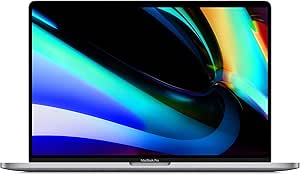
Apple MacBook Pro 14-inch (2021) with M1 Pro, 16GB RAM, 512GB SSD, Space Gray (Renewed)
I’d put this 14-inch M1 Pro first for buyers who want a capable renewed MacBook Pro without the bulk of a 16-inch model. Its Liquid Retina XDR display, 16GB of unified memory, and M1 Pro chip make it a stronger fit for creative work than the 13-inch 2020 MacBook Pro with M1 and 8GB RAM. The port selection also reduces the need for adapters, while the 1080p camera and six-speaker audio make it a well-rounded choice for calls and media.
The tradeoff is that its 512GB SSD may feel restrictive for large project libraries, and renewed condition means cosmetic wear or battery variation is possible. Choose the 16-inch 2021 M1 Pro with 32GB RAM if memory-heavy work and a larger screen matter more; this 14-inch model wins on a more manageable size.
Pros:- M1 Pro chip is suited to demanding creative workflows.
- Liquid Retina XDR display offers a high-end viewing experience.
- Wide range of ports can reduce reliance on adapters.
- 1080p camera and six-speaker audio suit calls and media.
Cons:- 512GB storage may be tight for large media projects.
- Renewed condition can mean cosmetic wear or battery variation.
- 16GB memory is less suitable than the 32GB option for heavier multitasking.
Best for: Creative professionals and mobile developers who want an M1 Pro laptop with a high-quality display and a more portable footprint than a 16-inch model.
Not ideal for: Buyers who need 32GB of memory, a larger built-in screen, or the assurance of a new-device condition.
- Model:MacBook Pro (2021)
- Display:14-inch Liquid Retina XDR
- Processor:Apple M1 Pro
- Memory:16GB unified memory
- Storage:512GB SSD
- Camera:1080p FaceTime HD
- Audio:Six-speaker sound system with spatial audio support
- Condition:Renewed
Our verdict“Choose this renewed 14-inch model for a strong balance of creative performance, display quality, and portability.”
Apple MacBook Pro 16-inch (Late 2019), Core i7, 16GB RAM, 512GB SSD, Space Gray (Renewed)
This renewed 16-inch MacBook Pro makes the most sense for buyers who need a large Retina display and prefer an Intel-based Mac. Its six-core Core i7 and Radeon Pro 5300M graphics offer dedicated graphics hardware, unlike the Late 2019 silver model listed with AMD integrated graphics. Four Thunderbolt and USB-C ports also suit desk setups with external drives and displays.
That older Intel platform is the key compromise: compared with the 14-inch 2021 M1 Pro, it is a less compelling choice for buyers prioritizing newer chip performance and efficiency. The 4-pound chassis is also less convenient to carry, and this listing notes possible battery variation and a 90-day warranty. The supplied display-resolution information is inconsistent, so I’d verify the exact panel details before buying.
Pros:- Six-core Intel Core i7 suits general productivity and compatible Intel workflows.
- Dedicated Radeon Pro 5300M graphics distinguish it from the integrated-graphics 2019 alternative.
- 16-inch Retina display provides generous workspace.
- Four Thunderbolt and USB-C ports support desk accessories and external displays.
Cons:- Older Intel hardware is less appealing than the 2021 M1 Pro models for newer workflows.
- Four-pound weight makes it less convenient for frequent travel.
- Renewed condition, 90-day warranty, and inconsistent resolution details merit extra checking.
Best for: Buyers who need a large-screen renewed MacBook Pro, dedicated AMD graphics, and compatibility with Intel-era software or workflows.
Not ideal for: Frequent travelers or buyers focused on M1 Pro performance, portability, and a newer-generation Apple chip.
- Model year:2019
- Display:16-inch Retina, listed as 3072 x 1920
- Processor:2.6 GHz 6-core Intel Core i7-9750H
- Memory:16GB DDR4, 2666 MHz
- Storage:512GB SSD
- Graphics:AMD Radeon Pro 5300M, 4GB GDDR6
- Ports:4 USB ports; Thunderbolt and USB-C
- Weight:4 pounds
- Warranty:90 days
Our verdict“Pick this model if you need a large Intel Mac with dedicated graphics, but favor a 2021 M1 Pro for a newer and more portable setup.”
Apple MacBook Pro 16-inch (Late 2019, Renewed) – 2.6GHz Intel Core i7, 16GB RAM, 512GB SSD, Silver
I’d choose this renewed 16-inch MacBook Pro for everyday business work when a large, sharp display matters more than a newer processor. Its 2.6GHz six-core Intel Core i7, 16GB of RAM, and 512GB SSD provide a familiar setup for office applications and multitasking. The four Thunderbolt 3 ports are useful for connecting modern peripherals, though they make adapters or USB-C accessories part of the setup.
Compared with the other 2019 16-inch Core i7 model in this roundup, this listing specifies AMD integrated graphics rather than a Radeon Pro 5300M, making it a weaker fit for graphics-heavy editing. It also weighs 4.3 pounds, so the 14-inch 2021 M1 Pro is a better carry-around choice. Renewed condition can include cosmetic marks, and the listing notes a limited warranty.
Pros:- 16-inch 3072 x 1920 display provides ample workspace.
- Six-core Core i7 and 16GB RAM suit common business tasks.
- Four Thunderbolt 3 ports support compatible peripherals and displays.
- 512GB SSD provides room for applications and working files.
Cons:- Listed integrated graphics are less suited to demanding video work than the Radeon Pro 5300M alternative.
- At 4.3 pounds, it is cumbersome for regular commuting.
- Renewed condition may include cosmetic imperfections, with a limited warranty.
Best for: Office professionals and students who want a spacious 16-inch screen for documents, spreadsheets, and multitasking.
Not ideal for: Video editors, gamers, or frequent travelers who would benefit from dedicated graphics or a lighter 14-inch M1 Pro model.
- Model:MacBook Pro 16-inch (Late 2019)
- Processor:2.6GHz 9th-generation 6-core Intel Core i7
- Memory:16GB
- Storage:512GB SSD
- Display:16-inch, 3072 x 1920
- Graphics:AMD integrated graphics
- Ports:4x Thunderbolt 3 (USB-C)
- Weight:4.3 pounds
- Condition:Renewed
Our verdict“This is a sensible renewed choice for desk-based buyers who value a roomy display over dedicated graphics or easy portability.”
Apple MacBook Pro 13-inch (2020) with M1 Chip, 8GB RAM, 256GB SSD, Space Gray (Renewed)
This renewed 13-inch MacBook Pro is the approachable pick for buyers who want an Apple silicon MacBook Pro in a compact, three-pound design. The M1 chip and 8-core CPU and GPU make it a better fit for everyday tasks than the older Intel 2019 models, while its 500-nit Retina display keeps the smaller screen bright. For students, office users, and light creative work, it offers a capable core setup without the bulk of the 16-inch options.
The limits are clear beside the 14-inch 2021 M1 Pro: this model has 8GB of memory and 256GB storage, so larger projects and heavy multitasking have less room. It also has an older, smaller display and a 90-day limited warranty. I’d choose it for portability and routine workloads, not as a substitute for a professional M1 Pro workstation.
Pros:- M1 chip is a capable choice for everyday computing.
- Three-pound design is easier to carry than the 16-inch models.
- 13.3-inch Retina display reaches 500 nits of brightness.
- Professionally inspected renewed listing includes a 90-day limited warranty.
Cons:- 8GB memory is limiting for heavy multitasking and larger creative projects.
- 256GB SSD leaves less room for apps and local files than the 512GB options.
- Smaller, older display and less capable chip set it behind the 14-inch 2021 M1 Pro.
Best for: Students and office users who want a compact renewed MacBook Pro for browsing, coursework, video calls, and everyday applications.
Not ideal for: Creative professionals working with large media files or buyers who need more than 8GB of memory and 256GB of storage.
- Model year:2020
- Processor:Apple M1, 8-core CPU
- Graphics:Integrated 8-core GPU
- Memory:8GB unified memory
- Storage:256GB SSD
- Display:13.3-inch Retina, 2560 x 1600, 500 nits
- Weight:3 pounds
- Battery capacity:58.2 watt-hours
- Warranty:90-day limited warranty
Our verdict“Choose this compact M1 model for everyday tasks and easy carrying, but step up to the 14-inch M1 Pro for demanding work.”
Apple 2021 MacBook Pro 16-inch (Renewed) – M1 Pro Chip, 32GB RAM, 512GB SSD, Space Gray
For demanding workloads, I’d favor this renewed 16-inch MacBook Pro over the 14-inch M1 Pro with 16GB RAM. Its 32GB unified memory gives large creative projects, codebases, and multitasking more headroom, while the 10-core CPU and 16-core GPU handle professional work. The 16.2-inch Liquid Retina XDR display adds a spacious canvas with a 120Hz refresh rate, and the listed battery life of up to 20–21 hours supports longer sessions away from a desk.
The price of that capability is physical size: at 16 inches, it is less convenient to carry than the 14-inch alternative. Storage remains at 512GB, which may not suit large offline media libraries, and renewed condition comes with a 90-day guarantee rather than a longer manufacturer warranty. This is the lineup’s performance-oriented choice, not its easiest travel companion.
Pros:- 32GB unified memory offers more headroom than the 16GB 14-inch M1 Pro.
- M1 Pro 10-core CPU and 16-core GPU suit demanding professional workflows.
- 16.2-inch Liquid Retina XDR display includes a 120Hz refresh rate.
- Listed battery life reaches up to 20–21 hours.
Cons:- Large 16-inch form factor is less portable than the 14-inch M1 Pro.
- 512GB SSD may be limited for extensive media libraries.
- Renewed condition and 90-day guarantee offer less assurance than a new MacBook Pro.
Best for: Video editors, developers, and other professionals who run memory-intensive workflows and want a large high-refresh display.
Not ideal for: Commuters seeking a lightweight laptop or buyers who need more than 512GB of built-in storage for large local project libraries.
- Model:MacBook Pro (2021)
- Processor:Apple M1 Pro, 10-core CPU
- Graphics:16-core GPU
- Memory:32GB unified memory
- Storage:512GB SSD
- Display:16.2-inch Liquid Retina XDR, 3456 x 2234, 120Hz
- Battery life:Up to 20–21 hours
- Condition:Renewed
- Warranty:90-Day Amazon Renewed Guarantee
Our verdict“Choose this model when 32GB memory and a spacious XDR screen matter more than portability or expanded storage.”
Apple MacBook Pro 16-inch (Late 2021), M1 Pro, 16GB RAM, 512GB SSD, Space Gray (Renewed)
I rank this as the strongest all-round choice here for buyers who want a large screen without giving up Apple silicon performance. The M1 Pro and 16GB of memory are better suited to demanding editing and multitasking than the Intel processors in the 2017 and 2019 13-inch models, while the 16-inch Liquid Retina XDR display gives detailed work more room. Its 512GB SSD is less generous than the 1TB drive in the other 2021 16-inch listing, so people keeping large media libraries may prefer that model. The tradeoff is portability: at 4.6 pounds, it is a substantial step up from the 13-inch options. Since it is renewed, prior use is part of the purchase, and the listing does not specify battery health or cosmetic grade.
Pros:- M1 Pro chip is suited to demanding professional workflows
- 16-inch Liquid Retina XDR display with 3456 x 2234 resolution
- Stated battery life of up to 17 hours
- 1080p FaceTime HD camera
Cons:- At 4.6 pounds, it is much heavier than the 13-inch renewed models
- 512GB storage is half the capacity of the other listed 2021 16-inch model
- Renewed condition leaves prior use and battery health uncertain
Best for: Video editors, designers, and multitaskers who want a spacious high-resolution display and M1 Pro performance in a renewed MacBook Pro.
Not ideal for: Frequent travelers who prioritize a light laptop, or buyers who need more than 512GB of built-in storage.
- Model:MacBook Pro (Late 2021)
- Processor:Apple M1 Pro
- Memory:16GB
- Storage:512GB SSD
- Display:16-inch Liquid Retina XDR, 3456 x 2234 pixels
- Camera:1080p FaceTime HD
- Battery life:Up to 17 hours
- Weight:4.6 pounds
Our verdict“Choose this 16-inch M1 Pro if screen space and professional capability matter more than a lighter carry or a 1TB SSD.”
Apple MacBook Pro 13-inch (2017), 2.3 GHz Core i5, 8 GB RAM, 256 GB SSD, Space Gray (Renewed)
This is the simplest fit for buyers whose work is limited to everyday browsing, documents, and video calls, and who want a light 13-inch MacBook Pro. At 3 pounds, it is easier to carry than either 16-inch 2021 model, but its two-core Intel Core i5 and 8GB of memory are modest beside the M1 Pro options and the 2020 Intel model with 16GB RAM. The 256GB SSD also leaves less room for local files than the 512GB configurations elsewhere in this roundup. The Retina screen remains sharp at 2560 x 1600, but the stated battery life is up to 10 hours, below the 2021 models’ stated figure. This unit is described as tested and functional, though the listing allows for visible wear and offers a 90-day limited warranty.
Pros:- Light 3-pound design is easier to carry than the 16-inch models
- Retina display offers 2560 x 1600 resolution
- Tested and listed as fully functional
- Includes USB, Thunderbolt 3, and DisplayPort connectivity
Cons:- Dual-core Intel Core i5 and 8GB RAM are less suited to demanding multitasking than the 2020 16GB model
- 256GB SSD provides limited room compared with the 512GB and 1TB options
- May have scratches, dents, or other wear, with a 90-day limited warranty
Best for: Students or home users with light computing needs who want a compact renewed MacBook Pro for documents, browsing, and streaming.
Not ideal for: People editing large media projects, keeping many files locally, or seeking a longer runway for demanding apps; its 8GB RAM and older dual-core processor are limiting.
- Model year:2017
- Processor:Intel Core i5, 2.3 GHz, 2 cores
- Memory:8GB LPDDR3, 2133 MHz
- Storage:256GB SSD
- Display:13-inch Retina LED, 2560 x 1600
- Graphics:Intel Iris Plus Graphics 640
- Battery life:Up to 10 hours
- Warranty:90-day limited warranty
- Weight:3 pounds
Our verdict“Pick this 2017 model for basic tasks and a lighter carry, but choose a newer 16GB option for heavier workloads.”
Apple MacBook Pro 13-inch (2020), 2.0GHz Intel Core i5, 16GB RAM, 512GB SSD, Space Gray (Renewed)
This 2020 model makes the most sense among the smaller Intel choices for buyers who want useful memory and storage without carrying a 16-inch machine. Its 16GB RAM and 512GB SSD give it more room for multitasking and files than the 2017 and 2019 13-inch listings, both of which have 8GB RAM and 256GB storage. The 13.3-inch Retina display keeps the laptop compact, while the backlit keyboard and fingerprint reader add everyday convenience. Compared with the 2021 M1 Pro models, though, this is an Intel-based alternative rather than the pick for the strongest professional performance or longest stated battery life. The listing says the unit is professionally inspected and tested, but renewed status still means battery condition may vary.
Pros:- 16GB RAM gives more multitasking headroom than the 8GB 2017 and 2019 models
- 512GB SSD doubles the storage of those older 13-inch options
- Sharp 13.3-inch Retina display at 2560 x 1600
- Backlit keyboard and fingerprint reader
Cons:- Intel Core i5 is not the M1 Pro platform found in the 2021 16-inch models
- Stated battery life is up to 10 hours and actual renewed battery condition may vary
- 13.3-inch screen offers less workspace than the 16-inch alternatives
Best for: Buyers who want a compact 13-inch MacBook Pro with 16GB RAM and 512GB storage, and prefer this Intel configuration over the older 8GB models.
Not ideal for: People seeking Apple silicon performance, a large workspace, or the 2021 16-inch models’ stated battery life of up to 17 hours.
- Model year:2020
- Processor:2.0GHz Intel Core i5
- Memory:16GB RAM
- Storage:512GB SSD
- Display:13.3-inch Retina, 2560 x 1600
- Battery life:Up to 10 hours
- Weight:3.1 pounds
- Special features:Backlit keyboard, fingerprint reader
Our verdict“Choose this renewed 2020 model if you want a compact Intel MacBook Pro with more memory and storage than the older 13-inch picks.”
Apple MacBook Pro 13-inch (2019), 8GB RAM, 256GB SSD, Space Gray (Renewed)
The 2019 13-inch model is a niche choice for buyers who specifically want a compact MacBook Pro with Touch Bar and Touch ID. Its 2.6-pound weight makes it the lightest option in this batch, and the Retina display includes True Tone, which adjusts its color balance to the surrounding light. Against the 2020 Intel 13-inch MacBook Pro, however, it has half the memory and storage, making the newer model a better fit for heavier multitasking and larger local libraries. It also has only two Thunderbolt / USB-C ports, so connecting several accessories may call for a hub. The 8th-generation Core i5 and 8GB RAM suit lighter workloads more than sustained professional tasks, and the listed warranty is limited to 90 days.
Pros:- Lightweight 2.6-pound design
- Retina display with True Tone
- Touch ID fingerprint recognition
- Fast SSD storage for everyday file access
Cons:- 8GB RAM is less than the 16GB in the 2020 13-inch option
- 256GB SSD offers less capacity than the 512GB models
- Only two Thunderbolt / USB-C ports and a 90-day limited warranty
Best for: Mobile users who prioritize a very light 13-inch laptop and want Touch ID, Touch Bar, and a True Tone display for everyday work.
Not ideal for: Multitaskers, creative professionals, or buyers who need more than 256GB of storage or several built-in ports.
- Model year:2019
- Processor:8th-generation Intel Core i5, 1.4 GHz
- Memory:8GB DDR3 SDRAM, 2133 MHz
- Storage:256GB SSD
- Display:13-inch Retina, 2560 x 1600, 60 Hz, True Tone
- Graphics:Intel Iris Plus Graphics 645
- Ports:2 Thunderbolt / USB-C
- Weight:2.6 pounds
- Warranty:90-day limited warranty
Our verdict“Choose this 2019 model for a light carry and Touch ID features, but favor the 2020 16GB model for broader everyday headroom.”
Apple 16-inch MacBook Pro (Late 2021) with M1 Pro, 16GB RAM, 1TB SSD, Space Gray (Renewed)
This is the more storage-oriented of the two renewed 2021 16-inch picks: it pairs 16GB RAM with a 1TB SSD, double the capacity of the other M1 Pro 16-inch listing. That extra space can keep more project files and media on the laptop, reducing reliance on external drives. Its M1 Pro platform, 1080p camera, 16-core Neural Engine, and stated battery life of up to 17 hours also make it a more capable professional tool than the older Intel 13-inch models. The tradeoff is the same substantial 4.6-pound 16-inch form factor, and this listing describes the chip as M1 Pro or M1 Max, so the exact chip configuration is unclear. Buyers who need more memory should compare it with the separate 2021 16-inch 32GB listing.
Pros:- 1TB SSD provides twice the capacity of the other listed 2021 16-inch M1 Pro option
- 16GB RAM and an M1 Pro or M1 Max chip are suited to professional workflows
- 16-core Neural Engine
- 1080p FaceTime HD camera and stated battery life of up to 17 hours
Cons:- At 16 inches and 4.6 pounds, it is less portable than the 13-inch models
- Listing gives M1 Pro or M1 Max rather than a confirmed chip configuration
- 16GB RAM is less than the 32GB offered by another listed 2021 16-inch model
Best for: Photographers, video editors, and professionals who want a large 2021 display and 1TB of built-in storage for local project files.
Not ideal for: Travelers seeking a light laptop, buyers who need a confirmed exact chip configuration, or users who prioritize 32GB RAM over storage capacity.
- Model:MacBook Pro (Late 2021)
- Chip:Apple M1 Pro or M1 Max, as listed
- Memory:16GB RAM
- Storage:1TB SSD
- Display size:16 inches
- Neural Engine:16-core
- Camera:1080p FaceTime HD
- Battery life:Up to 17 hours
Our verdict“Choose this renewed 16-inch MacBook Pro if you want the most built-in storage in this batch and can accept its size and configuration ambiguity.”
MacBook Pro 15″ 2.6GHz Intel Core i7, 16GB RAM, 256GB SSD – Silver (Renewed)
This renewed 2019 MacBook Pro suits buyers who want a roomy screen and Intel-based software compatibility without stepping up to a 16-inch model. Its six-core Core i7 and 16GB of DDR4 memory offer a capable base for multitasking and demanding everyday creative work, while the 256GB SSD keeps storage access brisk but leaves limited room for large project libraries. The 15-inch Retina display with True Tone gives work more space than the 13-inch MacBook Pro models in this roundup, though the newer 14-inch MacBook Pro with M1 Pro is a stronger fit for buyers prioritizing newer Apple silicon. Four Thunderbolt 3 ports add flexibility, but the tradeoffs are an older Mojave operating system, a 90-day limited warranty, and possible cosmetic wear on the renewed unit.
Pros:- Six-core Intel Core i7 and 16GB RAM support multitasking and demanding workloads.
- 15-inch Retina display with True Tone provides more workspace than the 13-inch options.
- Four Thunderbolt 3 ports give room for accessories and external displays.
- Touch Bar and Touch ID provide convenient controls and login.
Cons:- 256GB SSD may fill quickly with large media files or applications.
- Runs macOS Mojave, an older operating system than the one on newer models.
- Renewed condition may include cosmetic wear, and the limited warranty lasts 90 days.
Best for: Buyers who need a larger Retina workspace, Intel app compatibility, and four Thunderbolt 3 ports for general creative and multitasking work.
Not ideal for: People who need extensive built-in storage, a longer warranty, or the newer Apple silicon performance and platform offered by the 2021 MacBook Pro models.
- Processor:Intel Core i7, 2.6GHz, 6 cores
- Memory:16GB DDR4
- Storage:256GB SSD
- Graphics:Radeon Pro 555X with 4GB VRAM
- Display:15-inch Retina, 2560 × 1600, True Tone
- Operating system:macOS 10.14 Mojave
- Ports:4× Thunderbolt 3 (USB-C)
- Battery life:Up to 10 hours
- Weight and warranty:2.9kg; 90-day limited warranty
Our verdict“Choose this renewed 15-inch model for a spacious Retina display and Intel compatibility, but pick a newer Apple silicon MacBook Pro if longevity and newer-platform performance matter more.”

How We Picked
I ranked these renewed MacBook Pro laptops by how well their configuration suits common buyer needs: everyday work, mobile use, creative workloads, and larger-screen productivity. I weighed processor generation, memory, SSD capacity, screen size, and the practical tradeoffs of Apple silicon versus Intel. Those specifications matter because they affect application performance, multitasking headroom, portability, and how much work can stay on the internal drive.
The 2021 M1 Pro models rank highest because they offer the strongest overall combination of modern hardware and professional capability in this lineup. Within that group, I give the 14-inch model the overall role for balance, while the 16-inch 32GB and 1TB configurations suit buyers who value memory or storage headroom more. Older Intel models rank lower for most buyers because their age can limit long-term usefulness, though they may still suit workflows that depend on Intel-specific software. Since renewed condition can vary by seller, I treat battery health, return terms, and device condition as purchase checks rather than assumed strengths.
| renewed macbook pro laptop | Battery life |
|---|---|
| Apple MacBook Pro 14-inch | — |
| Apple MacBook Pro 16-inch | — |
| Apple MacBook Pro 16-inch | — |
| Apple MacBook Pro 13-inch | — |
| Apple 2021 MacBook Pro 16-inch | Up to 20–21 hours |
| Apple MacBook Pro 16-inch | Up to 17 hours |
| Apple MacBook Pro 13-inch | Up to 10 hours |
| Apple MacBook Pro 13-inch | Up to 10 hours |
| Apple MacBook Pro 13-inch | — |
| Apple 16-inch MacBook Pro | Up to 17 hours |
| MacBook Pro 15" 2.6GHz Intel C | Up to 10 hours |
Factors to Consider When Choosing Renewed Macbook Pro Laptops
Specs only tell part of the story with a renewed MacBook Pro. I’d match the machine to your software, portability needs, and tolerance for checking a used device’s condition before deciding which configuration is the best fit.
Choose Apple Silicon or Intel Around Your Software
The biggest divide in this lineup is between the M1 and M1 Pro machines and the older Intel models. For many current creative and everyday workloads, Apple silicon is the more forward-looking choice, but software compatibility should guide the decision. Check whether any essential app, plug-in, peripheral, or older workflow specifically requires Intel or runs differently through compatibility layers. Don’t buy an Intel model only because it has a familiar processor label; confirm that your software benefits from it. Conversely, don’t assume every specialized tool works identically on M1. If your work depends on a particular application, check its current support notes before choosing a generation.
Buy Enough Memory for the Work You Actually Do
Memory is fixed in these MacBook Pro configurations, so picking too little is harder to correct later than buying external storage. Eight gigabytes can be adequate for browsing, documents, and light tasks, but it leaves less room for many apps, large projects, or extensive browser use at once. Sixteen gigabytes is a more flexible baseline for professional multitasking, while 32GB makes more sense for heavier creative projects and demanding parallel workloads. A common mistake is to focus on processor generation and overlook memory capacity. If your current computer already runs short on memory, prioritize a higher-memory configuration over a cosmetic or color difference. Match the upgrade to actual workloads rather than assuming every buyer needs the largest configuration.
Balance Screen Space Against Daily Portability
A 16-inch display gives more room for timelines, spreadsheets, and side-by-side windows, which can reduce reliance on an external monitor. That larger workspace comes with a bigger machine to carry and use in tight spaces. The 14-inch 2021 model offers a middle ground for people who move between locations but still want a generous work area. The 13-inch choices are the portability picks, though their smaller screens can feel limiting for detailed work. Before choosing by screen size alone, think about where you work most often and whether you usually connect an external display. A larger screen is useful only if the added bulk fits your routine.
Treat Storage as a Workflow Constraint
The listed SSD capacities range from 256GB to 1TB, and the right choice depends on whether your projects live locally. A smaller drive may work for web-based tasks and modest files, especially if you already rely on external or cloud storage. Photo libraries, video footage, development tools, and offline media can fill a drive faster than expected. External storage can add capacity, but it also means carrying another device and managing backups. Don’t confuse a large memory configuration with a large SSD: they solve different problems. If you want to keep active projects on the laptop, favor more internal storage; if files are mostly archived elsewhere, you may be able to accept less.
Check Battery Health, Condition, and Return Terms
Renewed describes a resale condition, not a guarantee that every unit has the same battery life or cosmetic state. Ask how battery capacity is reported, whether the charger is included, and what the return window covers. Inspect the keyboard, display, ports, hinges, and case promptly after delivery, then confirm that the serial number and system details match the listing. A low-cost older model can become a poor fit if its battery needs service or its physical wear affects daily use. Prefer a seller with clear condition notes and a usable return policy over vague claims about refurbishment. These checks matter more as the machine gets older, particularly for the 2017 and Intel-era options.
Think About Software Support and Ownership Horizon
A renewed laptop’s useful life depends on more than whether it powers on today. Older Intel models may have a shorter runway for future macOS releases and app support than the 2021 Apple silicon machines, so buyers planning several years of use should factor that into the choice. If you need a temporary machine or a particular Intel-dependent setup, an older option may still be reasonable. For a primary computer you expect to keep, newer hardware can offer more flexibility as software requirements change. Check current operating-system compatibility for the exact model rather than relying on the MacBook Pro name alone. Your expected ownership period should influence how much age-related risk you accept.
Frequently Asked Questions
Is a 2021 M1 Pro renewed MacBook Pro a better long-term choice than a newer-feeling Intel model?
For most buyers in this lineup, the 2021 M1 Pro machines are the stronger starting point because they combine Apple silicon with professional performance and more recent hardware. An Intel model may still be the right call if a required app or device depends on Intel-specific support. Compare the exact software and operating-system needs rather than choosing based only on the processor name or screen size. Also check the condition and battery details for the specific renewed unit. If you expect to keep the laptop for years and have no Intel-only requirement, the 2021 M1 Pro is generally the safer fit among these options.
Should I choose 16GB or 32GB of memory for a renewed MacBook Pro?
Choose 16GB for a broad mix of office work, browsing, development, and moderate creative tasks. The 32GB configuration is more compelling if you work with large creative projects, run several demanding apps together, or already know your current machine runs out of memory. Because memory is built into these laptops, you can’t plan on upgrading it later. Don’t trade away needed SSD capacity or a suitable screen size just to select more memory. Base the decision on the applications and project sizes you use, not on the assumption that the highest number is always necessary.
Is 256GB of storage enough on a renewed MacBook Pro?
It can be enough if most of your work is online, your local files are modest, and you already use external or cloud storage. It is a tight fit for large photo or video libraries, development environments, and multiple active projects. Remember that the operating system and apps also use space, so the full listed capacity won’t be available for personal files. External drives can help, but add cost, cable management, and backup decisions. If you want to keep substantial work offline or avoid frequent storage cleanup, favor a larger internal SSD.
What should I verify before keeping a renewed MacBook Pro?
Check the laptop’s model and specifications against the listing, then inspect the screen, keyboard, ports, speakers, hinges, and case for damage. Review the battery condition and confirm whether the included charger matches the listing. Test Wi-Fi, camera, audio, and any ports you rely on for work. Read the seller’s return and warranty terms before the return period expires, and keep packaging until you know the laptop suits your needs. A renewed device can vary from unit to unit, so prompt checks are more useful than relying on a general condition label.
Which renewed MacBook Pro size makes sense if I work both at home and on the go?
If you carry your laptop often and value a compact setup, the 13-inch models are the most portable choices in this group. The 14-inch 2021 M1 Pro is a balanced option when you want more room without moving to the largest chassis. Choose a 16-inch model if you spend long stretches working directly on the laptop screen or need more workspace for visual projects. An external monitor at home can make a smaller model more comfortable without adding weight to your bag. Consider your commute and desk setup together rather than treating screen size as a standalone decision.
Conclusion
My best overall recommendation is the 14-inch 2021 MacBook Pro with M1 Pro: it balances capability and portability better than the larger models. For best value among newer hardware, I’d look at the 13-inch 2020 M1 if your work is light and its 8GB memory and 256GB SSD suit your habits; it is not the right pick for demanding projects. The best premium choice is the 16-inch 2021 M1 Pro with 32GB RAM for buyers who need memory headroom, while the 1TB version better serves those with larger local files. For beginners focused on everyday tasks, the 13-inch M1 offers a straightforward, portable starting point. Choose an older Intel model only for a specific compatibility need, and check its battery condition, software support, and seller return terms closely.


