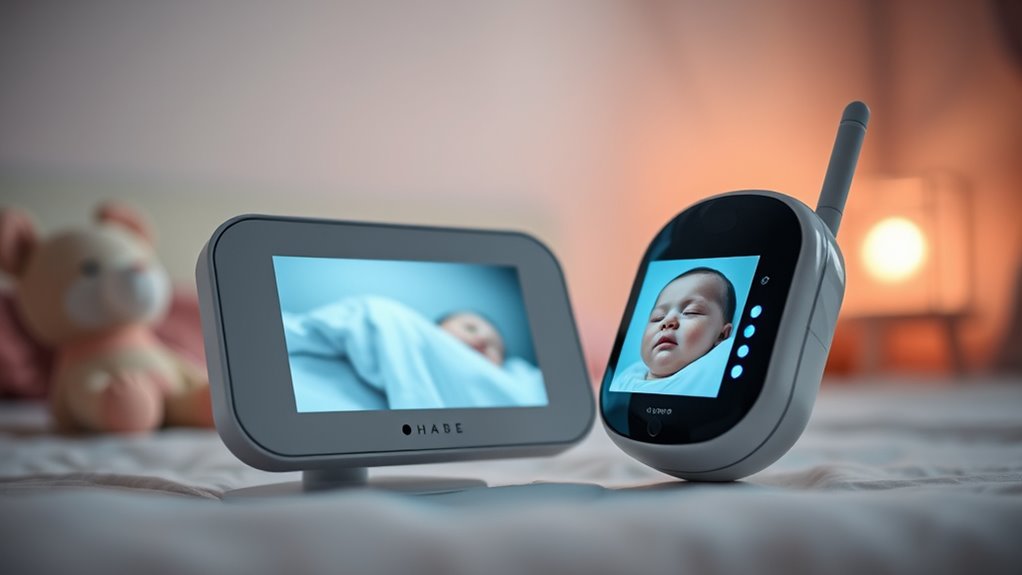

Smart baby monitors range from camera systems with a dedicated parent screen to Wi-Fi cameras and wearable tracking, so the best choice depends on how you want to check in. I’d put the Babysense Touch 7-inch 4MP dual-lens monitor first for its combination of a local screen, app access, two-camera viewing features, and no subscription requirement. The Nanit is a strong fit for families who want a camera-centered sleep setup, while the Owlet Dream Sock serves a different need with wearable monitoring. The main tradeoffs are whether you value a dedicated screen or phone access, one camera or coverage across rooms, and added tracking features or a simpler setup. Read on for the full comparison and help choosing the right monitor for your household.

Get business pricing on tools and workshop supplies
- Business-only prices and quantity discounts
- Tax-exempt purchasing
- Multiple users, one account, clear invoices
Complete the kit


Key Takeaways
- The Babysense Touch 7-inch 4MP dual-lens model is the most versatile pick in this group: it combines app access with a dedicated screen, two-lens viewing, tracking features, and no subscription requirement.
- Two-camera bundles solve a different problem from higher-resolution single cameras. The second Babysense and VTech VM901-2 kits are aimed at viewing more than one sleep space, while the Owlet Dream Sight and Dr.Care VistaView emphasize camera image detail and flexible mounting.
- The lineup includes distinct monitoring approaches. Nanit and most VTech, Momcozy, Dr.Care, and ARENTI options focus on camera feeds; the Owlet Dream Sock adds a wearable, while the Dream Sight is a Wi-Fi camera.
- A dedicated parent display remains a practical differentiator. Several picks pair a handheld screen with an app, which can make routine check-ins easier when a phone is busy or being used by another caregiver.
- Features do not automatically mean a simpler nursery setup. PTZ controls, tracking, Wi-Fi access, wearable components, and multiple cameras can help with specific needs, but each adds setup choices that buyers should match to their routine.
| Babysense Touch 7″ Touchscreen Smart WiFi Baby Monitor |  | Best Overall | Display: 7-inch IPS touchscreen | Camera: 4MP dual-lens | Zoom: 6× hybrid zoom | VIEW ON AMAZON | See Our Full Breakdown |
| Babysense TOUCH 7-Inch Touchscreen Wi-Fi Baby Monitor with Two Cameras |  | Best for Two Rooms | Display: 7-inch IPS touchscreen | Camera count: 2 | Camera resolution: 4MP dual-lens | VIEW ON AMAZON | See Our Full Breakdown |
| Nanit Smart Baby Video Monitor with Floor Stand |  | Best for Sleep Insights | Video resolution: 1080p HD | Connectivity: Wi-Fi | Night vision: Infrared | VIEW ON AMAZON | See Our Full Breakdown |
| Momcozy Smart WiFi Baby Monitor with 5-Inch 1080p Display and Wall Mount |  | Best for Family Sharing | Display: 5-inch, 1080p | Connectivity: 2.4 GHz Wi-Fi or dedicated BM04 parent unit | App alerts: Motion detection and safe-zone alerts | VIEW ON AMAZON | See Our Full Breakdown |
| Owlet Dream Sock Smart Baby Monitor |  | Best for Wearable Vital Tracking | Age range: 1–18 months | Weight range: 6–30 lb | Tracked readings: Pulse rate and oxygen levels | VIEW ON AMAZON | See Our Full Breakdown |
| Dr.Care VistaView 5″ 1080P Smart WiFi Baby Monitor with Camera & Clip Mount |  | Best for Long Battery Life | Screen size: 5 inches | Video resolution: 1080P | Battery capacity: 5000mAh | VIEW ON AMAZON | See Our Full Breakdown |
| 1080P WiFi Baby Monitor with 4″ IPS Screen, PTZ Camera, 2-Way Audio, and Night Vision |  | Best for Dual Local and App Monitoring | Screen size: 4-inch IPS | Camera video: 720P; 1080P display support | Connectivity: 2.4GHz Wi-Fi and FHSS local connection | VIEW ON AMAZON | See Our Full Breakdown |
| Owlet Dream Sight Smart Baby Monitor with 2K HD Wi-Fi Camera |  | Best for Owlet Ecosystem Integration | Video resolution: 2K HD | Night vision: Yes | Zoom: 4x | VIEW ON AMAZON | See Our Full Breakdown |
| VTech Smart WiFi Baby Monitor VM901 with 5″ Screen and 1080p Camera |  | Best for Straightforward Screen and App Viewing | Model: VM901 | Parent screen: 5 inches | Camera resolution: 1080p | VIEW ON AMAZON | See Our Full Breakdown |
| ARENTI Baby Monitor C3 Kit, 3MP WiFi 6 PTZ Camera with 5″ Wireless Display |  | Best for Nursery Coverage and Feeding Reminders | Screen size: 5 inches | Video resolution: 1296p; 3MP sensor | Frame rate: 20 frames per second | VIEW ON AMAZON | See Our Full Breakdown |
| VTech Smart WiFi Baby Monitor with 2 Cameras (VM901-2) |  | Best for Monitoring Two Rooms | Model: VM901-2 | Camera count: 2 | Camera resolution: 1080p | VIEW ON AMAZON | See Our Full Breakdown |
| smart baby monitor | Connectivity |
|---|---|
| Babysense Touch 7" Touchscreen | — |
| Babysense TOUCH 7-Inch Touchsc | — |
| Nanit Smart Baby Video Monitor | Wi-Fi |
| Momcozy Smart WiFi Baby Monito | 2.4 GHz Wi-Fi or dedicated BM04 parent unit |
| Owlet Dream Sock Smart Baby Mo | Bluetooth and 2.4 GHz Wi-Fi |
| Dr.Care VistaView 5" 1080P Sma | — |
| 1080P WiFi Baby Monitor with 4 | 2.4GHz Wi-Fi and FHSS local connection |
| Owlet Dream Sight Smart Baby M | Dual-band Wi-Fi (2.4GHz and 5GHz) and Bluetooth |
| VTech Smart WiFi Baby Monitor | Wi-Fi |
| ARENTI Baby Monitor C3 Kit | Encrypted 2.4GHz FHSS; Wi-Fi app control advertised |
| VTech Smart WiFi Baby Monitor | WiFi |
More Details on Our Top Picks
Babysense Touch 7″ Touchscreen Smart WiFi Baby Monitor
A large local screen and app access make this a flexible pick for parents who want to check the nursery both at home and away. Its 4MP dual-lens camera and 6× zoom offer more viewing detail than the 1080p Momcozy BM04, while AI tracking and focus areas can help keep a moving baby in view. Temperature and humidity sensing, two-way talk, and a night light add useful nursery controls, and no subscription is required. The tradeoff is network and region flexibility: it only works with 2.4 GHz Wi-Fi, and the app is limited to the USA. Unlike the Nanit, it pairs a dedicated touchscreen with app monitoring, but it does not offer the same sleep tracking and insights. A microSD card for local storage is sold separately.
Pros:- 7-inch IPS touchscreen supports convenient local viewing
- 4MP dual-lens camera with 6× hybrid zoom
- Local monitor and remote app access with no subscription
- AI auto tracking, focus areas, and temperature and humidity sensing
Cons:- Does not support 5 GHz Wi-Fi
- App availability is limited to the United States
- microSD card for local storage is not included
Best for: Parents in the United States who want a large dedicated screen, remote app access, and detailed camera features without a monitoring subscription
Not ideal for: Families using only 5 GHz Wi-Fi or living outside the United States, where the app is unavailable
- Display:7-inch IPS touchscreen
- Camera:4MP dual-lens
- Zoom:6× hybrid zoom
- Wi-Fi:2.4 GHz
- Battery life:Up to 20 hours
- Smart features:AI auto tracking, focus areas, and cry detection
- Other features:Night light, two-way talk, temperature and humidity sensing
- Storage and subscription:microSD supported (card not included); no subscription required
Our verdict“Choose this if you want a feature-rich monitor with a large local display and subscription-free app access, and your home uses 2.4 GHz Wi-Fi.”
Babysense TOUCH 7-Inch Touchscreen Wi-Fi Baby Monitor with Two Cameras
Two cameras and a split-screen display give this Babysense set a clear role for parents keeping an eye on a nursery and another room. Compared with the single-camera Babysense Touch 7, it can show two views at once, which may be more convenient than switching feeds when caring for twins or checking a second sleeping space. Each 4MP dual-lens camera has 6× zoom and AI auto tracking, while the 7-inch touchscreen works alongside remote app access. Lullabies, a night light, two-way talk, and temperature and humidity sensing broaden its nursery features, and no subscription is required. Those extras come with setup limits: it requires 2.4 GHz Wi-Fi, the app is USA-only, and the optional microSD card is not included. Battery life is listed inconsistently, so I would not count on a specific runtime.
Pros:- Two cameras support monitoring separate rooms or sleep spaces
- Split-screen viewing on a 7-inch IPS touchscreen
- 4MP dual-lens cameras with 6× zoom and AI auto tracking
- Local and app viewing without a subscription
Cons:- App is available only in the United States
- Does not support 5 GHz Wi-Fi
- microSD storage card is not included, and listed battery-life figures conflict
Best for: US families with twins or two regularly used sleep spaces who want simultaneous views on a dedicated monitor
Not ideal for: Caregivers who need an app outside the United States, use 5 GHz-only Wi-Fi, or want a clearly specified battery runtime
- Display:7-inch IPS touchscreen
- Camera count:2
- Camera resolution:4MP dual-lens
- Zoom:6× hybrid zoom
- Wi-Fi:2.4 GHz; not compatible with 5 GHz
- Battery life:Listed as up to 20 hours in the description and 30 hours in product information
- Smart and nursery features:AI auto tracking, night vision, two-way talk, lullabies, night light, temperature and humidity sensing
- Storage and subscription:Optional microSD card (not included); no subscription required
- App availability:United States only
Our verdict“Pick this two-camera set if you need simultaneous views of two rooms and can use its US-only app on a 2.4 GHz network.”
Nanit Smart Baby Video Monitor with Floor Stand
Sleep tracking and personalized insights set the Nanit apart from monitors focused on camera detail or a dedicated parent screen. Its 1080p Wi-Fi video, infrared night vision, two-way audio, and customizable motion, sound, and environmental alerts cover everyday remote monitoring; the included floor stand also gives families a flexible placement option, with wall mounting available. Compared with the subscription-free Babysense Touch 7, Nanit puts more emphasis on interpreting sleep patterns, but some advanced tools, including Sleep Plan, require a membership. It also relies on Wi-Fi for remote access and does not list a dedicated parent display in the supplied product information. 256-bit AES encryption and access through a smartphone app, Alexa, or Google Home may suit connected households, though families seeking a straightforward local monitor may prefer the Babysense or Momcozy setup.
Pros:- AI-powered sleep tracking and insights
- Customizable motion, sound, and environmental alerts
- Includes a floor stand and also supports wall mounting
- Two-way audio and 256-bit AES encryption
Cons:- Sleep Plan and other advanced features require a membership subscription
- Remote access depends on Wi-Fi
- Product information does not list a dedicated parent display
Best for: Parents who want app-based sleep tracking and insights alongside remote video, and are comfortable relying on Wi-Fi
Not ideal for: Families who want a dedicated parent screen, subscription-free access to advanced sleep tools, or monitoring without Wi-Fi
- Video resolution:1080p HD
- Connectivity:Wi-Fi
- Night vision:Infrared
- Audio:Two-way
- Sleep features:AI-powered sleep tracking and insights
- Alerts:Customizable motion, sound, and environmental alerts
- Mounting:Floor stand and wall mount
- Compatibility and security:Smartphone app, Alexa, and Google Home; 256-bit AES encryption
Our verdict“Choose Nanit if sleep insights matter more to you than a dedicated screen and you accept a subscription for some advanced features.”
Momcozy Smart WiFi Baby Monitor with 5-Inch 1080p Display and Wall Mount
A dedicated parent unit plus app viewing gives the Momcozy BM04 two ways to check in at home, while its support for sharing video with up to 20 family members makes it especially suited to households with several caregivers. Motion and safe-zone alerts can help app users notice activity around a defined area, and recording can run continuously or start with motion. Compared with the Babysense Touch models, its 5-inch 1080p display offers a smaller, lower-resolution view and fewer listed smart camera tools; its advantage is broad video sharing rather than dual-lens zoom or AI tracking. The camera supports 2.4 GHz Wi-Fi or the dedicated BM04 unit, but motion alerts arrive through the app only. Night vision may also be inadequate when the camera sits more than 16 feet from the crib, so placement matters.
Pros:- Dedicated BM04 parent unit and remote app viewing
- Video access can be shared with up to 20 family members
- Motion and safe-zone alerts through the app
- Continuous or motion-activated recording
Cons:- Supports only 2.4 GHz Wi-Fi
- Motion alerts are delivered through the app only
- Night vision may be insufficient beyond 16 feet from the crib
Best for: Families with several caregivers who want shared app access, recording options, and a dedicated parent unit
Not ideal for: Households needing 5 GHz Wi-Fi, app-free motion alerts, or a camera position more than 16 feet from the crib
- Display:5-inch, 1080p
- Connectivity:2.4 GHz Wi-Fi or dedicated BM04 parent unit
- App alerts:Motion detection and safe-zone alerts
- Video sharing:Up to 20 family members
- Recording:Continuous or motion-activated
- Mounting:Wall mount; position at least 24 inches above baby and within 16 feet horizontally of crib
- Certification:FCC
Our verdict“Choose the Momcozy BM04 if multiple caregivers need shared video access and its camera can be placed close to the crib.”
Owlet Dream Sock Smart Baby Monitor
Pulse-rate and oxygen tracking make the Owlet Dream Sock a different kind of smart monitor from the camera systems in this roundup. It sends alerts to the base station and phone when readings fall outside preset zones, while predictive sleep technology aims to help families build routines. That makes it a better fit for caregivers who specifically want wearable readings than the Nanit, which focuses on video and sleep insights, or the Babysense Touch, which pairs a camera with a local display. The sock is designed for babies from 1 to 18 months weighing 6 to 30 pounds, and its battery is listed for up to 16 hours. The tradeoffs are a wearable form factor, 2.4 GHz Wi-Fi requirement, and US-only regional compatibility. Unlike the camera options, it does not provide a listed video feed for visually checking the nursery.
Pros:- Tracks pulse rate and oxygen levels with preset-zone alerts
- Alerts can reach both the base station and phone
- Predictive sleep technology supports routine planning
- 256-bit encrypted data transmission
Cons:- Wearable sock is not a substitute for a video monitor
- Requires 2.4 GHz Wi-Fi rather than 5 GHz
- Region compatibility is limited to the United States
Best for: US caregivers of babies within the stated age and weight ranges who want wearable pulse and oxygen readings with alerts
Not ideal for: Families seeking a video camera, buyers outside the United States, or households with only 5 GHz Wi-Fi
- Age range:1–18 months
- Weight range:6–30 lb
- Tracked readings:Pulse rate and oxygen levels
- Alerts:Preset-zone alerts to base station and phone
- Battery life:Up to 16 hours
- Connectivity:Bluetooth and 2.4 GHz Wi-Fi
- Data encryption:256-bit
- Region compatibility:United States only
Our verdict“Choose the Dream Sock if wearable pulse and oxygen tracking is your priority and your baby fits its stated age and weight range.”
Dr.Care VistaView 5″ 1080P Smart WiFi Baby Monitor with Camera & Clip Mount
The Dr.Care VistaView suits parents who want a dedicated screen with the flexibility of app access, plus a battery that can be replaced instead of retired with the monitor. Its 5-inch 1080P display, 300° rotation and 65° tilt make it easier to check the nursery from the parent unit, while motion and room-climate alerts add useful context. Compared with the VTech VM901, VistaView specifies longer streaming endurance and local SD storage, though VTech also offers app viewing and pan-tilt-zoom. The tradeoff is that local recording needs a separately purchased card, and cloud storage is optional. Its listed range is generous, but real coverage will depend on walls and home layout. This pick makes the most sense for families who value battery flexibility and clear video over included recording storage.
Pros:- 1080P video and night vision provide clear nursery checks in dim conditions
- Removable 5000mAh battery supports up to 11 hours of streaming or 15 hours in VOX mode
- Pan and tilt, plus motion and temperature and humidity alerts, help cover changing nursery conditions
- 256-bit AES encryption and a Wi-Fi-off mode offer flexible privacy settings
Cons:- SD card is not included, and cloud storage is an optional paid feature
- App control depends on Wi-Fi connectivity
- The listed 1279-foot signal range may be reduced by walls and other obstacles
Best for: Families who want a replaceable monitor battery, a dedicated screen, and app access for checking in around the home
Not ideal for: Parents who want recording ready out of the box or prefer a monitor that does not depend on Wi-Fi for app features
- Screen size:5 inches
- Video resolution:1080P
- Battery capacity:5000mAh
- Battery life:11 hours streaming; 15 hours VOX mode
- Camera movement:300° rotation; 65° tilt
- Zoom:2X and 4X
- Storage:Up to 128GB SD card (not included) or cloud
- Connectivity and security:Wi-Fi, app control, 256-bit AES encryption
Our verdict“Choose VistaView if long battery runtime and a replaceable battery matter more to you than included storage.”
1080P WiFi Baby Monitor with 4″ IPS Screen, PTZ Camera, 2-Way Audio, and Night Vision
This monitor’s clearest distinction is its two connection paths: an included screen can use FHSS locally, while Wi-Fi enables app access. That gives parents a way to check the nursery on the parent unit without making every viewing session depend on the router. The 4-inch IPS screen, cry alerts, two-way talk and 340° pan and tilt cover the core needs, though the camera’s listed video resolution is 720P; 1080P refers to display support. Compared with the Dr.Care VistaView, it has a smaller screen and lower specified video resolution, but offers FHSS alongside Wi-Fi and a longer stated battery runtime. Its 2.4GHz-only Wi-Fi and missing stand may complicate placement or app use for some homes. This is a practical fit for parents who want local viewing with optional phone access.
Pros:- FHSS local connection lets the parent unit operate without Wi-Fi
- App access adds remote viewing when connected to a 2.4GHz Wi-Fi network
- Up to 14 hours of battery life supports extended use between charges
- Cry detection, two-way talk and 340° pan and tilt cover useful everyday monitoring needs
Cons:- Camera video is listed as 720P, despite support for a 1080P display
- Stand is not included, which can limit convenient placement
- Wi-Fi app connectivity is limited to 2.4GHz networks
Best for: Parents who want a dedicated monitor connection at home and the option to check in through a 2.4GHz Wi-Fi app
Not ideal for: Buyers seeking full 1080P camera video, a supplied stand, or compatibility with 5GHz-only Wi-Fi networks
- Screen size:4-inch IPS
- Camera video:720P; 1080P display support
- Connectivity:2.4GHz Wi-Fi and FHSS local connection
- Camera movement:340° pan and tilt
- Night vision range:8 meters
- Battery life:Up to 14 hours
- Audio:Two-way talk, cry detection and preset lullabies
- Security:AES encryption; FCC certified
Our verdict“Pick this model if local FHSS viewing and optional app access matter more than higher-resolution camera video.”
Owlet Dream Sight Smart Baby Monitor with 2K HD Wi-Fi Camera
The Owlet Dream Sight is the lineup’s strongest fit for parents who already use, or plan to pair with, the Owlet Dream Sock. Its 2K video and 4x zoom provide more image detail on a phone than the 1080P cameras listed for the Dr.Care VistaView and VTech VM901, while adjustable sound, motion and crying alerts let families tune which events reach the app. Temperature and humidity tracking and automatically saved video clips add context to remote checks. The tradeoff is its reliance on Wi-Fi for connected monitoring, with some features tied to the Sock or an Owlet360 upgrade. Unlike monitors with an included dedicated parent display, the supplied details describe app-based viewing rather than a separate screen. It is a more compelling choice for Owlet households than for buyers seeking a self-contained monitor setup.
Pros:- 2K video, night vision and 4x zoom offer detailed remote viewing
- Customizable sound, motion and crying alerts help tailor notifications
- Temperature and humidity tracking add room context to app checks
- Supports Dream Sock pairing and automatic video clip saving in the Owlet Dream App
Cons:- Connected features require Wi-Fi
- Some features require a Dream Sock or Owlet360 upgrade
- The listed product details do not include a dedicated parent display
Best for: Families using an Owlet Dream Sock who want detailed app video, customizable alerts and saved clips in one ecosystem
Not ideal for: Parents who need a dedicated parent screen, want core monitoring independent of Wi-Fi, or do not want features tied to additional Owlet products
- Video resolution:2K HD
- Night vision:Yes
- Zoom:4x
- Connectivity:Dual-band Wi-Fi (2.4GHz and 5GHz) and Bluetooth
- Alerts:Customizable sound, motion and crying alerts
- Room monitoring:Temperature and humidity tracking
- Video clips:Automatically saved in the Owlet Dream App
- Security and compatibility:256-bit encryption; SGS Cybersecurity Mark; pairs with Owlet Dream Sock
Our verdict“Choose Dream Sight if you want higher-resolution app monitoring that can join an existing Owlet setup.”
VTech Smart WiFi Baby Monitor VM901 with 5″ Screen and 1080p Camera
The VTech VM901 keeps the smart-monitor setup relatively direct: a 5-inch parent screen for at-home viewing, plus a free app for remote checks. Its 1080p camera, automatic night vision and remote pan-tilt-zoom make it easier to scan the nursery without relying on a fixed view, while movement and temperature alerts add basic context. Compared with the Owlet Dream Sight, VTech has a dedicated display included in the described setup, but lower listed video resolution and fewer details about alert customization or saved clips. The key compromise is that the app needs a stable Wi-Fi connection; the provided information does not specify a local FHSS option. Parents who mainly need a clear screen-and-app combination may prefer its straightforward feature set, while those seeking ecosystem integration or more advanced alerts may favor other options.
Pros:- 1080p camera with automatic night vision supports day and night checks
- Dedicated 5-inch parent screen and free app provide two viewing options
- Remote pan, tilt and zoom help scan the nursery from the app
- Movement and temperature alerts add useful monitoring cues
Cons:- Remote app functionality requires a stable Wi-Fi connection
- The supplied details do not specify battery life, storage, or a local FHSS connection
- Listed features offer less detail on customizable alerts than the Owlet Dream Sight
Best for: Parents who want a dedicated 5-inch screen at home and a free app for remote pan, tilt and zoom
Not ideal for: Families without reliable Wi-Fi for app access or those who need confirmed local FHSS viewing when the internet is unavailable
- Model:VM901
- Parent screen:5 inches
- Camera resolution:1080p
- Connectivity:Wi-Fi
- Camera control:Remote pan, tilt and zoom
- Night vision:Automatic
- Alerts:Movement and temperature changes
- App:MyVTech Baby
Our verdict“Choose the VM901 if you want a dedicated screen paired with simple remote app viewing and 1080p video.”
ARENTI Baby Monitor C3 Kit, 3MP WiFi 6 PTZ Camera with 5″ Wireless Display
The ARENTI C3 Kit stands out for combining a wireless 5-inch display with a camera designed to cover a broad nursery view. Its listed 355° pan, -15° to 78° tilt and 6x digital zoom give it wider movement and more zoom than the 300° rotation and 4x zoom listed for the Dr.Care VistaView. Feeding reminders, cry and movement alerts, and one-touch calling add hands-on utility for parents juggling care routines. There is a meaningful connectivity distinction: the description specifies encrypted 2.4GHz FHSS transmission between camera and family units, while Wi-Fi app control and smart-home compatibility are also advertised. The supplied information does not fully explain how those paths relate, so buyers should check which functions need a network. Storage supports a large local card, but the card is not stated as included.
Pros:- 355° pan, broad vertical tilt and 6x zoom help scan a large nursery
- Feeding reminders and cry and movement alerts support routine care
- 5-inch wireless display provides a dedicated viewing option
- Supports up to 256GB local storage and advertises Google Assistant and Alexa compatibility
Cons:- The product details do not clearly explain which features use FHSS versus Wi-Fi
- SD card is not specified as included
- 20 fps video is listed, and the advertised 6x zoom is digital
Best for: Parents who want wide remote camera movement, feeding reminders and a dedicated wireless screen for a larger nursery
Not ideal for: Buyers who need a clearly documented Wi-Fi versus FHSS feature split or want local storage ready without purchasing a card
- Screen size:5 inches
- Video resolution:1296p; 3MP sensor
- Frame rate:20 frames per second
- Camera movement:355° pan; -15° to 78° tilt
- Zoom:Up to 6x digital
- Connectivity:Encrypted 2.4GHz FHSS; Wi-Fi app control advertised
- Storage:Up to 256GB local storage; cloud storage supported
- Additional features:Cry and movement alerts, feeding reminders, two-way talk, Google Assistant and Alexa compatibility
Our verdict“Pick the C3 Kit if broad camera movement and feeding reminders matter more than a simpler, fully documented connection setup.”
VTech Smart WiFi Baby Monitor with 2 Cameras (VM901-2)
Two cameras and a split-screen display give this VTech a clear role: keeping two rooms or children visible at once. Its 5-inch parent unit provides a direct viewing option, while the MyVTech Baby app adds remote access and caregiver sharing. Compared with the single-camera VTech Smart WiFi Baby Monitor VM901, this model covers a second space without requiring another monitor. Each 1080p camera can pan, tilt, and zoom, which helps adjust the view as a child moves around the room. Two-way talk, night vision, and motion and temperature alerts add useful ways to check in. The tradeoff is reliance on WiFi for app features, and the 5-inch screen gives less viewing room than the 7-inch Babysense options. Families needing one camera or a larger display may prefer those alternatives.
Pros:- Two cameras and split-screen viewing cover two rooms at once
- Separate pan, tilt, and zoom controls help adjust each camera’s view
- A 5-inch parent unit and app offer both local and remote viewing
- Night vision, two-way talk, and motion and temperature alerts support flexible check-ins
Cons:- Remote app viewing and caregiver sharing require WiFi
- The 5-inch display is smaller than the 7-inch Babysense monitors in the roundup
Best for: Parents monitoring two children or rooms who want both a dedicated screen and app access for sharing with caregivers
Not ideal for: Families who need monitoring away from WiFi or prefer a larger parent display than five inches
- Model:VM901-2
- Camera count:2
- Camera resolution:1080p
- Parent unit screen:5 inches
- Connectivity:WiFi
- Camera movement:Pan, tilt, and zoom
- Viewing:Split-screen
- Additional features:Night vision, two-way talk, app control
Our verdict“Choose this VTech if you need to watch two rooms on one split-screen monitor and want app access for caregivers.”

How We Picked
I compared these 11 smart baby monitors by how well their stated features address everyday nursery needs: checking the video feed, hearing a child, viewing more than one sleep space, and choosing between a phone and a dedicated display. I also looked at camera resolution and movement features, mounting options, wearable monitoring, and whether a product states that it avoids a subscription. These details matter because a sharper image cannot compensate for a setup that does not suit the room or the caregivers using it.
The order favors versatility and clear tradeoffs. The dual-lens Babysense Touch ranks first because it brings together a dedicated screen, app access, and a broad camera feature set without a subscription. Other products rank higher for narrower needs, such as a wearable, a wall or clip mount, or a two-camera kit. I treated feature claims as product specifications rather than proof of medical performance or a guarantee of uninterrupted connectivity.
Factors to Consider When Choosing Smart Baby Monitors
Before choosing a smart monitor, decide how you expect to use it across an ordinary night and daytime naps. Room layout, caregiver habits, and the kind of information you want can matter more than a long feature list. These broader questions can help narrow the options before comparing individual models.
Choose Between a Parent Screen and Phone-Only Viewing
A dedicated parent display gives caregivers a separate way to check video without tying up a phone. Phone access can be more convenient when you are away from the nursery or sharing access with another caregiver, but it depends on app setup and network access. Some products in this roundup combine both approaches, which offers flexibility at the cost of managing two interfaces. Think about where the monitor will sit overnight and whether the phone is likely to be on silent, charging elsewhere, or in use. A common mistake is to assume that Wi-Fi access alone means every caregiver will find check-ins easy. Choose the viewing method that fits your household’s routine, then treat the other method as a useful extra.
Plan Camera Coverage Around the Room
Camera placement shapes what you can see more than a resolution number does. A fixed wall mount may suit a crib with a clear sightline, while a clip mount or stand can help when the room layout may change. PTZ movement lets a caregiver adjust the view remotely, but it does not replace a well-positioned camera or guarantee that every area stays visible. If you need to monitor two sleep spaces, compare a bundled two-camera kit with buying separate cameras and check how the display presents both feeds. Consider power access and where cables can be routed safely before settling on a mount. The best camera setup is the one that gives a useful view without making placement a recurring task.
Separate Camera Monitoring From Wearable Tracking
A video monitor shows the room, while a wearable such as a smart sock adds a device worn by the child and a different kind of tracking. Those approaches answer different questions, so buyers should be clear about which information they want and how they plan to use it. Wearables bring added steps, including fitting, charging, and keeping the device in place; camera systems instead depend on sightlines and a powered camera. Do not choose a wearable solely because it sounds more advanced if your main need is to see or hear the nursery. Check the product’s stated function and instructions, and do not treat consumer monitoring features as a substitute for medical advice. This distinction helps avoid paying for a monitoring approach that does not match your priorities.
Check Connectivity and Your Household’s Backup Plan
Wi-Fi features can make remote viewing and app access possible, but their usefulness depends on your home network and the way the product handles connection loss. A monitor with a dedicated display may offer a separate local viewing path, though buyers should confirm how that screen connects to its camera. Before purchase, check whether setup requires a particular app, account, or network band and whether the intended caregivers can use it. Think through what you would do if the router loses power or the internet drops during a nap. Avoid assuming that the word “smart” means the product will work identically with every phone or network. Matching the monitor to your connectivity needs can prevent frustrating setup surprises.
Decide Which Features You Will Actually Use
Zoom, night vision, two-way audio, motion controls, tracking, and split-screen viewing can each help in specific circumstances. Their value depends on whether they solve a real problem in your nursery, such as checking two sleep spaces or adjusting a view without entering the room. Every added feature can also mean more controls to configure and learn. Make a short list of the tasks you need the monitor to handle, then treat everything else as optional. Buyers often focus on the largest feature count and overlook ease of use for other caregivers. A simpler model can be the better fit when it covers the core routine reliably and is easy for everyone to operate.
Compare Ongoing Requirements, Not Just the Camera
A monitor’s ownership demands can include app accounts, software updates, charging, camera placement changes, and recurring service requirements. If avoiding a subscription is a priority, look for an explicit statement about what features work without one and whether any optional service changes the experience. For a wearable, factor in the repeated work of charging and fitting; for a multi-camera kit, consider the extra placement and power needs. Check what is included in the box instead of assuming every mount or accessory is supplied. These practical details can shape long-term satisfaction more than a feature that is used only occasionally. Choose a setup whose maintenance fits the time and attention your household can give it.
Frequently Asked Questions
Should I choose a smart monitor with a dedicated screen or one that relies on an app?
Choose a dedicated screen if you want a separate display available for routine checks without opening a phone app. App access is useful for caregivers who need to view the nursery away from the monitor, but it brings phone, account, and network considerations. Several options here combine a parent display with Wi-Fi app access, giving households both paths. Before deciding, check how the product behaves if Wi-Fi is unavailable and whether its local display still works. Your household’s actual check-in habits should guide this choice more than the number of connectivity features.
When does a two-camera bundle make more sense than a single-camera monitor?
A two-camera bundle makes sense when you want to watch two sleep spaces or need different views without moving one camera. The Babysense and VTech bundles in this lineup are designed around that kind of coverage. A single camera can be the simpler choice for one crib, especially if you want to focus on placement, resolution, or camera movement. Check whether the parent display can show both feeds at once or requires switching between them, since that affects how useful a second camera feels. Also plan for the extra power and mounting needs before choosing a bundle.
Is the Owlet Dream Sock a replacement for a video baby monitor?
The Dream Sock is a wearable monitoring option, so it serves a different purpose from a camera that shows the nursery. It does not provide the same visual room check as the camera models in this roundup. A family interested in both wearable information and seeing or hearing the child may want to compare it with a camera setup, while a camera alone may meet the needs of caregivers who want video and audio. Review the sock’s stated functions, fit requirements, and instructions before relying on it. Do not treat consumer monitoring as a substitute for medical care or professional guidance.
Do I need a 2K or 4MP camera to monitor a crib?
Higher stated resolution can provide more image detail, but it is only one part of a useful view. Camera distance, angle, night vision, display quality, and the size of the screen all affect what you can see. This roundup includes high-resolution options such as the Babysense dual-lens model and Owlet Dream Sight, alongside monitors built around other strengths like multiple cameras or a dedicated display. Consider whether you need extra detail for your room and viewing distance rather than assuming the largest number is automatically best. A well-placed camera with a clear sightline may matter more for everyday checks.
What should I check before buying a Wi-Fi baby monitor for a caregiver?
Check how the caregiver receives access, whether an account or app is required, and which phones the app supports. If the monitor includes a dedicated display, confirm whether that display works independently of internet access or still relies on the home network. Also consider who will manage notifications, camera settings, and access if several caregivers share monitoring duties. A monitor that fits one person’s phone habits may be awkward for another caregiver to use. Agreeing on a simple access and check-in routine before setup can prevent confusion later.
Conclusion
For most households, I’d start with the Babysense Touch 7-inch 4MP dual-lens monitor as the best overall choice because it combines a parent display, app access, camera versatility, and a stated no-subscription approach. The second Babysense TOUCH with two cameras is the best value-style fit for buyers whose priority is covering more than one sleep space, while the Nanit is my best premium pick for families focused on a camera-centered sleep setup. For beginners, the VTech VM901 with a 5-inch screen is a straightforward place to start if a familiar screen-and-camera format suits the nursery. Choose the Owlet Dream Sock for wearable monitoring needs, or the Dr.Care VistaView if a clip mount better fits your placement plan. My shortlist depends on the job: choose the monitor whose screen, camera count, mounting, and ongoing setup match how your family will actually check in.