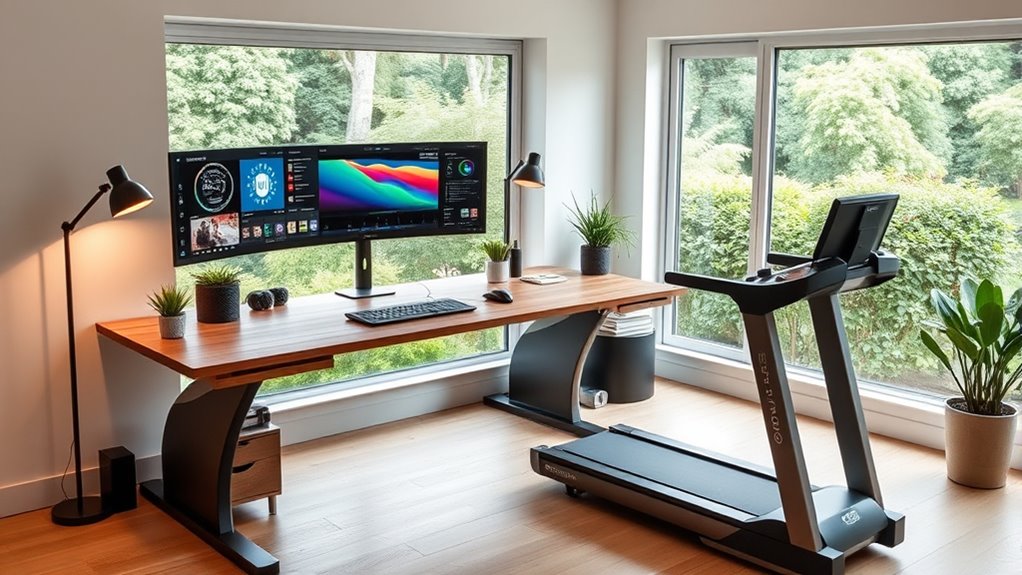
Smart treadmill desk setups pair an under-desk walking pad or treadmill with a workstation so you can rack up steps during meetings and email sessions, and the category has split into two very different approaches: all-in-one bundles like the UREVO Foldable Treadmill with Adjustable Desk that include the desk, and mix-and-match walking pads like the UREVO CyberPad with 14% auto incline paired with your own rolling desk. The UREVO CyberPad stands out as the best overall pick because its steep auto incline turns low-speed walking into real calorie burn, while the Hccsport 3-in-1 earns the best-value nod by bundling a removable desk and wristband remote at a lower complexity level. The core tradeoff you’ll face is between integrated convenience and walking performance — bundles are tidy but often have weaker motors, while separate pads and rolling desks like the WINAZ 32-inch offer more flexibility but demand more floor space planning. Incline range, motor noise, and weight capacity separate the winners from the filler. Read on for the full breakdown of all 15 setups.

Get business pricing on tools and workshop supplies
- Business-only prices and quantity discounts
- Tax-exempt purchasing
- Multiple users, one account, clear invoices
Complete the kit

Key Takeaways
- Auto incline was the biggest differentiator in this lineup: the UREVO CyberPad (14%) and the 12% models from UREVO, TRAILVIBER, and the BLDC walking pad burned noticeably more effort-equivalent calories at the same slow office walking speeds than fixed-incline pads like the Cybergoing T10.
- 3-in-1 bundles (HomeTro, Hccsport, Acezoe) won on convenience and price but consistently carried the weakest tradeoff: removable desks that wobble at typing height and lower weight capacities than standalone pads.
- The two rolling desks (WINAZ and the Adjustable Height Mobile Standing Desk) only make sense as part of a setup — they justify their spot by fixing the biggest problem with bundled desks, which is poor ergonomics for taller walkers.
- 300-lb capacity models (Superun pair) were the only realistic choice for heavier buyers; most walking pads in this roundup capped at 265 lbs or below.
- Motor quality mattered more than headline horsepower: the Cybergoing T10’s Bosch motor and the BLDC motor on pick #6 stayed quieter at 2-3 MPH than higher-HP competitors, which is the difference between a workable Zoom call and an unworkable one.




| smart treadmill desk setup | Weight Capacity | Motor | Incline |
|---|---|---|---|
| UREVO Foldable Treadmill with | 300 lb | Dual brushless, 3 hp max | — |
| Walking Pad with QuietClimb 8% | 265 lbs | 2.5 HP | 8% |
| HomeTro 3-in-1 Foldable Treadm | — | 3.0 HP | 7% |
| Superun 2.5HP Walking Pad Trea | 300 lbs | 2.5 HP | 6% |
| Cybergoing T10 Walking Pad Tre | 300 lb | Bosch | Fixed 7%, manual |
| Walking Pad Treadmill with 12% | 300 lbs | 3.5HP BLDC EvoDrive | Up to 12% automatic, 12 levels |
| Superun Walking Pad Treadmill | 300 lbs | 3.0 HP | 9% |
| Hccsport 3-in-1 Under Desk Tre | 300 lbs | 3.5 HP | Adjustable |
| WINAZ Rolling Standing Desk wi | 100 lbs | — | — |
| UREVO CyberPad Smart Walking P | — | 2.5 HP brushless | — |
| Adjustable Height Mobile Stand | 200 pounds | — | — |
| TRAILVIBER Walking Pad Treadmi | 450 lbs | — | 0–12% automatic |
| Acezoe 3-in-1 Under Desk Tread | 300 lbs | 2.5 HP | 0–10% manual |
| RJOP 2.5 HP Walking Mat Treadm | — | — | — |
| UREVO Smart 11% Incline Walkin | — | — | — |
More Details on Our Top Picks
UREVO Foldable Treadmill with Adjustable Desk and 12% Auto Incline
This pick makes the most sense for buyers who want a single machine that does everything: walk, run, climb, and work. The 12% auto incline is the standout here — none of the other treadmill desks in this lineup climb higher, and unlike the Cybergoing T10’s fixed 7% ramp, the incline adjusts on the fly so interval hill workouts are actually possible. The height-adjustable desk and handlebar let one machine serve a 5’2″ walker and a 6’1″ runner without compromise, something the Superun and QuietClimb pads simply can’t do since they lack work surfaces entirely. The tradeoff is real: at 75 pounds, this is the heaviest option in this batch, so it works best as a semi-permanent fixture rather than a pad you slide under the sofa each evening.
Pros:- 12% auto incline is the highest in this batch and adjusts mid-workout
- Adjustable desk and handlebar heights fit a wide range of users and postures
- 0.6–7.6 mph range genuinely supports running, not just walking
- Shock-absorbing deck reduces joint stress at higher speeds
Cons:- 75 lb weight makes moving or repositioning it a two-person chore
- Corded power requirement limits where you can place it
- Larger footprint than pure walking pads when unfolded
Best for: Remote workers who want one machine covering walking, running, and incline training alongside a full laptop workflow
Not ideal for: Apartment dwellers who need to stow their treadmill daily — the 75 lb frame makes frequent relocation impractical
- Speed Range:0.6–7.6 mph
- Max Incline:12% (auto)
- Motor:Dual brushless, 3 hp max
- Weight Capacity:300 lb
- Dimensions:52.4 × 24.6 × 6.1 in
- Unit Weight:75 lb
- Desk:Adjustable-height laptop desk
- Connectivity:App control
Our verdict“If you only want to buy one machine for both fitness and work, this is the most complete smart treadmill desk setup in the batch.”
Walking Pad with QuietClimb 8% Incline, 2.5HP Quiet Under-Desk Treadmill
Where the UREVO doubles as a full running machine, this walking pad is built around one idea: staying quiet enough to use during a video call. Operation under 45 dB means colleagues won’t hear it over a headset, which matters more than raw speed for anyone actually working while walking. The 8% incline punches above its price class for intensity — steeper than the Superun’s 6% and only a step behind the HomeTro’s 7% — so calorie burn stays respectable even at a 4 mph ceiling. Storage is the other strength: it slides under desks, sofas, and beds, where the UREVO’s bulk never could. The compromise is capacity and pace: 265 lbs max and a 4 mph top speed rule out taller runners and heavier users entirely.
Pros:- Under 45 dB operation is genuinely call-friendly
- 8% incline adds real intensity at walking pace
- Slides under desks, sofas, and beds for storage
- Remote and LED display keep speed adjustments effortless mid-task
Cons:- 4 mph top speed prevents anything faster than a brisk walk
- 265 lb weight capacity is the lowest in this batch
- 15 × 35.4 in belt feels cramped compared with the UREVO’s full deck
Best for: Remote workers in apartments or shared offices who need near-silent walking during calls and easy under-furniture storage
Not ideal for: Users over 265 lbs or anyone who wants to jog — the speed ceiling and capacity are hard limits
- Incline:8%
- Motor:2.5 HP
- Noise Level:Under 45 dB
- Speed Range:1.0–4.0 mph
- Weight Capacity:265 lbs
- Belt Size:15 × 35.4 in, 6-layer shock-absorbing
- Controls:Remote + LED display
Our verdict“The quietest, most office-friendly pick here — buy it for silent walking, skip it if you ever want to run.”
HomeTro 3-in-1 Foldable Treadmill with Removable Desk, 7% Incline
Compared with the UREVO, the HomeTro offers a similar walk-run-work formula at a friendlier footprint, with a twist the others lack: a removable desk with cup and phone holders that detaches when you want a clean running session. The 270° rotating adjustable handlebar is a smarter ergonomic detail than fixed bars — you can angle it out of the way for under-desk walking or up for a 7.5 mph run. One design quirk shapes the whole experience, though: speed drops to 4 mph whenever the handlebar is lowered, so walking-mode users never access the upper range. The 7% incline trails the UREVO’s 12%, but the dual LED displays and safety lock give it a more finished feel than the bare-bones Superun. The desk itself suits a laptop or tablet, not a dual-monitor setup.
Pros:- Removable desk with cup and phone holders detaches for pure workouts
- 270° rotating adjustable handlebar adapts to walking and running postures
- Four workout modes plus dual LED displays and app connectivity
- Safety lock and quiet 3.0 HP motor suit family households
Cons:- Handlebar-down mode caps speed at 4 mph
- 7% incline ceiling trails the UREVO’s 12%
- Desk surface too small for multi-monitor work setups
Best for: Budget-conscious buyers who want walk, run, and work modes in one foldable machine without paying for the UREVO’s 12% incline
Not ideal for: Heavy multitaskers with external monitors or large peripherals — the detachable desk is laptop-scale only
- Motor:3.0 HP
- Speed Range:0.6–7.5 mph (raised), 0.6–4 mph (lowered)
- Incline:7%
- Belt Size:15.75 × 39.37 in
- Handlebar:Adjustable 32.7–38.6 in, 270° rotation
- Desk:Removable, with cup and phone holders
- Controls:Magnetic remote + Bluetooth app
- Safety:Safety lock
Our verdict“The most flexible under-$400-feeling bundle in the batch — ideal if you want workstation convenience without flagship pricing.”
Superun 2.5HP Walking Pad Treadmill with 6% Incline, 300 lb Capacity
At 35 pounds, the Superun weighs less than half of the HomeTro and roughly half of the UREVO, and that changes who it’s for: this is the pick for people who roll the treadmill out and back every single day. It arrives fully assembled and stands under four inches tall, so it disappears under a bed faster than anything else here. Unusually for a walking pad, it adds side support rails — a stability feature the handrail-free Cybergoing T10 omits entirely, which matters if balance is any concern. The 6% incline is the gentlest in this batch, and the 3.8 mph ceiling sits below even the QuietClimb’s 4 mph, so this is strictly a walking machine. Interactive workouts also hinge on the PitPat app, so anyone who avoids app ecosystems gets a plainer experience.
Pros:- 35 lb frame with sub-4-inch profile stores almost anywhere
- No assembly required — usable out of the box
- Side support rails offer stability the rail-free Cybergoing lacks
- 300 lb capacity despite the lightweight build
Cons:- 3.8 mph top speed is the lowest in this batch
- Interactive events and races require PitPat app connection
- 6% incline is the shallowest here, limiting intensity gains
Best for: Users with limited space who store the treadmill daily and value grab-rail stability over speed or steep incline
Not ideal for: Data-averse buyers — virtual races and interactive features depend on the PitPat app
- Incline:6%
- Motor:2.5 HP
- Speed Range:0.6–3.8 mph
- Weight Capacity:300 lbs
- Unit Weight:35 lbs
- Profile Height:3.94 in
- Noise Level:Under 45 dB
- Assembly:None required
Our verdict“The easiest treadmill in this roundup to live with day-to-day — choose it for portability and rails, not for pace.”
Cybergoing T10 Walking Pad Treadmill with Bosch Motor, 7% Fixed Incline
The T10 takes the opposite approach from the HomeTro and UREVO: no desk, no handrails, no folding hardware — just a slim belt driven by a Bosch motor, a brand-name component none of the other picks can claim. The fixed 7% manual incline is its defining trait: every step burns more than flat walking, and there’s no motorized incline mechanism to fail, but you also can’t level it out on days you want an easy stroll. Pair it with any standing desk you already own — including the wheeled WINAZ model elsewhere in this roundup — and you get a workstation without paying for a built-in desk you may not need. Without handrails, though, it demands confident balance, unlike the rail-equipped Superun, and the 4 mph ceiling keeps it firmly in walking territory. The 12-month warranty adds reassurance for the motor-driven decision.
Pros:- Bosch motor is the only brand-name drive in this batch
- Fixed 7% incline guarantees elevated calorie burn every session
- Slim handrail-free design pairs cleanly with any existing standing desk
- 300 lb capacity plus 12-month warranty
Cons:- Incline is fixed and set manually — no flat or adjustable option
- No handrails, which limits stability compared with the Superun’s rails
- 4 mph maximum rules out jogging entirely
Best for: Buyers who already own a standing desk and want a no-frills, always-inclined walking belt built around a proven motor
Not ideal for: Anyone with balance concerns or users who want flat walking days — no handrails and a fixed incline leave no flexibility
- Motor:Bosch
- Incline:Fixed 7%, manual
- Speed Range:0.6–4 mph
- Weight Capacity:300 lb
- Belt Size:15 × 36 in
- Handrails:None
- Controls:App + remote
- Warranty:12 months
Our verdict“The leanest, most fitness-forward walking pad here — right for desk-owning walkers who want a permanent hill, wrong for anyone who wants flexibility.”
Walking Pad Treadmill with 12% Auto Incline, 12 Levels, Quiet BLDC Motor
This walking pad earns its spot for one standout trait: a BLDC EvoDrive motor running under 30dB, which makes it one of the quietest options in this lineup. Compared with the Superun 3.0 HP, which is rated below 55dB, this model is the safer bet for shared offices or calls where even faint humming is distracting. The 12-level automatic incline up to 12% is generous for a walking pad, letting you raise your heart rate without increasing speed — useful since the 5 MPH cap rules out real running. The extra-wide 40″ x 16″ belt and Quadra Cushion shock absorption make long walking sessions easier on knees than narrower pads like the UREVO CyberPad.
Pros:- Ultra-quiet motor under 30dB is genuinely office-call friendly
- 12% auto incline across 12 levels adds real workout variety at walking speeds
- Extra-wide 40″ x 16″ belt improves stability and safety
- Quadra Cushion system reduces joint impact during long sessions
Cons:- 5 MPH max speed limits it to walking and light jogging only
- No app connectivity or smart training features despite the premium motor
Best for: Remote workers and office professionals who take calls while walking and need near-silent operation
Not ideal for: Runners or anyone wanting jogging speeds — the 5 MPH ceiling keeps this strictly a walking machine
- Incline:Up to 12% automatic, 12 levels
- Motor:3.5HP BLDC EvoDrive
- Noise Level:Under 30dB
- Max Speed:5 MPH
- Weight Capacity:300 lbs
- Running Belt:40″ x 16″
- Display:LED with memory resume
- Cushioning:Quadra Cushion, 5-layer shock-absorbing belt
Our verdict“If silence is your top priority in a shared workspace, this is the walking pad to beat — as long as you never plan to run.”
Superun Walking Pad Treadmill with Incline, 3.0 HP, 300 lb Capacity
Where most walking pads ask you to live with a machine permanently parked under your desk, this Superun folds down to just 5.45 inches, sliding under a sofa or bed when not in use. That makes it more apartment-friendly than the Hccsport 3-in-1, which folds but weighs roughly 84 lbs. The 0.6–7.5 MPH speed range covers walking through light running, giving it more range than the 30dB Walking Pad’s 5 MPH cap, though serious runners will still hit the ceiling. It arrives fully assembled with remote and smartphone control, plus PitPat app connectivity — but that app-gated experience is the tradeoff: buyers who just want to walk without account setup may find it annoying.
Pros:- Folds to 5.45 inches for genuine under-bed storage
- 0.6–7.5 MPH range supports walking, jogging, and light running
- No assembly required, with remote and smartphone control
- Silicone shock absorbers and anti-skid belt keep noise below 55dB
Cons:- Requires PitPat app activation for full smart features
- 9% fixed-ish incline design won’t suit users who prefer a flat deck
Best for: Apartment dwellers with limited storage space who want walk-to-jog flexibility without a permanent floor footprint
Not ideal for: Buyers who dislike app-mandatory setups — full smart features require PitPat activation
- Motor:3.0 HP
- Speed Range:0.6–7.5 MPH
- Incline:9%
- Weight Capacity:300 lbs
- Folded Height:5.45 inches
- Noise Level:Below 55 dB
- App:PitPat via Bluetooth
- Assembly:None required
Our verdict“The most storage-friendly pick here for small apartments, provided you accept the app-first setup and modest top speed.”
Hccsport 3-in-1 Under Desk Treadmill with Incline, Removable Desk Workstation, and Wristband Remote Control
This is the only product in this batch that arrives as a complete walking workstation — treadmill plus removable desk in one package — which removes the guesswork of matching a pad to a separate standing desk like the WINAZ Rolling Desk. The wristband remote is a genuinely smart touch, letting you adjust speed without hunting for a handheld remote mid-email. With 8 MPH top speed, 12 HIIT programs, adjustable incline, and six shock absorbers, it covers more workout variety than the incline-focused UREVO CyberPad. The catch is bulk: at roughly 84 lbs and 27 inches wide, it’s the least portable option here, and the 16.5-inch belt may feel cramped for taller walkers with longer strides.
Pros:- Removable desk workstation creates a true walking office in one purchase
- Wristband remote keeps speed control hands-free while typing
- 12 built-in HIIT programs and adjustable incline add workout variety
- Pre-lubricated belt means zero maintenance at first use
Cons:- At ~84 lbs, it’s heavy to move despite the wheels
- 16.5-inch belt width feels cramped for taller users
- 8 MPH cap limits serious running
Best for: First-time treadmill-desk buyers who want a matched treadmill-plus-desk solution out of one box
Not ideal for: Tall users or anyone with tight floor space — the 84 lb frame and 16.5-inch belt width work against both
- Motor:3.5 HP
- Max Speed:8 mph
- Weight Capacity:300 lbs
- Running Belt:42.5 in L x 16.5 in W
- Programs:12 HIIT modes
- Incline:Adjustable
- Remote:Wristband remote control
- Unit Weight:Approx. 84 lbs (38 kg)
Our verdict“The simplest path to a complete walking workstation, best for buyers who value one-box convenience over portability.”
WINAZ Rolling Standing Desk with Wheels, 32″ Adjustable Height Portable Teacher Desk
Not every smart treadmill desk setup needs the treadmill and desk bundled together — and that’s this product’s whole argument. Pair the WINAZ with any walking pad here (the Superun foldable or the 30dB Walking Pad are natural matches) and you get a cheaper, more flexible workstation than the all-in-one Hccsport. The four-wheel caster base lets you roll the whole setup between rooms, and the 30.7–41.9 inch height range handles sitting, standing, and treadmill walking positions. The compromises are real, though: a 32-inch surface fits a laptop but not a dual-monitor rig, and the particleboard top won’t feel as solid as the metal-and-wood desks higher up this list.
Pros:- Four-wheel casters make repositioning between rooms effortless
- 30.7–41.9 inch height range works for sitting, standing, and walking
- 100 lb capacity easily handles a monitor, laptop, and accessories
- Scratch-resistant, waterproof surface survives daily coffee-spill risk
Cons:- 32-inch desktop is too small for multi-monitor setups
- Particleboard construction feels less durable than solid alternatives
Best for: Buyers who already own a walking pad and want an affordable, mobile desk to pair with it
Not ideal for: Multi-monitor power users — the 32-inch top and 100 lb capacity cap won’t support a full workstation
- Desktop Size:32 inches
- Height Range:30.7 to 41.9 inches
- Height Settings:4 fixed settings
- Mobility:4-wheel casters
- Weight Capacity:100 lbs
- Material:Particleboard top, metal frame
- Assembly:Required; manual and tools included
Our verdict“The most cost-effective way to build a custom treadmill desk around a pad you already own — just keep your monitor count to one.”
UREVO CyberPad Smart Walking Pad with 14% Auto Incline
If the “smart” in smart treadmill desk matters most to you, this is the pick. The UREVO app goes beyond basic stats with virtual routes, AI music syncing, custom goals, and rankings — a richer ecosystem than the Superun’s PitPat app, which leans more on basic tracking. The 14% automatic incline is the steepest in this batch, edging out the 30dB Walking Pad’s 12% for calorie burn at identical speeds, and speed-responsive lighting adds a level of feedback no other pad here offers. The tradeoff is transparency: UREVO publishes no belt dimensions, weight capacity, or warranty details, so larger buyers should verify fit before committing — the Superun is far clearer on its 300 lb rating.
Pros:- 14% auto incline is the steepest in this lineup
- App offers virtual routes, AI music, goals, and rankings for engagement
- Speed-responsive lighting gives instant pace feedback
- Brushless motor rated under 35dB with a 6,000-hour lifespan
Cons:- No published dimensions, weight capacity, or warranty details
- Calorie-burn claims are promotional and will vary by user
Best for: Data-driven walkers who want app-based coaching, virtual routes, and gamified goals to stay motivated
Not ideal for: Heavier users or spec-checkers — the missing weight capacity and dimension data make this a leap of faith
- Motor:2.5 HP brushless
- Maximum Incline:14% automatic
- Noise Level:Less than 35 dB
- Motor Lifespan:At least 6,000 hours
- App Features:Workout tracking, virtual routes, AI music, goals, rankings
- Controls:Digital controller and LED remote
Our verdict“The most engaging software experience of any pad here — buy it for the app and incline, but confirm the specs fit your body first.”
Adjustable Height Mobile Standing Desk with Wheels
If you already own a walking pad like the TRAILVIBER or RJOP, this rolling desk is the cheapest way to complete a treadmill-desk setup. The 31–43 inch height range spans sitting to standing, so one desk can serve a treadmill session and a regular desk chair afterward. Compared with buying a bundled treadmill-desk combo like the Acezoe 3-in-1, this route means you can upgrade either half independently — a real advantage if your treadmill dies before your desk does. The 32 × 16-inch surface fits a laptop and monitor, and the waterproof top handles sweat and coffee spills. The tradeoff is durability: a 200-pound capacity is fine for electronics, but this is a lighter-duty desk than the WINAZ rolling desk, and there’s little verified feedback on long-term stability at full height while you’re walking.
Pros:- Height range covers both sitting and standing use
- Lockable wheels let you reposition or anchor the desk easily
- Roomy 32 × 16-inch surface fits a monitor and laptop
- Waterproof top resists sweat and spills
Cons:- No verified track record on stability while walking at full extension
- Lighter build quality than premium rolling desks
Best for: Buyers who already own a walking pad and need an affordable, movable desk to complete their setup
Not ideal for: Anyone wanting a verified, wobble-free desk for vigorous typing at full standing height — stability details are unproven
- Height Range:31–43 inches
- Desktop Dimensions:32 × 16 inches
- Weight Capacity:200 pounds
- Wheels:4 lockable rollers
- Surface:Waterproof
- Assembly:Tools and instructions included; est. 5–10 minutes
Our verdict“A sensible low-cost desk half for a DIY treadmill desk, provided you accept unverified long-term stability.”
TRAILVIBER Walking Pad Treadmill with 12% Auto Incline
The standout spec here is the 450-pound weight capacity — far above the 270–300 pound limits on the RJOP and Acezoe, and paired with a reinforced steel frame and a 3-year warranty. The 0–12% automatic incline matches the UREVO CyberPad’s range but adjusts on its own, unlike the Acezoe’s manual lever, so you can climb mid-work-call without stepping off. Smart features are included without a subscription: the FitYo app offers 100+ coach-led courses, and built-in Bluetooth audio keeps the experience engaging. Tradeoffs exist, though. Published specs omit maximum speed and folded dimensions, so runners and small-space buyers are buying partly blind, and calorie counts are sensor estimates rather than measured output.
Pros:- 450 lb capacity is the highest in this lineup
- Automatic 0–12% incline adjusts mid-workout
- FitYo app courses and Bluetooth audio included with no subscription
- Cushioned double-deck belt with 4 silicone absorbers
Cons:- Maximum speed and folded dimensions are not published
- Calorie data is estimate-based rather than measured
Best for: Heavier users over 300 pounds who want an auto-incline walking pad with a long warranty
Not ideal for: Runners and tight-space buyers who need confirmed top speed and fold-down dimensions before committing
- Incline:0–12% automatic
- Weight Capacity:450 lbs
- Audio:Built-in Bluetooth speaker
- App:FitYo with 100+ coach-led courses; no subscription
- Cushioning:Double-deck, 4 silicone absorbers, 5-layer anti-slip belt
- Display:RGB LED tracking speed, calories, time, distance, incline
- Warranty:3 years
Our verdict“The strongest pick for bigger riders who want auto-incline training and app coaching without recurring fees.”
Acezoe 3-in-1 Under Desk Treadmill with Incline and Removable Desk
This is the only product in this batch that arrives as a complete walking-and-working system: treadmill plus removable desk in one box. That matters if you don’t want to source a separate rolling desk like the Adjustable Height Mobile Standing Desk and worry about height matching. The adjustable handlebar and 12 workout programs give it more workout structure than the RJOP, and the foldable frame with wheels helps it tuck away. The key compromise is the manual 0–10% incline — you set it by hand, unlike the automatic systems on the TRAILVIBER or UREVO Smart, which interrupts workflow. At 56.9 pounds, it’s heavier than the UREVO Smart’s 44 pounds, and the 40 × 16.3-inch belt is compact for genuine running. Still, for workday walking, the integrated desk is hard to beat.
Pros:- Removable desk creates a true work-while-walking station out of the box
- Adjustable handlebar height fits multiple users and postures
- 12 programs and app control add structured variety
- Foldable frame with wheels for storage
Cons:- Incline is manual, not motorized
- 56.9 lb weight makes frequent relocation awkward
- 40 × 16.3 in running area feels tight for running
Best for: First-time treadmill-desk buyers who want treadmill and desk bundled together with no matching guesswork
Not ideal for: Users who want one-touch incline changes mid-workout or a belt roomy enough for running strides
- Type:3-in-1 under desk treadmill with removable desk
- Motor:2.5 HP
- Weight Capacity:300 lbs
- Product Weight:56.9 lbs (25.8 kg)
- Running Area:40 × 16.3 in
- Incline:0–10% manual
- Workout Programs:12
- Shock Absorption:Rear dampers, 8-point cushioning, 7-layer belt
- Warranty:2-year protection, lifetime technical support
Our verdict“The easiest one-purchase entry into treadmill-desk life, if you can live with hand-set incline.”
RJOP 2.5 HP Walking Mat Treadmill with Incline
At under 45 dB, this is the quietest-claimed machine in the batch, which is the whole point if you share a workspace or take calls while walking. The 4.3-inch slim profile slides under most desks, and the alloy steel frame at a 43.5-inch length is a tighter footprint than the Acezoe’s full 3-in-1 rig. Remote control plus app connectivity means you can adjust pace without leaning down mid-email. The limits are real, though: a 4 mph ceiling rules out jogging — the UREVO Smart stretches to 6.2 mph — and the 270-pound capacity is the lowest here, below the TRAILVIBER’s 450. The 8° incline adds intensity that flat walking pads lack, but it’s modest compared with the 12% auto incline machines.
Pros:- Quietest operation in this lineup at under 45 dB
- Slim 4.3-inch profile fits under most standing desks
- Remote and app control allow no-look speed adjustments
- Shock-absorbing 5-layer belt reduces fatigue
Cons:- 4 mph top speed excludes jogging entirely
- 270 lb weight capacity is the lowest in the batch
- 1-year warranty is short next to TRAILVIBER’s 3 years
Best for: Office workers and remote employees who need a whisper-quiet walking pad under an existing desk
Not ideal for: Heavier users over 270 pounds or anyone who wants to jog — the speed cap and capacity are limiting
- Motor Power:2.5 HP
- Speed Range:1–4 mph
- Maximum Incline:8°
- Maximum User Weight:270 lbs
- Noise Level:<45 dB
- Dimensions:43.5 × 18.1 × 4.3 in
- Connectivity:Bluetooth, LED display, remote control
- Warranty:1 year
Our verdict“The pick for shared or quiet spaces where noise, not speed, is the deciding factor.”
UREVO Smart 11% Incline Walking Pad Treadmill with AI App
Where the RJOP keeps things basic, the UREVO Smart leans into software: AI-generated scenic route simulations, beat-matched music syncing, and health tracking that feeds directly into Apple Health and Google Fit. That ecosystem integration is unique here — no other pick in this batch unifies your walking data with the fitness apps you likely already use. The hardware holds its own too: at 44 pounds with a 3-second one-hand SwiftFold, it’s the most portable treadmill in the lineup, sliding under a bed or sofa between sessions, and the dual-mode design covers walking up to 4 mph and running to 6.2 mph. The tradeoffs: 6.2 mph still caps serious training, and the marquee app features depend on connectivity, with possible subscription requirements left vague — a sharper risk than the TRAILVIBER’s explicitly free FitYo content.
Pros:- Syncs natively with Apple Health and Google Fit
- Lightest treadmill here at 44 lbs with 3-second one-hand folding
- Dual walking and running modes cover casual to moderate intensity
- Scenic routes and music-synced pacing keep sessions engaging
Cons:- Running mode tops out at 6.2 MPH
- Headline features depend on the app, with subscription terms unclear
- 11% incline trails the 12% systems on TRAILVIBER and CyberPad
Best for: Data-driven users who live in Apple Health or Google Fit and want engaging, immersive workouts in a stowable machine
Not ideal for: Runners above 6.2 mph pace or buyers wary of app-dependent features with unclear long-term costs
- Weight:44 lbs
- Max Incline:11%
- Walking Mode Speed:0.6–4 MPH
- Running Mode Speed:0.4–6.2 MPH
- Folding:SwiftFold one-hand, tool-free, 3 seconds
- App Compatibility:Apple Health, Google Fit
- Features:Transport wheels, scenic route simulation, music sync
Our verdict“The smartest, most portable pick for connected-fitness fans — as long as modest top speed and app reliance don’t bother you.”

How We Picked
I judged every setup through one lens: can you actually work while walking on it? That meant prioritizing noise at walking speeds over peak horsepower, incline range and whether it’s auto-adjustable (a 12% auto incline beats a fixed 7% every time for calorie burn), and desk ergonomics — height adjustability, stability at typing height, and whether the desk is wide enough for a monitor and keyboard. Weight capacity, app connectivity, remote design, and foldability for storage rounded out the evaluation.
The ranking logic favors complete, usable workstations over raw treadmill specs. An all-in-one with a mediocre desk ranks below a strong walking pad paired with a good rolling desk, because desk wobble ruins the work experience faster than a slightly weaker motor does. Within similar spec tiers, quieter motors, higher inclines, and smarter controls (app control, wristband remotes) broke ties. Bundles ranked lower when their desks felt like afterthoughts, and standalone desks ranked based on how well they completed a walking setup rather than as desks alone.
Factors to Consider When Choosing Smart Treadmill Desk Setups
Before choosing a setup, it helps to understand where buyers most often go wrong with smart treadmill desk setups. These are the factors that actually determined the rankings above — and the mistakes that cost people money.Incline: Auto vs. Fixed vs. None
Incline is the single biggest performance lever in this category, and the distinction between auto incline and fixed incline trips up a lot of buyers. A fixed 7% incline, like on the Cybergoing T10 or HomeTro, sounds decent on paper, but you can’t dial it down on tired days or ramp it up for a harder session — you get one intensity, always. Auto incline with 12-14 levels, as on the UREVO CyberPad and TRAILVIBER, lets you start flat during a morning call and climb in the afternoon. A common mistake is assuming incline matters less at walking speeds; the opposite is true. At 1.5-2.5 MPH, incline is often the only way to elevate your heart rate enough for the walk to count as exercise rather than ambulation.
Bundled Desk vs. Buying Separately
The 3-in-1 bundles in this lineup are tempting because everything arrives in one box, but integrated desks are usually the weakest component. They tend to be narrow, fixed at one or two heights, and prone to wobble once you’re walking and typing simultaneously. The alternative — a dedicated walking pad plus a rolling standing desk like the WINAZ — costs more effort to assemble and more floor space, but you get a real work surface at a genuinely ergonomic height. My rule of thumb: if you spend more than three hours a day at your desk, buy the components separately. If walking-while-working is an occasional habit, a bundle is a reasonable entry point. Taller buyers (over about 6 feet) should almost always skip bundles, since most integrated desks sit too low for proper typing posture.
Motor Noise and Horsepower Hype
Marketers advertise peak horsepower (2.5HP, 3.0HP), but for walking at under 4 MPH, motor type matters far more than motor size. A Bosch or BLDC motor at 2.5HP will typically run quieter and cooler than a generic 3.0HP motor, and quiet is the whole game when you’re on Zoom calls. Look for decibel claims in the low 50s at walking speeds, and be skeptical of anything that doesn’t publish them. Another overlooked factor: belt quality. A thin belt on a cheap motor has to work harder, which means more drone over time. The mistake to avoid is paying for horsepower you’ll never use while sacrificing the quietness you’ll experience every single hour.
Weight Capacity and Deck Length
Most walking pads in this category cap at 265 lbs, and only the Superun models reach 300 lbs. If you’re near the limit, don’t buy at the edge — capacity ratings assume ideal conditions, and a motor straining near its limit runs louder and hotter. Deck length is the other spec people skip: shorter folding decks save storage space but force a shorter, unnatural stride, which gets fatiguing over a full workday. Anyone over about 5’10” should prioritize a longer walking surface over foldability, since a cramped stride causes hip and lower-back discomfort within weeks. This is a case where the most portable option is rarely the most livable one.
Smart Features: What’s Actually Useful
The ‘smart’ in smart treadmill desk setups ranges from genuinely useful to gimmick. App-based speed control and session tracking (as on the UREVO Smart 11% with AI app) are worth having because reaching for a remote mid-typing breaks your workflow — app control lets you adjust speed from your computer. Wristband remotes, like the Hccsport’s, solve the same problem more elegantly. What’s less useful: proprietary apps that require accounts and subscriptions just to change speed, or Bluetooth connectivity that only syncs to the manufacturer’s ecosystem. Before buying, check whether the app works without an account and whether the treadmill remembers your last speed setting. The best smart features disappear into your routine; the worst ones add friction to every session.
Floor Space, Storage, and the Hidden Costs
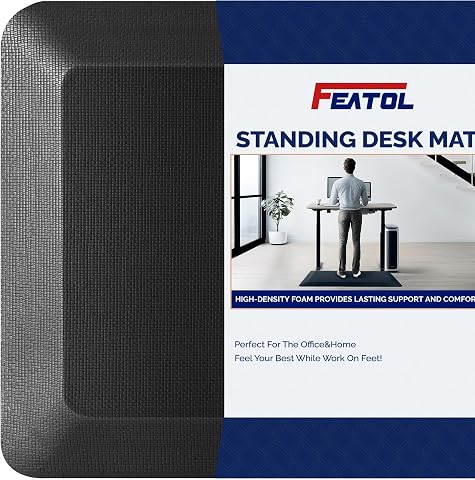
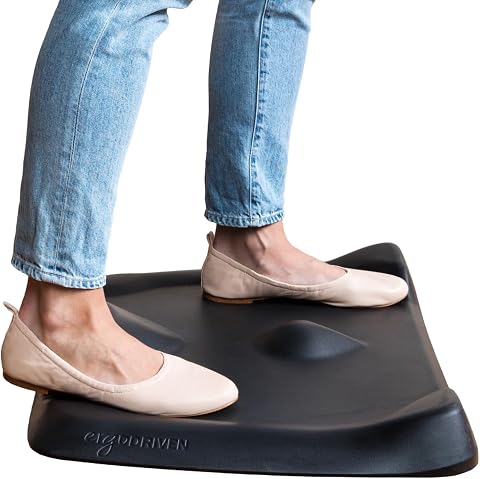
Measure your space twice before ordering, because a walking pad plus a rolling desk occupies more room than a standing desk alone — you need clearance behind the deck for your stride and somewhere to slide the pad when not in use. Most pads fold to roughly 6-8 inches tall and slide under a sofa or bed, but folded height and folded length vary enough to matter if storage is tight. Factor in the hidden costs too: a quality anti-fatigue mat underneath reduces vibration transfer to neighbors below you in apartments, and a dedicated power outlet near your desk avoids extension cords across a walking path. Buyers in shared spaces should also check the machine’s weight — a 60+ lb pad is not something you’ll slide in and out of storage daily, which defeats the fold-flat design.
Frequently Asked Questions
Can I actually type and work while walking on an under-desk treadmill?
Yes, but only at slow speeds — typically 1.5 to 2 MPH for mouse-intensive work and up to around 2.5-3 MPH for reading, video watching, or email. Precision tasks like design work or detailed spreadsheets are noticeably harder, and most people settle into a rhythm of alternating walking sessions with seated ones rather than walking all day. The desk matters as much as the treadmill here: a stable, correctly-heighted surface makes typing while walking feel natural within a week, while a wobbly bundled desk makes it impossible from day one. Start at 1 MPH and increase gradually as your coordination adapts.
Is a higher incline really worth paying more for in a desk setup?
For most office walkers, yes. At the slow speeds required for typing, a flat treadmill barely elevates your heart rate — you’re essentially just standing with extra steps. Adding even a 6-8% incline can double the calorie burn at the same speed, and a 12-14% auto incline like the UREVO CyberPad’s turns a 2 MPH walk into genuine moderate exercise. The auto-adjustable part matters too: you want to be able to drop to flat when a task demands focus and climb back up during calls. A fixed incline forces a compromise all day long, which is why auto-incline models dominated the top of my rankings.
Are the 3-in-1 treadmill-and-desk bundles a good deal?
They’re a good deal only for beginners testing whether walking-while-working fits their routine. The bundled desks in this category are almost always the weak link — narrow surfaces, limited height adjustment, and flex that worsens as the desk ages. If you already know you’ll walk daily, you’ll outgrow a bundle within months and end up buying a separate desk anyway, which makes the bundle the more expensive path. Where bundles shine is as a low-commitment entry point: one purchase, one setup, and if the habit sticks, you upgrade the desk later and keep the treadmill.
How loud are walking pads during video calls?
A quality walking pad runs around 50-60 decibels at walking speeds — comparable to a quiet conversation, which most noise-suppressing microphones handle well. Motor type is the deciding factor: brushless motors (BLDC) and name-brand motors like the Bosch unit in the Cybergoing T10 run meaningfully quieter than generic brushed motors of the same horsepower. Belt noise and deck vibration add to the total, and cheaper units often develop a rhythmic thump within months of daily use. If calls are central to your workday, treat quiet operation as a non-negotiable spec rather than a nice-to-have, and place a thick mat under the deck to dampen vibration.
What speed should a beginner start at, and for how long each day?
Start at 1 to 1.5 MPH for 30-60 minutes total across the day, split into shorter sessions — your calves and hip flexors need time to adapt to walking on a fixed surface even at slow speeds. A common beginner mistake is jumping to 2+ MPH for hours on day one, which leads to soreness and abandoned habits within two weeks. Increase duration before speed, aiming for 2-3 walking hours daily over the first month, then add speed or incline. Auto-incline models make this progression easier because you can add intensity without forcing a faster, harder-to-type pace.
Conclusion
After comparing all 15 setups, the right choice comes down to how you’ll actually use it. For the best overall setup, the UREVO CyberPad with 14% auto incline paired with the WINAZ rolling desk delivers the strongest walking performance and the most ergonomic workstation — the combination that makes the habit sustainable. The Hccsport 3-in-1 takes best value for anyone wanting a complete, affordable starting point in one box. Beginners get the easiest on-ramp with the HomeTro 3-in-1, whose app control and adjustable handlebar make the first month forgiving. For premium buyers, the UREVO Smart 11% with AI app control offers the most seamless day-to-day experience, adjusting speed without breaking your workflow. Heavier walkers should go straight to the Superun 3.0HP with 300-lb capacity, and apartment dwellers prioritizing quiet should choose the Cybergoing T10 with its Bosch motor. Whatever you pick, remember that the desk half of the equation determines whether you keep walking in six months — buy the workstation as seriously as the treadmill.