For most large homes, I’d start with the TP-Link Deco 7 Pro BE10000 three-pack: its mesh format and three nodes make whole-home coverage a stronger priority than peak speed from one router. The NETGEAR Orbi 370 three-pack is another mesh option, while the NETGEAR Nighthawk RS700S suits homes that favor a powerful standalone router. The main tradeoff is between a mesh system that can spread coverage across floors and a single router that may offer more concentrated performance and control. I also compare more affordable dual-band options and feature-rich tri-band models, since a large floor plan does not always call for the same setup. Read on for the full breakdown and a guide to choosing around your layout, devices, and wired connections.

Get business pricing on tools and workshop supplies
- Business-only prices and quantity discounts
- Tax-exempt purchasing
- Multiple users, one account, clear invoices
Complete the kit

Key Takeaways
- Coverage format matters more than the WiFi 7 label: the Deco 7 Pro and Orbi 370 three-packs are built around multiple nodes, while the Archer and Nighthawk routers rely on one central device.
- The Deco 7 Pro BE10000 leads for homes that need distributed coverage: its three-unit format gives it a clearer whole-home role than a standalone router.
- Tri-band picks serve different priorities: the Deco 7 Pro and Orbi 370 spread mesh coverage, while the RS700S, Archer BE600, Archer BE550, and ASUS RT-BE9700 focus on single-router features.
- Dual-band models can suit smaller budgets or simpler layouts: options such as the Deco 7 BE23 two-pack and Archer BE400 trade some band capacity for a more restrained setup.
- Buying more router than the home needs can miss the real problem: dead zones caused by distance, floors, or dense walls may call for extra mesh nodes rather than a faster single unit.
| Deco 7 Dual-Band BE5000 WiFi 7 Mesh System 4-Stream 5 Gbps 240 MHz |  | Best Overall for Large Homes | Wi-Fi standard: Wi-Fi 7 (802.11be), backward compatible | Bands: Dual-band: 2.4 GHz and 5 GHz | Maximum combined speed: Up to 5 Gbps | VIEW ON AMAZON | See Our Full Breakdown |
| NETGEAR Nighthawk RS700S Tri-Band WiFi 7 Router | 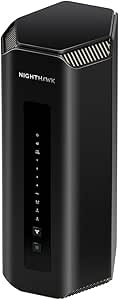 | Best Premium Standalone Router | Wi-Fi generation: Wi-Fi 7 | Bands: Tri-band: 2.4 GHz, 5 GHz, and 6 GHz | Maximum data transfer rate: Up to 19 Gbps | VIEW ON AMAZON | See Our Full Breakdown |
| TP-Link Deco 7 Pro BE10000 Tri-Band Wi-Fi 7 Whole-Home Mesh System, 3-Pack |  | Best for Maximum Mesh Coverage | Wi-Fi standard: Wi-Fi 7 (802.11be) | Bands: Tri-band: 6 GHz, 5 GHz, and 2.4 GHz | Maximum combined speed: Up to 10 Gbps | VIEW ON AMAZON | See Our Full Breakdown |
| NETGEAR Nighthawk RS90 Dual-Band WiFi 7 Router |  | Best for Smaller Large-Home Layouts | Wi-Fi generation: Wi-Fi 7 | Bands: Dual-band: 2.4 GHz and 5 GHz | Maximum data rate: Up to 3.6 Gbps | VIEW ON AMAZON | See Our Full Breakdown |
| TP-Link Archer BE600 Tri-Band Wi-Fi 7 Router |  | Best for Multi-Gig Wired Setups | Wi-Fi standard: Wi-Fi 7 | Bands: Tri-band: 6 GHz, 5 GHz, and 2.4 GHz | Total bandwidth: Up to 9.7 Gbps | VIEW ON AMAZON | See Our Full Breakdown |
| TP-Link Archer BE400 BE6500 Dual-Band Wi-Fi 7 Router |  | Best Standalone Archer for Busy Homes | Wi-Fi standard: Wi-Fi 7 | Bands: Dual-band: 2.4 GHz and 5 GHz | Combined bandwidth: Up to 6.5 Gbps | VIEW ON AMAZON | See Our Full Breakdown |
| TP-Link Archer BE230 Dual-Band Wi-Fi 7 Router |  | Best Value for Smaller Large Homes | Wi-Fi standard: Wi-Fi 7 (802.11be) | Bands: Dual-band: 2.4 GHz and 5 GHz; no 6 GHz support | Maximum combined speed: Up to 3.6 Gbps | VIEW ON AMAZON | See Our Full Breakdown |
| NETGEAR Nighthawk RS140 Dual-Band WiFi 7 Router |  | Best for a Simple Single-Router Setup | Wi-Fi generation: Wi-Fi 7 | Bands: Dual-band: 2.4 GHz and 5 GHz | Maximum data rate: Up to 5 Gbps | VIEW ON AMAZON | See Our Full Breakdown |
| NETGEAR Orbi 370 Series WiFi 7 Mesh System, 3-Pack |  | Best for Very Large Homes | Wi-Fi generation: Wi-Fi 7 | Bands: Dual-band | Maximum data transfer rate: Up to 5 Gbps | VIEW ON AMAZON | See Our Full Breakdown |
| TP-Link Deco 7 BE23 Dual-Band Wi-Fi 7 Mesh Router |  | Best Compact Mesh Starting Point | Wi-Fi standard: Wi-Fi 7 | Bands: Dual-band | Maximum advertised speed: Up to 3.6 Gbps | VIEW ON AMAZON | See Our Full Breakdown |
| TP-Link Deco 7 BE23 Wi-Fi 7 Dual-Band Mesh System, 2-Pack |  | Best for Mesh Coverage on a Wired Backhaul | Wi-Fi standard: Wi-Fi 7 | Bands: Dual-band | Combined speed: Up to 3.6 Gbps | VIEW ON AMAZON | See Our Full Breakdown |
| NETGEAR Nighthawk Tri-Band WiFi 7 Router, Up to 9.3 Gbps | 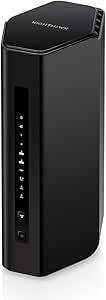 | Best Single-Router Pick for Mid-Sized Homes | Wi-Fi standard: Wi-Fi 7 | Bands: 2.4 GHz, 5 GHz, and 6 GHz | Maximum speed: Up to 9.3 Gbps | VIEW ON AMAZON | See Our Full Breakdown |
| TP-Link Archer BE550 Tri-Band Wi-Fi 7 Router |  | Best for Multi-Gig Wired Devices | Wi-Fi generation: Wi-Fi 7 | Frequency bands: 2.4 GHz, 5 GHz, and 6 GHz | Maximum data rate: Up to 9,300 Mbps | VIEW ON AMAZON | See Our Full Breakdown |
| ASUS RT-BE9700 Tri-Band WiFi 7 Router |  | Best for AiMesh Expansion and Built-In Controls | Wi-Fi standard: Wi-Fi 7 (802.11be) | Frequency bands: 2.4 GHz, 5 GHz, and 6 GHz | Maximum data rate: Up to 9,700 Mbps | VIEW ON AMAZON | See Our Full Breakdown |
| wifi 7 routers for large home | Coverage | Bands | Wi-Fi standard |
|---|---|---|---|
| Deco 7 Dual-Band BE5000 WiFi 7 | Up to 6,600 sq. ft. | Dual-band: 2.4 GHz and 5 GHz | Wi-Fi 7 (802.11be), backward compatible |
| NETGEAR Nighthawk RS700S Tri-B | Up to 3,500 sq. ft. | Tri-band: 2.4 GHz, 5 GHz, and 6 GHz | — |
| TP-Link Deco 7 Pro BE10000 Tri | Up to 7,600 sq. ft. | Tri-band: 6 GHz, 5 GHz, and 2.4 GHz | Wi-Fi 7 (802.11be) |
| NETGEAR Nighthawk RS90 Dual-Ba | Up to 2,000 sq. ft. | Dual-band: 2.4 GHz and 5 GHz | — |
| TP-Link Archer BE600 Tri-Band | Up to 2,600 sq. ft. | Tri-band: 6 GHz, 5 GHz, and 2.4 GHz | Wi-Fi 7 |
| TP-Link Archer BE400 BE6500 Du | Up to 2,400 sq. ft. | Dual-band: 2.4 GHz and 5 GHz | Wi-Fi 7 |
| TP-Link Archer BE230 Dual-Band | Up to 2,000 sq. ft. | Dual-band: 2.4 GHz and 5 GHz; no 6 GHz support | Wi-Fi 7 (802.11be) |
| NETGEAR Nighthawk RS140 Dual-B | Up to 2,250 sq. ft. | Dual-band: 2.4 GHz and 5 GHz | — |
| NETGEAR Orbi 370 Series WiFi 7 | Up to 6,000 sq. ft. | Dual-band | — |
| TP-Link Deco 7 BE23 Dual-Band | Up to 2,500 sq. ft. per unit | Dual-band | Wi-Fi 7 |
| TP-Link Deco 7 BE23 Wi-Fi 7 Du | Up to 4,500 sq. ft. (2-pack) | Dual-band | Wi-Fi 7 |
| NETGEAR Nighthawk Tri-Band WiF | Up to 2,500 sq. ft. | 2.4 GHz, 5 GHz, and 6 GHz | Wi-Fi 7 |
| TP-Link Archer BE550 Tri-Band | — | — | — |
| ASUS RT-BE9700 Tri-Band WiFi 7 | Listed as up to 2,500 sq. ft. and up to 2,750 sq. ft. | — | Wi-Fi 7 (802.11be) |
More Details on Our Top Picks
Deco 7 Dual-Band BE5000 WiFi 7 Mesh System 4-Stream 5 Gbps 240 MHz
I’d put the Deco BE25 mesh system first for buyers whose main problem is getting dependable Wi-Fi across a large floor plan. Its advertised coverage reaches 6,600 sq. ft., far beyond the single-router reach of the Nighthawk RS700S, and the multi-unit setup can place coverage closer to rooms where it is needed. The dual-band design keeps things simpler than the tri-band Deco BE10000, but it gives up a dedicated third band that can help manage busy wireless backhaul. Two 2.5 Gbps ports per unit give wired devices or a fast internet connection a useful upgrade path. I’d choose it for broad coverage and straightforward app management, not for the highest capacity or the most flexible mesh ecosystem: expansion is limited to Deco units, and a separate modem is required.
Pros:- Advertised coverage of up to 6,600 sq. ft. suits larger homes better than the standalone routers in this group.
- Supports more than 150 devices, giving busy households room for phones, computers, smart-home gear, and streaming devices.
- Two 2.5 Gbps LAN/WAN ports per unit support fast wired connections.
- Deco app setup and AI-Roaming simplify managing coverage across multiple units.
Cons:- Dual-band design lacks the extra band offered by the Deco BE10000 tri-band mesh system.
- Requires a separate modem for internet service.
- Mesh expansion is limited to compatible Deco devices.
Best for: Households with a large or multi-level home that want mesh coverage, simple app-based setup, and support for many connected devices.
Not ideal for: Buyers who want a standalone router, a tri-band mesh system, or the freedom to expand with mesh hardware from other brands.
- Wi-Fi standard:Wi-Fi 7 (802.11be), backward compatible
- Bands:Dual-band: 2.4 GHz and 5 GHz
- Maximum combined speed:Up to 5 Gbps
- Coverage:Up to 6,600 sq. ft.
- Device capacity:More than 150 devices
- Ethernet ports per unit:2 × 2.5 Gbps LAN/WAN
- Security:WPA3-Personal, WPA2-Personal, WPA-Personal
- Management:Deco app for iOS and Android
- Modem requirement:Separate modem required
Our verdict“Choose the Deco BE25 if broad, app-managed mesh coverage matters more than tri-band capacity or cross-brand expansion.”
NETGEAR Nighthawk RS700S Tri-Band WiFi 7 Router
For a large home where one centrally placed router can reach the rooms that matter, the Nighthawk RS700S brings the strongest standalone speed ceiling in this group: up to 19 Gbps across three bands. Its 10 Gig WAN and LAN ports suit fast broadband and wired equipment, a combination the Deco BE25’s 2.5 Gbps ports cannot match. But its stated coverage is 3,500 sq. ft., so it is a less convincing answer than a mesh system when walls, floors, or a stretched-out layout create dead zones. It also supports up to 200 devices, though device capacity does not guarantee strong coverage at every point in a home. I’d pick it over mesh when multi-gig wired performance and a powerful central router take priority; buyers should budget for a separate modem and note that Armor requires a subscription after its trial.
Pros:- Tri-band Wi-Fi 7 with advertised combined speeds up to 19 Gbps.
- 10 Gig WAN and LAN ports support fast internet service and wired devices.
- Advertised capacity of up to 200 connected devices.
- Nighthawk app management and automatic firmware updates are included.
Cons:- Advertised coverage of up to 3,500 sq. ft. is lower than the Deco BE25 mesh system’s stated reach.
- Requires a separate modem or gateway with an RJ45 Ethernet port.
- NETGEAR Armor requires a subscription after the 30-day free trial.
Best for: Owners of large, relatively open homes with fast broadband, multi-gig wired equipment, and a preference for one high-performance router over mesh nodes.
Not ideal for: People in sprawling or multi-level homes with hard-to-reach rooms who need satellite units to extend coverage.
- Wi-Fi generation:Wi-Fi 7
- Bands:Tri-band: 2.4 GHz, 5 GHz, and 6 GHz
- Maximum data transfer rate:Up to 19 Gbps
- Coverage:Up to 3,500 sq. ft.
- Maximum connected devices:Up to 200
- Ethernet ports:1 × 10 Gig WAN, 1 × 10 Gig LAN, 4 × 1 Gig LAN
- USB port:USB 3.0
- Security:WPA3; NETGEAR Armor includes a 30-day free trial
- Internet connection:Separate modem or gateway with an RJ45 Ethernet port required
Our verdict“Pick the RS700S if you want premium tri-band speed and 10 Gig wired ports in one router, and your home layout does not call for mesh nodes.”
TP-Link Deco 7 Pro BE10000 Tri-Band Wi-Fi 7 Whole-Home Mesh System, 3-Pack
If coverage across a very large home is the priority, the three-pack Deco BE10000 has the broadest stated reach in this group: up to 7,600 sq. ft. Its tri-band Wi-Fi 7 design and support for more than 200 devices make it a better fit for a dense household than the dual-band Deco BE25, while wired backhaul gives you a way to link units without relying entirely on wireless connections. The port selection is unusually flexible for a mesh kit, including a 10 Gbps WAN/LAN port and four 2.5 Gbps ports. Compared with the single-unit Nighthawk RS700S, this is the more natural choice for distant rooms, but it needs space for multiple units and a separate modem. Advertised coverage and speeds can fall with obstacles, and wired or wireless backhaul requires at least two Deco units.
Pros:- Three-unit mesh kit advertises coverage up to 7,600 sq. ft.
- Tri-band Wi-Fi 7 and support for more than 200 devices suit dense, high-use homes.
- Includes one 10 Gbps WAN/LAN port and four 2.5 Gbps WAN/LAN ports.
- Supports wired and wireless backhaul, VPN features, and app-based management.
Cons:- Requires a separate modem for internet service.
- Advertised speeds and coverage vary with distance, obstacles, and other conditions.
- Backhaul requires at least two Deco units, so a single unit cannot provide the full mesh setup.
Best for: Large households with a sprawling floor plan, many connected devices, and a need for several mesh nodes plus multi-gig wired connections.
Not ideal for: Buyers in smaller homes, people who want a single router, or households that do not need the three-unit system’s reach and port capacity.
- Wi-Fi standard:Wi-Fi 7 (802.11be)
- Bands:Tri-band: 6 GHz, 5 GHz, and 2.4 GHz
- Maximum combined speed:Up to 10 Gbps
- Coverage:Up to 7,600 sq. ft.
- Device capacity:More than 200 devices
- Pack size:3 units
- Ethernet ports:Four 2.5 Gbps WAN/LAN ports and one 10 Gbps WAN/LAN port
- USB port:USB 3.0
- Features:AI roaming, wired and wireless backhaul, HomeShield, VPN client and server support
Our verdict“Choose the Deco BE10000 three-pack when a very large home needs tri-band mesh coverage and flexible multi-gig wired connections.”
NETGEAR Nighthawk RS90 Dual-Band WiFi 7 Router
The Nighthawk RS90 is the most restrained choice here: a dual-band Wi-Fi 7 router rated for up to 2,000 sq. ft. and 50 devices. That makes it a better match for a compact, open-plan home than for a sprawling property, despite the roundup’s large-home focus. Compared with the RS700S, it has a lower speed ceiling and lacks a 6 GHz band, but it still offers a 2.5 Gig WAN port and four LAN ports for wired connections. The Deco BE25 is the stronger option when coverage across separated rooms is the goal; the RS90 makes more sense when a single router is enough and a straightforward setup is preferred. Its fixed antennas and the limits of router placement may leave distant rooms with weaker service, and a separate modem is needed.
Pros:- Wi-Fi 7 support with advertised speeds up to 3.6 Gbps.
- 2.5 Gig WAN port provides a faster connection option than a standard Gigabit WAN port.
- Four 1 Gig Ethernet LAN ports support wired home devices.
- Includes WPA2 and WPA3 security support and app-based management.
Cons:- Advertised coverage is up to 2,000 sq. ft., substantially less than the Deco BE25 mesh system’s stated coverage.
- Dual-band design has no 6 GHz band.
- Requires a separate modem or gateway, and NETGEAR Armor requires a subscription after its trial.
Best for: People in a smaller, open-plan home who want a basic Wi-Fi 7 router with wired ports and do not need mesh coverage.
Not ideal for: Owners of sprawling or multi-level homes, or households with more than 50 devices, who need broader reach or greater capacity.
- Wi-Fi generation:Wi-Fi 7
- Bands:Dual-band: 2.4 GHz and 5 GHz
- Maximum data rate:Up to 3.6 Gbps
- Coverage:Up to 2,000 sq. ft.
- Maximum connected devices:Up to 50
- WAN port:1 × 2.5 Gig Ethernet
- LAN ports:4 × 1 Gig Ethernet
- Antennas:4 fixed antennas
- Security:WPA2 and WPA3
Our verdict“Choose the RS90 only if your large-home search actually means a compact, open layout that one dual-band router can cover.”
TP-Link Archer BE600 Tri-Band Wi-Fi 7 Router
The Archer BE600 stands out for homes that need a strong wired hub as much as a Wi-Fi upgrade. It offers a 10 Gbps WAN/LAN port and three 2.5 Gbps LAN ports, giving desktop PCs, storage, or other wired gear more headroom than the RS90’s four 1 Gig LAN ports. Its tri-band Wi-Fi 7 design reaches up to 9.7 Gbps in combined advertised bandwidth and supports up to 120 devices. Still, the stated coverage is 2,600 sq. ft., so I would not treat it as a substitute for mesh in a large home with separated floors or stubborn dead zones. The Deco BE10000 covers much more area on paper and includes multiple units; this Archer is the better fit for one central location with many wired connections. Some HomeShield features may require a subscription.
Pros:- Tri-band Wi-Fi 7 with advertised total bandwidth up to 9.7 Gbps.
- One 10 Gbps WAN/LAN port and three 2.5 Gbps LAN ports support multi-gig wired devices.
- Rated for up to 120 devices across up to 2,600 sq. ft.
- Includes USB 3.0, VPN client and server support, and app-based management.
Cons:- Its stated 2,600 sq. ft. coverage falls well short of the Deco BE10000 mesh system’s advertised reach.
- Full Wi-Fi 7 benefits depend on compatible client devices.
- Some advanced HomeShield features may require a subscription.
Best for: Households with fast broadband, several multi-gig wired devices, and a large but reasonably centralized area to cover with one router.
Not ideal for: People with sprawling, multi-level homes who need multiple access points, or buyers who do not need its high-speed Ethernet ports.
- Wi-Fi standard:Wi-Fi 7
- Bands:Tri-band: 6 GHz, 5 GHz, and 2.4 GHz
- Total bandwidth:Up to 9.7 Gbps
- Coverage:Up to 2,600 sq. ft.
- Device capacity:Up to 120 devices
- Ethernet ports:1 × 10 Gbps WAN/LAN, 1 × 2.5 Gbps WAN/LAN, 3 × 2.5 Gbps LAN
- USB port:USB 3.0
- Processor:Quad-core CPU
- Dimensions:11.29 × 6.02 × 1.87 inches
Our verdict“Choose the Archer BE600 if you want a tri-band Wi-Fi 7 router with ample multi-gig wired capacity and do not need mesh nodes.”
TP-Link Archer BE400 BE6500 Dual-Band Wi-Fi 7 Router
The Archer BE400 is the stronger standalone choice over the Archer BE230 when a larger household needs more wireless headroom and more room for connected devices. Its advertised 6.5 Gbps combined speed, 90-device capacity, and coverage estimate of up to 2,400 sq. ft. suit a busy home that still fits within a single-router layout. Two 2.5 Gbps ports provide flexibility for a fast internet connection and a wired device, while EasyMesh offers a way to expand coverage later with compatible equipment. The tradeoff is that this is still a dual-band router, not a mesh kit or a tri-band option such as the Archer BE600, and its coverage claim depends on the home’s layout. I would skip it if you need Deco mesh compatibility or want a system with included satellites.
Pros:- Advertised coverage up to 2,400 sq. ft. and capacity for up to 90 devices
- Two 2.5 Gbps ports plus three 1 Gbps LAN ports
- Multi-Link Operation and other Wi-Fi 7 features
- EasyMesh support and HomeShield security features
Cons:- Dual-band design lacks a 6 GHz band
- Requires a separate modem
- Not compatible with TP-Link Deco mesh systems
Best for: Households seeking a single Wi-Fi 7 router for a medium-to-large home, with many devices and at least one fast wired connection.
Not ideal for: Buyers with a Deco mesh system, a very large or multi-floor home needing included satellites, or a preference for tri-band Wi-Fi.
- Wi-Fi standard:Wi-Fi 7
- Bands:Dual-band: 2.4 GHz and 5 GHz
- Combined bandwidth:Up to 6.5 Gbps
- Coverage:Up to 2,400 sq. ft.
- Maximum devices:Up to 90
- Ports:1 × 2.5 Gbps WAN/LAN, 1 × 2.5 Gbps LAN, 3 × 1 Gbps LAN
- Mesh compatibility:EasyMesh-compatible; not compatible with Deco mesh systems
- Security and management:HomeShield, WPA3, VPN client and server support; TP-Link Tether app
Our verdict“Choose the Archer BE400 for a device-heavy home that needs more headroom than the BE230 offers without moving to a mesh kit.”
TP-Link Archer BE230 Dual-Band Wi-Fi 7 Router
The Archer BE230 is the leaner pick for a buyer who wants Wi-Fi 7 and useful wired connections without needing the BE400’s higher speed and device capacity. It covers up to 2,000 sq. ft. on paper and supports up to 60 devices, making it a better fit for a modestly sized home or a household with a manageable number of active clients than for a sprawling, device-dense layout. Its two 2.5 Gbps ports and EasyMesh support give it an upgrade path if one router does not reach every room. Compared with the BE400, the main compromises are lower advertised throughput, fewer supported devices, and four internal antennas. It also has no 6 GHz band, so buyers seeking that additional spectrum should look at a tri-band alternative such as the Archer BE600.
Pros:- Two 2.5 Gbps ports and three 1 Gbps LAN ports
- EasyMesh support allows compatible coverage expansion
- Supports up to 60 devices and coverage up to 2,000 sq. ft.
- Wi-Fi 7 features include Multi-Link Operation and 4K-QAM
Cons:- No 6 GHz band
- Lower advertised speed and device capacity than the Archer BE400
- Requires a separate modem
Best for: Households in a compact or moderately sized home that want Wi-Fi 7, multiple fast wired ports, and the option to add compatible mesh equipment.
Not ideal for: Owners of large multi-floor homes, households with many simultaneous devices, or buyers who specifically need 6 GHz Wi-Fi.
- Wi-Fi standard:Wi-Fi 7 (802.11be)
- Bands:Dual-band: 2.4 GHz and 5 GHz; no 6 GHz support
- Maximum combined speed:Up to 3.6 Gbps
- Coverage:Up to 2,000 sq. ft.
- Device capacity:Up to 60 devices
- Ports:1 × 2.5 Gbps WAN/LAN, 1 × 2.5 Gbps LAN, 3 × 1 Gbps LAN
- Mesh support:EasyMesh
- Setup and management:TP-Link Tether app
Our verdict“Pick the BE230 if your home is within its coverage range and you value Wi-Fi 7 and fast Ethernet more than the BE400’s extra capacity.”
NETGEAR Nighthawk RS140 Dual-Band WiFi 7 Router
The Nighthawk RS140 suits buyers who want a straightforward standalone router rather than a multi-unit mesh system. Its stated coverage of up to 2,250 sq. ft. and capacity for 80 devices place it between the Archer BE230 and BE400 on reach and device support, while its 5 Gbps maximum data rate is below the BE400’s advertised 6.5 Gbps. The 2.5 Gigabit WAN port can accommodate a faster internet connection, but the three LAN ports are Gigabit rather than 2.5 Gbps, so wired devices do not get the same multi-gig flexibility as on either Archer. Built-in security features and automatic firmware updates add convenience, though NETGEAR Armor requires a subscription after its trial. Like the other standalone picks here, it needs a separate modem or gateway and cannot solve every dead zone by itself.
Pros:- Advertised coverage up to 2,250 sq. ft. and support for up to 80 devices
- 2.5 Gigabit WAN port for a fast internet connection
- WPA3 security and automatic firmware updates
- Compatible with Wi-Fi 6 and earlier devices
Cons:- Three LAN ports are Gigabit rather than 2.5 Gbps
- Requires a separate modem or gateway with an RJ45 Ethernet port
- NETGEAR Armor requires a subscription after the 30-day trial
Best for: Buyers who want one app-managed Wi-Fi 7 router for a medium-to-large home and do not need multi-gig LAN ports.
Not ideal for: Homes with persistent coverage gaps, users who need multiple 2.5 Gbps wired connections, or buyers avoiding subscription-based security add-ons.
- Wi-Fi generation:Wi-Fi 7
- Bands:Dual-band: 2.4 GHz and 5 GHz
- Maximum data rate:Up to 5 Gbps
- Coverage:Up to 2,250 sq. ft.
- Maximum connected devices:Up to 80
- WAN port:1 × 2.5 Gigabit
- LAN ports:3 × Gigabit Ethernet
- Internet connection requirement:Separate modem or gateway with an RJ45 Ethernet port
Our verdict“Choose the RS140 for a simple standalone setup, but favor the Archer BE400 if you need more wired multi-gig flexibility.”
NETGEAR Orbi 370 Series WiFi 7 Mesh System, 3-Pack
For a large home where one router may leave distant rooms behind, the Orbi 370 three-pack is the clearest fit in this group. Its router-and-two-satellite arrangement is rated for up to 6,000 sq. ft., a much broader target than the standalone Archer BE400 or Nighthawk RS140. That distributed layout gives you more placement options across floors or wings, while the system supports up to 70 devices and Wi-Fi 6 and Wi-Fi 5 clients. The tradeoff is that its dual-band design and 5 Gbps maximum rate do not match the higher advertised speed of some single routers, and the system is specified for cable or fiber plans up to 2.5 Gbps. I would choose it over the Deco 7 BE23 when the priority is included multi-point coverage, but its US-only use and Armor subscription terms narrow its appeal.
Pros:- Router and two satellites rated to cover up to 6,000 sq. ft.
- Supports up to 70 devices and older Wi-Fi 6 and Wi-Fi 5 devices
- Ten ports across the system, including 2.5 Gbps LAN capability
- Additional Orbi 370 Series satellite can add up to 2,000 sq. ft.
Cons:- Dual-band system with a stated maximum rate of 5 Gbps
- NETGEAR Armor requires a subscription after the 30-day trial
- Made for use in the US only
Best for: Households with a large or multi-floor layout that need a router and two satellites to spread coverage across distant rooms.
Not ideal for: Buyers in homes that need only one router, users outside the US, or households seeking tri-band mesh or speeds beyond the system’s stated 5 Gbps maximum.
- Wi-Fi generation:Wi-Fi 7
- Bands:Dual-band
- Maximum data transfer rate:Up to 5 Gbps
- Coverage:Up to 6,000 sq. ft.
- System configuration:One router and two satellites
- Supported devices:Up to 70
- Ports:10 total; LAN port bandwidth up to 2.5 Gbps
- Internet compatibility:Cable or fiber plans up to 2.5 Gbps
- Expansion:Additional Orbi 370 Series satellite adds up to 2,000 sq. ft.
Our verdict“Choose the Orbi 370 three-pack when broad, distributed coverage matters more than the higher single-router speed claims of the Archer BE400.”
TP-Link Deco 7 BE23 Dual-Band Wi-Fi 7 Mesh Router
The Deco 7 BE23 is a compact mesh-ready starting point for buyers who want more flexibility than a conventional standalone router. A single unit is rated for up to 2,500 sq. ft. and 150 connected devices, while wired or wireless backhaul lets compatible Deco units extend coverage without requiring Ethernet between every node. Two 2.5 Gbps WAN/LAN ports are useful for fast internet service or wired equipment, and the separate IoT network helps keep smart-home devices organized. Compared with the Archer BE400, this model offers mesh roaming and a larger stated device capacity, but its dual-band 3.6 Gbps speed ceiling is lower. The coverage figure applies to one unit, not a full large-home system, so buyers with distant rooms should plan for added mesh units; the Orbi 370 three-pack includes satellites from the outset.
Pros:- Two 2.5 Gbps WAN/LAN ports
- Supports wired and wireless backhaul with seamless roaming
- Rated for up to 150 connected devices per product data
- Includes VPN support and a separate IoT network
Cons:- Coverage of up to 2,500 sq. ft. is for a single unit
- Dual-band speed ceiling is lower than the Archer BE400’s advertised rate
- A separate modem is required for most internet service providers
Best for: People starting a Deco mesh network who want a compact Wi-Fi 7 unit, wired-backhaul options, and space to add compatible nodes.
Not ideal for: Buyers expecting one unit to cover a sprawling home, or those who want a multi-unit kit included rather than adding mesh units separately.
- Wi-Fi standard:Wi-Fi 7
- Bands:Dual-band
- Maximum advertised speed:Up to 3.6 Gbps
- Coverage:Up to 2,500 sq. ft. per unit
- Maximum connected devices:Up to 150
- Ethernet ports:2 × 2.5 Gbps WAN/LAN
- Backhaul:Wired and wireless
- Security:WPA3 and HomeShield features
- Dimensions:5.9 × 5.9 × 2.44 inches
Our verdict“Pick the Deco 7 BE23 if you want to build a flexible mesh setup over time, but choose the Orbi 370 pack for satellites included for a large home.”
TP-Link Deco 7 BE23 Wi-Fi 7 Dual-Band Mesh System, 2-Pack
I’d pick the Deco 7 BE23 two-pack when one router is unlikely to reach the far rooms and a mesh layout is the priority. Its stated 4,500-square-foot coverage and wired or wireless backhaul give you options for placing the second unit where the signal needs help; Ethernet backhaul can avoid relying on a wireless link between nodes. Each unit also has two 2.5 Gbps ports, a useful advantage over systems with fewer multi-gig connections.
The tradeoff is its dual-band design: unlike the tri-band Nighthawk router or Archer BE550, it has no 6 GHz band and no extra band dedicated to mesh traffic. I’d choose it for a spread-out home with practical node locations, but skip it if you want a single-router setup or expect the fastest wireless speeds at distant nodes. Most providers also require a separate modem.
Pros:- Two mesh units are rated to cover up to 4,500 sq. ft.
- Wired and wireless backhaul allow flexible node placement.
- Two 2.5 Gbps WAN/LAN ports on each unit support fast wired links.
- Includes VPN support, HomeShield features, and a separate IoT network.
Cons:- Dual-band design lacks the 6 GHz band found on the Nighthawk and Archer BE550.
- Wireless backhaul shares the available bands with client traffic.
- Most internet providers require a separate modem.
Best for: Households with far-flung rooms and Ethernet cabling between likely mesh-node locations, plus several connected devices.
Not ideal for: Buyers who need a single-router solution, want tri-band Wi-Fi 7, or cannot add a separate modem where their provider requires one.
- Wi-Fi standard:Wi-Fi 7
- Bands:Dual-band
- Combined speed:Up to 3.6 Gbps
- Coverage:Up to 4,500 sq. ft. (2-pack)
- Device capacity:Up to 150 devices
- Ethernet ports:Two 2.5 Gbps WAN/LAN ports per unit
- Backhaul:Wired and wireless
- Security:WPA3, HomeShield, and private IoT network
Our verdict“Choose the BE23 two-pack for broad mesh coverage and multi-gig ports, especially if you can connect its nodes by Ethernet.”
NETGEAR Nighthawk Tri-Band WiFi 7 Router, Up to 9.3 Gbps
The Nighthawk makes more sense than a mesh kit when a central router can reach the rooms you use: it offers tri-band Wi-Fi 7, including 6 GHz, without requiring multiple nodes. Its stated coverage is up to 2,500 sq. ft., so it suits a mid-sized home better than a sprawling multi-floor layout. The 2.5 Gig WAN and LAN connections also give wired devices and a suitable internet plan room to go beyond gigabit speeds.
Compared with the Deco 7 BE23, this is a single-router setup rather than a two-node coverage strategy; it has a 6 GHz band, but less listed coverage. The Archer BE550 offers four 2.5 Gbps LAN ports, while this Nighthawk has two, though it adds two 1 Gig LAN ports. I’d skip it if you need mesh reach or want to avoid the separate modem and post-trial Armor subscription.
Pros:- Tri-band Wi-Fi 7 includes a 6 GHz band.
- Includes a 2.5 Gig WAN port and two 2.5 Gig LAN ports.
- Nighthawk app supports setup and network management.
- Automatic firmware updates and Advanced Router Protection are included.
Cons:- Stated coverage of up to 2,500 sq. ft. may not suit a large or obstructed home.
- Requires an existing modem or gateway.
- NETGEAR Armor requires a subscription after its 30-day trial.
Best for: People in homes up to the stated 2,500 sq. ft. range who want a tri-band router, app-based setup, and multi-gig wired connections.
Not ideal for: Owners of large, divided, or multi-floor homes that need multiple access points, or buyers who do not want a separate modem or optional security subscription.
- Wi-Fi standard:Wi-Fi 7
- Bands:2.4 GHz, 5 GHz, and 6 GHz
- Maximum speed:Up to 9.3 Gbps
- Coverage:Up to 2,500 sq. ft.
- Device capacity:Up to 100 devices
- WAN port:1 x 2.5 Gig Ethernet
- LAN ports:2 x 2.5 Gig Ethernet; 2 x 1 Gig Ethernet
- Setup and management:Nighthawk app for iOS and Android
Our verdict“Pick this Nighthawk if a single tri-band router can cover your home and you value app-guided management over mesh expansion.”
TP-Link Archer BE550 Tri-Band Wi-Fi 7 Router
For a large home with a cluster of wired gear, the Archer BE550 is the strongest fit in this group. Its five 2.5 Gbps Ethernet ports—one WAN and four LAN—can connect a desktop, NAS, or wired access point without relying on a separate multi-gig switch for every device. Tri-band Wi-Fi 7 and six antennas provide a capable single-router base, while EasyMesh support leaves a route to expand coverage with compatible devices.
Unlike the Deco 7 BE23, the BE550 is not a two-unit mesh kit out of the box, so its coverage depends on placement and the home layout. It also has a 6 GHz band and a higher stated maximum rate than the BE23, but that does not guarantee signal through walls or across floors. I’d choose it over the Nighthawk when wired port count matters; skip it if you need included mesh nodes or do not have a modem.
Pros:- Five 2.5 Gbps ports provide substantial multi-gig wired connectivity.
- Tri-band Wi-Fi 7 includes 6 GHz and supports 320 MHz channels.
- EasyMesh can extend the network with compatible devices.
- Includes VPN features, HomeShield, guest mode, and access point mode.
Cons:- It is a single router, not a mesh kit with included satellite units.
- Actual coverage and speed depend on layout, interference, and client devices.
- Most providers require a separate modem.
Best for: Homes with several multi-gig wired devices and owners who want a standalone router they can later extend through compatible EasyMesh equipment.
Not ideal for: Buyers seeking a ready-made multi-node system for distant rooms, or households whose provider setup requires a modem they do not have.
- Wi-Fi generation:Wi-Fi 7
- Frequency bands:2.4 GHz, 5 GHz, and 6 GHz
- Maximum data rate:Up to 9,300 Mbps
- Band speeds:6 GHz: 5,760 Mbps; 5 GHz: 2,880 Mbps; 2.4 GHz: 574 Mbps
- Ports:1 x 2.5 Gbps WAN; 4 x 2.5 Gbps LAN
- Antennas:6
- Security:WPA2, WPA3, and HomeShield
- Features:EasyMesh, VPN client and server, access point mode, guest mode, QoS, and app management
Our verdict“Choose the Archer BE550 if multi-gig wired connections are central to your setup and you can add mesh units if coverage needs grow.”
ASUS RT-BE9700 Tri-Band WiFi 7 Router
The RT-BE9700 suits buyers who want a feature-rich router now and an expansion path later. It combines tri-band Wi-Fi 7 with 320 MHz channels and Multi-Link Operation, and AiMesh support lets compatible ASUS equipment join the network if one router cannot cover the whole home. VPN features, parental controls, and subscription-free AiProtection make its software package a notable contrast with the Nighthawk, where Armor requires a subscription after its trial.
I would not treat the listed 9.7 Gbps as a promise of whole-home performance: coverage is reported as both 2,500 and 2,750 sq. ft., and the listed LAN bandwidth is 1,000 Mbps. The Archer BE550 has four 2.5 Gbps LAN ports, making it the clearer choice for multi-gig wired devices. Choose ASUS for AiMesh and built-in controls; skip it if clear coverage figures or faster listed LAN ports are priorities.
Pros:- Tri-band Wi-Fi 7 supports 320 MHz channels and Multi-Link Operation.
- AiMesh provides an expansion path with compatible ASUS devices.
- Includes VPN features, parental controls, and subscription-free AiProtection.
- Supports router, AiMesh node, access point, media bridge, and repeater modes.
Cons:- Listed coverage differs between sections: up to 2,500 or 2,750 sq. ft.
- Listed LAN port bandwidth is 1,000 Mbps, below the Archer BE550’s 2.5 Gbps LAN ports.
Best for: Households that want parental controls and subscription-free network security, with the option to expand through compatible ASUS AiMesh devices.
Not ideal for: Buyers who need multiple multi-gig LAN connections or want a single, consistent stated coverage figure before choosing a router for a large floor plan.
- Wi-Fi standard:Wi-Fi 7 (802.11be)
- Frequency bands:2.4 GHz, 5 GHz, and 6 GHz
- Maximum data rate:Up to 9,700 Mbps
- 6 GHz data rate:Up to 5,764 Mbps
- Coverage:Listed as up to 2,500 sq. ft. and up to 2,750 sq. ft.
- Ports:6 total; listed LAN port bandwidth is 1,000 Mbps
- Memory:1 GB DDR4 RAM; 256 MB flash
- Modes:Wireless router, AiMesh node, access point, media bridge, and repeater
Our verdict“Choose the RT-BE9700 for ASUS mesh expansion and built-in controls, but favor the Archer BE550 if multi-gig wired LAN is your main need.”

How We Picked
I ranked these 14 WiFi 7 routers and mesh systems around the needs of a large home: reliable coverage across rooms and floors, practical placement options, useful wired connectivity, and a setup that matches the household’s device load. I gave mesh kits a coverage advantage when a product’s multi-unit format directly addressed the limits of a single router. For standalone routers, I weighed their band configuration and the kind of home network they suit rather than treating a higher advertised speed as a guarantee of stronger coverage.
The order reflects fit, not a claim that one design works for every floor plan. The Deco 7 Pro BE10000 ranks first for its three-node whole-home approach; the Orbi 370 is another mesh-focused choice, while the RS700S and tri-band Archer models suit buyers who want a central router and are prepared to plan placement carefully. Dual-band routers and smaller Deco kits rank lower for expansive or demanding layouts, but can make better sense when the home is less challenging, the budget is tighter, or the buyer wants a simpler system.
| wifi 7 routers for large home | Wi-Fi standard |
|---|---|
| Deco 7 Dual-Band BE5000 WiFi 7 | Wi-Fi 7 (802.11be), backward compatible |
| NETGEAR Nighthawk RS700S Tri-B | — |
| TP-Link Deco 7 Pro BE10000 Tri | Wi-Fi 7 (802.11be) |
| NETGEAR Nighthawk RS90 Dual-Ba | — |
| TP-Link Archer BE600 Tri-Band | Wi-Fi 7 |
| TP-Link Archer BE400 BE6500 Du | Wi-Fi 7 |
| TP-Link Archer BE230 Dual-Band | Wi-Fi 7 (802.11be) |
| NETGEAR Nighthawk RS140 Dual-B | — |
| NETGEAR Orbi 370 Series WiFi 7 | — |
| TP-Link Deco 7 BE23 Dual-Band | Wi-Fi 7 |
| TP-Link Deco 7 BE23 Wi-Fi 7 Du | Wi-Fi 7 |
| NETGEAR Nighthawk Tri-Band WiF | Wi-Fi 7 |
| TP-Link Archer BE550 Tri-Band | — |
| ASUS RT-BE9700 Tri-Band WiFi 7 | Wi-Fi 7 (802.11be) |
Factors to Consider When Choosing Wifi 7 Routers For Large Homes
Choosing WiFi 7 for a large home starts with diagnosing the coverage problem, not selecting the biggest speed number. I’d compare the floor plan, construction, wired options, and household habits before deciding between a standalone router and a mesh kit.
Choose a Standalone Router or Mesh Before Comparing Speeds
A single router is easiest to manage when the home has an open layout and a good central location for the device. In a long, tall, or divided home, mesh nodes can bring the signal closer to rooms that a central router struggles to reach. Do not assume a powerful router can overcome several floors or dense walls; wireless signals lose strength as they pass through obstacles. Mesh adds equipment and setup decisions, but it can solve a coverage gap more directly than replacing one router with a faster one. Check whether the system supports adding compatible nodes if your coverage needs change. If the weak spots are limited to one room, moving the router or adding a wired access point may be a better fix than buying a full mesh kit.
Treat Band Count as a Capacity Choice, Not a Coverage Guarantee
Tri-band models provide another band for network traffic, which can help a busy household with many active devices or demanding wireless connections. That extra band does not automatically make a signal reach farther through walls. Dual-band equipment may be enough when use is moderate, devices are spread across a modest area, or important rooms can connect by Ethernet. In mesh systems, check how the nodes communicate with one another; wireless backhaul shares radio capacity with client traffic, while a wired link can reduce that competition. A common mistake is paying for more bands when the actual issue is node placement or a weak connection between floors. Match band capacity to simultaneous use, then handle coverage through layout and backhaul.
Plan Router and Node Placement Around the Floor Plan
WiFi performance depends on where equipment sits, not only on its specifications. Place a router in an open, central area when possible, rather than inside a cabinet, behind a television, or at one end of the house. Mesh nodes need a strong connection to the main unit; placing a node inside the dead zone can leave it with a poor signal to repeat. For multiple floors, a position near the stairwell or between the router and the weak area may work better than a corner room. Before buying extra nodes, test more than one placement for the units you already own. A carefully placed two-node system may cover a home better than a three-node kit crowded into poor locations.
Check Ethernet Ports and Wired Backhaul Needs
Wired connections can make a large-home network more consistent, especially for desktop computers, game consoles, televisions, and access points. If you plan to connect mesh nodes by Ethernet, confirm that the specific system supports that arrangement and that its node ports fit your setup. Count the devices you expect to wire directly; a router with too few ports may require a separate switch. Also check port speeds against your internet plan and local network use, rather than assuming every port supports the same rate. Running cable between floors may take more effort, but it can relieve wireless backhaul from carrying both node traffic and household devices. For a buyer who can wire key rooms, a less elaborate wireless system may meet the need.
Match WiFi 7 Features to Your Devices and Internet Plan
A WiFi 7 router can only deliver its newer wireless benefits to compatible devices, and older phones, laptops, and smart-home equipment remain limited by their own capabilities. Check which devices you expect to replace soon and whether they support the bands and features your chosen router offers. A fast router also cannot raise an internet connection above the service plan’s limits, though it can help with local traffic and multiple simultaneous users. Avoid treating the advertised combined wireless rate as the speed one device will receive. If most household devices are older or the broadband plan is modest, coverage and stability may matter more than paying extra for peak wireless capacity. Think about the expected lifespan of the system, not only the devices connected today.
Budget for Setup, Expansion, and Ongoing Management
The purchase decision includes more than the main unit: mesh expansion, Ethernet cabling, a switch, and placement accessories can all affect the final setup. Check how the maker handles app setup, guest access, parental controls, and firmware updates, since these features shape day-to-day management. Some buyers want a straightforward system that makes adding a node simple; others prefer detailed network controls and are comfortable handling them. Extra settings are only useful if they solve a real need, such as separating work devices or managing access for guests. Before committing to a system, check node compatibility and whether key software features require an account or ongoing service. Paying more makes sense when it resolves a specific coverage or control need, not just because the model sits higher in a product range.
Frequently Asked Questions
Should I buy a three-pack mesh system or a single powerful router for a large home?
I’d choose based on the shape of the home and where coverage drops, not the size label alone. A centrally placed router can work well in an open, single-floor layout, while several separated rooms, floors, or thick walls often favor mesh nodes. The Deco 7 Pro and Orbi 370 three-packs are aimed at spreading coverage; the RS700S and other standalone models require a location that can reach most rooms. If you can connect distant nodes by Ethernet, mesh becomes a more flexible option. If your only weak area is nearby, first test a better router position before adding nodes.
Will a WiFi 7 router improve my connection if most of my devices are older?
Older devices can still connect to a WiFi 7 router, but they will not gain every capability that requires WiFi 7 support. You may still benefit from a newer router’s network capacity or improved coverage, depending on the model and layout, but a speed increase is not guaranteed. Compare the devices you use most often with the router’s supported bands and features. If the household has few compatible devices and a limited broadband plan, investing in better placement or mesh coverage may make a more noticeable difference. A router purchase can still make sense as a long-term replacement, but judge it against needs you actually expect to have.
Can I mix mesh nodes from different brands or product lines?
Do not assume that WiFi 7 compatibility means two mesh units will operate as one coordinated system. Mesh roaming, app controls, and node management are usually tied to a compatible family or platform, so check the maker’s supported combinations before buying an extra unit. A router and a separate access point can share a network, but that may not provide the same seamless management or roaming behavior as a matched kit. This matters if you plan to expand later: confirm which node models can join the system you are buying now. When compatibility is unclear, a matching kit is the safer choice.
Is a tri-band router worth choosing over a dual-band model for a large household?
Tri-band is most useful when several people and devices are active at once, or when the network has demanding wireless traffic that can use the additional band. It does not guarantee longer range, and a tri-band standalone router may still leave distant rooms with weak coverage. For a large home, a dual-band mesh kit can be a better fit than a tri-band router if the main problem is distance between rooms. Compare the number of active devices, the connection between mesh nodes, and your ability to run Ethernet. Pay for the extra band when it addresses network capacity, not as a substitute for coverage planning.
How many mesh nodes does a large home actually need?
There is no dependable node count based on square footage alone because walls, floors, construction materials, and router placement change how far a signal travels. Start with the smallest compatible setup that can cover the main areas, then check for weak spots from the rooms where people use devices. Too many nodes can add setup complexity and may create overlapping signals without solving a poorly placed main unit. A three-pack can suit a spread-out layout, while a two-pack may work when rooms are closer together or wired backhaul is available. Follow the system maker’s placement guidance and add equipment only when testing shows a persistent gap.
Conclusion
For the best overall whole-home fit, I’d choose the TP-Link Deco 7 Pro BE10000 three-pack for a layout that needs coverage distributed across several areas. For a standalone-router approach, the NETGEAR Nighthawk RS700S is a strong match for buyers with a good central placement and a preference for one main unit. For mesh value, compare the two-pack Deco 7 BE23 with the three-pack Deco 7 Pro; choose the smaller kit when your home has fewer difficult zones, and the larger system when distance is the bigger concern. For beginners, a matched Deco or Orbi kit offers a clearer whole-home setup path than piecing together separate networking gear. For advanced or capacity-focused needs, consider tri-band options such as the Archer BE600, Archer BE550, ASUS RT-BE9700, or Nighthawk models, while checking port needs and placement first. My final rule: buy mesh to address gaps, extra bands to serve busy traffic, and a single router only when its location can realistically reach the rooms that matter.