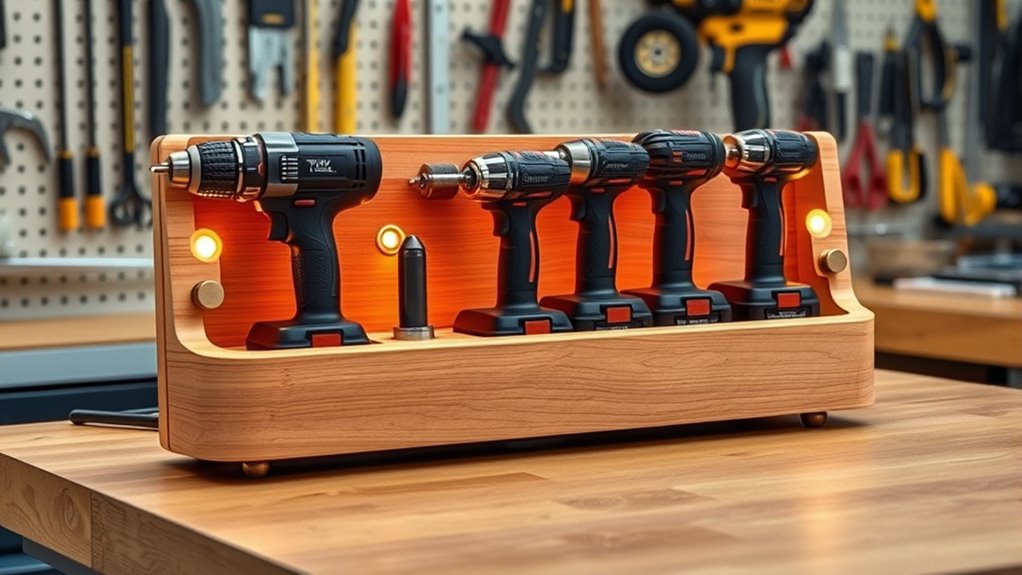

To create a practical charging station for cordless tools, organize batteries and chargers on a sturdy and accessible surface near your workspace. Use labels, shelves, or hooks to keep everything tidy and prevent mix-ups. Guarantee your power supply is reliable, with surge protection and indicator lights for easy monitoring. Regularly check and maintain your chargers and batteries to ensure safety and efficiency. Keep cables neat to avoid hazards; if you’re interested, there’s more to learn about optimizing your station’s setup.

Get tools and workshop supplies delivered free — and shop member deals
- Fast, free delivery on millions of items
- Access to Prime Big Deal Days deals on October 6–7
- Prime Video, Amazon Music and more included
Key Takeaways
- Choose a central, accessible location near your workspace for easy tool access and efficient workflow.
- Organize batteries and chargers with labeled slots or compartments to prevent mix-ups.
- Incorporate multiple charging bays and ensure proper power supply with surge protection and adequate outlets.
- Use cable clips or sleeves to maintain neat cables, reducing tripping hazards and ensuring safety.
- Regularly monitor charging status and perform maintenance to prolong tool lifespan and prevent safety issues.

Ever wondered how to keep your cordless tools organized and always ready to use? Creating a dedicated charging station is the perfect way to streamline your workflow and guarantee your tools are never out of commission. To make this happen, you need to focus on effective battery management and a smart power supply design. When you manage your batteries properly, you extend their lifespan and ensure consistent performance. This means regularly checking the battery levels, avoiding overcharging, and storing them in a cool, dry place. Incorporating a system that allows you to easily swap out batteries without disrupting your workflow keeps your tools ready for any task.
Keep your cordless tools ready with smart battery management and an organized charging station.
A well-designed power supply is critical in this setup. You want a station that provides a reliable and safe power source, with sufficient outlets for all your tools and extra batteries. Using a dedicated power strip with surge protection ensures your equipment stays safe from voltage spikes. Consider integrating individual charging ports with LED indicators so you can quickly see which batteries are charging and which are ready to go. This not only keeps your station tidy but also helps you monitor the charging process at a glance.
When planning your power supply design, think about the placement of your station. Mount it in a convenient spot, preferably near your workspace, so you can quickly access your tools and batteries. Use a sturdy, organized setup—think shelves, hooks, or dedicated compartments—to keep everything in order. Labeling each slot or charger can prevent mix-ups, especially if you have different tools or battery sizes. Also, consider using a multi-bay charger that can handle several batteries simultaneously; this speeds up the charging process and reduces downtime.
Proper cable management is essential, too. Use cable clips or sleeves to keep cords neatly arranged, preventing tripping hazards and accidental disconnections. Opt for chargers that are compatible with your battery types to avoid compatibility issues and guarantee safe charging. Regularly inspecting and maintaining your charging station will help you identify any issues early, such as faulty chargers or worn-out cables, preventing potential safety hazards. Additionally, understanding the importance of the contrast ratio in your power setup can help ensure your station remains well-lit and easy to use in various lighting conditions.
In essence, creating a charging station with thoughtful battery management and an efficient power supply design turns your workspace into a well-oiled machine. It minimizes downtime, prolongs your tools’ lifespan, and keeps everything organized. With a little planning and some simple upgrades, you’ll find that your cordless tools are always ready to tackle the next project, making your work more enjoyable and efficient.
cordless tool battery charger station
As an affiliate, we earn on qualifying purchases.
As an affiliate, we earn on qualifying purchases.
Frequently Asked Questions
Can I Modify Existing Power Outlets for Faster Charging?
You can modify existing power outlets for faster charging, but you need to consider power outlet upgrades carefully. Upgrading wiring safety is essential to handle increased current without risking fire hazards or damage. Consult a licensed electrician to make certain your wiring can support higher amperage and that all modifications meet electrical codes. Avoid DIY fixes that might compromise safety, and always prioritize proper installation for ideal and safe charging speeds.
What Safety Precautions Should I Consider During Installation?
You should prioritize safety by turning off the power before working with electrical wiring. Wear appropriate personal protective equipment, like insulated gloves and safety glasses, to prevent shocks and injuries. Confirm your workspace is dry and well-lit. Double-check all connections for proper insulation and secure fittings. If you’re unsure about any step, consult a professional electrician. Taking these precautions helps prevent accidents and ensures a safe installation process.
How Do I Prevent Overcharging My Cordless Tools?
Imagine your cordless tool’s battery gently resting on the charger, glowing softly with each charging cycle. To prevent overcharging, unplug the charger once the battery reaches full capacity, and follow the manufacturer’s recommended charging cycle. Proper battery maintenance also involves avoiding frequent full discharges. By doing so, you keep your tools’ batteries healthy and extend their lifespan, ensuring reliable performance whenever you need them.
Is It Possible to Include USB Charging Ports in the Station?
Yes, you can include USB charging ports in your station by integrating USB modules into your design. Use USB integration kits that fit seamlessly with your station’s layout. Additionally, consider upgrading your power outlets to support higher wattage or adding dedicated USB power outlets. This way, you’ll have a versatile charging station that efficiently powers cordless tools and USB devices, making your workspace more organized and functional.
What Are the Best Materials for Weatherproofing Outdoor Stations?
To weatherproof your outdoor station, use durable weatherproofing materials like sealed plastic enclosures, corrosion-resistant metals, and waterproof sealants. These materials protect against rain, snow, and humidity, ensuring your station remains functional over time. For outdoor station durability, choose UV-resistant plastics, rubber gaskets, and weatherproof coatings. Proper sealing and sturdy construction help your charging station withstand the elements, extending its lifespan and maintaining safe, reliable operation in all weather conditions.
multi-bay battery charger for cordless tools
As an affiliate, we earn on qualifying purchases.
As an affiliate, we earn on qualifying purchases.
Conclusion
Building your own cordless tool charging station is a smart move that saves time and keeps your workspace organized. Did you know that cordless tool batteries can lose up to 50% of their capacity if left uncharged for over six months? By creating a dedicated station, you guarantee your batteries stay healthy and ready to use. Invest a little effort now, and you’ll enjoy longer-lasting tools and smoother projects for years to come.
surge protected power strip for workshop
As an affiliate, we earn on qualifying purchases.
As an affiliate, we earn on qualifying purchases.
cable management clips for power cords
As an affiliate, we earn on qualifying purchases.
As an affiliate, we earn on qualifying purchases.
Fall Picks
fall essentials
As an affiliate, we earn on qualifying purchases.