
TL;DR
Building your own AI workstation used to be cheaper, but in 2026, prebuilt systems often match or beat DIY costs thanks to component shortages and bulk buying. The choice now hinges on support, customization, and how much time you’re willing to invest.
Imagine this: You’re ready to jump into AI work, training models or running inference—fast. But do you build your own beast from scratch, or buy a ready-made, tested machine?
The old rule was simple—build cheaper, buy faster. Not anymore. In 2026, the landscape has shifted. Prices for GPUs, RAM, and SSDs have soared, making DIY builds sometimes pricier than prebuilt systems. It’s a twist you need to see coming, especially with the AI boom fueling demand for high-end hardware.
This article cuts through the hype, showing you how to decide based on real costs, your control needs, and how much time you’re willing to spend tuning your setup. Whether you’re a hobbyist, a researcher, or a startup, understanding the tradeoffs will save you money and headache.
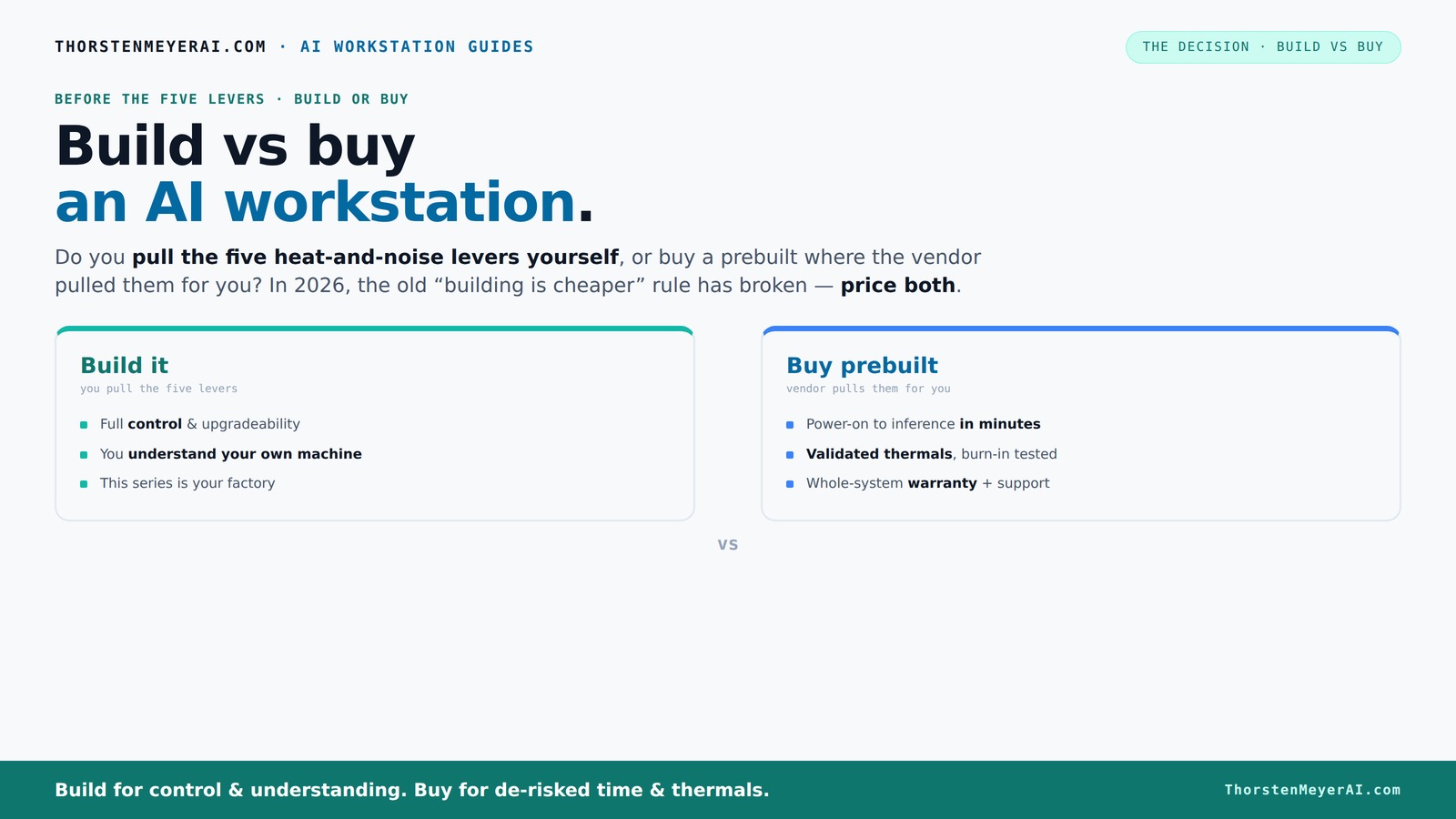
Build vs buy
an AI workstation.
The real question behind this whole series: do you pull the five heat-and-noise levers yourself, or buy a prebuilt where the vendor pulled them for you? And in 2026, the old “building is cheaper” rule has broken. Match your situation in Part 3.
Key Takeaways
- Component shortages and bulk buying have made prebuilt AI workstations often as cost-effective as DIY builds in 2026.
- Building offers full control over hardware, cooling, and noise, but requires significant time and expertise.
- Prebuilts deliver validated thermal performance, tested stability, and support, reducing setup headaches and downtime.
- Compare total costs carefully—price isn't the only factor. Consider time-to-deploy, support needs, and upgrade plans.
- Your choice depends on whether you prioritize customization and control or speed and support.
high-end AI workstation prebuilt
As an affiliate, we earn on qualifying purchases.
As an affiliate, we earn on qualifying purchases.
Why 2026 Changes Everything About Building vs Buying
In 2026, the traditional wisdom that building your AI workstation is always cheaper has flipped. Component shortages, inflation, and bulk buying by prebuilt vendors mean that the cost gap has narrowed or even reversed.
For example, a DIY build with high-end GPUs like the RTX 4090 or A100 now easily exceeds $2,000, while a prebuilt with similar specs can be found at comparable or even lower prices. The supply chain issues that made building a budget nightmare last year now work in favor of prebuilt vendors, who buy in bulk and pass some savings to you.
So don’t assume DIY is the cheapest route anymore. Instead, compare both options meticulously for your specific config. This shift means your decision hinges on more than just price—think time, support, and control.
customizable AI GPU workstation
As an affiliate, we earn on qualifying purchases.
As an affiliate, we earn on qualifying purchases.
Who Gets More Control? Building Your Own AI Rig
Building your own AI workstation means not just choosing components but also shaping every aspect of your system’s behavior and performance. This control extends beyond just selecting parts; it involves fine-tuning cooling solutions, airflow, noise levels, and even the BIOS settings to optimize performance and thermal efficiency. For example, you can design a custom water-cooling loop that minimizes noise while maximizing heat dissipation—crucial when running multiple GPUs for extended periods. Such customization can lead to quieter operation, lower thermal throttling, and more stable long-term performance, which are paramount in intensive AI workloads.
Moreover, building your own system allows you to upgrade selectively—adding more RAM, swapping out GPUs, or upgrading storage without replacing the entire machine. This flexibility can significantly extend the system’s lifespan and adapt to evolving project needs. However, achieving this level of control requires a deep understanding of hardware compatibility, thermal management, and troubleshooting, which can be a double-edged sword—offering power but demanding expertise.
The importance of control in AI work is not just about customization; it impacts reliability, thermal management, and noise levels. For instance, a researcher running continuous training sessions needs a system that stays cool and quiet, which is often difficult to achieve with generic prebuilt setups. By building your own rig, you can tailor the cooling to handle sustained loads, ensuring consistent performance and preventing thermal throttling that could delay training or cause hardware failures. This level of control ultimately translates into more predictable results and longer hardware lifespan, especially critical in demanding AI environments.
professional AI workstation build kit
As an affiliate, we earn on qualifying purchases.
As an affiliate, we earn on qualifying purchases.
Why Prebuilt Systems Save You Time and Hassle
If your priority is getting to work quickly with minimal fuss, prebuilt AI workstations deliver unmatched convenience. These systems arrive fully assembled, tested, and configured, which means you bypass the often complex and time-consuming process of sourcing compatible parts, assembling each component, and tuning BIOS and drivers for stability. This streamlining can be critical when deadlines are tight or when you lack the time or expertise to troubleshoot hardware conflicts.
For instance, imagine unboxing a system, plugging it in, and immediately launching your training jobs. Vendors like Lambda or Puget perform extensive burn-in testing to ensure thermal stability and performance under load, reducing the risk of thermal throttling or hardware failures during critical phases. This reliability translates into fewer interruptions, less downtime, and peace of mind—especially when your research or production schedule depends on consistent hardware performance.
Additionally, support and warranty services are typically included, providing quick turnaround for repairs or replacements, which can be invaluable during intensive AI projects where hardware failures can be costly and disruptive.
AI workstation with RTX 4090 GPU
As an affiliate, we earn on qualifying purchases.
As an affiliate, we earn on qualifying purchases.
Cost Comparison: Building vs Buying in 2026
| Feature | Build Your Own | Prebuilt System |
|---|---|---|
| Price | Variable; often higher due to component shortages and inflation, especially for high-end GPUs and specialized parts | Often comparable or lower, thanks to bulk purchasing and optimized supply chains, making prebuilt systems more accessible financially |
| Time Investment | High; sourcing parts individually, assembling, testing, and troubleshooting can take days or weeks, especially if parts are hard to find | Low; systems arrive ready to deploy—plug in and start working—saving valuable time for urgent projects | Support/Warranty | Limited; individual component warranties require self-troubleshooting and separate RMA processes, which can prolong downtime | Comprehensive; vendor support, on-site repairs, and integrated warranties reduce downtime and simplify problem resolution |
| Customization | Complete; tailor every component, cooling method, and noise profile to your exact needs, enabling precise optimization for your workload | Limited; depends on vendor options, which may restrict certain customizations but often include validated configurations for stability |
| Thermal Optimization | DIY tuning required; you control fan curves, heatsinks, and airflow but must invest time to optimize thermal performance | Factory validated; thermal solutions are tested to handle sustained loads, reducing the risk of overheating or throttling during intensive tasks |
In 2026, this comparison reveals that while building your own system offers unparalleled customization and potential cost savings for niche needs, the time, effort, and risk involved are significant. Prebuilt systems, with their validated thermal performance and support, can provide a more reliable and efficient solution for most users, especially those who prioritize quick deployment and minimal maintenance.
Choosing Based on Your Priorities: Control, Cost, or Convenience
Deciding whether to build or buy hinges on what matters most to you. Want full control and the thrill of customizing? Building is your friend. Love speed, support, and a proven thermal setup? Prebuilt wins.
If you’re a hobbyist or a student who enjoys tinkering, you probably get a kick out of building and tuning your own rig. But if your focus is on getting to work fast, with minimal hassle, a prebuilt system is often the better choice.
For example, a researcher running regular multi-GPU training might prefer a prebuilt with validated cooling, while a hobbyist who loves hardware modding might go DIY.
Upgrade Paths and Long-Term Flexibility
Building your own system usually means easier upgrades. Want more VRAM, a second GPU, or faster RAM? You pick compatible parts and upgrade when needed. This approach allows your system to evolve with your projects, potentially extending its useful lifespan and adapting to new AI workloads without replacing the entire machine. For example, if your initial build uses DDR4 RAM, upgrading to DDR5 later or adding a second GPU as your needs grow can be straightforward, provided your motherboard supports these upgrades.
Prebuilt systems often have limited upgrade paths—especially if they use proprietary components or compact designs—making future modifications more challenging or costly. However, some vendors now offer modular or customizable options that facilitate upgrades, though these are less common. The key implication is that your long-term flexibility depends on your initial choice and the design philosophy of the system, influencing how easily you can adapt to future demands without significant overhaul.
Therefore, consider how long you want your system to serve you and whether you're comfortable investing in upgrades or planning for a full replacement down the line.
Thermals, Noise, and Power: Why It Matters in 2026
In high-performance AI work, managing heat and noise isn't just about comfort—it's about maintaining consistent performance and avoiding hardware throttling. Overheated components reduce clock speeds, leading to longer training times and potential instability. Excessive noise can also be distracting or disruptive during long sessions or in shared environments.
Prebuilt systems often come with factory-tuned cooling solutions, including advanced air or liquid cooling, designed specifically for their hardware configuration. These solutions are tested to ensure optimal thermal performance, which minimizes throttling and prolongs component lifespan. DIY builds, on the other hand, require you to select and tune fans, heatsinks, and airflow pathways—skills that impact thermal efficiency significantly. Poor thermal management can result in higher fan noise, reduced performance, and shortened hardware life.
For example, a multi-GPU inference server running continuously will generate substantial heat. Implementing an effective cooling strategy—whether through a prebuilt’s validated solution or a carefully designed DIY setup—ensures stable operation, lower noise levels, and energy efficiency. The choice affects not just immediate performance but also the long-term reliability of your investment.
Warranty, Support, and Repair Turnaround in 2026
One of the biggest advantages of prebuilt systems is the support infrastructure. If your AI workstation encounters hardware failure during a critical training phase, vendors like Lambda or Puget offer rapid response services, including on-site repairs or quick replacement parts, often within 24 hours. This fast turnaround minimizes costly downtime and keeps your research or production on track.
DIY systems depend on individual component warranties, which can vary widely in coverage and response time. Troubleshooting hardware issues often involves multiple RMA processes, shipping delays, and self-diagnosis—adding days or even weeks of downtime. This can be especially problematic if your project requires continuous operation or has tight deadlines. The support ecosystem for prebuilt systems provides peace of mind, reducing stress and ensuring that hardware issues are resolved swiftly, preserving your productivity and data integrity.
In environments where uptime is critical, such as research labs or enterprise AI deployments, having reliable support can be the difference between success and costly delays.
Final Score: When Is It Better to Build or Buy?
If your main goal is to deploy a reliable, ready-to-run system quickly, and you value vendor support and thermal validation, prebuilt options are often the best choice. They reduce setup time, provide tested stability, and include support services that can save you days or weeks of troubleshooting.
Conversely, if you enjoy hardware tinkering, want to tailor every aspect of your system, or aim to minimize parts costs through careful selection, building remains appealing—even if it requires more time and effort. However, in 2026, this approach comes with increased risk of delays and higher initial costs due to component shortages and inflated prices.
Ultimately, your decision should consider your specific workload, budget constraints, and whether you prioritize speed and support or control and customization. Recognizing these tradeoffs will help you choose the option that best aligns with your long-term AI ambitions.
Frequently Asked Questions
Is a prebuilt AI workstation worth the extra cost?
If saving time and ensuring support matter, a prebuilt can be well worth the premium. It often includes validated thermal design, warranty, and ready-to-use software stacks, which can save you days or weeks in setup and troubleshooting.Is it cheaper to build one yourself?
In 2026, not always. Component prices have surged, and shortages have driven up costs for DIY parts. While you control every detail, the total expense and effort often surpass buying a prebuilt, especially for multi-GPU setups.How many GPUs do I really need for AI training?
It depends on your workload. Most deep learning models train well on 2-4 high-end GPUs, but some large models require 8 or more. Focus on VRAM and bandwidth first, then scale as your projects grow.Can a prebuilt system handle local LLMs, training, and fine-tuning?
Yes, reputable prebuilt systems are designed for high-performance AI tasks. They often include high VRAM GPUs, robust cooling, and support for multi-GPU configurations—making them suitable for demanding workloads.What hidden costs should I watch out for in DIY builds?
Beyond parts, expect to spend time troubleshooting compatibility issues, tuning thermals, and possibly upgrading components sooner than expected. Support costs and downtime can also add up quickly.Conclusion
In 2026, the decision to build or buy your AI workstation is less about saving money and more about what you value—control, support, or convenience.
Imagine a machine ready to run, with minimal fuss, or a project that’s your playground for hardware tinkering. Either way, understanding the real tradeoffs ensures you get the best fit for your AI ambitions. So, what’s your next move—tinker or plug-and-play?