
TL;DR

Get business pricing on tools and workshop supplies
- Business-only prices and quantity discounts
- Tax-exempt purchasing
- Multiple users, one account, clear invoices
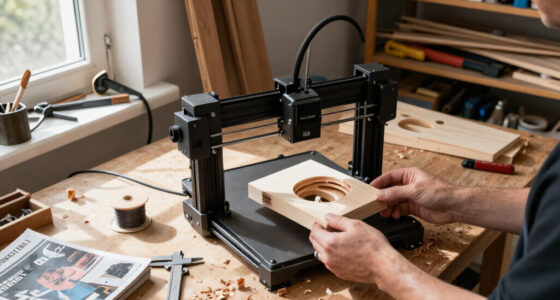
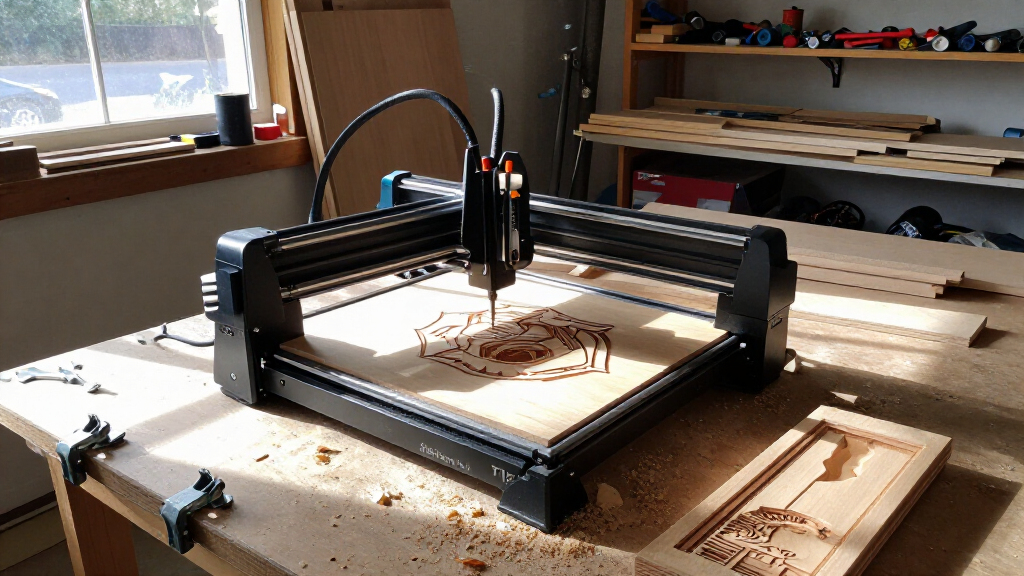
Creality has launched the Falcon T1, a laser engraver designed around five interchangeable modules: two blue diode lasers, an infrared fiber laser, a MOPA laser and a UV laser. The system starts at $2,499 with a 20W diode module; pricing for other configurations and several operational details are not specified in the source report.
Creality has launched the Falcon T1, a laser engraver built to use five interchangeable laser modules for work on different materials. The system starts at $2,499 with a 20W blue diode laser, giving buyers the option to choose a module when purchasing and add other compatible modules later, according to a report by ToolGuyd.
The five listed modules are 20W and 40W blue diode lasers, a 20W infrared fiber laser, a 60W MOPA laser and a 5W UV laser. ToolGuyd reports that users can change modules without tools in a process that takes seconds. The report says buyers can select a module at purchase or expand their setup afterward; it does not provide prices for each module or bundle.
Creality’s product-page compatibility information, as summarized by ToolGuyd, assigns the blue diode modules to materials including wood, acrylic, MDF, PU leather, dark glass, ceramics and coated metals. The infrared and MOPA modules are listed for metals such as stainless steel, titanium alloy, gold, silver, brass, copper, iron and aluminum, as well as plastic and shale. The UV module is listed for acrylic, plastic, glass, ceramics, crystal, PU leather and cardboard. These are manufacturer-provided compatibility claims, not independent performance tests.
The machine has a 175-by-175-millimeter work area and a stated top speed of 10,000 millimeters per second. ToolGuyd says all five modules can perform flat and deep engraving and relief cuts; blue diode, infrared and MOPA options are also listed for 3D curved engraving, while the UV module can perform internal engraving. The system supports Creality’s Falcon Design software and LightBurn, according to the report.
One Engraver, Five Laser Options
The modular design changes the purchasing choice from selecting one laser type for a machine to choosing among modules for a shared system. That could appeal to makers and small businesses whose jobs vary by material, or who expect their requirements to change. Rather than buying a separate machine for each laser technology, users may be able to add a compatible module to the Falcon T1, though the upfront and expansion costs will depend on module prices that the source does not specify.
The trade-off is a higher starting price than a single-purpose setup may require. At $2,499 for the 20W diode configuration, the T1 is positioned as a substantial equipment purchase. Buyers will need to weigh the value of a shared platform against the cost of the modules and accessories they actually need, as well as their workspace’s ventilation and safety requirements.
The system’s accessory range also points to production uses beyond flat objects. ToolGuyd lists a rotary attachment for items such as tumblers and a conveyor for higher-throughput work. Those options may broaden the machine’s uses, but the report notes that operating with the conveyor or rotary attachment requires the cover to be open, changing the machine’s safety designation and requiring additional protective measures, including laser safety goggles.
Products Worth Considering

Bose TV Speaker Compact Soundbar with Bluetooth and HDMI-ARC, Black

Google Nest Doorbell (Wired, 3rd Gen, 2025) – Snow

Samsung 65-Inch The Frame Pro Neo QLED 4K TV (2026) Bundle with Modern Brown Bezel, HDMI Cables, and Home Theater Guide
As an affiliate, we earn on qualifying purchases.
How the Falcon T1 Is Configured
Many laser engravers are sold with a particular laser technology, which can limit the materials and processes available from that machine. ToolGuyd describes Creality’s approach as a swappable-module system: the T1 base can work with five listed laser types, with different materials and tasks assigned to each. Creality markets the product as a five-in-one system, but the report does not say that every configuration includes all five modules.
Creality also lists accessories including the AP1 Mini fume extractor, rotary attachment kit, UV inner-engraving riser, knife blade bed, conveyor and flexible fixture. The report describes a smart camera for previews and positioning, and says the machine has Class 1 certification when its window guard is in place. Listed safety features include a USB security key, a side-mounted emergency stop, a lid-open auto-stop and flame detection. The source says users still need fume extraction or another ventilation solution.
““endless horizons””
— Creality
Prices, Bundles and Safety Details
The source report does not give the launch date, prices for individual modules, or the cost of configurations beyond the $2,499 starting price for the 20W diode version. It also does not specify whether the other modules are available immediately in every market, what comes in each package, or whether the stated top speed applies equally across materials and modules.
Material compatibility and performance details in the report are based on Creality’s product information; no independent testing results are provided. Although the report cites Class 1 certification with the window guard in place, it does not provide the certification documentation or explain the classification for every accessory configuration. It says the conveyor and rotary attachment require an open cover, which changes the safety designation, but does not detail the resulting classification. Buyers should confirm current safety instructions and local requirements before operating the machine.
Availability and Module Costs
Readers considering the Falcon T1 will need to check Creality’s current product listings or retailers for regional availability, module pricing and package contents, details not included in the source report. Those figures will determine the cost of building a multi-module setup and how it compares with buying separate machines.
Before choosing a configuration, users should also confirm that their intended materials and tasks are supported, plan for fume extraction or suitable ventilation, and review the operating guidance for the cover and any accessories. The source report does not state a date for further product announcements or a schedule for availability updates.
Key Questions
What is the Creality Falcon T1?
It is a laser engraver designed to accept five interchangeable laser modules, covering blue diode, infrared fiber, MOPA and UV options. The source report lists the machine’s starting configuration as a 20W blue diode laser.
How much does the Falcon T1 cost?
The reported starting price is $2,499, including a 20W diode laser. The source does not list prices for the other modules or accessory packages.
Which materials can the modules engrave?
Creality’s compatibility information, as reported by ToolGuyd, lists materials including wood, acrylic, glass, ceramics, leather and metals. The supported materials differ by module, so buyers should check the compatibility list for their intended material and job.
Does the Falcon T1 require ventilation?
Yes. ToolGuyd says users need a fume extraction system or another ventilation solution. The report also says using the conveyor or rotary attachment with the cover open changes the machine’s safety designation and requires additional protection, including laser safety goggles.
Source: toolguyd.com