If your Milwaukee M18 charger is blinking red, it can be frustrating and disrupt your workflow. The blinking red light typically indicates an issue with the battery, charger, or connection. Fortunately, most problems are fixable with some simple troubleshooting steps. This guide will walk you through the common causes of a blinking red light on your Milwaukee charger and provide clear, practical solutions to get your tools charging again efficiently and safely.
Whether you’re a professional tradesperson or a DIY enthusiast, understanding why this happens can save you time and prevent unnecessary replacements. Remember to always prioritize safety when handling power tools and chargers, and follow the manufacturer’s guidelines closely.
Key Takeaways
| Identify the blinking pattern | Different blinking sequences indicate different issues, such as battery or charger problems. |
| Check battery compatibility | Ensure your batteries are compatible and correctly inserted. |
| Inspect for damage or debris | Look for dirt, corrosion, or physical damage on the battery and charger contacts. |
| Test with different batteries | Use a known good battery to determine if the issue is with the battery or charger. |
| Allow the charger to cool down | Overheating can cause blinking red lights; let it cool before retrying. |
Understanding the Red Blinking Pattern
The first step in troubleshooting a Milwaukee charger blinking red is to observe the blinking pattern. Typically, a steady red light indicates charging, but a blinking red often signals a fault or error. Some models may blink in specific sequences—such as slow or fast blinking—that correspond to particular issues. Refer to your user manual for the exact pattern meanings, or observe if the light blinks in a consistent pattern that might suggest overheating, a bad battery, or a connection problem.
Basic Troubleshooting Steps
- Power cycle the charger: Unplug it from the power outlet, wait 30 seconds, then plug it back in. This simple reset can resolve minor glitches.
- Check battery insertion: Remove the battery and re-insert it firmly, ensuring it clicks into place properly.
- Inspect contacts: Examine both the battery and charger contacts for dirt, debris, or corrosion. Clean gently with a dry cloth if needed.
- Try a different battery: Use another fully charged, compatible Milwaukee battery to see if the issue persists. This helps identify if the problem lies with the battery or the charger.
Addressing Overheating and Safety Checks
Overheating can cause the charger to blink red as a safety precaution. If you suspect this is the case, unplug the charger and let it cool down in a well-ventilated area for at least 15-30 minutes. Avoid using the charger in direct sunlight or high-temperature environments. Additionally, check for any physical damage or warping on the charger and batteries, as these can impair proper function and pose safety risks.
Advanced Troubleshooting and When to Seek Help
If basic steps do not resolve the blinking red light, consider testing the charger with other compatible batteries or trying a different power outlet. Sometimes, an issue with the power source can cause charging errors. If the problem persists, it may indicate a faulty charger or battery that requires professional repair or replacement. Do not attempt to open or repair the charger yourself, as this can be dangerous.
Preventive Tips for Reliable Charging
- Store batteries properly: Keep batteries in a cool, dry place to prevent degradation.
- Charge in a safe environment: Avoid high temperatures and humidity during charging.
- Use genuine Milwaukee chargers and batteries: Non-compatible or low-quality replacements can cause issues.
- Regular maintenance: Clean contacts periodically and check for damage.
The Products in This Guide

Milwaukee M18 18V Cordless Power Tool Combo Kit
- ✔ Weight: Varies by tool
- ✔ Battery Capacity: High-capacity, 3 batteries included
- ✔ Charging Time: Fast charger

Milwaukee Shockwave 100pcs Impact Driver Bit Set Packout
- ✔ Weight: Varies
- ✔ Case Dimensions: Compact
- ✔ Material: Impact steel
Milwaukee M18 18V Cordless Power Tool Combo Kit
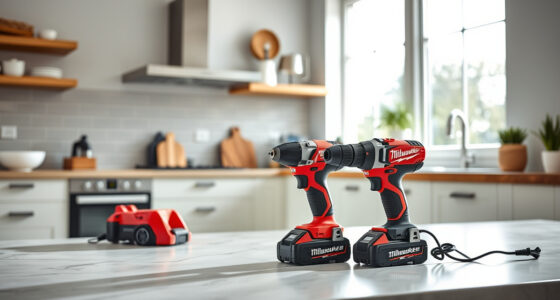
The Milwaukee M18 18V Cordless Power Tool Combo Kit offers a comprehensive set of tools with reliable power and durability. Its included charger is designed for performance, but like all chargers, it can sometimes face issues such as blinking red lights. Following proper troubleshooting steps can help ensure your tools stay in optimal condition.
Pros:
- Includes 8 versatile tools
- Fast charging with included charger
- 3 batteries for extended use
- Durable, high-quality construction
Cons:
- Charger can occasionally blink red due to minor faults
- Requires proper battery maintenance
- Not suitable for non-Milwaukee batteries
Best for: Construction, remodeling, maintenance jobs requiring reliable power tools
Not ideal for: Casual users or those with incompatible batteries
Bottom line: A versatile, comprehensive power tool kit with reliable performance, with troubleshooting for charger issues included.
Milwaukee Shockwave 100pcs Impact Driver Bit Set Packout
The Milwaukee Shockwave 100pcs Impact Driver Bit Set provides a comprehensive collection of bits, perfect for use with the M18 impact driver. It offers durability and compatibility that complement your Milwaukee power tools, ensuring you always have the right bit for any task.
Pros:
- 100 high-quality impact bits
- Packout case for organization
- Suitable for heavy-duty applications
- Durable construction
Cons:
- Large set may be overwhelming for beginners
- Some bits may be more specialized than needed
- Higher price point
Best for: Professional construction, renovation, heavy-duty projects
Not ideal for: Casual DIY users with light projects
Bottom line: A comprehensive set that ensures you are always prepared for impact driver tasks.
Frequently Asked Questions
Why is my Milwaukee charger blinking red?
A blinking red light typically indicates a fault such as overheating, a bad battery, or connection issues. Refer to the blinking pattern and troubleshoot accordingly.
How do I reset a Milwaukee charger blinking red?
Unplug the charger, wait 30 seconds, then plug it back in. Reinsert the battery properly and check contacts for dirt or corrosion.
Can I use non-Milwaukee batteries with the charger?
It’s recommended to use only Milwaukee-compatible batteries to ensure proper charging and avoid damage or safety hazards.
What should I do if my charger overheats?
Unplug it immediately, let it cool in a well-ventilated area, and avoid charging in high-temperature environments. Check for damage before reuse.
When should I replace my Milwaukee battery or charger?
If troubleshooting does not resolve blinking issues, and the battery or charger shows signs of damage or poor performance, replacement may be necessary.
Keep Your Milwaukee Tools Running Smoothly
Understanding the causes behind a blinking red light on your Milwaukee charger can save you time and keep your tools working efficiently. By following proper troubleshooting steps, inspecting your batteries and connections, and ensuring safe operating conditions, you can resolve most common issues. Regular maintenance and using genuine Milwaukee accessories will extend the life of your power tools and chargers, ensuring you’re always ready for your next project.
Affiliate disclosure: As an Amazon Associate we earn from qualifying purchases. Prices and availability are accurate as of the time of publishing.