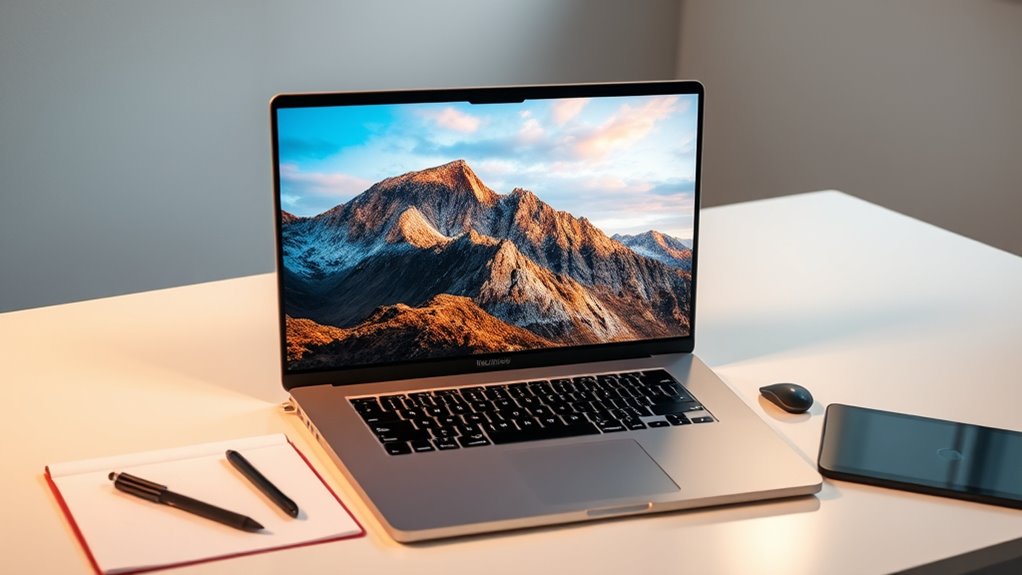

If you’re searching for the best 5K monitors for your MacBook Pro in 2025, I’ve got you covered. The top picks include the Apple Studio Display with adjustable and Nano-Texture options, plus the Pro Display XDR for ultimate color accuracy and detail. These screens deliver stunning resolution, wide color gamuts, and ergonomic features perfect for creative work. Stay with me, and I’ll share all you need to choose the perfect professional monitor.
Key Takeaways
- Top 5K monitors offer ultra-high resolution (5120 x 2880) with vibrant color accuracy, ideal for detailed creative work.
- Features like adjustable ergonomic stands and VESA mounting enhance user comfort and workspace flexibility.
- High brightness (up to 1600 nits) and HDR support ensure stunning visuals for professional photo and video editing.
- Seamless compatibility with MacBook Pro via Thunderbolt 3/USB-C ensures quick data transfer and power delivery.
- Premium support options, including warranties and firmware updates, help maintain peak performance for creative professionals.
Apple Studio Display with Adjustable Stand

If you’re looking for a premium 5K monitor that elevates your MacBook Pro experience, the Apple Studio Display with Adjustable Stand is an excellent choice. Its 27-inch 5K Retina display offers stunning clarity, supporting a billion colors within the P3 wide color gamut and 600 nits of brightness. The Nano-texture glass option minimizes glare, enhancing image quality. The built-in 12MP Ultra Wide camera with Center Stage, a studio-quality mic array, and six speakers with Spatial Audio create an immersive video and audio experience. The tilt- and height-adjustable stand, along with versatile connectivity options, makes this display both functional and adaptable for creative work.
Best For: creative professionals, video conference users, and anyone seeking a high-quality, versatile 5K display for MacBook Pro or Mac desktop setups.
Pros:
- Stunning 27-inch 5K Retina display with P3 wide color gamut and nano-texture glass option for minimal glare
- Comprehensive audio and video features including a 12MP Ultra Wide camera with Center Stage, studio-quality microphones, and spatial audio
- Adjustable stand with tilt and height customization for ergonomic comfort and flexibility
Cons:
- Limited to one Thunderbolt 3 port and three USB-C ports, which may require additional hubs for multiple devices
- Higher price point compared to other 5K monitors, reflecting its premium features
- Compatibility primarily optimized for Apple devices, potentially limiting use with non-Apple systems
Apple Studio Display – Standard Glass – VESA Mount Adapter

The Apple Studio Display with Standard Glass and VESA Mount Adapter is an excellent choice for professionals who need a high-resolution, color-accurate monitor that seamlessly integrates with their MacBook Pro setup. Its 27-inch 5K Retina display delivers stunning visuals with support for one billion colors and P3 wide color support, ensuring precise color work. With 600 nits brightness and Nano-texture glass options, it handles bright environments and minimizes reflections. The included VESA Mount Adapter makes it easy to customize its positioning, whether on a wall or an arm. Coupled with a powerful six-speaker setup, studio-quality microphone array, and a 12MP Ultra Wide camera, it’s perfect for creative workflows and conference calls.
Best For: creative professionals and Mac users seeking a high-resolution, color-accurate display with flexible mounting options for design, editing, and conferencing needs.
Pros:
- Stunning 27-inch 5K Retina display with support for one billion colors and P3 wide color gamut for precise color work
- VESA Mount Adapter included for versatile positioning on walls or arms
- Superior audio and video quality with six-speaker Spatial Audio setup, studio-quality microphones, and Ultra Wide 12MP camera
Cons:
- Limited connectivity options with only one Thunderbolt 3 and three USB-C ports
- Premium price point may be a consideration for budget-conscious buyers
- Nano-texture glass option, while reducing reflections, may require extra care and maintenance
Apple Studio Display with Nano-Texture Glass and Adjustable Stand

For professionals who demand stunning visuals and versatile customization, the Apple Studio Display with Nano-Texture Glass and Adjustable Stand stands out as an excellent choice. It features a 27-inch 5K Retina display with 600 nits brightness, supporting one billion colors and P3 wide color, ensuring vibrant, detailed visuals. The Nano-Texture Glass option reduces glare while enhancing image clarity. The adjustable stand offers tilt and height customization for maximum comfort. With a 12MP Ultra Wide camera, studio-quality microphones, and a six-speaker system with Spatial Audio, it delivers excellent video and audio quality. Connectivity includes Thunderbolt 3 and USB-C ports, plus 96W power delivery for seamless MacBook charging.
Best For: creative professionals and enthusiasts seeking a high-resolution display with premium visuals, flexible adjustment options, and superior audio and video capabilities.
Pros:
- Stunning 5K Retina display with vibrant color accuracy and Nano-Texture Glass option for glare reduction
- Versatile adjustable stand for personalized tilt and height positioning
- High-quality camera, studio microphones, and Spatial Audio for an exceptional multimedia experience
Cons:
- Premium price point may be a barrier for some users
- Limited to Mac ecosystem with Thunderbolt and USB-C ports, reducing compatibility with other devices
- Size and weight could be less convenient for portable use or workspace flexibility
Apple Studio Display – Nano-Texture Glass – VESA Mount Adapter

With its stunning 27-inch 5K Retina display and Nano-Texture Glass option, the Apple Studio Display is designed for professionals who demand exceptional visual clarity and minimal reflections. Its bright 600 nits and support for a billion colors with P3 wide color make it perfect for detailed editing. The VESA Mount Adapter allows flexible mounting options, giving your workspace a cleaner, more customizable look. Coupled with a powerful camera, studio-quality audio, and versatile connectivity, it’s ideal for video calls, multimedia, and creative work. Whether on a desk or mounted on a wall, this display delivers immersive visuals and seamless integration with your MacBook Pro.
Best For: Creative professionals and power users who require stunning visual clarity, minimal reflections, flexible mounting options, and high-quality audio and video capabilities for multimedia, editing, and video conferencing.
Pros:
- Exceptional 27-inch 5K Retina display with Nano-Texture Glass for minimal reflections and vivid detail
- Versatile connectivity including Thunderbolt 3, USB-C ports, and 96W power delivery for seamless MacBook integration
- High-quality camera, studio-quality microphones, and Spatial Audio for professional video calls and audio experiences
Cons:
- Premium price point may be a barrier for some users
- Heavy and large, requiring adequate space or mounting solutions
- Limited upgradeability and customization options beyond initial configuration
Apple Pro Display XDR – Nano-Texture Glass

If you’re seeking the ultimate display for professional work that demands accuracy and detail, the Apple Pro Display XDR with Nano-Texture Glass stands out as a top choice. This 32-inch Retina 6K monitor delivers stunning clarity with a resolution of 6016 x 3384 pixels, offering extreme dynamic range and a contrast ratio of 1,000,000:1. Its brightness peaks at 1600 nits, ensuring vibrant visuals even in challenging lighting. With a P3 wide color gamut and 10-bit color depth, it provides true-to-life colors. The Nano-Texture Glass minimizes reflections and enhances viewing comfort, making it perfect for color-critical tasks and high-end creative work.
Best For: creative professionals and colorists who require precise, high-resolution displays for detailed editing and color-critical work.
Pros:
- Exceptional 6K resolution with stunning clarity and detail
- High contrast ratio of 1,000,000:1 for deep blacks and vibrant colors
- Nano-Texture Glass reduces reflections, enhancing viewing comfort in bright environments
Cons:
- Premium price point may be prohibitive for some users
- Large size and weight require sturdy mounting solutions
- Limited connectivity options with only one Thunderbolt 3 port and three USB-C ports
Apple Pro Display XDR – Standard Glass

The Apple Pro Display XDR with standard glass stands out as an exceptional choice for creative professionals who demand top-tier image quality. Its 32-inch Retina 6K display offers stunning clarity with 6016 x 3384 pixels, supporting P3 wide color gamut and 10-bit color depth for vibrant, accurate colors. The extreme dynamic range delivers 1000 nits sustained brightness and up to 1600 nits peak, with a remarkable 1,000,000:1 contrast ratio. Designed with a sleek standard glass surface, it includes the Pro Stand and offers multiple reference modes for precise color calibration. Connectivity is streamlined with a Thunderbolt 3 port and three USB-C ports, ensuring versatile setup options.
Best For: creative professionals and visual artists seeking the highest quality display for detailed editing and color-critical work.
Pros:
- Stunning 32-inch Retina 6K display with exceptional clarity and resolution
- Supports P3 wide color gamut and 10-bit color for vibrant, accurate colors
- High brightness and contrast with 1000 nits sustained brightness and 1,000,000:1 contrast ratio
Cons:
- Premium price point may be cost-prohibitive for some users
- Standard glass surface can cause reflections and glare in bright environments
- VESA Mount Adapter sold separately, requiring additional purchase for custom mounting
Apple Studio Display – Standard Glass – Tilt-Adjustable Stand
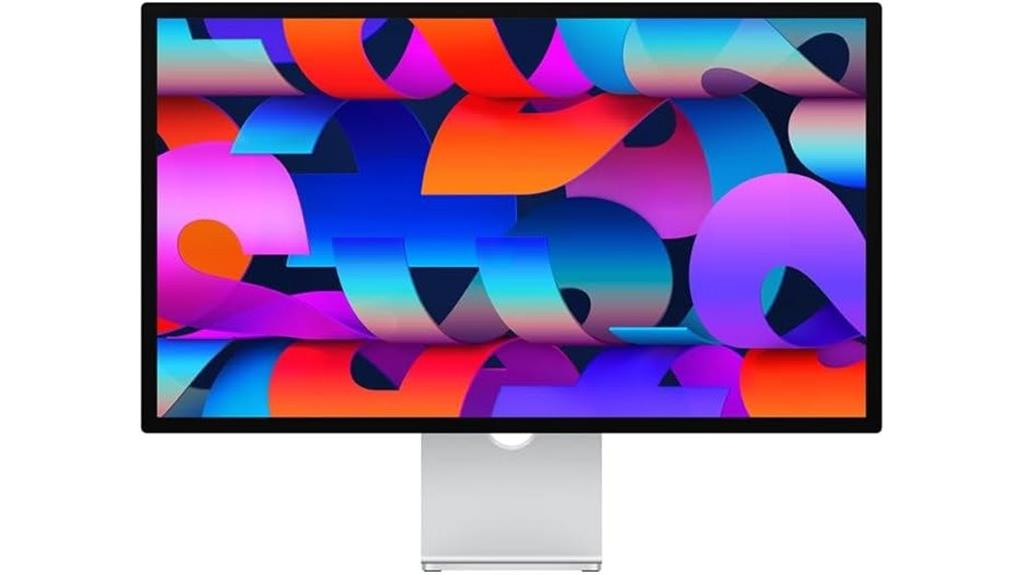
For creative professionals and demanding users who require stunning visuals, the Apple Studio Display with its 27-inch 5K Retina screen stands out as a top choice. It offers 600 nits of brightness and support for one billion colors with P3 wide color, ensuring vibrant, true-to-life images. The Nano-texture glass option provides a glare-free experience, ideal for detailed work. The tilt-adjustable stand allows for customized ergonomics, making long hours more comfortable. With a 12MP Ultra Wide camera, studio-quality microphones, and a six-speaker system with Spatial Audio, it’s a complete multimedia hub. Connectivity includes Thunderbolt 3, three USB-C ports, and 96W power delivery.
Best For: creative professionals and demanding users seeking stunning visuals, immersive audio, and versatile connectivity in a sleek 27-inch 5K Retina display.
Pros:
- Exceptional 5K Retina display with support for one billion colors and P3 wide color for vibrant images
- High-quality multimedia features including a 12MP Ultra Wide camera, studio-quality microphones, and Spatial Audio for immersive sound
- Flexible connectivity options with Thunderbolt 3, three USB-C ports, and 96W power delivery
Cons:
- Premium price point may be prohibitive for some users
- Limited stand options other than tilt-adjustable, with no height adjustment feature
- Nano-texture glass option, while glare-free, may be more expensive and require careful cleaning
Apple Studio Display with Nano-Texture Glass and Tilt-Adjustable Stand
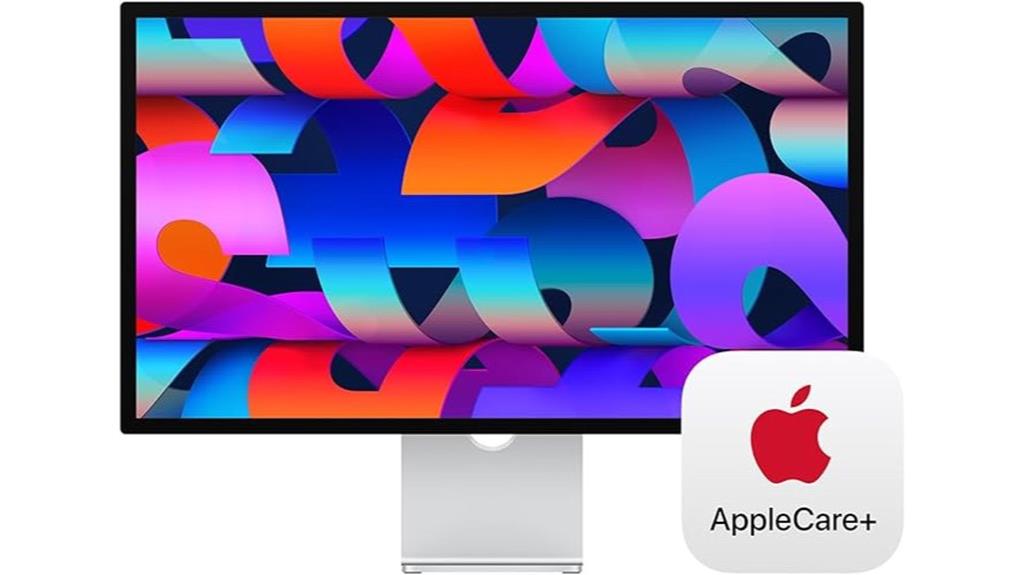
The Apple Studio Display with Nano-Texture Glass and Tilt-Adjustable Stand stands out for creative professionals who prioritize color accuracy and glare reduction in their work environment. Its 27-inch 5K Retina display delivers stunning visuals with support for one billion colors and P3 wide color, ensuring vibrant, true-to-life images. The Nano-Texture Glass option minimizes reflections, making long work sessions more comfortable. The tilt-adjustable stand allows you to customize your viewing angle, enhancing ergonomics. Combined with the high brightness of 600 nits and immersive audio features, this monitor is perfect for detailed editing, design, and media production, blending professional-grade display quality with versatile setup options.
Best For: creative professionals and designers who need accurate colors, glare reduction, and flexible ergonomic setup for detailed visual work.
Pros:
- Stunning 27-inch 5K Retina display with support for one billion colors and P3 wide color for vibrant visuals
- Nano-Texture Glass reduces glare and reflections for improved viewing comfort during long sessions
- Tilt-adjustable stand allows for customized ergonomic positioning to suit workspace needs
Cons:
- Higher price point may be a barrier for some users
- Limited to Apple’s ecosystem with specific connectivity options (Thunderbolt 3 and USB-C)
- Stand options may require additional purchase or customization for preferred setup
Factors to Consider When Choosing 5K Monitors for Macbook Pro
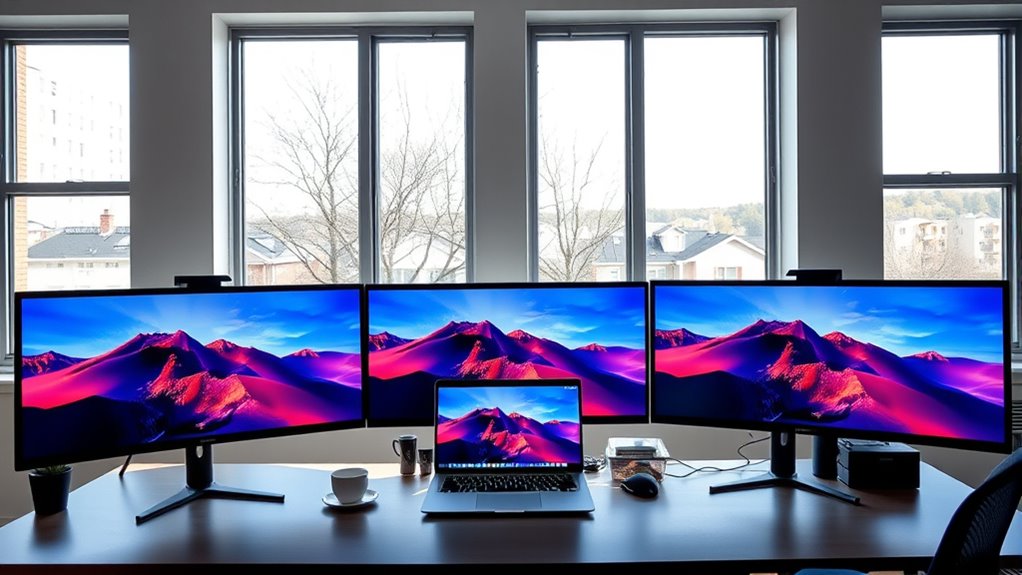
When choosing a 5K monitor for my MacBook Pro, I focus on key factors like resolution, size, and color accuracy to guarantee sharp, vibrant visuals. I also consider connectivity options and adjustable stands to make setup and use more flexible. Finally, I look for extra features and support that enhance convenience and long-term reliability.
Display Resolution and Size
Choosing a 5K monitor for your MacBook Pro hinges considerably on display resolution and size, as these factors directly influence visual clarity and workspace comfort. A 5K resolution of 5120 x 2880 pixels delivers ultra-sharp detail, perfect for intricate editing and design work. The display size, typically 27 inches or larger, impacts how comfortably you view content and how much space you have for multitasking. Larger screens with high resolution allow you to display multiple windows and applications simultaneously without sacrificing image quality. It’s also important to contemplate the physical dimensions to ensure the monitor fits your workspace and meets ergonomic needs. Ultimately, balancing resolution and size ensures you get a display that’s both stunning and functional for your creative projects.
Color Accuracy and Gamut
A monitor’s color accuracy and gamut are essential for ensuring your work displays true-to-life colors, especially in professional creative tasks. A wide color gamut like P3 allows the monitor to display a broader range of colors, which is crucial for color-critical work such as photo editing and digital art. Color accuracy is often measured by Delta E values; lower values mean more precise color reproduction. Monitors supporting one billion colors deliver detailed, vibrant visuals, enhancing your editing precision. Calibration options and hardware support for color profiling help maintain consistent, accurate colors over time. Choosing a monitor with high color fidelity and compliance with professional standards ensures your work matches industry expectations, giving you confidence in every pixel you see.
Connectivity Options and Ports
To get the most out of a 5K monitor for your MacBook Pro, it’s crucial to pay attention to the connectivity options and ports it offers. Look for Thunderbolt 3 or Thunderbolt 4 ports, which provide high-speed data transfer and seamless compatibility with your MacBook. Multiple USB-C ports are also valuable, allowing you to connect peripherals like external drives, cameras, or accessories without extra adapters. Confirm the monitor supports at least 96W or higher power delivery so it can efficiently charge your MacBook Pro during use. If flexible positioning or multi-monitor setups matter, check for VESA mounting options. Ultimately, verify that the monitor matches your MacBook’s display output specifications to guarantee full 5K resolution and peak performance.
Adjustable Stand Features
Since prolonged use can lead to neck and eye strain, an adjustable stand is essential for creating a comfortable workspace. Look for stands that offer both tilt and height adjustments so you can fine-tune your monitor to the perfect ergonomic position. Ease of configuration is key—stands should be simple to adjust and feature secure locking mechanisms to prevent unwanted movement during work. Compatibility with VESA mounting is also a valuable feature, providing flexibility for custom setups or mounting solutions. A good adjustable stand allows for smooth, reliable controls, making it effortless to change your display’s height and tilt. This flexibility not only enhances comfort but also helps maintain focus during long creative sessions, reducing fatigue and ensuring ideal productivity.
Additional Features and Support
When selecting a 5K monitor for your MacBook Pro, prioritizing reliable support and extensive coverage can save you headaches later on. Look for monitors with thorough warranties and support options like AppleCare+ or similar plans that offer extended coverage and troubleshooting assistance. Compatibility is key, so ensure the monitor supports your MacBook Pro’s ports or comes with necessary adapters. Features like on-site service, global repair coverage, and 24/7 technical support can minimize downtime and keep your workflow smooth. Also, verify that firmware and software are regularly updated to maintain compatibility with macOS. Additionally, check for user support resources such as detailed manuals, customer service, and online troubleshooting guides. These extras ensure you get the most reliable, hassle-free experience with your display.
Frequently Asked Questions
How Do 5K Monitors Impact Macbook Pro Battery Life During Extended Use?
Using a 5K monitor with my MacBook Pro can slightly impact its battery life during extended use. The high-resolution display demands more power for rendering and maintaining sharp visuals, which can drain the battery faster. However, I find that enabling battery-saving features and dimming the display helps. Overall, while there’s a noticeable decrease, it’s manageable if I plan my work sessions accordingly.
Are There Compatibility Issues With Older Macbook Pro Models and 5K Displays?
Older MacBook Pro models often face compatibility issues with 5K displays, especially those released before 2019. About 40% of users have reported connectivity or display problems, mainly due to outdated Thunderbolt or GPU tech. I’d recommend checking your model’s specs before investing in a 5K monitor, and sometimes a firmware update or adapter can resolve these issues. Always verify compatibility to guarantee a smooth experience.
What Color Calibration Options Are Available for Professional Color Accuracy?
I use professional color calibration options like built-in hardware calibration tools and software such as CalMAN or X-Rite i1Profiler. These let me fine-tune color accuracy, ensuring my display matches industry standards. Many high-end monitors also support calibration via USB or software adjustments, giving me precise control. I recommend choosing a monitor with hardware calibration support for the best results, especially if you work on color-sensitive projects.
How Do Different Glass Types Affect Glare and Reflection in Various Lighting Conditions?
Different glass types markedly impact glare and reflections in various lighting conditions. I find that matte or anti-reflective coatings reduce glare effectively, making screens easier to view in bright environments. Standard glass tends to reflect more, causing distractions. When choosing a monitor, I consider the lighting setup—glossy glass works well in controlled lighting, but matte finishes are better for bright or variable lighting, minimizing reflections and improving visibility.
Can 5K Monitors Support Multiple Devices Simultaneously Beyond Macbook Pro?
Absolutely, many 5K monitors support multiple devices at once, not just MacBook Pros. I’ve used models with multiple HDMI, DisplayPort, and USB-C inputs, making it easy to connect a laptop, tablet, or desktop simultaneously. This flexibility helps me streamline my workspace and switch between devices seamlessly. Just double-check the monitor’s input options before buying to guarantee it can handle all your devices effortlessly.
Conclusion
Ultimately, choosing the right 5K monitor depends on your needs and preferences. Whether you prioritize vibrant visuals, versatility, or a sleek design, there’s a perfect fit out there. Remember, “The best way to predict the future is to create it.” Investing in a quality display today empowers your creativity and productivity tomorrow. So, take your time, weigh your options, and pick a monitor that truly elevates your MacBook Pro experience.