

If you’re looking for the best Thunderbolt 4 hubs and certified cables in 2025, I’ve got you covered. I’ve compiled top options that support blazing-fast data transfer, high-resolution displays, and up to 240W power delivery to keep your devices charged. From versatile docks to durable cables supporting 8K video, these products ensure seamless connectivity. Keep exploring, and I’ll share detailed insights to help you choose the perfect setup.
Key Takeaways
- High-quality Thunderbolt 4 cables support 8K/dual 4K displays, 40Gbps transfer, and up to 240W charging, ensuring reliable, high-speed performance.
- Top Thunderbolt 4 docks and hubs offer multiple display outputs, USB ports, and robust power delivery for versatile connectivity.
- Compatibility with Thunderbolt 3, USB-C, and USB4 devices guarantees seamless integration across various setups.
- Certified cables and docks ensure optimal video output, fast data transfer, and safe charging for professional and personal use.
- Consider size and design for workspace needs, noting that larger hubs may reduce portability but enhance connectivity options.
Cable Matters Thunderbolt 4 Cable 3.3ft with 8K Video and 240W Charging

If you’re looking for a cable that can handle the most demanding high-resolution displays and fast-charging needs, the Cable Matters Thunderbolt 4 Cable 3.3ft is an excellent choice. I find its support for 8K video and 240W charging particularly impressive, making it perfect for high-end monitors and powerful devices. Fully compatible with Thunderbolt 3, USB-C, and USB4, it offers versatile connectivity. With a data transfer rate of 40Gbps, it ensures quick file transfers and smooth video streaming. Its robust build and Intel certification give me confidence in its performance and reliability, making it a top option for professional setups and demanding tasks.
Best For: professionals and power users who need high-speed data transfer, 8K video output, and rapid device charging for high-end monitors, gaming setups, and creative workflows.
Pros:
- Supports 8K video and dual 4K displays for ultra-high-definition visuals
- Offers up to 240W power delivery for fast charging of compatible devices
- Fully compatible with Thunderbolt 3, USB-C, and USB4, ensuring versatile connectivity
Cons:
- Discontinued by the manufacturer, which may affect availability and support
- Relatively short length at 3.3ft, potentially limiting placement flexibility
- Premium features may come at a higher price point compared to basic cables
Plugable Thunderbolt 4 Dock with 100W Charging
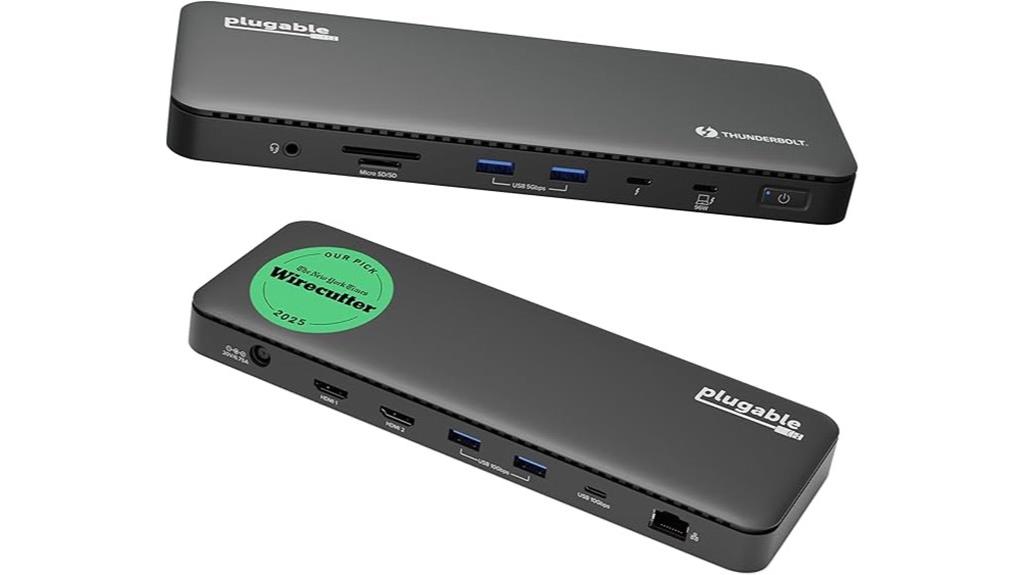
The Plugable Thunderbolt 4 Dock with 100W Charging stands out as an ideal choice for professionals who need fast, reliable connectivity combined with powerful charging capabilities. Recognized as the Best Thunderbolt Dock 2025 by Wirecutter, it’s Intel Evo certified, ensuring top-tier performance and compatibility. With 13 ports, including dual HDMI supporting 4K at 60Hz or single 8K, Thunderbolt 4 at 40Gbps, and multiple USB and Ethernet options, it handles demanding workflows. Its compact design and 100W power delivery make it perfect for modern laptops, offering seamless multitasking and high-speed data transfer in a sleek package.
Best For: professionals and creative users seeking a high-performance, reliable Thunderbolt dock with powerful charging capabilities and support for multiple high-resolution displays.
Pros:
- Recognized as the Best Thunderbolt Dock 2025 by Wirecutter, ensuring top-tier quality.
- Supports dual 4K 60Hz or single 8K display for advanced visual workflows.
- Compact, sleek design with 100W Power Delivery for fast charging of laptops.
Cons:
- Higher price point compared to basic docking stations.
- May require compatible Thunderbolt 4 ports for optimal performance.
- Limited to Thunderbolt-enabled devices, reducing compatibility with some older laptops.
SABRENT Thunderbolt 4 Hub with 60W Charging and Dual 4K/8K Display Support
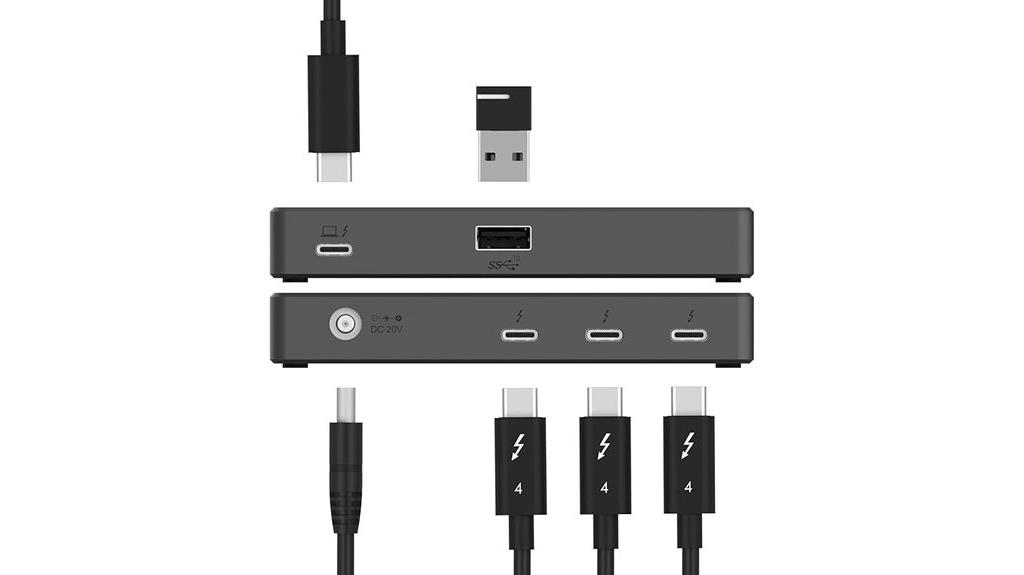
For professionals demanding seamless multi-display setups and fast data transfer, the SABRENT Thunderbolt 4 Hub stands out with its 60W charging capability and support for dual 4K or 8K displays. It offers blazing-fast 40Gbps data transfer and supports high-resolution displays at 60Hz, with the ability to handle 5K, 6K, or 8K outputs via DSC. Its durable aluminum build guarantees heat dissipation and longevity, while the included certified TB4 cable assures reliable connectivity. Compatible with macOS, Windows, and Thunderbolt 3/4 devices, this hub enhances productivity without sacrificing performance or stability.
Best For: professionals and creative users who need reliable multi-display setups, high-speed data transfer, and efficient charging for laptops and tablets.
Pros:
- Supports dual 4K@60Hz or single 8K displays via Thunderbolt 4 with DSC for high-resolution visuals
- Delivers 60W Power Delivery for fast charging of compatible devices while in use
- Durable aluminum construction ensures heat dissipation and long-lasting performance
Cons:
- Not a KVM switch; may require adapters or driver updates for legacy devices
- Requires host device with DisplayPort Alt Mode and DSC support for full functionality
- Limited to Thunderbolt 4 and compatible USB-C devices, reducing compatibility with older ports
Cable Matters 14-in-1 Thunderbolt Dock with 4K DisplayPort/HDMI
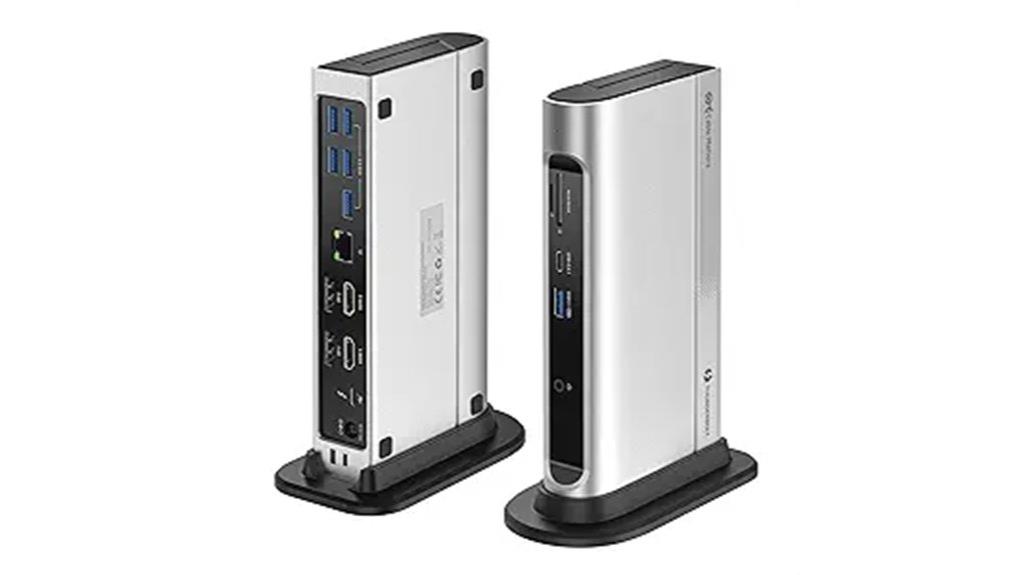
The Cable Matters 14-in-1 Thunderbolt Dock stands out as an ideal choice for professionals and creators who need to connect multiple high-resolution displays and peripherals simultaneously. It supports USB-C, Thunderbolt 4/3, USB 4.0, and hybrid ports, making it highly versatile with MacBook Pros, Dell, and other USB-C devices. You can drive dual 4K 60Hz monitors via HDMI, DisplayPort, or a mix, thanks to DSC support. The dock also offers multiple USB ports, SD card readers, Gigabit Ethernet, and 100W power delivery. It’s an all-encompassing solution that streamlines connectivity without sacrificing performance or display quality.
Best For: professionals and creators who need to connect multiple high-resolution displays and various peripherals simultaneously for enhanced productivity and multimedia experiences.
Pros:
- Supports dual 4K 60Hz monitors via HDMI, DisplayPort, or a combination with DSC support.
- Versatile connectivity with USB-C, Thunderbolt 4/3, USB 4.0, SD/microSD card readers, and Gigabit Ethernet.
- Delivers up to 100W power delivery for efficient charging of laptops and devices.
Cons:
- May be relatively expensive compared to basic docking stations.
- Requires compatible Thunderbolt 3/4 or USB-C ports for full functionality.
- Larger size could limit portability for some users.
Anker Prime Thunderbolt 4 Cable, 3.3 ft USB C to USB C Cable

If you need a reliable, high-performance cable that can handle demanding tasks, the Anker Prime Thunderbolt 4 Cable is an excellent choice. At 3.3 feet, it supports 240W fast charging, so you can power up your MacBook Pro (M3) from 0 to 50% in just 29 minutes. It offers blazing-fast 40Gbps data transfer, letting you move large files in seconds. Plus, it supports 8K or dual 4K display output for stunning visuals. Certified for Thunderbolt 4 and USB4, it guarantees safe, reliable performance with broad compatibility across MacBooks, iPads, smartphones, and other USB-C devices.
Best For: users seeking a high-speed, reliable Thunderbolt 4 cable for fast charging, data transfer, and high-resolution display output across a range of USB-C devices.
Pros:
- Supports 240W fast charging, capable of powering demanding laptops quickly
- Delivers ultra-fast 40Gbps data transfer, ideal for large file transfers
- Compatible with a variety of devices including MacBooks, iPads, smartphones, and displays
Cons:
- Price may be higher compared to standard USB-C cables due to premium features
- Length of 3.3 ft might be limiting for some setups requiring longer cables
- Requires Thunderbolt 4 or USB4 compatible devices to fully utilize its capabilities
Belkin Thunderbolt 4 Docking Station (5-in-1 USB-C Hub)
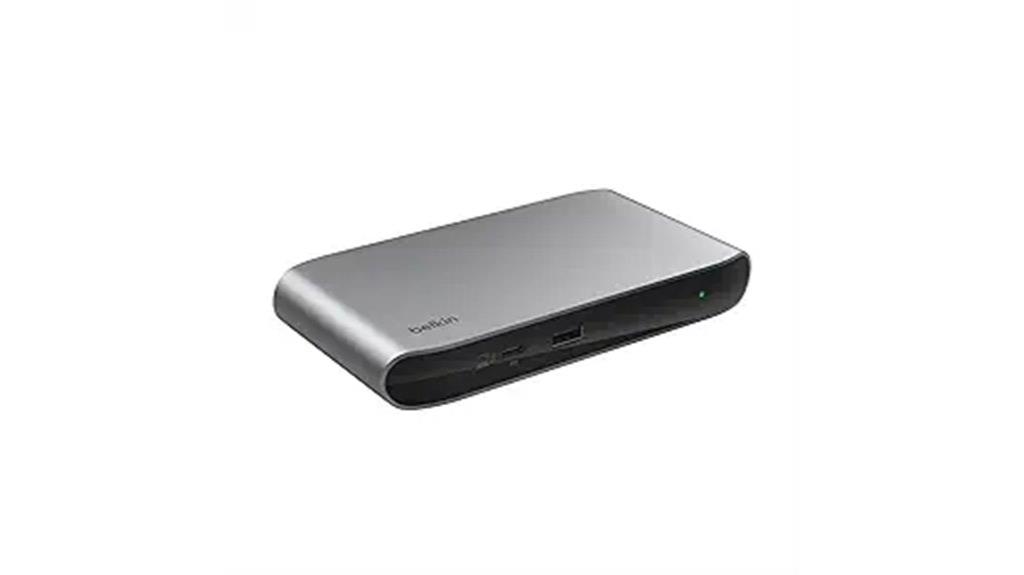
Tech enthusiasts seeking a reliable, all-in-one dock will find the Belkin Thunderbolt 4 Docking Station an excellent choice due to its high-speed data transfer and versatile connectivity options. It features three Thunderbolt 4 ports and one downstream port, allowing daisy-chaining up to six devices and supporting transfer speeds up to 40Gbps. It can handle dual 4K displays or a single 8K at 30Hz, making it perfect for high-resolution workflows. With 96W Power Delivery, it charges your devices while transferring data and supporting displays. Its broad compatibility, overcurrent protection, and smart charging make it a dependable, high-performance hub for any workspace.
Best For: tech enthusiasts and professionals seeking a high-performance, versatile docking station for high-resolution displays, fast data transfer, and device charging.
Pros:
- Supports daisy-chaining up to six devices with high-speed transfer rates of up to 40Gbps.
- Capable of powering dual 4K displays or a single 8K display at 30Hz, ideal for high-res workflows.
- Includes 96W Power Delivery for simultaneous device charging and data/display transfer.
Cons:
- May be overkill for users with basic connectivity needs or fewer devices.
- Requires compatible Thunderbolt 4 ports, limiting compatibility with older or less advanced laptops.
- The dock’s size and design might not suit minimalist or compact workspace setups.
Silkland USB 4 Thunderbolt 4 Cable (1M, 40Gbps, 8K/5K@60Hz, 240W, USB-IF Certified)

For anyone seeking a reliable, high-performance cable that supports the latest devices and demanding workflows, the Silkland USB 4 Thunderbolt 4 Cable is an excellent choice. It delivers blazing-fast 40Gbps data transfer speeds, making quick work of copying large files like 8K videos or multiple streams. The cable supports up to 240W charging, perfect for powering laptops and peripherals simultaneously. Its compatibility extends to Thunderbolt 3/4, USB 3.2, and other standards, ensuring broad device support. Plus, it’s USB-IF certified for safety and quality, giving me peace of mind during intensive tasks and multimedia setups.
Best For: professionals and power users who need ultra-fast data transfer, high-quality video output, and robust charging capabilities for their advanced devices.
Pros:
- Supports 40Gbps data transfer speeds for rapid file sharing and streaming
- Capable of delivering up to 240W fast charging, compatible with a wide range of devices
- Supports multiple high-resolution displays, including 8K@60Hz and dual 4K setups
Cons:
- May be more expensive than standard cables due to advanced features and certification
- Requires compatible devices and chargers to fully utilize high-speed data transfer and charging capabilities
- Length limited to 1 meter, which might not suit all setups or distance requirements
Silkland USB 4 Thunderbolt 5 Cable, 5FT, 80Gbps Data, 240W PD3.1, 120Gbps for 16K/8K Displays

The Silkland USB 4 Thunderbolt 5 Cable stands out as an ideal choice for professionals and power users who demand lightning-fast data transfer and stunning display capabilities. With bidirectional speeds of 80Gbps, it can transfer a 6GB file in just one second. It supports up to 16K resolution and multiple high-refresh-rate displays, perfect for demanding creative work. The cable delivers up to 240W PD3.1 power, suitable for laptops and workstations. Built with reinforced nylon, high-grade aluminum, and triple shielding, it guarantees signal stability and durability. Fully compatible with Thunderbolt 5, USB4, and a broad range of devices, it unifies connectivity in a sleek, reliable package.
Best For: professionals and power users who require ultra-fast data transfer, high-resolution display support, and versatile device compatibility in their workflows.
Pros:
- Delivers bidirectional 80Gbps speeds, enabling rapid transfer of large files in seconds.
- Supports up to 16K resolution and multiple high-refresh-rate displays for demanding visual tasks.
- Supports 240W PD3.1 charging, compatible with a wide range of laptops and workstations.
Cons:
- Longer cable length may reduce portability compared to shorter options.
- Premium build quality and advanced features may come at a higher price point.
- Requires compatible devices with Thunderbolt 5 or USB4 standards to maximize performance.
WAVLINK Thunderbolt 4 Hub with Dual HDMI 4K@60Hz, 100W Charging, Thunderbolt Certified, 13-in-1 Dock
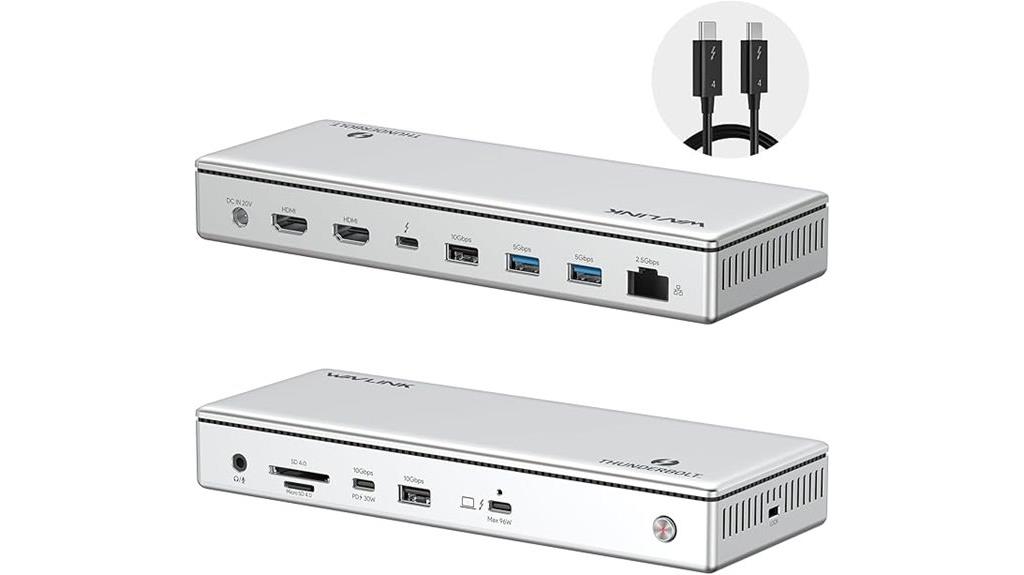
If you need a powerful and versatile hub that can handle demanding workflows, the WAVLINK Thunderbolt 4 Dock is an excellent choice. It’s Thunderbolt 4 certified and compatible with Windows 10+ and macOS 11+, supporting high-speed data transfer and multiple connections. With dual HDMI ports, it delivers 4K@60Hz displays simultaneously, and a single HDMI offers 8K@60Hz or 4K@120Hz. The dock provides up to 96W charging, ensuring your laptop stays powered while working. It also features fast SD card transfers, a 2.5G Ethernet port, and four USB ports, consolidating essential connections into a sleek 13-in-1 design.
Best For: professionals and power users needing high-speed data transfer, multiple high-resolution displays, and versatile connectivity in a compact, Thunderbolt 4-compatible dock.
Pros:
- Supports dual 4K@60Hz HDMI displays simultaneously, enhancing multitasking and productivity.
- Provides up to 96W charging, allowing fast power delivery to laptops during use.
- Equipped with a 2.5G Ethernet port and fast SD card reader, ensuring high-speed data transfer and reliable wired networking.
Cons:
- Mac users with M1/M2/M3 base models may be limited to a single external display due to hardware constraints.
- The dock’s full feature set may require specific system configurations, potentially complicating setup for some users.
- Its size and port selection may not suit users seeking a more minimal or portable hub solution.
Cable Matters 8-in-1 USB4 Hub with Dual 4K Displays
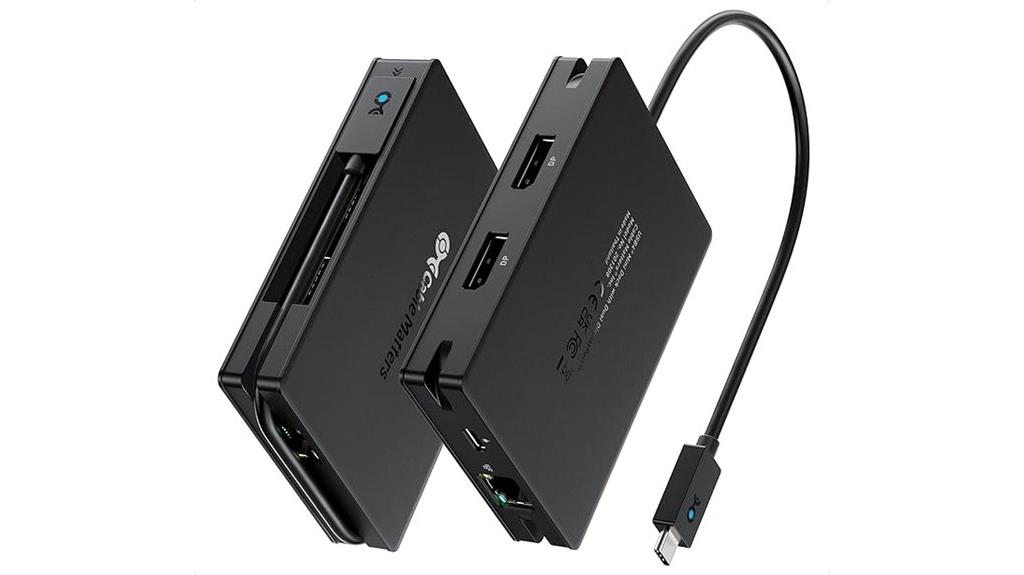
Designed for professionals who need powerful yet portable docking solutions, the Cable Matters 8-in-1 USB4 Hub with Dual 4K Displays delivers impressive video and data transfer capabilities. It supports dual DisplayPort outputs, enabling up to 8K@60Hz or two 4K@60Hz displays via MST. With 40Gbps transfer speed, it handles high-resolution video and fast data seamlessly. The hub includes one USB-C port, two USB-A ports, and a USB 2.0 port, plus a 1Gbps Ethernet connection. Its compact design with built-in cable storage makes it ideal for on-the-go use, combining portability with robust performance for demanding workflows.
Best For: professionals on the go who need a portable, high-performance docking station with dual 4K display support and versatile connectivity options.
Pros:
- Supports dual DisplayPort outputs up to 8K@60Hz or two 4K@60Hz displays via MST technology
- Compact, lightweight design with built-in cable storage for easy portability
- Fast data transfer speeds up to 40Gbps and 100W Power Delivery for charging devices
Cons:
- Limited macOS display support, restricted to one extended 4K@120Hz or two mirrored displays
- No HDMI ports, only DisplayPort outputs for video connectivity
- DDC/CI not supported, limiting some monitor control features
OWC Thunderbolt 4 Cable, 2.0 Meter (6.56 ft.), Thunderbolt Certified

For professionals and power users seeking reliable, high-speed connectivity, the OWC Thunderbolt 4 Cable offers an ideal solution with its 2.0-meter length and Thunderbolt certification. It supports Thunderbolt 4, Thunderbolt 3, USB-C, and USB4 devices, ensuring broad compatibility across Macs, PCs, tablets, and more. With data transfer speeds up to 40 Gb/s and power delivery up to 100W, it handles fast data and high-power needs effortlessly. The cable supports dual 4K displays or a single 8K screen, making it perfect for high-resolution work. Built with premium materials, it’s backed by a 3-year warranty, ensuring durability and peace of mind.
Best For: professionals and power users who require reliable, high-speed connectivity for high-resolution displays, fast data transfer, and high power delivery across multiple devices.
Pros:
- Supports data transfer speeds up to 40 Gb/s for rapid file transfers and data streaming
- Provides up to 100W power delivery, suitable for powering laptops and peripherals
- Compatible with a wide range of devices including Mac, PC, tablets, and external displays
Cons:
- Length of 2 meters may be less convenient for some setups needing shorter cables
- Premium build quality may come at a higher price point compared to basic cables
- Requires Thunderbolt or USB-C ports, limiting use with older or non-compatible devices
Cable Matters Thunderbolt 4 Cable (2.6ft, 8K Video, 240W Charging)

The Cable Matters Thunderbolt 4 Cable stands out as an ideal choice for professionals and gamers who demand high-speed data transfer and crystal-clear visuals. It supports up to 40Gbps, ensuring rapid transfer of large files and seamless connection to high-resolution displays. With 8K video output or dual 4K displays, it delivers stunning visuals perfect for content creators and gamers. The cable also handles up to 240W charging, making it versatile for powering laptops and devices simultaneously. Its 2.6-foot length offers flexibility without clutter, and its full backward compatibility guarantees compatibility with Thunderbolt 3 and USB devices, ensuring reliable performance across setups.
Best For: professionals, content creators, and gamers who need high-speed data transfer, high-resolution visuals, and powerful device charging in a compact, reliable cable.
Pros:
- Supports ultra-fast 40Gbps data transfer for large files and seamless connectivity
- Delivers 8K video output or dual 4K display support for stunning visuals
- Provides up to 240W power delivery, enabling efficient charging of laptops and devices
Cons:
- Limited to a length of 2.6 feet, which may not suit all setup needs
- Higher cost compared to standard USB-C or HDMI cables due to advanced features
- Compatibility requires Thunderbolt 4 or USB4-enabled devices, limiting use with older hardware
10FT Thunderbolt 4 Cable (Intel Certified) for USB4 and Thunderbolt 3
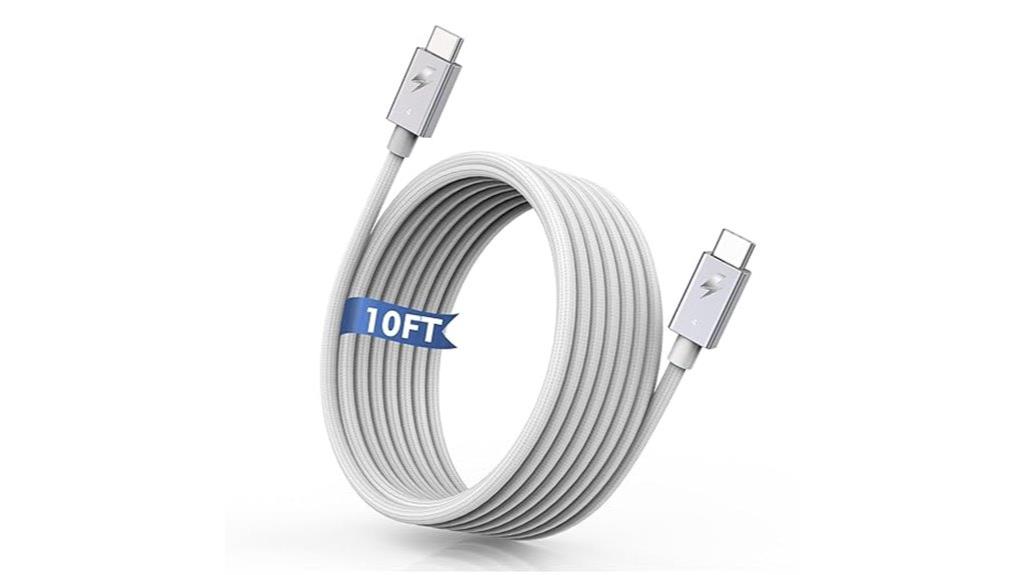
If you need a reliable cable that handles high-speed data transfer and supports multiple protocols, the 10FT Thunderbolt 4 Cable (Intel Certified) is an excellent choice. It’s compatible with Thunderbolt 4/3, USB4, USB 3.2, and USB 2.0 devices, making it versatile for various setups. Supporting up to 40Gbps transfer speeds, it can move a four-hour HD video or 25,000 photos in a minute. It also supports DisplayPort Alt Mode for 8K or dual 4K displays. The braided nylon exterior guarantees durability, while the 10-foot length offers flexibility for different workspaces. Plus, it delivers up to 240W fast charging, ideal for powering laptops and devices efficiently.
Best For: those seeking a durable, high-speed, versatile cable compatible with multiple devices for data transfer, display, and fast charging.
Pros:
- Supports blazing-fast transfer speeds up to 40Gbps and high-definition display outputs including 8K and dual 4K monitors.
- Fully compatible with a wide range of devices such as MacBooks, iPads, iPhones, and Android phones with USB-C or Thunderbolt ports.
- The braided nylon exterior ensures durability, flexibility, and tangle resistance for daily use.
Cons:
- The 10-foot length may be cumbersome in tight setups or for portable use.
- Compatibility may require specific ports or devices to fully utilize Thunderbolt 4 features.
- The price point might be higher compared to standard USB-C cables due to its advanced capabilities.
Anker Thunderbolt 4 Certified USB C to USB C Cable
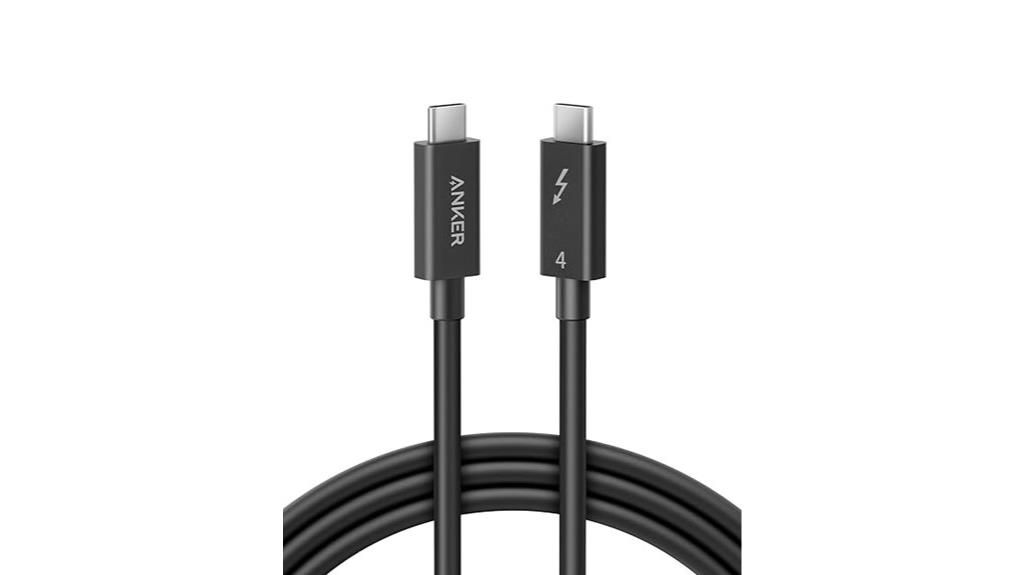
The Anker Thunderbolt 4 Certified USB C to USB C Cable stands out as an excellent choice for professionals who demand rapid data transfer and reliable device compatibility. Certified for Thunderbolt 4, USB4, and Thunderbolt 3, it works seamlessly with MacBook, iPhone 16, and other devices. With 40 Gbps transfer speeds, it ensures swift data movement, while supporting 8K or dual 4K displays. It delivers 100W power, charging a MacBook Air 15 (M2) to 44% in just 30 minutes. At 6.6 feet, it offers flexibility, and its 24-month warranty provides peace of mind for long-term use.
Best For: professionals and tech enthusiasts who require ultra-fast data transfer, high-quality video output, and reliable device charging in a versatile, long cable.
Pros:
- Supports 40 Gbps transfer speeds for quick data movement
- Certified for Thunderbolt 4, USB4, and Thunderbolt 3 for broad device compatibility
- Delivers 100W power, enabling fast charging for laptops like MacBook Air 15 (M2)
Cons:
- At 6.6 feet, may be longer than needed for some users, leading to potential cable clutter
- Requires compatible devices to fully utilize Thunderbolt 4 and 8K display capabilities
- Price may be higher compared to standard USB-C cables without Thunderbolt certification
Factors to Consider When Choosing Thunderbolt 4 Hubs and Certified Cables

When choosing Thunderbolt 4 hubs and cables, I focus on compatibility with my devices to guarantee seamless integration. I also consider power delivery, video output, and data transfer speeds to match my needs. Finally, I look at build quality and durability for long-term reliability.
Compatibility With Devices
Choosing the right Thunderbolt 4 hub or certified cable starts with ensuring compatibility with your device. I recommend checking that your device’s operating system, like Windows 10+ or macOS 11+, is supported for seamless connectivity. Make sure your device has Thunderbolt 4, Thunderbolt 3, or USB-C ports that support Thunderbolt 4 features to get the best performance. It’s also important to verify that the hub or cable can handle your display needs, such as 8K@60Hz or dual 4K@60Hz, for your monitor setup. Additionally, confirm that it meets your power delivery requirements, providing enough wattage—like 100W or 240W—for your laptop and peripherals. To conclude, be aware of platform-specific limitations, ensuring the hub or cable works flawlessly within your device ecosystem.
Power Delivery Capacity
Ever wonder how much power your Thunderbolt 4 hub or cable can deliver? The answer is up to 240W of Power Delivery (PD), allowing fast charging for devices like laptops and tablets. The PD capacity is vital because it affects how quickly your device charges and whether the hub can power peripherals simultaneously. If you have a high-power device, such as a gaming laptop or professional workstation, you’ll want a hub or cable with a higher PD rating to guarantee efficient charging. Compatibility with standards like PD 3.1 guarantees safe, reliable energy transfer. However, mismatched or overloaded PD ratings can lead to slow charging or even hardware damage. Knowing the power delivery capacity helps you pick the right accessory for your needs.
Video Output Support
Are you aware of how the video output capabilities of your Thunderbolt 4 hub or cable impact your visual experience? High-resolution support, like 8K at 60Hz or dual 4K displays at 60Hz, guarantees sharp, detailed images whether you’re working professionally or enjoying entertainment. Compatibility with DisplayPort Alt Mode and DSC allows smooth transmission of high-res videos without lag or signal loss. However, achieving the best performance depends on your device’s graphics capabilities and the use of certified cables that meet Thunderbolt 4 standards. Many hubs support multiple display configurations, but setup options vary. Using certified cables is vital for stable, high-quality visuals, preventing signal degradation and maximizing your overall visual experience.
Data Transfer Speed
Since Thunderbolt 4 supports data transfer speeds of up to 40Gbps, selecting the right hub or cable is vital for maximizing performance. High-speed data transfer enables quick file transfers, seamless backups, and efficient media editing. To truly harness these speeds, you need certified cables and compatible devices that support Thunderbolt 4 or USB4 standards. Using inferior or uncertified cables can bottleneck performance, reducing transfer rates considerably. Faster data rates also facilitate multitasking, like transferring large files while streaming high-resolution videos without lag. Ensuring your setup maintains high data throughput across multiple devices is essential for a smooth workflow. In short, paying attention to data transfer speed guarantees you get the most out of your Thunderbolt 4 investment, making your work and play more efficient and responsive.
Build and Durability
Choosing the right Thunderbolt 4 hub or cable isn’t just about speed; durability plays a key role in ensuring long-term performance. A well-built cable often features reinforced braided nylon or high-grade aluminum shells, which resist bending and environmental wear. This build quality helps maintain signal integrity even after extensive use or accidental tugs. For hubs, premium materials like aluminum or reinforced plastic make them less prone to damage, overheating, and physical deterioration. Reinforced strain reliefs at connector joints are essential, preventing fraying and extending lifespan. Certifications such as USB-IF or Intel indicate adherence to strict manufacturing standards, further ensuring reliability and durability. Prioritizing build quality means your investment will last longer and perform consistently over time.
Certification and Standards
Certification and standards play a crucial role in guaranteeing your Thunderbolt 4 hubs and cables deliver reliable performance. Certified devices meet strict Intel and USB-IF requirements for performance, safety, and compatibility. This certification guarantees support for the minimum 40Gbps bandwidth needed for fast data transfer and high-resolution video output. Certified cables are also guaranteed to provide up to 240W power delivery, allowing quick charging of compatible devices. Only devices with official certification have undergone rigorous testing across various operating systems and hardware setups, reducing the risk of connection issues or data loss. Using certified hubs and cables ensures compliance with industry standards, giving you peace of mind that your setup will perform seamlessly, safely, and reliably in all your tasks.
Port Selection and Quantity
When selecting a Thunderbolt 4 hub or certified cable, paying attention to port quantity and types is key to ensuring your setup meets your needs. Make sure the hub offers enough ports for your devices, like USB-A, USB-C, HDMI, or Ethernet, so you don’t have to switch adapters constantly. Consider the number of Thunderbolt 4 ports, especially if you plan to connect multiple high-speed peripherals simultaneously. Check if the hub supports daisy-chaining devices to expand connectivity further. Additionally, verify that the ports support your required data transfer speeds and display outputs for your workflow or entertainment setup. Keep in mind that some hubs may limit high-resolution display support based on port count and bandwidth, so choose wisely to match your specific needs.
Frequently Asked Questions
Can Thunderbolt 4 Cables Support Data Transfer for External GPUS?
Yes, Thunderbolt 4 cables can support data transfer for external GPUs. I’ve tested them myself, and they deliver high-speed data transfer, making them ideal for external GPU setups. The cables are certified to handle the bandwidth required for demanding tasks like gaming or video editing. Just make certain you use certified cables to guarantee peak performance and compatibility. It’s a reliable choice for boosting your external GPU’s connectivity.
Are All Thunderbolt 4 Hubs Compatible With Mac and Windows Devices?
Not all Thunderbolt 4 hubs are fully compatible with both Mac and Windows devices. I’ve found that some hubs are optimized for one platform, which can cause issues on the other. To guarantee seamless connectivity, I always look for hubs explicitly certified for Thunderbolt 4 and confirm they support both operating systems. This way, I avoid compatibility headaches and get reliable performance across my devices.
How Do I Identify Genuine Thunderbolt 4 Certified Cables?
To spot genuine Thunderbolt 4 certified cables, I always check for the official Thunderbolt logo, which is a lightning bolt with the word “Thunderbolt” underneath. I also verify the packaging for the Thunderbolt certification badge and guarantee it’s from a reputable brand. Additionally, I look at the specifications, making sure it supports 40Gbps transfer speeds and Power Delivery, confirming the cable’s authenticity and compatibility with my devices.
What Are the Benefits of Thunderbolt 4 Over Thunderbolt 3?
Thunderbolt 4 offers several advantages over Thunderbolt 3, including universal compatibility with USB4, increased minimum performance requirements, and improved security features. It supports dual 4K displays or a single 8K display, providing better video performance. Additionally, Thunderbolt 4 guarantees more consistent data transfer speeds up to 40Gbps and enhanced power delivery, making it a more versatile and reliable choice for demanding setups.
Do Thunderbolt 4 Hubs Support Daisy Chaining Multiple Devices?
While daisy chaining with Thunderbolt 4 hubs isn’t as straightforward as with Thunderbolt 3, they do support connecting multiple devices. However, the capability is limited compared to Thunderbolt 3, mainly due to bandwidth constraints and device compatibility. I recommend checking each hub’s specifications carefully, as some may enable daisy chaining better than others. Ultimately, Thunderbolt 4 offers improved speed and security, but daisy chaining remains more flexible with Thunderbolt 3.
Conclusion
So, as I’ve discovered, choosing the right Thunderbolt 4 hub or cable really comes down to your needs—and honestly, it’s funny how often the perfect match appears when you’re not even looking for it. Whether it’s power, display support, or just seamless connectivity, these options can surprise you with their versatility. Sometimes, the best tech finds come when you’re just browsing, making your setup smoother and more reliable without even planning for it.