
To set up your cordless jobsite fan for maximum cooling, fully charge it before use, then position it at a slight angle toward your workspace or personnel. Adjust the oscillation or direct airflow for targeted cooling in tight spots or wide coverage in open areas. Make certain the fan is stable and secure, avoiding obstructions and hazards. Fine-tune the settings based on environment and battery life to keep airflow efficient. Keep exploring for more tips to get the most out of your fan.

Get business pricing on tools and workshop supplies
- Business-only prices and quantity discounts
- Tax-exempt purchasing
- Multiple users, one account, clear invoices
Key Takeaways
- Fully charge the fan and monitor battery levels to ensure continuous operation during critical work periods.
- Position the fan at an angle directed toward the work area for targeted cooling and optimal airflow.
- Use oscillation or adjust the head to cover a wider area, improving overall cooling coverage.
- Secure the fan on a stable stand or clamp to prevent tipping and ensure safety.
- Adjust airflow settings based on environmental conditions and battery life for maximum cooling efficiency.
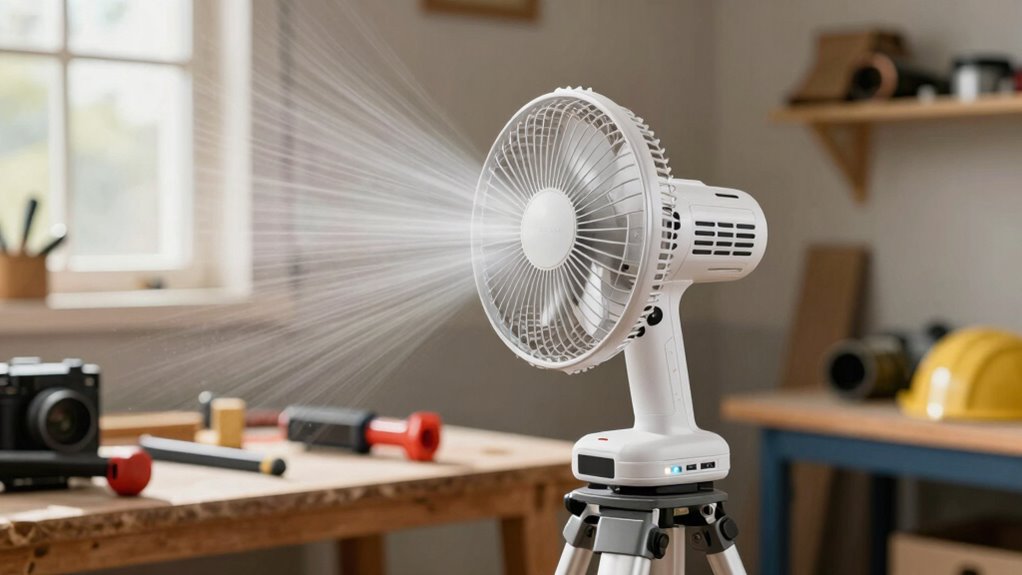
Setting up a cordless jobsite fan is straightforward, but a few key steps guarantee you get maximum airflow and safety. First, consider the fan’s battery life. Make sure it’s fully charged before you start, especially if you’ll be working long hours. Many cordless fans have indicator lights or apps to show remaining power, so keep an eye on these to avoid sudden shutdowns. If your fan uses replaceable batteries, double-check they’re fresh and installed correctly. A longer battery life means uninterrupted cooling, which is vital when the weather heats up or when you’re working in enclosed spaces.
Ensure your cordless fan is fully charged and batteries are fresh for maximum cooling and safety.
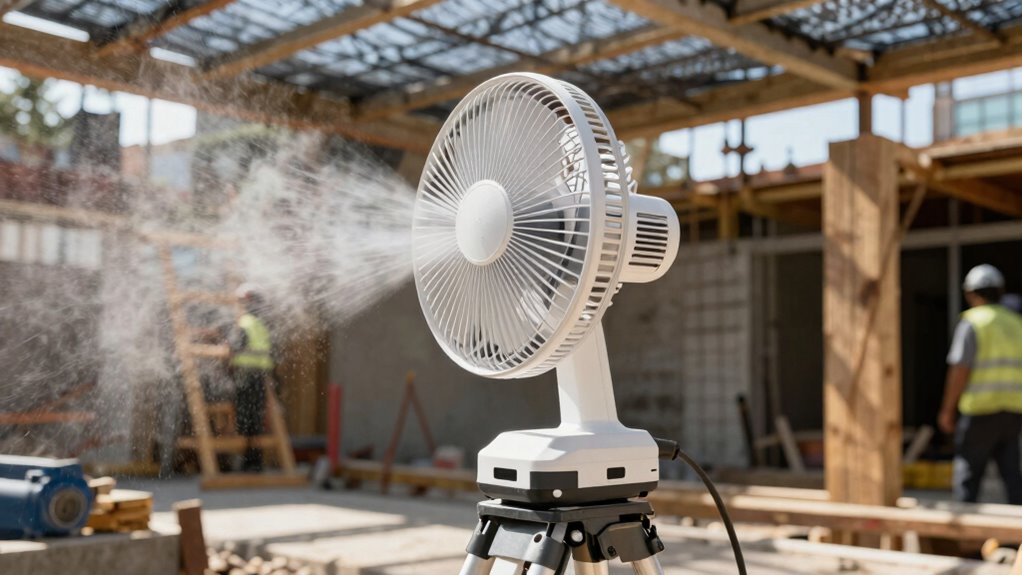
Next, position the fan in a way that optimizes airflow direction. Most fans have adjustable heads or oscillation features—you want to aim the airflow directly at your work area or the people in it. Avoid pointing the fan at walls or corners, as this can cause the airflow to bounce back and reduce cooling efficiency. For maximum effect, set the fan at a slight angle to create a steady breeze that circulates air throughout the space. If your fan oscillates, turn this feature on to cover a wider area, but if you need targeted cooling, keep it fixed in one direction. Experiment with angles and angles to find the sweet spot where airflow hits you or your team most effectively.
When placing the fan, guarantee it’s stable and secure, especially if you’re outdoors or on uneven ground. Use the provided stands or clamps to prevent tipping over. Keep the blades clear of any obstructions, and never insert fingers or objects into the grill while the fan is on. Proper positioning not only maximizes cooling but also keeps everyone safe from accidental injuries. Additionally, understanding the battery management features of your cordless fan can help extend its operational time and prevent unexpected shutdowns during critical work periods. Being aware of power consumption can also help you plan for longer work sessions without interruptions. Incorporating energy-efficient practices can further optimize your equipment’s performance and reduce overall power use. Paying attention to environmental factors can also influence the effectiveness of your fan, such as adjusting the airflow to account for dust or debris in the area. Moreover, choosing the right fan size for your workspace ensures that airflow is adequate without overwhelming the environment or draining the battery too quickly.
Finally, consider how the fan’s airflow interacts with your environment. In tight spaces, use directional airflow to avoid creating disruptive drafts that could blow dust or debris into your work area. If you’re in an open space, oscillating fans help distribute cool air evenly, reducing heat buildup. Remember, the goal is to keep the temperature comfortable without wasting battery power. Adjust the fan’s settings as needed—turn it down when the job site cools off or when battery life starts to run low. With these steps, you’ll guarantee your cordless fan provides maximum cooling where it counts, keeping you comfortable and safe throughout your workday.
Products Worth Considering

Dyson Car+Boat Cordless Handheld Vacuum

Dyson V8 Cordless Vacuum

Levoit Vital 100S-P Air Purifier
As an affiliate, we earn on qualifying purchases.
Frequently Asked Questions
What Safety Precautions Should I Follow When Operating the Fan?
When operating the fan, prioritize electrical safety by inspecting cords and connections for damage before use. Guarantee proper grounding to prevent electrical shocks, especially if the fan is corded or has a power adapter. Keep the area dry and avoid using the fan in wet conditions. Always follow manufacturer instructions and wear safety gear if necessary. Staying vigilant about electrical safety and proper grounding helps keep your worksite safe.
Can the Fan Be Used Outdoors in Rain or High Humidity?
Imagine a warm summer day with a gentle breeze—your cordless jobsite fan keeps things cool. Unfortunately, this fan isn’t built for outdoor durability or rain resistance, so you shouldn’t use it in rain or high humidity. Water can damage its electrical components, risking safety and performance. For outdoor use, look for a fan specifically designed with weatherproof features to handle rain and damp conditions safely.
How Long Does the Battery Typically Last on a Full Charge?
On a full charge, your cordless jobsite fan typically offers a battery life of about 4 to 8 hours, depending on the fan’s speed setting. Charging time usually takes around 3 to 4 hours for a complete recharge. To maximize battery life, use lower speed settings when possible, and make certain you keep the battery charged before long work sessions. Proper care helps your fan run efficiently and extends its overall battery life.
Are There Any Compatible Accessories or Attachments Available?
You’ll find various accessory options compatible with your cordless jobsite fan, enhancing its functionality. For example, some users attach a flexible duct to direct airflow precisely where needed, improving cooling efficiency. Accessory compatibility depends on the fan model, so check the manufacturer’s guidelines. By exploring attachment options like extendable arms or mounting brackets, you can customize your setup for maximum comfort and performance on any job site.
How Do I Troubleshoot Common Issues With the Fan?
To troubleshoot common issues with your cordless jobsite fan, start with fan maintenance by checking for dust, debris, or obstructions in the blades and vents. Make certain the battery is fully charged and properly connected. If the fan isn’t running, try resetting it or replacing the battery. Follow troubleshooting tips like inspecting the switches and wiring for damage. Regular maintenance helps keep your fan working efficiently and prevents future problems.
Conclusion
So there you have it—your ultimate secret weapon against the sweltering heat. With your cordless jobsite fan perfectly positioned, you’ll stay cool enough to pretend you’re actually working while everyone else sweats it out. Who knew that a little fan could turn your misery into a breezy breeze of triumph? Just remember, when the heat’s on, you’re the boss of cool—so set it up right and enjoy your reign over the fiery inferno.