
TL;DR
For most woodworking, start with a variable-speed cordless drill driver that has two speed ranges, a useful clutch, and a comfortable grip. Choose 12V for many light and medium jobs or a higher-voltage platform for repeated large-hole drilling and long fasteners; compare balance, chuck, batteries, and control rather than relying on voltage or torque figures alone.
A drill can make a clean, centered hole in oak—or turn a simple cabinet project into a splintered, screw-stripped mess. The difference is often not brute force. It’s choosing a tool you can control, a bit suited to the job, and a steady way to support the wood.

Get business pricing on tools and workshop supplies
- Business-only prices and quantity discounts
- Tax-exempt purchasing
- Multiple users, one account, clear invoices
This guide explains how to choose cordless power drills for woodworking by the work you actually do. You’ll learn when a drill driver beats an impact driver, what voltage and chuck size tell you, and how a few practical steps can leave holes cleaner and screws sitting flush. You’ll also see when a drill press or a licensed professional is the safer choice.
Key facts and practical examples matter more than a flashy specification. If you build a small bookshelf on weekends, you need a different balance of weight, runtime, and capacity than someone drilling large holes all afternoon in a woodworking shop. Start with that difference, and your choice gets much clearer.
Start with a variable-speed drill driver with a clutch for general woodworking and controlled screw driving.
Choose 12V for many light and medium jobs; consider a higher-voltage tool for repeated large holes or long fasteners.
Compare balance, chuck capacity, gearing, and battery compatibility instead of choosing by voltage or torque alone.
Clamp the work, use a sharp bit and backing board, and ease pressure as a bit exits to reduce tear-out.
Wear eye protection, remove the battery before changing bits, and use a drill press when hole accuracy or repeatability demands it.
Choose the drill type that fits your woodworking
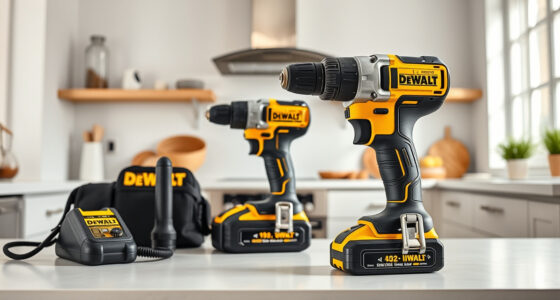
Cordless power drills for woodworking come in several types, but a drill driver is the most useful starting point for most home shops. It drills holes and drives screws, while an adjustable clutch helps limit turning force so you’re less likely to strip a screw or bury its head. That control matters most when the material is thin, the screw is small, or the finished surface must stay unmarred. For a bookcase, cabinet, or garden bench, that combination covers a lot of ground.
A drill driver uses a chuck that grips many styles of bit. A clutch gives you settings for repeatable screw driving; the separate drill setting typically bypasses the clutch for drilling. The clutch isn’t a precise torque gauge, since its behavior can vary with the tool, screw, and material. Treat it as a way to find a consistent starting point, then test on scrap. Picture assembling twelve identical cabinet hinges: once you find a setting that leaves each screw snug without chewing the wood, you can repeat the result instead of guessing every time.
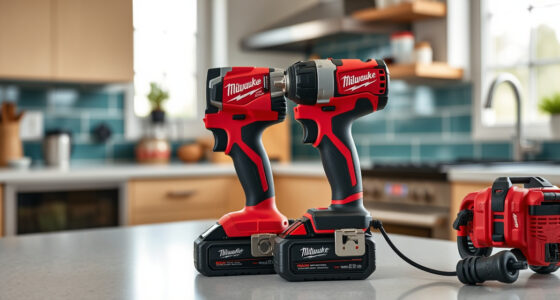
An impact driver delivers rotational impacts that help drive long or stubborn fasteners. Those impacts reduce the steady twisting effort required from your hand, which is useful when driving many long screws, but they also make the tool louder and less forgiving around small screws or delicate work. Most take hex-shank bits, and ordinary precision drilling is usually easier with a drill driver. They are versatile tools in different ways, not perfect substitutes: use the drill when controlled drilling and clutch adjustment matter, and consider the impact driver when fastener volume or length becomes tiring.
A hammer drill adds a pulsing action for masonry, which most woodworking jobs don’t need; the feature does not make it a better wood drill. A right-angle drill earns its keep in cramped places, such as drilling inside a cabinet carcass, but its shape is a solution to access rather than a general performance upgrade. If you’re adding only one tool, choose a variable-speed drill driver with a clutch. Add a specialist tool when the time or control it saves on recurring tasks justifies its cost and storage.
Products Worth Considering

Shark Pet Cordless Stick Vacuum IX141

Dyson V8 Origin+ Cordless Stick Vacuum, Purple

Shark PowerPro Reveal Plus Cordless Stick Vacuum, Charcoal (IZ376H)
As an affiliate, we earn on qualifying purchases.
Match voltage, speed, and chuck size to your projects
Cordless power drills for woodworking should match the holes and fasteners you make, not a voltage label on its own. Compact 12V tools can handle many furniture, cabinet, and everyday assembly tasks, and their lower weight can make them easier to steady during careful work. Higher-voltage platforms, often labeled 18V or 20V maximum, can suit larger bits, longer screws, and repeated heavy work. But voltage is only one part of the system: motor design, gearing, battery, and tool balance affect how power reaches the bit and how manageable the drill feels. A heavier tool may be worth it for demanding work, but can become tiring during overhead assembly or long sessions of small holes.
The speed range matters because drilling and driving place different demands on a tool. A two-speed gearbox typically gives you a slower range for driving screws, where controlled turning helps prevent overdriving, and a faster range for many smaller drilling tasks. The variable-speed trigger lets you start gradually, which helps the bit bite without skating across a smooth board. Faster is not always better: larger bits and tougher cuts often need a slower speed to keep the cut controlled and reduce heat. Follow the bit and tool guidance for the material, and ease off if the drill labors or the bit catches.
Chuck size sets the maximum shank size the drill can grip, but it doesn’t by itself guarantee the drill can comfortably power every bit that fits. A 3/8-inch chuck is common on compact drills and handles many ordinary bits; the smaller tool may be lighter and easier to maneuver. A 1/2-inch chuck accepts larger shanks and may make more sense when your work regularly calls for larger bits. For example, a cabinetmaker mainly boring small pilot holes may prefer a lighter 3/8-inch drill, while a shop cutting larger openings may value the added capacity of a 1/2-inch chuck. Choose for the bits you actually use, not just the largest bit you might use once.
Don’t buy by torque numbers alone. More torque can help with demanding work, but a bit that catches can twist the drill hard enough to hurt your wrist or damage the work. The number also doesn’t tell you how smoothly the trigger responds or whether the tool is comfortable to control. If your tool includes a side handle, use it for high-torque tasks and keep the work secured. Think of specifications like shoes: the biggest pair isn’t best if it doesn’t fit the job or let you move comfortably.
Compare drill drivers, impact drivers, and battery platforms
A drill driver offers the best all-around control for ordinary woodworking, while an impact driver shines at driving many or long screws. A hammer drill is mainly for masonry. These differences affect both finish and fatigue: the drill driver’s clutch and smoother action suit careful work, while impact action can make repetitive fastening easier but is less gentle around small fasteners. Compare the tasks you do most often before buying a second tool; otherwise, you can pay for a feature that sits unused in a drawer.
| Tool | Best fit | Tradeoff |
|---|---|---|
| Drill driver | General drilling, pilot holes, and controlled screw driving | May work harder than an impact driver on very long fasteners |
| Impact driver | Driving many or long screws | Noisier and less suited to delicate drilling |
| Hammer drill | Drilling masonry when its hammer mode is needed | Extra weight and a feature most woodworkers rarely use |
| Right-angle drill | Holes in tight spaces | Specialist tool, not a general replacement |
Battery platform may guide your purchase more than a small difference in drill specifications. A platform can let one battery and charger serve several tools, spreading the cost across a shop and reducing spare equipment. But compatibility can vary by model, generation, and voltage class, so a shared brand name is not enough to confirm a fit. Check the manufacturer’s current compatibility details before assuming a battery from an older tool will fit a new one.
Amp-hours, or Ah, describe battery capacity rather than drill power. Within a compatible platform, a higher-capacity battery generally lets you work longer between charges, but it also adds weight at the handle. That tradeoff is noticeable when holding a drill away from your body or working overhead. If you assemble furniture for an hour, a small battery can keep a compact drill nimble; if you’re drilling a stack of shelf-pin holes, a spare compatible battery can save a walk back to the charger. Brushless motors and newer battery systems can improve efficiency, but actual runtime and performance depend on the whole tool, battery, and workload.
Drill cleaner holes and drive screws without damage
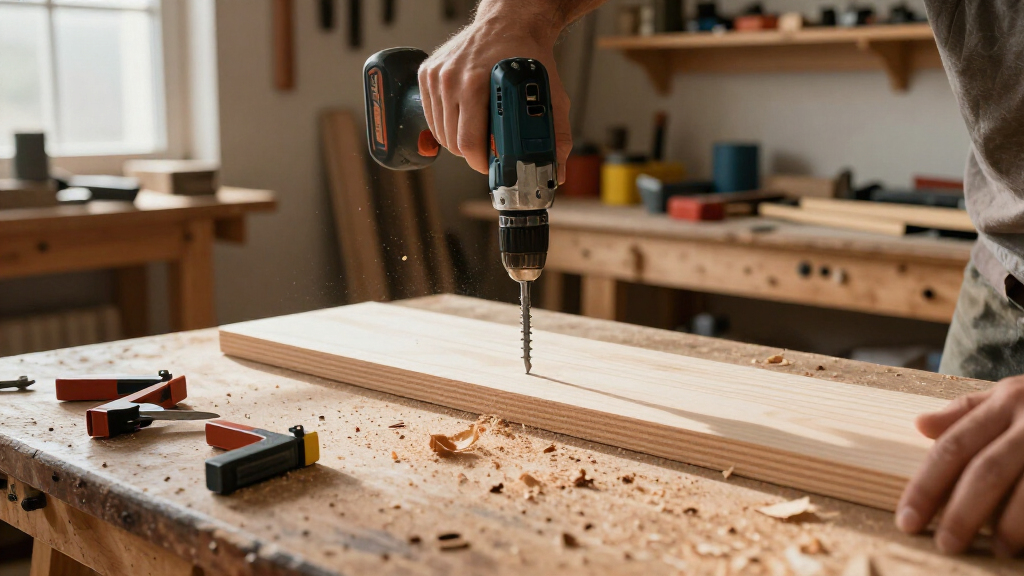
Clean woodworking holes start with a sharp, suitable bit, a stable workpiece, and controlled pressure. Mark the center clearly, clamp the board, and pick a bit made for the hole you want. Bit choice affects both accuracy and the cut’s finish: a brad-point bit helps locate a hole in wood; a Forstner bit makes a flat-bottomed hole; a hole saw cuts a wider opening. For example, use a brad-point bit for a neat dowel hole and a Forstner bit when a flat-bottomed recess matters.
- Mark and secure. Mark the center and clamp the wood so it cannot spin or shift. Supporting the back of the board with a scrap backing board gives the bit somewhere to exit and helps support fibers that might otherwise tear away.
- Choose the right bit and speed. Match the bit to the hole and material. Large bits generally call for a slower speed because they remove more material per rotation; clearing chips from deep holes helps prevent clogging and keeps the bit cutting rather than rubbing.
- Start gently. Hold the drill square to the surface and squeeze the trigger slowly. The gradual start helps the bit stay centered. A small pilot hole can guide a larger bit or prepare wood for a screw, reducing the effort needed to drive it and the chance of splitting near an edge.
- Ease through the exit. Reduce pressure as the bit approaches the far side. Pressing hard at breakthrough can force the bit through suddenly and tear fibers from the back face; the backing board supports those fibers and helps limit tear-out.
- Set the clutch for screws. Start low, test on a scrap piece, and raise the setting only if the screw stops before it sits snug. A setting that is too high can bury the head or strip the wood, while one that is too low leaves the screw proud. Keep the driver bit aligned with the screw head to reduce slipping and damage.
Don’t force a binding bit. Release the trigger, keep control of the drill, and figure out why the bit caught before continuing. For instance, a hole saw packed with chips may need clearing; pushing harder can strain the tool and make it jerk. If you need a hole with exact depth, angle, or repeatable spacing, a drill press can offer better control than a handheld drill because it guides the bit consistently. A jig can also help when the workpiece is too large or awkward for a drill press.
Choose a drill that stays comfortable through the whole job
Size, weight, and balance affect accuracy when you drill overhead, reach into a cabinet, or repeat the same motion dozens of times. Fatigue can make it harder to keep the bit square and the trigger steady, so a high-powered drill that feels awkward may make a simple job harder than a smaller, well-balanced model. Hold a drill as you would at the bench, not just at the store counter: grip it, reach the trigger, and check whether your wrist stays in a natural position.
Imagine installing shelves above a workbench. You may need to hold the drill overhead while aligning each screw, so a compact tool and lighter battery can reduce fatigue and help you keep the driver bit aligned. In a different job—boring larger holes through thick stock—a heavier drill with a 1/2-inch chuck may feel more suitable, particularly if it has a side handle for better control. The better choice depends on which demand comes up more often: maneuverability or capacity.
Comfort is a performance feature. It helps you keep the bit straight, stop where you mean to, and avoid rushing as your arm tires. The grip’s shape, trigger response, and weight distribution all count; a tool that is technically powerful but uncomfortable can lead to less consistent results over a long session. If possible, handle the tool with the battery installed, since the battery can shift the balance noticeably compared with the bare drill.
Price and platform matter, too. If you already own compatible batteries and a charger, a bare drill may cost less than starting a new system, and sharing batteries can simplify a small shop. But that saving only makes sense if the battery is truly compatible and the platform suits future tools you expect to buy. Verify compatibility rather than taking the family name on the tool as proof. Product lines, specifications, and prices change, so check current manufacturer information before buying. A five-minute check can prevent the frustrating discovery that your new battery won’t fit your old charger.
Keep drilling safe and know when a handheld drill isn’t enough
Eye protection, a clamped workpiece, and a controlled grip are basic safeguards for drilling wood. Wear safety glasses to protect against flying chips, keep loose clothing and hair away from rotating parts, and remove the battery before changing bits or doing maintenance. Clamping matters because a bit can grab and spin an unsecured board, turning the workpiece into a hazard and pulling the drill off line. These habits matter even for a small pilot hole: a spinning board or a snapped chip can cause a nasty surprise.
Large bits can catch suddenly, making a drill twist in your hands. Use the side handle where the tool provides one, and don’t brace the wood against your body. If a bit binds, release the trigger and correct the cause rather than wrestling the tool. Keep batteries dry and use the charger recommended for your platform; a damp battery or improvised charger is not a woodworking shortcut. These precautions reduce the chance that a routine task becomes an injury or equipment problem.
A handheld drill is not the right choice for every precise task. Use a drill press when hole depth, angle, spacing, or repeatability needs tight control. Its fixed alignment and depth setting can make repeated holes more consistent, while a handheld drill depends on your ability to guide and stop it each time. For example, if you’re making a row of evenly spaced holes for adjustable shelves, a drill press or a suitable jig can help you keep the pattern consistent. A handheld drill can still work, but your setup must do more of the guiding.
Woodworking does not usually require electrical, gas, roof, or structural work. If a project reaches those areas—for example, drilling near hidden wiring, modifying a load-bearing member, or making a roof penetration—stop and consult a licensed professional. The risks involve more than the hole itself: damaging a concealed service or changing a structural component can have serious consequences. Follow local code and permit requirements. For electrical work, turn off power at the appropriate breaker and verify the circuit is de-energized before any work; wear suitable PPE and don’t rely on guesswork.
Frequently Asked Questions
Is a 12V drill powerful enough for woodworking?
Yes, for many everyday woodworking jobs. A compact 12V drill can handle furniture assembly, cabinetry, pilot holes, and plenty of ordinary drilling. Repeated large-hole drilling or long, demanding fasteners may call for a stronger tool, so judge by your workload and the drill’s control.
Should I buy an 18V or 20V drill?
Compare the actual tools, not just the label. 18V and 20V maximum are commonly different ways of describing cordless platforms, and voltage alone does not tell you how well a drill performs. Check balance, gearing, chuck, battery options, and manufacturer specifications.
Do I need an impact driver as well as a drill?
Not for every shop, but they complement each other. A drill driver gives you useful control for drilling and delicate screw work; an impact driver can make repeated or long fasteners easier to drive. If you mostly build small furniture, start with the drill driver and add an impact driver when your projects call for it.
What chuck size should I choose for woodworking?
A 3/8-inch chuck suits many common bits and compact drills. A 1/2-inch chuck accepts larger-shank bits and can be a better fit for heavier drilling. Match the chuck to the bits and holes you expect to use rather than buying the largest by default.
How do I stop wood from splintering as I drill through it?
Use a sharp wood-appropriate bit and support the exit side. Clamp a backing board behind the piece, hold the drill steady, and ease pressure as the bit breaks through. Those steps support the wood fibers and help leave a cleaner edge.
Conclusion
Choose your drill by the work waiting on your bench: a comfortable drill driver with a clutch handles a surprising range of woodworking, while an impact driver or drill press fills a more specific need. Check the battery platform, grip the tool with its battery installed, and test your clutch on scrap before driving into a finished piece.
Control beats a big number on a box. The right drill should feel steady in your hand and leave a clean hole behind—like a sharp pencil line, only through wood.